
Premium digital assets for professional creative work.
Explore premium digital assets and professional creative resources for graphic design, illustration, digital art, photography, branding and motion design. Discover brushes, templates, textures, mockups, actions, presets, overlays, patterns and creative bundles at Brushes Pack.
Better tools for ambitious creative projects.
Explore specialized resources for illustration, design, editing, presentation and visual production.
CREATIVE
ASSETS
Build a premium toolkit around the work you create most.
Move directly into focused collections for drawing, design, editing, presentation and creative production.
Premium Digital Brushes
Explore creative brushes for drawing, painting, sketching, lettering, inking and texture workflows.
Explore digital brushes →Graphic Design Assets
Discover creative resources for branding, advertising, packaging, social media and visual communication.
Explore graphic design assets →Professional Mockups
Present logos, products, packaging, apparel and digital designs in polished visual environments.
Explore mockups →Digital Textures
Add paper, grain, grunge, halftone and other material qualities to design and illustration projects.
Explore textures →Creative Templates
Use reusable design structures to accelerate posters, social graphics, branding and other layouts.
Explore templates →Photoshop Actions
Speed up repeatable editing processes and creative effects with Photoshop automation resources.
Explore actions →Digital Overlays
Add light, atmosphere, particles and visual effects to photography and creative compositions.
Explore overlays →Creative Presets
Develop color and tonal direction more efficiently with presets for photography and visual content.
Explore presets →Digital Asset Bundles
Expand your toolkit with larger collections containing multiple related creative resources.
Explore bundles →Premium assets should earn their place in your creative library.
A useful professional resource is not simply another download. It should solve a recurring problem, expand your creative options or make an important part of production more efficient.
Save Production Time
Use specialized resources to reduce repetitive setup and accelerate recurring creative tasks.
Expand Your Toolkit
Add new brushes, effects, textures and workflows without rebuilding every resource manually.
Improve Presentation
Use mockups, templates and polished visual resources to communicate finished work more effectively.
Stay Flexible
Customize digital resources around your own composition, color, style and creative direction.
Professional does not mean complicated. It means useful for the job.
Evaluate creative assets according to compatibility, included resources and how well they fit the work you actually produce.
Start with compatibility
Make sure the resource is intended for your software and creative workflow before purchasing.
Understand what is included
Review the product information so you know which files, tools or resources are part of the download.
Think about repeat use
Resources that solve problems you encounter frequently can become especially useful parts of a professional toolkit.
Keep creative control
Adapt assets to your own project rather than allowing a preset, template or effect to determine the entire design.
Turn premium resources into useful creative tools.
Choose assets deliberately, organize them properly and customize them around the needs of each project.
Define
Identify the project, software and specific creative challenge you need to solve.
Select
Choose resources based on compatibility, purpose and the visual direction of the work.
Organize
Store downloads within a clear software and asset-type library structure.
Customize
Adjust the resource around your project’s composition, style, color and communication goal.
Deliver
Use the resource as one part of a complete, polished and purposeful creative project.
Explore premium creative resources by workflow and purpose.
Find professional resources for designers, digital artists, illustrators, photographers and content creators.
Explore the latest digital assets.
Discover recently added products across the Brushes Pack marketplace. This collection automatically updates as new creative resources are published.
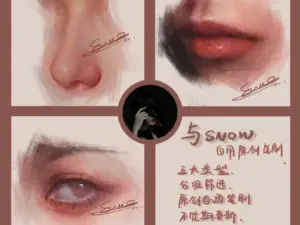
Snow Procreate Portrait Brushes – Oil Painting & Metallic Brush Bundle
Sold by Snow's Thick Paint Studio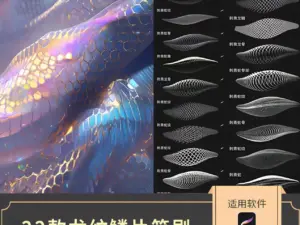
Procreate Dragon Scale Brushes – Realistic Animal Skin Textures
Sold by Sakuragi design materials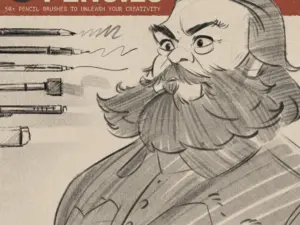
LP Pencil Brushes
Sold by lucaspeinador
12 Procreate Textured Hair Brushes Vol. 2 | Ultra-Realistic Hair Texture Brushes for Procreate
Sold by brushespack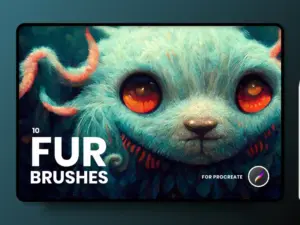
FUR Brushes Realistic Procreate Fur
Sold by delightfuldesignstudio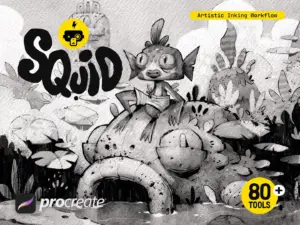
Squid Inking Workflow for Procreate
Sold by Frankentoon Studio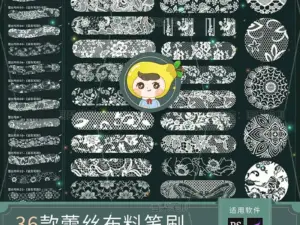
Procreate Brushes PS Brushes Lace Sheer Fabric Smudge Texture Hollow Lace Wedding Dress Pattern Apparel Design
Sold by HuaLiBrushes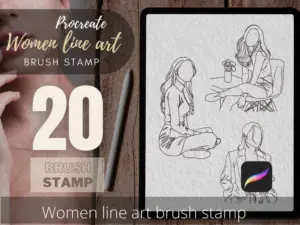
Women Line Art Tattoo Stencils, Procreate Brush Stamp (Digital Download)
Sold by TattooWorkerBrushesPremium digital asset questions.
Useful information for finding professional creative resources that fit your software and workflow.
What are premium digital assets?
Premium digital assets are paid creative resources such as brushes, templates, textures, mockups, actions, presets, overlays and other downloadable tools intended to support creative workflows.
Who can use premium creative assets?
They can support graphic designers, illustrators, photographers, digital artists, motion designers, content creators and other creative professionals.
What software can I find resources for?
Brushes Pack includes resources for applications such as Procreate, Photoshop, Illustrator, Lightroom, Clip Studio Paint, Affinity Designer, After Effects, Figma and other creative software.
Are premium assets compatible with every application?
No. Compatibility depends on the individual product. Review the product page and included file information before purchasing.
Are creative bundles available?
Yes. Visit Digital Asset Bundles to explore larger collections of creative resources.
Can I also find free creative resources?
Yes. Explore Free Design Assets for free brushes, effects and other creative downloads.
How should professional digital assets be organized?
A useful approach is to organize resources first by software and then by type, such as brushes, textures, templates, presets and effects.
Where can I get help with an order or download?
Visit Contact Us or review the Brushes Pack FAQ’s for support information.
Premium digital assets for designers, artists and creative professionals.
Premium digital assets can help creative professionals work more efficiently, experiment with different visual techniques and build reusable toolkits around recurring projects. These resources can support graphic design, illustration, photography, digital painting, branding, content creation and motion design.
At Brushes Pack, creators can explore professional digital resources across multiple software platforms and asset types, from brushes and textures to templates, mockups, actions, presets, overlays and creative bundles.
What are premium digital assets?
Premium digital assets are downloadable creative resources offered as paid products. They can include specialized brushes, editing tools, reusable templates, textures, effects, presets and other resources created for specific digital workflows.
The purpose of a premium asset is not simply to add another file to your computer. A useful resource should help solve a creative problem, save production time or expand the range of techniques available within your software.
Premium creative assets for professional workflows
Professional creative work often involves repeated processes. Illustrators repeatedly sketch, ink and paint. Graphic designers prepare presentations, create layouts and develop visual systems. Photographers edit groups of images, while motion designers build transitions, effects and animated sequences.
Reusable digital resources can support these workflows by reducing repetitive setup while leaving important creative decisions in the hands of the creator.
Premium graphic design assets
Graphic designers may use mockups, textures, templates, patterns, effects, brushes and other reusable resources across branding, packaging, advertising and digital content.
Explore Graphic Design Assets for a broader collection focused specifically on visual design workflows.
Professional digital brushes
Digital brushes can simulate drawing and painting techniques or provide specialized marks that would otherwise take significant time to reproduce manually.
Artists may build different brush libraries for sketching, inking, watercolor, painting, texture work, lettering and specialized effects.
Browse Digital Brushes for resources across multiple creative applications.
Premium Procreate assets
Procreate users can expand their creative toolkit with brushes, stamps, textures and other resources designed for illustration and digital painting on iPad.
Visit Procreate Brushes & Digital Assets for a focused Procreate collection.
Premium Photoshop assets
Adobe Photoshop supports many types of professional digital resources, including brushes, actions, textures, mockups, effects and templates.
Browse Photoshop Brushes, Actions & Digital Assets for Photoshop-focused resources.
Professional Photoshop actions
Photoshop actions automate a recorded sequence of commands. They can support creative effects, photo treatments and other workflows that involve repeating the same editing steps.
Explore Photoshop Actions for additional automated editing resources.
Premium Illustrator resources
Illustrator users may use vector brushes, patterns, textures, shapes and other scalable resources for branding, lettering, illustration and graphic design.
Visit Illustrator Brushes & Vector Assets.
Professional Clip Studio Paint resources
Clip Studio Paint artists can use specialized brushes and other creative tools for manga, comics, character art and digital illustration.
Browse Clip Studio Paint Brushes & Digital Assets.
Premium Affinity Designer resources
Affinity Designer supports professional vector and raster workflows. Brushes, textures and patterns can expand its capabilities for illustration, branding and graphic design.
Explore Affinity Designer Brushes & Digital Assets.
Professional Lightroom presets
Presets can help photographers establish a starting point for color and tonal adjustments, particularly when editing groups of images that require a related visual treatment.
Visit Lightroom Presets & Photo Editing Assets.
Premium After Effects assets
Motion designers and video creators can use templates, presets, plugins, transitions and effects to support animation and video-production workflows.
Explore After Effects Templates, Presets & Plugins.
Professional mockup templates
Mockups allow designers to present artwork in realistic or polished contexts. They are frequently used for branding, packaging, apparel, devices, posters and product presentations.
Browse Mockup Templates.
Premium digital textures
Textures add material character to otherwise clean digital artwork. Paper, grain, grunge, halftone and distressed surfaces can introduce depth and variation to design and illustration.
Explore Digital Textures.
Premium design templates
Templates provide reusable layout structures for recurring creative projects. They can reduce setup time while allowing designers to customize typography, color, hierarchy, imagery and content.
Visit Design Templates.
Professional digital patterns
Patterns are useful for packaging, branding, textiles, backgrounds, surface design and decorative compositions. Seamless resources can repeat across larger areas without obvious interruptions.
Browse Digital Patterns.
Premium overlays and creative effects
Digital overlays can introduce light, atmosphere, weather, particles and other visual effects into photography and design compositions.
Explore Digital Overlays.
Premium presets for visual consistency
Creative presets can provide a repeatable starting point for color and tonal direction. They can be useful when photographers and content creators need related visual styling across multiple images.
Browse Creative Presets.
Premium digital asset bundles
Digital bundles combine multiple resources into larger collections. A bundle may focus on a software platform, resource type or creative style.
For creators who regularly use related resources, a bundle can provide a broader toolkit within one collection.
Explore Digital Asset Bundles.
Premium assets for illustrators
Illustrators may benefit from brush sets, textures, stamps and patterns that support different stages of drawing and painting. A useful illustration library might include separate tools for sketching, clean line work, painting and final texture.
Premium assets for graphic designers
Graphic designers often need resources that serve different stages of production. Templates can accelerate layouts, textures can influence visual character and mockups can improve client or portfolio presentations.
Premium assets for photographers
Photographers may use presets, overlays, textures and Photoshop actions during editing. These resources can provide efficient starting points while still allowing manual adjustments for individual photographs.
Premium assets for content creators
Content creators often produce visual material frequently. Templates, presets and other reusable assets can help establish consistent workflows for social media, marketing graphics and digital publishing.
Premium assets for motion designers
Motion designers can use transitions, presets, templates and effects to accelerate parts of animation and video production while customizing timing, typography and visual styling around each project.
How to choose professional digital assets
Start with a real creative requirement rather than the appearance of the product alone. Ask what task the resource should improve and how often you are likely to use it.
Then check compatibility, included files and whether the asset fits your existing software and workflow.
Premium digital assets vs free digital assets
Both free and premium resources can be useful. Free assets are valuable for experimentation, learning and discovering new workflows, while premium resources can provide additional options or specialized collections.
If you want to explore without purchasing first, visit Free Design Assets & Creative Resources.
How to build a professional asset library
Organize resources according to how you work. You might create separate top-level folders for Procreate, Photoshop, Illustrator, Lightroom and After Effects, then divide each one into brushes, presets, actions, templates and other resource types.
Keep frequently used assets easy to reach and archive resources you rarely use. A smaller organized working collection can often be more useful than an enormous unsorted library.
Explore premium digital assets at Brushes Pack
Browse the Brushes Pack Shop to discover professional brushes, templates, textures, mockups, patterns, actions, presets, overlays, plugins and other creative resources.
You can also begin with the broader Digital Assets collection or explore Graphic Design Assets for design-focused resources.
Always review individual product information for included files, compatibility and any specific requirements before purchasing or downloading.
What makes a digital resource useful over the long term?
Editorial-style examples representing common ways creative professionals evaluate resources for ongoing project work.
“I value a resource when it becomes part of several projects rather than one. The tools that solve recurring problems are the ones I keep in my main working library.”
“A strong creative asset gives me a useful starting point but still leaves enough flexibility to make the final result fit my own style and project.”
“I keep frequently used tools separate from my archive. That simple organization makes the resources I already own much more valuable during busy projects.”
Know what you are downloading.
Review product information, support resources and important Brushes Pack policies before purchasing digital products.
Professional Creative Notes are editorial-style examples representing common creative viewpoints and are not presented as verified purchase testimonials.
Find professional resources for your preferred creative workflow.
Move into focused software and resource collections to find digital assets that match the way you design, illustrate, edit or create.
Build a better creative toolkit with premium digital assets.
Explore professional brushes, templates, textures, mockups, actions, presets, patterns, overlays and other digital resources for designers, artists and creators at Brushes Pack.