
Digital overlays for light, atmosphere & creative photo effects.
Explore digital overlays for Photoshop, photography, graphic design and digital artwork. Discover light overlays, bokeh, sunlight, snow, rain, smoke, glass, floral elements, glitter, particles and transparent PNG effects at Brushes Pack.
Add the visual element your original image could not capture.
Choose overlays around the effect you need, from subtle natural lighting to dramatic weather, particles, foreground elements and fantasy-inspired atmosphere.
Light Overlays
Add natural sunlight, rays, flares, glow and directional illumination to photography and artwork.
Explore light overlays →Bokeh Overlays
Create dreamy foreground lights, blurred circles, festive atmosphere and soft photographic depth.
Browse bokeh overlays →Weather Overlays
Add rain, snow, fog, mist and atmospheric conditions without depending on weather during the shoot.
Explore weather overlays →Smoke & Fog Overlays
Introduce cinematic haze, smoke, mist and atmospheric depth to portraits, posters and digital artwork.
Browse atmospheric overlays →Glass & Reflection Overlays
Create window reflections, prism effects, refractions, broken glass and layered optical treatments.
Explore glass overlays →Particles & Glitter
Add dust, sparkles, stardust, confetti and magical particle effects for expressive compositions.
Browse particle overlays →Floral & Nature Overlays
Add flowers, petals, branches, butterflies, foliage and natural foreground elements to photography.
Explore nature overlays →Water & Splash Overlays
Create water splashes, droplets, bubbles and underwater-inspired effects without complex compositing setups.
Browse water overlays →Creative Effect Overlays
Explore VHS, ripped paper, lightning, shadows, magical effects and experimental visual elements.
Explore creative overlays →Use overlays to change atmosphere without rebuilding the entire image.
Overlay resources can introduce lighting, foreground elements, weather and effects while keeping the original photograph or design intact underneath.
Photography
Enhance portraits, weddings, seasonal photography and creative editorial images.
Graphic Design
Add lighting, particles and atmosphere to posters, covers and promotional graphics.
Digital Art
Blend overlays into illustrations and composites to create richer visual environments.
Social Content
Create eye-catching seasonal, lifestyle and promotional visuals more efficiently.
The most convincing overlay feels like it belonged in the original scene.
Match direction, color, scale and intensity to the underlying photograph. A subtle overlay that respects the existing light can feel more realistic than a stronger effect.
Match the light direction
If your photograph is lit from the left, a strong artificial flare from the opposite direction may feel unnatural.
Adjust opacity
Overlays rarely need to remain at full strength. Reduce opacity until the effect supports rather than dominates the image.
Use blending modes intentionally
Screen, Lighten, Soft Light and other modes can integrate different overlay types in different ways.
Check file format and resolution
Review each product for included PNG, JPG, PSD or other formats and make sure the dimensions suit your project.
Build atmosphere in controlled layers.
A simple compositing process can keep creative effects editable and make the final result feel more naturally integrated.
Choose
Select an overlay that supports the mood, lighting and subject of your image.
Place
Add the overlay above your photograph or artwork as a separate layer.
Blend
Experiment with opacity and suitable blending modes to integrate the effect.
Mask
Hide parts of the overlay where it interferes with faces, text or important details.
Refine
Adjust color, scale and intensity until the overlay belongs naturally in the scene.
Explore digital overlays by visual effect.
Discover popular overlay styles for Photoshop, photography, graphic design and digital artwork.
New digital overlay arrivals.
Explore recently added photo overlays, light effects and transparent creative elements. This section automatically updates whenever new products are published in the Overlays category.
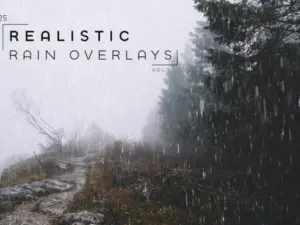
Realistic Rain Overlays Vol.1
Sold by Yaroslav Vitkovskiy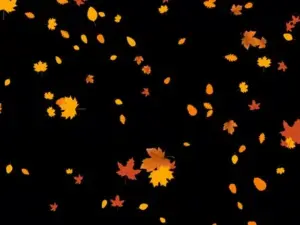
Autumn Leaves Overlays
Sold by Victory Box
Sunflower Digital Overlays
Sold by squijoo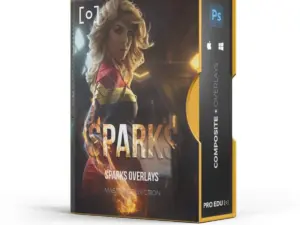
SPARKS FX OVERLAYS VOLUME 1 & 2
Sold by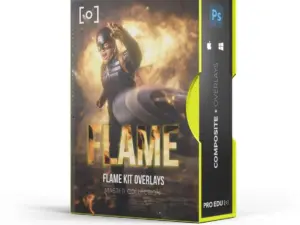
FLAME KIT FX OVERLAYS BUNDLE VOLUME 1 & 2
Sold by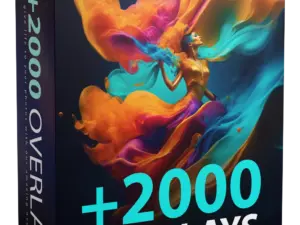
+2000 Overlays – Free lifetime Updates
Sold by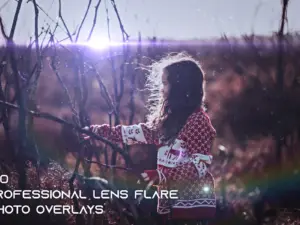
100 Professional Lens Flare Photo Overlays
Sold by Creative Market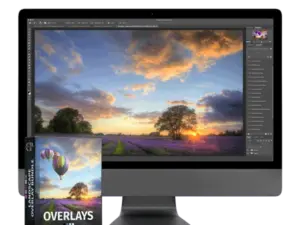
Digital overlay questions.
Helpful information for working with Photoshop overlays, transparent PNG elements, lighting effects and photo overlays.
What is a digital overlay?
A digital overlay is an image or visual element placed above another image to add light, atmosphere, weather, particles, foreground objects or creative effects.
What are Photoshop overlays?
Photoshop overlays are digital elements that can be placed on separate layers and blended with photographs or artwork using opacity, masks and blending modes.
What file formats do photo overlays use?
Overlay packs can include transparent PNG files, JPG images, PSD files or other formats. Check each product page for the exact files included.
How do I use an overlay in Photoshop?
Place the overlay above your photograph, resize it as required and experiment with opacity, blending modes and masks until the effect integrates naturally.
What is a transparent PNG overlay?
A transparent PNG overlay contains isolated visual elements without a solid background, making it easier to place them directly over existing artwork.
Can beginners use digital overlays?
Yes. Basic transparent PNG overlays can be very simple to use, while more advanced effects may benefit from knowledge of masks and blending modes.
Do overlays only work in Photoshop?
Not always. Many PNG or JPG overlays can work in other editing applications that support layers, but compatibility depends on the individual product and format.
Where can I get help with a Brushes Pack overlay?
Visit the Contact Us page or browse the Brushes Pack FAQ’s.
Digital overlays for Photoshop, photography and creative image effects.
Digital overlays make it possible to introduce visual elements that were not present when the original photograph or artwork was created. They can add sunlight, bokeh, particles, weather, glass reflections, flowers, water, smoke and many other effects while keeping the original image available underneath.
At Brushes Pack, photographers, designers and digital artists can explore digital overlays for Photoshop, photo editing and other creative workflows.
Photoshop overlays
Adobe Photoshop is especially useful for overlay workflows because each effect can remain on its own layer. This lets you change opacity, blending, color and masks without permanently altering the original photograph.
Explore our broader Photoshop Brushes & Digital Assets page for additional Photoshop resources.
Photo overlays for photographers
Photographers can use overlays when the original shoot does not contain the atmosphere needed for the final image. A portrait might benefit from warm sunlight, foreground bokeh or subtle particles, while seasonal photography may use snow, petals or festive lights.
The strongest results usually preserve the lighting and perspective of the original photograph rather than making the added element feel separate.
Light overlays
Light overlays include sunlight, rays, lens effects, glow and other illumination-inspired elements. They can introduce direction and warmth or help emphasize a subject.
Brushes Pack’s live overlay collection includes realistic sunlight, prism light and other photographic lighting resources.
Sunlight overlays
Sunlight overlays can simulate beams, natural window light, warm rays and bright atmospheric highlights. They are useful for portraits, wedding photography, lifestyle work and editorial imagery.
When applying sunlight, consider where the original shadows fall so the direction of the added light remains believable.
Bokeh overlays
Bokeh overlays add soft circles and blurred points of light to an image. They can create depth, warmth and a festive or dreamy atmosphere.
Bokeh effects are especially useful for portraits, weddings, holiday photography and creative compositions where foreground or background light adds visual interest.
Snow overlays
Snow overlays let photographers create seasonal winter effects without relying on real snowfall during a shoot.
Using several particle sizes can make snow feel more dimensional because smaller flakes can appear farther away while larger flakes feel closer to the camera.
Rain and weather overlays
Weather overlays may include rain, fog, mist and atmospheric effects. These resources can dramatically change the emotional character of an image.
Try to match the added weather to the scene’s existing contrast and lighting so the final composition remains visually consistent.
Smoke and fog overlays
Smoke and fog can introduce cinematic atmosphere, mystery and depth. They work particularly well in portraits, poster artwork, fantasy composites and dramatic advertising images.
Mask smoke away from important facial details or typography when clarity is more important than atmosphere.
Glass and reflection overlays
Glass overlays can recreate reflections, distortion, windows, prisms and optical effects. These resources can make portraits and graphic designs feel more layered and experimental.
Reflection overlays can also simulate photographing through a window or transparent surface without requiring that setup during the original shoot.
Dust and particle overlays
Particles such as dust, glitter and stardust can add motion and visual energy. They are useful for fantasy art, children’s photography, posters, promotional graphics and magical compositions.
Keep particle scale consistent with the scene so foreground and background elements create believable depth.
Floral overlays
Floral overlays can introduce flowers, petals, branches and other natural elements around a subject. Transparent PNG files make these assets especially useful for portrait photography and decorative compositions.
Brushes Pack’s current catalog contains floral branches, rose petals, sunflower elements and other nature-focused overlays.
Water and splash overlays
Water overlays can include splashes, droplets, bubbles and underwater-style elements. They can add action to product photography, sports artwork and creative digital compositions.
Pay attention to light direction and transparency when integrating water so it interacts naturally with the scene.
Transparent PNG overlays
Transparent PNG overlays are convenient because the background has already been removed. You can often place the element directly above your image, transform it and begin refining the composite immediately.
You can also explore the PNG & Elements collection for additional transparent creative resources.
Overlay blending modes
Blending modes can help integrate effects that include dark or light backgrounds. Screen and Lighten are often useful for light-based elements, while Soft Light and Overlay can be useful for more tonal effects.
There is no single correct blending mode for every overlay. Judge the result visually and adjust opacity afterward.
Using masks with photo overlays
Layer masks allow you to control exactly where an overlay appears. This is especially useful when light, smoke or particles cover a face, logo or another important area.
Soft brushes on a mask can help transitions remain natural instead of creating obviously cut edges.
Digital overlays for beginners
Beginners can start with transparent PNG overlays because they are generally straightforward to position and resize. Learn how layers, masks and opacity work before experimenting with more complex composites.
A simple light or bokeh overlay is often enough to understand the basic workflow.
Professional overlay workflows
Professional photographers and designers often organize overlay libraries by effect: Light, Bokeh, Weather, Smoke, Glass, Particles, Nature and Special Effects.
Keeping favorite resources in smaller collections can help you find suitable effects without browsing hundreds of files during every project.
Combine overlays with digital textures
Overlays and textures can work together when a composition needs both atmosphere and surface character. For example, a light overlay may shape the atmosphere while subtle grain unifies the overall image.
Explore our Digital Textures page for grain, paper, grunge and distressed resources.
Combine overlays with Photoshop actions
Photoshop actions can automate a color or artistic effect before or after an overlay is applied. This can be useful for creating a unified style across the final composite.
Browse our Photoshop Actions page for additional editing automation resources.
Download digital overlays from Brushes Pack
Explore the Digital Overlays collection at Brushes Pack for light effects, bokeh, snow, weather, particles, florals, glass effects and transparent creative elements.
Before purchasing, check each product page for current image dimensions, file formats, included resources and software requirements. You can also browse the complete Brushes Pack shop for brushes, actions, textures, mockups, presets, patterns and templates.
What creators value in a useful overlay library.
Editorial-style perspectives representing common creative priorities when photographers and designers work with digital overlays.
“I use overlays most when a portrait already works but needs a little more atmosphere. A subtle light or foreground bokeh effect can change the mood without replacing the original photography.”
“For compositing, the important part is control. I want to resize, mask and recolor the overlay so it becomes part of the design rather than looking like something pasted on top.”
“My overlay folders are organized by light, weather, particles and foreground elements. That makes it much faster to choose an effect based on what the image actually needs.”
Helpful information before you purchase.
Learn more about Brushes Pack, find support resources and review important policies for digital products.
Compositing Studio Notes are editorial-style examples representing common creative viewpoints and are not presented as verified purchase testimonials.
Continue building your creative effects library.
Combine digital overlays with textures, Photoshop actions, brushes and effects for more flexible photography and design workflows.
Add atmosphere and creative effects with digital overlays.
Explore light, bokeh, sunlight, weather, particles, glass, floral and transparent PNG overlays for Photoshop, photography and digital artwork at Brushes Pack.