
Digital brushes for artists, illustrators & designers.
Explore digital brushes and brush packs for Procreate, Photoshop, Adobe Illustrator, Clip Studio Paint and Affinity Designer. Find tools for sketching, painting, inking, lettering, texture work, manga, watercolor and professional digital art workflows at Brushes Pack.
Find digital brushes around the way you create.
Different projects require different stroke behavior. Build your brush library around the artistic techniques you use most often.
Pencil & Sketch Brushes
Explore digital pencil brushes for rough concepts, character sketches, studies and detailed drawing.
Explore sketch brushes →Ink & Line Art Brushes
Create clean contours, expressive line weight, comic artwork and hand-drawn ink effects.
Browse inking brushes →Painting Brushes
Build color, form and painterly texture with digital painting brushes for expressive artwork.
Explore painting brushes →Watercolor Brushes
Create washes, pigment textures, soft edges and traditional watercolor-inspired digital effects.
Browse watercolor brushes →Texture Brushes
Add grain, distress, paper character, rough edges and natural surface variation to digital artwork.
Explore texture brushes →Lettering & Calligraphy Brushes
Create expressive lettering, script, markers, calligraphy and stylized typography.
Browse lettering brushes →Manga & Comic Brushes
Explore brushes for line art, manga, comics, halftones, speed effects and character illustration.
Explore manga brushes →Stamp Brushes
Speed up repeated decorative elements, shapes, foliage, effects and illustrative details.
Browse stamp brushes →Specialty Brush Packs
Discover brushes for hair, skin, engraving, halftones, markers and specialized creative techniques.
Explore specialty brushes →Digital brushes for the tools artists already use.
Explore software-specific brush collections so you can focus on resources designed for your creative workflow.
The best brush library is the one that supports your actual workflow.
You do not need hundreds of similar brushes. A smaller collection of dependable sketch, ink, paint and texture tools can be far easier to use consistently.
Choose brushes by technique
Start with what you create most often, such as painting, sketching, comics, lettering or texture work.
Match brushes to your software
Brush formats and behaviors can vary between creative applications, so check compatibility before downloading.
Build a core brush set
Keep your most dependable sketch, ink, paint and texture brushes easy to access.
Add specialty brushes as needed
Expand your toolkit with hair, foliage, stamp, halftone or specialty effects when projects require them.
Build a brush library around the stages of your artwork.
Organizing brushes by creative purpose can make it easier to move from a rough idea to a finished piece.
Sketch
Use pencil and drawing brushes to explore ideas, shapes and composition.
Ink
Refine edges and line work with cleaner or more expressive inking tools.
Paint
Build color, light, form and atmosphere with digital painting brushes.
Texture
Add grain, paper, halftone and surface variation where the artwork needs it.
Finish
Use specialty brushes for details, effects and final visual refinement.
Explore digital brushes by creative technique.
Browse common digital brush styles and discover resources for your preferred artistic workflow.
New digital brush arrivals.
Explore recently added brush packs across creative software. This section automatically updates whenever new products are published in the Brushes category.
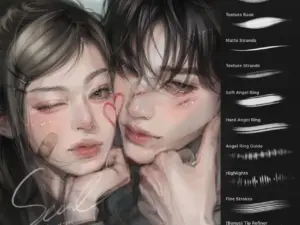
12 Procreate Textured Hair Brushes Vol. 2 | Ultra-Realistic Hair Texture Brushes for Procreate
Sold by brushespack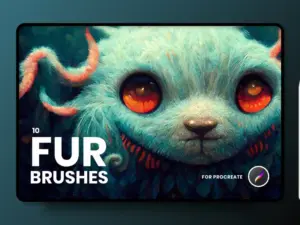
FUR Brushes Realistic Procreate Fur
Sold by delightfuldesignstudio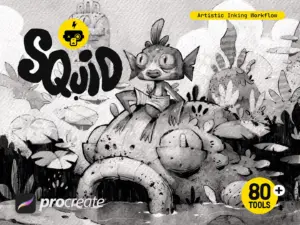
Squid Inking Workflow for Procreate
Sold by Frankentoon Studio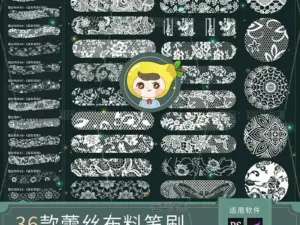
Procreate Brushes PS Brushes Lace Sheer Fabric Smudge Texture Hollow Lace Wedding Dress Pattern Apparel Design
Sold by HuaLiBrushes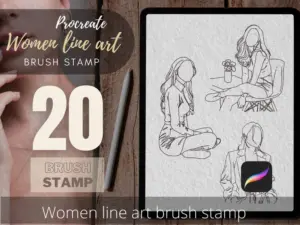
Women Line Art Tattoo Stencils, Procreate Brush Stamp (Digital Download)
Sold by TattooWorkerBrushes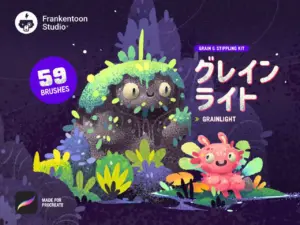
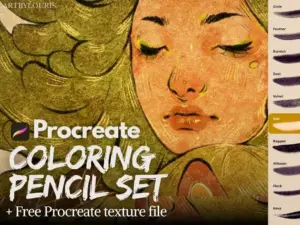
Procreate Coloring Pencil Set | FREE Texture Template | Instant Download
Sold by Art By Louris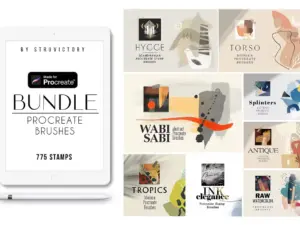
Procreate Stamp Brushes Bundle 2020
Sold by Struvictory artDigital brush questions.
Helpful information for choosing brush packs and building an organized digital art toolkit.
What are digital brushes?
Digital brushes are software-based drawing and painting tools that simulate different strokes, textures, media and artistic effects.
Which programs can use digital brushes?
Brushes may be created for programs such as Procreate, Adobe Photoshop, Adobe Illustrator, Clip Studio Paint and Affinity Designer.
Can one brush file work in every application?
Not necessarily. Brush formats and engines vary between software, so always check the individual product compatibility information.
What types of digital brushes are available?
Common styles include pencil, ink, paint, watercolor, texture, lettering, manga, comic, stamp and specialty brushes.
Are digital brushes good for beginners?
Yes. A focused brush set can help beginners learn sketching, painting and inking without becoming overwhelmed by too many tools.
How many brushes do I really need?
There is no fixed number. A small set of brushes you understand well can be more useful than hundreds of similar tools.
How should I organize my digital brushes?
Organize brushes by use, such as Sketch, Ink, Paint, Texture, Lettering and Special Effects, and keep frequently used tools easy to access.
Where can I get help with a Brushes Pack product?
Visit the Contact Us page or browse the FAQ’s.
Digital brushes for drawing, painting, illustration and creative design.
Digital brushes are some of the most useful tools in an artist’s creative library. They can simulate pencils, ink, paint, watercolor, charcoal, markers and textured media while also supporting effects that would be difficult to reproduce with traditional materials.
At Brushes Pack, artists and designers can explore digital brushes for Procreate, Photoshop, Illustrator, Clip Studio Paint, Affinity Designer and other creative workflows.
Digital art brushes for modern creative workflows
Digital art brushes allow artists to adapt their tools to different techniques without physically changing media. One illustration might begin with a pencil-style brush, move into ink, use painting brushes for color and finish with texture brushes.
The right brush collection can make that process faster while helping an artist maintain a consistent style.
Procreate brushes
Procreate supports an especially wide variety of creative brush styles, from sketching and watercolor to stamps and digital painting.
Explore our dedicated Procreate Brushes & Digital Assets page for a deeper selection of Procreate-focused resources.
Photoshop brushes
Photoshop brushes can support illustration, painting, photo compositing, graphic design and texture work. They are useful for both artistic and production-oriented workflows.
Visit the Photoshop Brushes & Digital Assets collection for software-specific resources.
Adobe Illustrator brushes
Illustrator brushes can add expressive strokes and texture to scalable vector artwork. They can be useful for ink effects, lettering, engraving styles and graphic illustration.
Explore our Illustrator Brushes & Vector Assets page for vector-focused brush resources.
Clip Studio Paint brushes
Clip Studio Paint is popular with digital illustrators, manga artists and comic creators. CSP brushes can cover pencils, inking, painting, textures and specialized comic techniques.
Browse the dedicated Clip Studio Paint Brushes & Assets page for more focused resources.
Affinity Designer brushes
Affinity Designer brushes can help artists combine clean vector work with more organic strokes and textures. These tools are useful for illustration, lettering and graphic design.
Visit the Affinity Designer Brushes & Digital Assets page for Affinity-focused collections.
Pencil brushes for sketching
Digital pencil brushes can recreate smooth graphite, grainy sketch textures and loose drawing marks. They are useful for rough concepts, character design, studies and finished monochrome artwork.
A dependable pencil brush is often one of the most frequently used tools in an artist’s library.
Inking brushes for clean and expressive lines
Inking brushes can range from smooth technical lines to rough dry-ink effects. Artists working on comics, manga, lettering and illustration often rely on pressure-sensitive inking tools for line variation.
Different ink brushes can create very different visual personalities even when used on the same drawing.
Digital painting brushes
Painting brushes support color, form, blending and texture. Some simulate traditional media while others are designed specifically for efficient digital painting.
Artists may combine softer rendering brushes with more textured strokes to create depth and prevent surfaces from feeling overly uniform.
Watercolor brushes
Digital watercolor brushes can reproduce washes, blooms, edges and pigment-inspired textures. They allow artists to experiment with watercolor aesthetics while retaining the flexibility of digital layers and editing.
Texture brushes
Texture brushes add grain, distress, paper, noise and irregularity to digital artwork. They can make clean shapes and painted surfaces feel more tactile.
You can also explore the broader Textures collection for additional surface resources.
Lettering and calligraphy brushes
Lettering brushes can support script, marker, ink and calligraphy-inspired typography. Pressure-sensitive behavior can help produce natural variation in thick and thin strokes.
These brushes can be useful for logos, social graphics, packaging and decorative illustration.
Manga and comic brushes
Comic and manga artists often need pencils, ink tools, tones, textures and repeated visual effects. Specialized brushes can accelerate those repetitive tasks while still allowing individual artistic control.
Stamp brushes
Stamp brushes can place repeated decorative elements, shapes, foliage, clouds, textures and visual effects. They can reduce the time required to draw complex repeated details manually.
They are most effective when used selectively so the final artwork still feels intentional rather than repetitive.
Digital brushes for beginners
Beginners should start with a simple toolkit. A pencil brush, an inking brush, one or two painting brushes and a texture brush can cover a surprising number of workflows.
Learn those tools well before expanding into larger specialty collections.
Professional digital brush packs
Professional illustrators and designers often value consistency more than quantity. Brushes that behave predictably can become part of a repeatable production process across multiple projects.
Once artists understand their core tools, specialized packs can help solve specific creative problems without cluttering the active brush library.
Build an organized digital brush library
Organize brushes into categories such as Sketch, Ink, Paint, Watercolor, Texture, Lettering, Stamps and Special Effects. If you use multiple creative programs, consider separating collections by software as well.
An organized library makes it easier to find the right tool without interrupting the creative process.
Download digital brushes from Brushes Pack
Explore the Digital Brushes collection at Brushes Pack for brush packs covering illustration, painting, sketching, lettering and design.
Before purchasing, check each product page for current file formats, included resources and software compatibility. You can also browse the complete Brushes Pack shop for textures, actions, presets, mockups, templates and other creative digital assets.
What artists value in a useful digital brush library.
Editorial-style perspectives illustrating the qualities creators often look for when choosing drawing and painting tools.
“I would rather have ten brushes I know extremely well than two hundred that all feel almost the same. My sketch, ink and texture brushes are the tools I keep returning to.”
“For painting, I look for brushes that respond naturally to pressure and give me enough texture without making the artwork difficult to control.”
“A good brush library is really about organization. If my pencils, ink tools, painting brushes and specialty effects are separated clearly, I can stay focused on the artwork.”
Helpful information before you purchase.
Learn more about Brushes Pack, find support resources and review important policies for digital products.
Creator Studio Notes are editorial-style examples representing common creative viewpoints and are not presented as verified purchase testimonials.
Continue building your creative asset library.
Combine digital brushes with textures, patterns, effects and other resources for more flexible creative workflows.
Find your next digital brush at Brushes Pack.
Explore brush packs for Procreate, Photoshop, Illustrator, Clip Studio Paint, Affinity Designer and other creative workflows.