
Digital textures for design, illustration & creative artwork.
Explore digital textures for Photoshop, Procreate, Illustrator and other creative workflows. Discover paper textures, grunge textures, grain, halftones, distressed surfaces, canvas effects and design texture packs at Brushes Pack.
Find the right surface, grain and character for your creative work.
Textures can completely change the feeling of otherwise clean digital artwork. Choose them around the visual mood and material quality you want to create.
Paper Textures
Add scanned paper grain, fibers, folds and natural surface detail to artwork, packaging and graphic design.
Explore paper textures →Grunge Textures
Create worn, rough, dirty and imperfect surfaces for posters, branding, typography and experimental design.
Browse grunge textures →Grain & Noise Textures
Add subtle analog character, depth and tonal variation to otherwise smooth digital compositions.
Explore grain textures →Halftone Textures
Create print-inspired dots, shading, comic effects and retro graphic treatments.
Browse halftone textures →Distressed Textures
Add scratches, damage, worn edges and aged character to posters, apparel graphics and typography.
Explore distressed textures →Canvas Textures
Bring woven surface detail to paintings, illustration and artwork that needs a more tactile finish.
Browse canvas textures →Vintage Textures
Create aged print, faded paper and retro-inspired treatments for branding and editorial graphics.
Explore vintage textures →Concrete & Stone
Add architectural, rough mineral and industrial surface detail to creative compositions.
Browse concrete textures →Abstract Textures
Use experimental surfaces, distortion, paint, scanned marks and unusual materials for expressive artwork.
Explore abstract textures →Use textures to add depth without rebuilding every surface by hand.
A good texture can support the visual idea while leaving the typography, composition and illustration clear.
Graphic Design
Add grain, distress and tactile character to posters, layouts and promotional graphics.
Digital Illustration
Use texture to break up flat color, add atmosphere and create more natural-looking surfaces.
Branding
Build distinctive visual identities with paper, print, worn and material-inspired surfaces.
Typography
Apply grain, distress and print character to lettering, logos and display type.
Packaging
Add surface character to labels, packaging concepts and presentation artwork.
Social Graphics
Create stronger backgrounds and more tactile visual styles for digital campaigns and posts.
Print Effects
Recreate halftone, screen-print, aged ink and imperfect reproduction styles digitally.
Mockup Styling
Use subtle material detail to make presentation graphics and scenes feel more realistic.
Texture should support the artwork, not compete with it.
The strongest texture work often comes from controlling scale, opacity, blending and placement rather than simply applying the same effect everywhere.
Start with the material you want to suggest
Paper, concrete, grain and halftones create very different visual associations.
Control texture scale
A texture that works on a large poster may look too coarse on a small social graphic.
Use blending and opacity intentionally
Subtle textures often produce a stronger final result than an effect used at full strength.
Check the included file formats
Review each product page for current texture formats, dimensions and compatibility information.
Build surface character in controlled stages.
Use textures near the end of a design process when the composition and visual hierarchy are already working.
Design
Build the composition, illustration or typography before adding surface detail.
Select
Choose a texture that supports the mood, medium and intended visual style.
Apply
Place the texture where it contributes depth instead of automatically covering everything.
Blend
Adjust opacity, contrast, scale and blending until the surface feels integrated.
Refine
Review the final artwork at its intended size and reduce texture where necessary.
Explore digital textures by material and design style.
Find popular texture types for graphic design, illustration, Photoshop and other creative workflows.
New digital texture arrivals.
Explore recently added texture packs for design and illustration. This section automatically updates when new products are published in the Textures category.
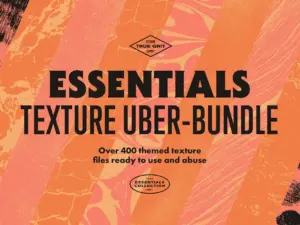
Essentials Collection Texture Bundle
Sold by True Grit Texture Spply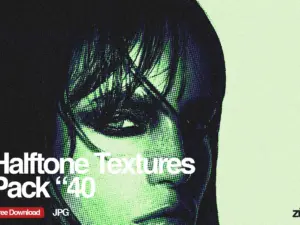
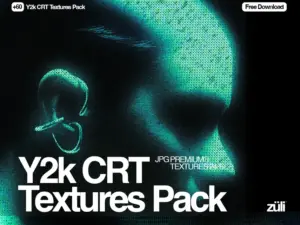
Free Y2k CRT Textures Pack
Sold by Zuli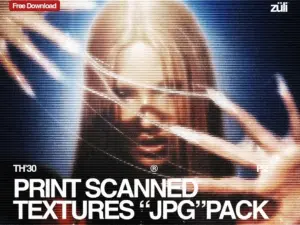
Free Print Scanned Textures Pack
Sold by Zuli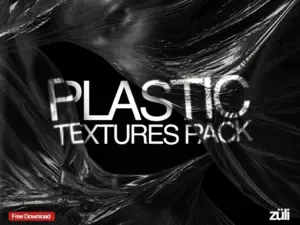
Free Plastic Wrap Textures Pack
Sold by Zuli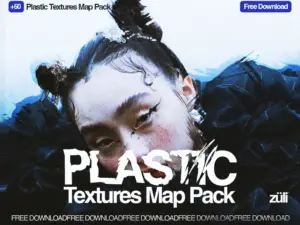
Free Plastic Textures Map Pack
Sold by Zuli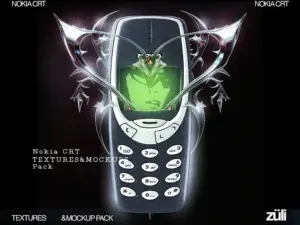
Free Nokia Retro CRT Textures&Mockups Pack
Sold by Zuli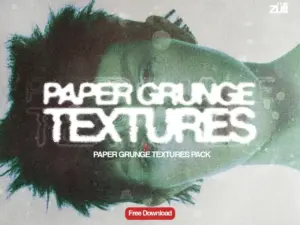
Paper Grunge Textures Pack
Sold by ZuliDigital texture questions.
Helpful information for choosing and using texture packs in graphic design and digital artwork.
What are digital textures?
Digital textures are image or design resources used to add surface character such as paper, grain, distress, concrete, canvas or print effects to creative artwork.
What can digital textures be used for?
They can be used in graphic design, illustration, posters, branding, packaging, typography, social graphics and many other creative projects.
Can I use textures in Photoshop?
Many digital textures can be used within Photoshop workflows, depending on the included format. Always review the specific product description first.
What is a paper texture?
A paper texture recreates or captures details such as fibers, grain, folds, stains or natural imperfections from paper surfaces.
What are grunge textures?
Grunge textures generally feature rough, worn, scratched, distressed or imperfect surface details used to create more rugged design styles.
How should I apply textures?
Textures can be layered over or incorporated into artwork, then adjusted using opacity, masking, contrast or blending techniques depending on your software.
Do all texture packs work with every design program?
Not always. File formats and workflow requirements can differ, so check the individual product page for current compatibility details.
Where can I get help?
Visit the Contact Us page or browse the Brushes Pack FAQ’s.
Digital textures for graphic design, illustration and creative artwork.
Digital textures help designers and artists bring depth, material character and visual imperfection into otherwise clean digital work. They can recreate paper grain, aged surfaces, halftone printing, concrete, canvas, scratches and many other physical qualities without requiring the material to be scanned for every project.
At Brushes Pack, you can explore digital textures and texture packs for graphic design, Photoshop, illustration, branding, typography and other creative workflows.
Graphic design textures
Texture is often used to stop a design from feeling too flat or mechanically perfect. A small amount of grain can soften digital gradients, while distressed surfaces can make typography feel aged, printed or handmade.
The most effective texture depends on the design direction. A luxury brand may need subtle paper grain, while a retro poster might benefit from heavier print wear or halftone effects.
Photoshop textures
Adobe Photoshop provides flexible tools for layering, masking and blending texture images. Designers can place textures over artwork and adjust opacity, blend modes, contrast and masks until the effect feels integrated.
You can also explore our Photoshop Brushes & Digital Assets page for additional Photoshop creative resources.
Paper textures
Paper textures are among the most versatile digital surface resources. They can introduce grain, fibers, folds and natural variation into illustrations, posters, packaging and editorial graphics.
Brushes Pack includes paper-focused texture products in its current catalog, alongside Photoshop and Procreate resources that incorporate paper surfaces.
Grunge textures
Grunge textures introduce scratches, dirt, uneven marks and worn visual detail. These surfaces are useful for posters, album artwork, apparel graphics, typography and experimental branding.
They can create strong visual personality, but they are usually most effective when applied selectively rather than covering every element equally.
Grain textures
Grain adds subtle noise and tonal variation. It can soften overly smooth digital artwork and help different visual elements feel more cohesive.
A small amount of grain can be especially useful in gradients, illustrations and editorial graphics where completely smooth surfaces feel too synthetic.
Halftone textures
Halftone textures reproduce the dot-based visual language associated with print production, comics and retro graphic design.
Different dot size, spacing and contrast can dramatically change the effect, from subtle printed shading to bold comic-inspired patterns.
Distressed textures
Distressed textures use scratches, worn edges, cracks, stains and other imperfections to create aged or damaged surfaces.
They can work particularly well with typography, logos, packaging concepts and artwork inspired by vintage print production.
Canvas textures
Canvas textures can give digital painting and illustration a woven, physical surface. They are useful for artwork that needs some visual connection to traditional painting materials.
The texture should remain subtle enough that it supports the artwork without obscuring important details.
Vintage and retro textures
Vintage texture packs often combine paper grain, faded color, print noise, scratches and age-inspired detail. They can support branding, posters, packaging and editorial work with a nostalgic direction.
Retro textures can also be combined with halftones, distressed typography and limited color palettes to create stronger period-inspired compositions.
Concrete and stone textures
Concrete, stone and architectural textures create harder, more industrial surfaces. They can be useful for urban graphics, poster design, album artwork, branding and presentation scenes.
Textures for digital illustration
Illustrators can use textures to break up flat shapes, add atmosphere and create tactile surface variation. Texture layers are especially useful when an illustration feels too clean or uniform.
Artists can also combine textures with the resources on our Digital Brushes page to create richer, more organic artwork.
Textures for typography
Texture can make typography feel printed, distressed, painted or aged. Designers may apply textures directly to lettering or use masks to limit the surface effect to selected portions of the text.
When working with small text, keep texture subtle so readability remains strong.
Textures for branding and packaging
Brand designers may use textures to establish material associations. Recycled paper grain can communicate one feeling, while smooth premium paper or rough ink textures can communicate something completely different.
Packaging concepts can also use texture to help digital mockups communicate a more convincing physical finish.
Digital textures for beginners
Beginners should start with one texture and experiment with scale, opacity and blending. Applying many different texture layers at once can make it difficult to understand which effect is improving the design.
Once you understand how one texture interacts with color and composition, you can begin combining multiple surfaces more intentionally.
Professional texture workflows
Professional designers often keep texture libraries organized by material and visual effect. Categories such as Paper, Grain, Grunge, Halftone, Distress, Canvas and Concrete make it easier to locate the right surface quickly.
Saving a smaller group of frequently used textures separately can also speed up repeated workflows.
Combine textures with digital brushes
Textures and brushes solve different creative problems but often work well together. Brushes can create local marks and surface detail, while larger texture files can unify broader areas of a composition.
Explore our Digital Brushes for Artists & Designers page to build a more complete creative toolkit.
Download digital textures from Brushes Pack
Explore the Textures collection at Brushes Pack for paper, grunge, grain, distressed, canvas and other creative texture resources.
Before purchasing, review each product page for included files, image dimensions, formats and software compatibility. You can also browse the complete Brushes Pack shop for brushes, mockups, actions, presets, patterns, overlays and templates.
What designers value in a useful texture library.
Editorial-style perspectives illustrating how creators often think about surface, grain and material detail.
“I usually start with a clean design and add texture near the end. That makes it much easier to judge whether the grain is actually improving the composition instead of hiding problems.”
“Paper and print textures are the ones I use most often. Even a subtle surface can make digital illustration feel less perfect and much more natural.”
“For branding work I organize textures by material instead of project. When I need paper, grain, concrete or distress, I can immediately find several options that fit the direction.”
Helpful information before you purchase.
Learn more about Brushes Pack, find support resources and review important policies for digital products.
Material Studio Notes are editorial-style examples representing common creative viewpoints and are not presented as verified purchase testimonials.
Continue building your creative asset library.
Combine digital textures with brushes, patterns, overlays and other design resources for more flexible creative workflows.
Add more depth to your designs with digital textures.
Explore paper, grain, grunge, halftone, distressed and other digital texture packs for graphic design, illustration and creative artwork at Brushes Pack.