
Creative presets for faster color, mood & visual style.
Explore creative presets for photography, photo editing and digital content. Discover cinematic, vintage, moody, warm, pastel, portrait, travel, film-inspired and professional preset packs designed to help you establish a consistent visual direction faster.
Choose a visual direction before fine-tuning the individual image.
Presets can provide a repeatable starting point for color and tone. Browse creative looks by atmosphere, photography style and intended visual mood.
Cinematic Presets
Create deeper contrast, stylized color and dramatic moods inspired by cinematic image grading.
Explore cinematic presets →Moody Presets
Build darker shadows, muted colors and atmospheric tones for portraits, lifestyle and editorial work.
Browse moody presets →Vintage Presets
Recreate nostalgic color, faded contrast and retro-inspired photographic character.
Explore vintage presets →Portrait Presets
Establish flattering color and consistent tone for portrait, family and lifestyle photography.
Browse portrait presets →Warm & Golden Presets
Add warmer color relationships, golden tones and inviting atmosphere to photographs.
Explore warm presets →Pastel Presets
Create softer colors, lighter tonal relationships and gentle creative styling.
Browse pastel presets →Film-Inspired Presets
Explore faded blacks, restrained saturation and analog-inspired color treatments.
Explore film presets →Travel & Lifestyle Presets
Create cohesive color across travel photography, outdoor scenes and lifestyle content.
Browse travel presets →Creative Color Presets
Experiment with unusual color relationships and stylized effects for expressive image editing.
Explore creative presets →Use presets to establish direction, then refine each photograph individually.
A preset can save setup time and provide consistency, but lighting, exposure, skin tone and camera conditions still vary from image to image.
Edit Faster
Begin with a prepared combination of color and tonal adjustments instead of rebuilding the look every time.
Create Consistency
Use a related preset style across photographs that belong to the same project or visual story.
Explore Styles
Preview different moods quickly before committing to the final creative direction.
Refine the Result
Adjust exposure, white balance and other settings after applying the preset to fit the actual photograph.
The preset should adapt to the photograph, not force every photograph to become identical.
Lighting conditions, camera settings and subject colors vary. Apply the preset, then refine exposure, white balance and individual tones so the image remains natural to its original conditions.
Start with good exposure
Presets generally perform better when the source photograph already has usable highlight and shadow information.
Adjust white balance
A preset cannot know the exact lighting conditions of every photograph, so temperature and tint may need refinement.
Protect skin tones
When editing portraits, make sure stylized color grading still keeps skin tones appropriate for the image.
Check compatibility
Review each individual product page for supported software, versions, included formats and installation instructions.
Move from base image to consistent visual style in five steps.
A simple workflow keeps presets efficient while preserving enough flexibility for each individual photograph.
Prepare
Correct major exposure problems and begin with a clean source image.
Preview
Test several preset styles and compare which direction suits the photograph.
Apply
Select the preset that best matches the intended mood and creative direction.
Refine
Adjust exposure, white balance, contrast and color for the individual image.
Sync
Apply the refined direction across related images when consistent editing is needed.
Explore presets by mood, photography style and color treatment.
Find preset packs for creative editing, photography and visual content across popular color-grading styles.
New creative preset arrivals.
Explore recently added presets for photography, color grading and creative editing. This section automatically updates whenever new products are published in the Presets category.
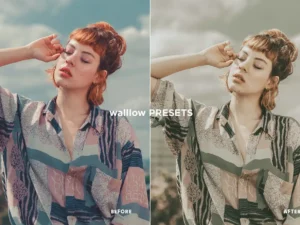
30 VINTAGE Presets Lightroom Mobile & Desktop
Sold by walllow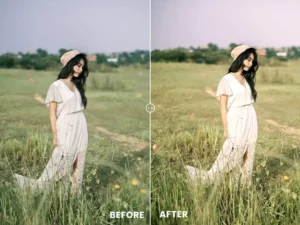
Gold Tones Action & Lightroom Preset
Sold by Volus Themes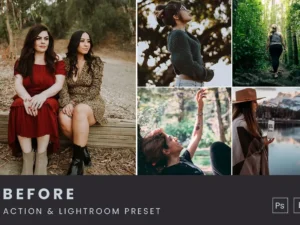
Moody Tones Action & Lightroom Preset
Sold by Volus Themes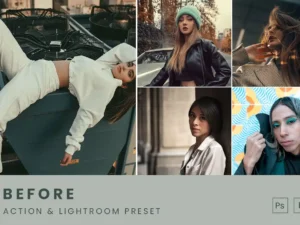
Pastel Blue Tones Action & Lightroom Preset
Sold by Volus Themes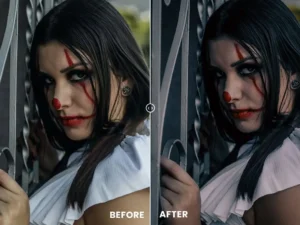
Deep Tones Action & Lightroom Preset
Sold by Volus Themes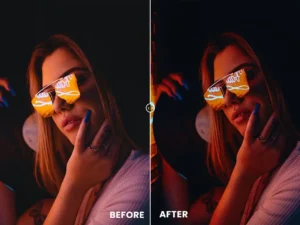
Dark Mode Tones Action & Lightroom Preset
Sold by Volus Themes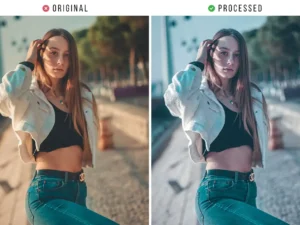
Sad Street Effect Tones Action & Lightroom Preset
Sold by Volus Themes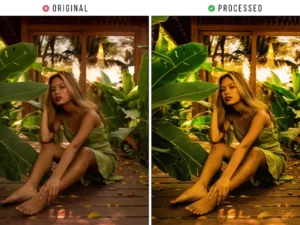
Sunny Summer Tones Action & Lightroom Preset
Sold by Volus ThemesCreative preset questions.
Helpful information about installing, applying and refining digital presets for photography and creative editing.
What is a photo editing preset?
A preset is a saved group of editing adjustments that can be applied to an image to create a particular color, tone or visual style.
Are presets the same as filters?
Not exactly. Presets generally apply editable adjustment values, allowing you to continue refining the image after the preset has been applied.
Do presets work on every photograph?
Results vary because lighting, exposure, camera settings, colors and subjects differ between images. Individual refinement is usually necessary.
Can presets be customized?
In supported software, preset adjustments can often be refined after application, allowing you to adapt the look to the photograph.
What software can use presets?
Compatibility depends on the individual product. Brushes Pack includes preset resources for software such as Lightroom and other supported creative applications.
What is the difference between this page and the Lightroom presets page?
This page covers the broader creative presets category, while the Lightroom page focuses specifically on Lightroom-compatible photo-editing resources.
Can beginners use presets?
Yes. Presets can provide a useful starting point, but learning exposure, white balance and basic color adjustment will help you get better results.
Where can I get help with a Brushes Pack preset?
Visit the Contact Us page or browse the Brushes Pack FAQ’s.
Creative presets for consistent photo editing and color grading.
Creative presets help photographers and visual creators establish a color and tonal direction more quickly. Instead of manually rebuilding a group of adjustments for each image, a preset can apply a prepared starting point that you can then customize.
At Brushes Pack, you can explore creative presets for photography, portraits, travel, lifestyle content, cinematic color, vintage looks and other visual styles.
Photo editing presets
Photo editing presets can combine adjustments to tone, contrast, color and other image characteristics. They are especially useful when a group of photographs should share a related visual direction.
The preset should be treated as a starting point rather than a guaranteed one-click final result.
Professional presets
Professional editing workflows often benefit from repeatability. A preset library can help establish a consistent base before the photographer makes image-specific refinements.
This is particularly useful for larger galleries, content campaigns and projects where many photographs need to feel visually connected.
Color grading presets
Color grading presets can influence the emotional character of an image by changing relationships between highlights, shadows and individual colors.
A warmer treatment may create an inviting feeling, while cooler or more muted color can produce a more restrained visual atmosphere.
Cinematic presets
Cinematic presets often emphasize dramatic contrast, controlled saturation and stylized relationships between warm and cool tones.
These looks can work well for travel, portraits, lifestyle photography and editorial imagery when a stronger storytelling mood is desired.
Moody presets
Moody presets generally use deeper shadows, restrained color and atmospheric tonal relationships. They can create an intimate or dramatic feeling without requiring every image to become extremely dark.
Protect important shadow detail and skin tones when refining a moody preset.
Vintage presets
Vintage presets can recreate faded contrast, nostalgic color relationships, warmer highlights and other analog-inspired characteristics.
They are useful for lifestyle imagery, travel, portrait photography and projects that need a less digitally perfect appearance.
Film-inspired presets
Film-inspired presets often aim for softer contrast, distinctive color and restrained saturation rather than the highly crisp character associated with some modern digital processing.
Different film-inspired looks can range from warm and nostalgic to cooler and more editorial.
Portrait presets
Portrait presets can help establish a consistent visual direction across individual portraits, family sessions and lifestyle photography.
After applying the preset, check skin tone carefully and adjust white balance, exposure and individual color channels where necessary.
Warm and golden presets
Warm presets emphasize golden, earthy or sunlit color relationships. These styles are often suited to outdoor portraits, weddings, family photography, travel and lifestyle images.
Avoid adding excessive warmth to images that already contain very warm light.
Pastel presets
Pastel presets can reduce contrast or saturation in selected colors to create a softer visual atmosphere.
They are useful for lifestyle photography, social content, fashion, creative portraits and visual branding where a gentle color palette is important.
Travel presets
Travel presets can help bring consistency to photographs captured across different locations and lighting conditions.
Because travel images can vary greatly, use the preset as a common visual foundation and then correct each photograph individually.
Presets for social media
A consistent preset style can help social content feel visually connected across many different images.
This is useful for creators, brands and photographers who want a recognizable visual identity without editing every post from an empty starting point.
Presets for beginners
Presets can help beginners understand how different color and tone decisions affect an image. Apply a preset and then inspect the settings it changes.
Learning why the preset works will eventually make it easier to create your own custom editing style.
Creative presets versus Photoshop actions
Presets and Photoshop actions solve related but different problems. Presets generally apply saved adjustment values, while Photoshop actions can automate a sequence of editing commands.
Explore our Photoshop Actions page for automated Photoshop workflows.
Creative presets versus digital overlays
Presets adjust the color and tone of the existing image, while overlays introduce additional visible elements such as light, bokeh, smoke or particles.
Browse our Digital Overlays collection for compositing resources.
Lightroom presets
Lightroom is one of the most common applications for photography preset workflows. Presets can provide quick visual starting points while keeping exposure, color and many other settings available for further adjustment.
For software-specific resources, visit our Lightroom Presets & Photo Editing Assets page.
How to choose a useful preset pack
Start with the photographs you actually create. Portrait photographers may prioritize skin tone and natural color, while travel creators may prefer landscape-friendly contrast and adaptable atmospheric looks.
Choose presets around your workflow rather than collecting styles you rarely use.
How to organize preset collections
As your preset library grows, group styles into categories such as Portrait, Cinematic, Film, Warm, Moody, Pastel, Travel and Black & White.
A smaller organized library is often faster to work with than one large collection of unrelated looks.
Create consistency without making every image identical
Consistency does not require identical edits. Images within the same project can share color relationships and tonal character while still receiving different exposure, white balance and local adjustments.
This allows a gallery or campaign to feel cohesive without ignoring the unique conditions of each photograph.
Download creative presets from Brushes Pack
Explore the Presets collection at Brushes Pack for vintage, moody, cinematic, portrait, warm, pastel and other creative editing styles.
Before purchasing, review each product page for supported software, file types, versions, installation instructions and included resources. You can also browse the complete Brushes Pack shop for brushes, actions, overlays, textures, templates and other digital creative assets.
What creators value in a useful preset library.
Editorial-style perspectives representing common priorities among photographers and creators who work with repeatable color workflows.
“I want a preset to get me into the right color direction quickly, but I still adjust exposure and white balance for every photograph. That keeps the gallery consistent without making it mechanical.”
“My most useful preset folders are organized by mood rather than by random names. Warm, film, muted and cinematic categories make it much easier to choose a direction.”
“For branded content, presets help establish visual consistency, but I still protect skin tones and product colors. The style should support the subject instead of overpowering it.”
Helpful information before you purchase.
Learn more about Brushes Pack, find support resources and review important policies for digital products.
Color Studio Notes are editorial-style examples representing common creative viewpoints and are not presented as verified purchase testimonials.
Continue building your photo editing toolkit.
Combine presets with Photoshop actions, overlays, textures and other creative resources for more flexible editing workflows.
Build a more consistent visual style with creative presets.
Explore cinematic, vintage, moody, portrait, warm, pastel, travel and professional photo editing presets at Brushes Pack.