
Design templates for faster, smarter creative projects.
Explore editable design templates for graphic design, social media, posters, presentations, branding, advertising and digital content. Start with a professional layout, customize it for your project and create more efficiently with templates from Brushes Pack.
Start with the layout that matches the work you need to create.
Templates are most useful when they give you structure without locking you into someone else’s final design. Choose a format that fits your project, then adapt the typography, color and imagery.
Social Media Templates
Create posts, stories, promotions, announcements and campaign graphics with reusable social layouts.
Explore social templates →Poster Templates
Build event, promotional, music, editorial and advertising posters from professionally structured layouts.
Browse poster templates →Branding Templates
Create identity presentations, brand materials and coordinated communication pieces more efficiently.
Explore branding templates →Editorial Templates
Design magazines, brochures, lookbooks, reports and multi-page layouts with stronger visual structure.
Browse editorial templates →Business Templates
Build presentations, proposals, documents and professional communication materials with reusable layouts.
Explore business templates →Advertising Templates
Create promotional graphics, sales campaigns, banners and marketing materials more efficiently.
Browse advertising templates →Presentation Templates
Organize ideas into polished slides for pitches, portfolios, proposals and creative presentations.
Explore presentation templates →Flyer & Promotion Templates
Create event flyers, offers, announcements and promotional designs with ready-made layout systems.
Browse promotional templates →Creative Design Templates
Explore experimental layouts, artistic compositions and flexible template resources for unique projects.
Explore creative templates →A template gives you structure while leaving the creative decisions to you.
The goal is not to make every project look identical. A useful template reduces setup work so you can spend more time refining message, imagery, typography and brand personality.
Start Faster
Skip repetitive document setup and begin with an existing layout hierarchy.
Stay Consistent
Reuse layout systems across campaigns, social content and related design pieces.
Explore Layouts
Use templates as references for hierarchy, spacing and different visual arrangements.
Customize Freely
Change fonts, images, colors and copy so the final design fits your own project.
The best template becomes almost invisible after customization.
Treat a template as a framework. Replace the original content, adapt the design language and make sure the finished work feels appropriate for your audience rather than simply looking like a downloaded layout.
Choose by project format
Start with a template designed for the dimensions and output you actually need.
Replace placeholder content
Update imagery, copy, colors and branding instead of keeping the template too close to its preview.
Preserve visual hierarchy
When replacing copy, maintain clear relationships between headings, supporting text and calls to action.
Check software requirements
Review each product page for file formats, fonts, software compatibility and included resources.
Turn a reusable layout into something that belongs to your project.
A simple five-stage process helps you benefit from the template’s structure while still producing a customized final design.
Choose
Select a template with the right format, hierarchy and general visual direction.
Open
Use compatible software and review the file organization before changing content.
Replace
Add your own text, photography, artwork, branding and project information.
Customize
Adjust typography, colors, spacing and composition until it fits the intended style.
Export
Prepare the finished design at the correct dimensions and format for its final use.
Explore design templates by project and workflow.
Find reusable layout resources for graphic design, social media, presentations, marketing and creative communication.
New design template arrivals.
Explore recently added templates for graphic design and creative projects. This section automatically updates whenever new products are published in the Templates category.
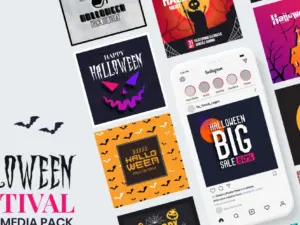
Halloween Festival Pack Social Media Template
Sold by VICTORTHEMES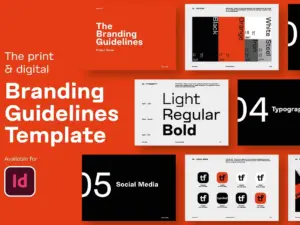
Branding Guidelines Template
Sold by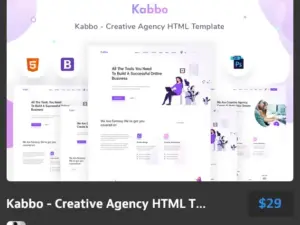
Kabbo – Creative Agency HTML Template
Sold by theme forest
Rupj – Creative Agency HTML Template
Sold by theme forest
Rstu – Digital Agency HTML Template
Sold by theme forest
Gorib – Creative NonProfit Fundraising Charity PSD Template
Sold by theme forest
Reels – New Year Greetings
Sold by Slidehack
InstaGrid 1.0 – Instagram Puzzle Template
Sold by Silver StagDesign template questions.
Helpful information for selecting, editing and using professional design templates.
What is a design template?
A design template is a pre-built layout or document structure that can be customized with your own text, images, colors and branding.
Why use graphic design templates?
Templates can reduce setup time, provide layout inspiration and help maintain consistency across related creative materials.
Can I customize a design template?
Many templates are created for customization. The exact editable elements depend on the individual file, so review the product description before purchasing.
What software do design templates require?
Requirements vary. Some templates may be designed for Photoshop, Illustrator, InDesign, PowerPoint or other software. Check the individual product page for compatibility.
Are templates suitable for beginners?
Yes. Templates can provide a useful starting structure, although you still need compatible software and basic editing knowledge for the specific file type.
Can templates be used for social media?
Yes. Social media templates can help create coordinated posts, promotional graphics, stories and campaign content more efficiently.
Should I keep a template exactly as downloaded?
Usually no. Replace placeholder content and adapt fonts, colors, imagery and layout details so the finished design fits your project.
Where can I get help with a Brushes Pack product?
Visit the Contact Us page or browse the Brushes Pack FAQ’s.
Design templates for graphic design, marketing and creative projects.
Design templates give creators an organized starting point for projects that would otherwise require repetitive layout setup. They can establish page dimensions, grids, typography hierarchy, image placement and basic composition while leaving room for customization.
At Brushes Pack, you can explore design templates and other digital resources for graphic designers, artists, marketers and creative professionals.
Graphic design templates
Graphic design templates can support a wide range of projects, including posters, advertisements, promotional materials, editorial layouts, presentations and social graphics.
The value of a template is not simply that it looks finished. Its structure can reduce the amount of time spent rebuilding common layout systems so you can focus more attention on the project’s message and visual direction.
Editable design templates
Editable templates are especially useful when the underlying document allows you to replace text, images, colors and other elements. This flexibility lets one layout support many different projects.
Before purchasing, review the product information to understand exactly which elements and file formats are included.
Photoshop templates
Photoshop templates can be useful for posters, social content, advertising graphics, photo-based layouts and other raster-focused design projects.
Layers, smart objects, masks and editable type can make template customization more efficient when these features are included in the file.
Explore our Photoshop Brushes & Digital Assets page for additional Photoshop creative resources.
Social media templates
Social media templates help creators maintain visual consistency across repeated content. A coordinated template system can support announcements, promotional posts, product launches, educational content and campaign graphics.
Instead of redesigning each post independently, you can establish a recognizable layout system and adapt it for new content.
Instagram templates
Instagram-oriented templates can help creators organize posts, stories and promotional graphics around consistent typography, colors and composition.
When using a template, make sure the visual hierarchy still works with your actual content rather than forcing longer copy into spaces designed for shorter text.
Poster templates
Poster templates can provide established relationships between headlines, imagery, supporting information and calls to action. They can be useful for events, music, exhibitions, promotions and creative campaigns.
Customize the hierarchy carefully so the most important information remains visible from the intended viewing distance.
Flyer templates
Flyer templates are useful for promotions, announcements, events and marketing materials where information needs to be communicated quickly.
Replace generic placeholder copy with concise, project-specific messaging and make the call to action easy to identify.
Presentation templates
Presentation templates can help organize slides around consistent title styles, content blocks, imagery and visual rhythm.
They are useful for portfolios, pitches, proposals, business presentations and creative case studies where consistency across many pages is important.
Branding templates
Branding templates may help present logos, typography, color systems, imagery and other visual identity elements within a structured layout.
Templates are particularly helpful when you need several coordinated presentation pages rather than one isolated design.
Brochure and editorial templates
Brochure, magazine and editorial templates help designers manage multi-page information using reusable grids and page structures.
Good editorial templates create consistency while still offering enough layout variation to stop every page from feeling identical.
Marketing templates
Marketing templates can support advertisements, campaigns, promotions, product launches and branded communications.
Using a connected family of templates can help maintain visual consistency across multiple campaign touchpoints.
Business templates
Business templates can include presentations, reports, proposals and communication materials. They provide a visual framework that can make information easier to organize and present.
For professional use, prioritize clarity and readability before decorative styling.
Design templates for beginners
Templates can be especially helpful for beginners because they provide examples of spacing, hierarchy and composition. Instead of starting with an empty document, you can inspect how the original designer organized the layout.
However, learning to customize the design is important. Simply replacing one image while keeping every other element unchanged will limit how useful the template becomes.
Professional design template workflows
Professional designers often build libraries around recurring project types, such as Social, Poster, Presentation, Editorial, Branding and Advertising.
Organizing templates this way reduces search time and makes it easier to start with a layout suited to the actual job.
How to customize a template effectively
Begin by replacing all placeholder content. Then adjust typography, brand colors, images and spacing. After the primary changes are complete, review the composition again because different copy lengths and imagery can change the balance of the original layout.
The final design should feel tailored to your project rather than like a preview with different text.
Templates and typography
Templates often depend heavily on typography. Changing the original fonts can alter line lengths, hierarchy and spacing, so review each text block after replacing typefaces.
Use a clear relationship between headings, supporting copy and smaller informational text.
Templates for consistent campaigns
A template system can be particularly useful when a campaign requires many related assets. Instead of designing each format independently, you can establish consistent typography, colors, graphic elements and image treatment.
The layouts can vary while still sharing the same visual language.
Combine templates with digital textures
Textures can give template-based layouts more surface character and visual depth, particularly for posters, editorial graphics and print-inspired work.
Explore our Digital Textures page for paper, grain, grunge and distressed creative resources.
Combine templates with digital overlays
Digital overlays can introduce lighting, atmosphere, particles and decorative elements into photo-based templates and promotional graphics.
Browse our Digital Overlays page for additional compositing resources.
Combine templates with mockups
After customizing a design template, mockups can help present the finished work in context. Posters can be shown in physical environments, branding can appear on products and digital interfaces can be displayed on devices.
Explore Mockup Templates for professional presentation resources.
Download design templates from Brushes Pack
Explore the Templates collection at Brushes Pack for reusable creative layouts and design resources.
Before purchasing, review each individual product page for current file formats, software requirements, included fonts or assets and compatibility information. You can also browse the complete Brushes Pack shop for brushes, textures, actions, mockups, overlays, presets and other digital creative assets.
What designers value in a useful template library.
Editorial-style perspectives representing common priorities when creatives work with reusable design layouts.
“I use templates when the project needs to move quickly, but I always change the typography, imagery and spacing enough that the final design belongs to the client rather than the template.”
“For social campaigns, a reusable layout system is much more useful than a single finished post. I want several compositions that can share the same visual language.”
“A strong template saves setup time without limiting the idea. The grid and hierarchy are already there, so I can concentrate on the content and the brand.”
Helpful information before you purchase.
Learn more about Brushes Pack, find support resources and review important policies for digital products.
Creative Layout Notes are editorial-style examples representing common creative viewpoints and are not presented as verified purchase testimonials.
Continue building your design resource library.
Combine editable templates with mockups, textures, overlays and other creative assets for a more complete design workflow.
Start your next design with a stronger layout.
Explore editable graphic design, social media, presentation, branding, poster and creative templates at Brushes Pack.