
Graphic design assets for faster, stronger creative work.
Explore graphic design assets, creative design resources and digital downloads for branding, illustration, advertising, social media, packaging, presentations and visual content. Discover brushes, textures, mockups, templates, patterns, overlays, actions, presets and more at Brushes Pack.
Build, style and present creative ideas.
Combine reusable assets across branding, illustration, photography and visual communication.
Creative assets for every stage of a graphic design workflow.
Use specialized digital resources to draw, style, present and refine creative projects across branding, marketing, illustration, photography and visual communication.
Digital Brushes
Explore brushes for illustration, sketching, painting, lettering, texture work and visual effects across popular creative software.
Explore digital brushes →Mockup Templates
Present logos, packaging, apparel, devices and other designs in polished visual scenes.
Explore mockups →Digital Textures
Add paper, grain, grunge, distressed surfaces and material character to artwork and design.
Explore digital textures →Design Templates
Start projects faster with reusable layouts for social content, posters, branding and other creative work.
Explore templates →Digital Patterns
Use seamless and repeating designs for branding, packaging, backgrounds, textiles and decorative surfaces.
Explore patterns →Photoshop Actions
Automate repeatable editing and creative effects to speed up Photoshop-based design workflows.
Explore Photoshop actions →Digital Overlays
Add light, atmosphere, bokeh, weather, glass and other compositing effects to creative work.
Explore overlays →Creative Presets
Explore color and editing presets for photography, content creation and visual-style development.
Explore presets →Digital Asset Bundles
Build a broader resource library with multi-item collections containing related creative tools.
Explore creative bundles →Good design assets reduce repetitive work while leaving the creative decisions to you.
Reusable resources can speed up production, expand visual possibilities and help maintain consistency without replacing the designer’s judgment, ideas or creative direction.
Work Faster
Reduce repetitive setup with reusable brushes, templates, actions and creative resources.
Explore More
Experiment with new styles, textures and visual treatments without starting every element from zero.
Stay Consistent
Use related resource sets to maintain visual continuity across larger design projects.
Present Better
Use professional mockups and templates to communicate finished creative work more clearly.
Choose resources around the project—not simply around what looks interesting.
A useful creative library should solve recurring design problems. Build it around the software, visual styles and project types you actually work with.
Check software compatibility
Confirm that the asset supports the application and workflow you plan to use before downloading.
Review included files
Understand what is included in the product and how each resource fits into your project.
Choose by creative purpose
Select resources that support branding, illustration, photography, social content or another real task.
Organize your library
Keep assets grouped by software, resource type or project purpose so they remain easy to find.
Turn digital assets into an efficient design system.
A simple process helps you choose the right resources, customize them appropriately and keep the final design focused on your own creative objective.
Define
Clarify the project, audience, format and visual direction before choosing resources.
Choose
Select brushes, templates, textures or other assets that solve a specific creative need.
Customize
Adapt colors, composition, scale and styling around the needs of your project.
Refine
Balance reusable resources with original design decisions and visual hierarchy.
Present
Use polished layouts or mockups to communicate the final work effectively.
Explore graphic design assets by resource type and creative purpose.
Discover resources for designers, illustrators, digital artists, photographers, content creators and other visual professionals.
New graphic design assets.
Explore recently added creative resources from the Brushes Pack Add-Ons collection. This section updates automatically as matching products are published.
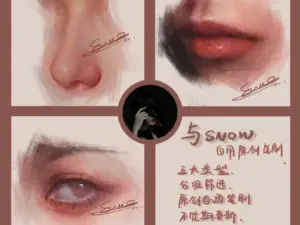
Snow Procreate Portrait Brushes – Oil Painting & Metallic Brush Bundle
Sold by Snow's Thick Paint Studio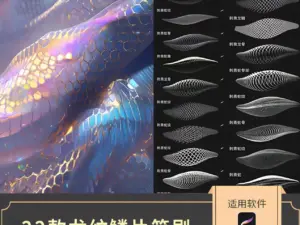
Procreate Dragon Scale Brushes – Realistic Animal Skin Textures
Sold by Sakuragi design materials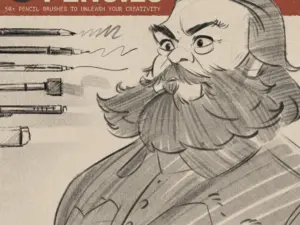
LP Pencil Brushes
Sold by lucaspeinador
12 Procreate Textured Hair Brushes Vol. 2 | Ultra-Realistic Hair Texture Brushes for Procreate
Sold by brushespack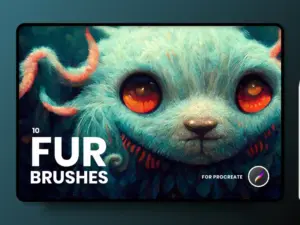
FUR Brushes Realistic Procreate Fur
Sold by delightfuldesignstudio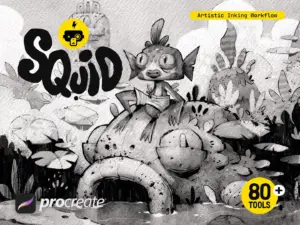
Squid Inking Workflow for Procreate
Sold by Frankentoon Studio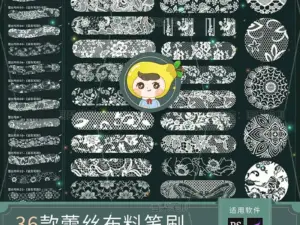
Procreate Brushes PS Brushes Lace Sheer Fabric Smudge Texture Hollow Lace Wedding Dress Pattern Apparel Design
Sold by HuaLiBrushes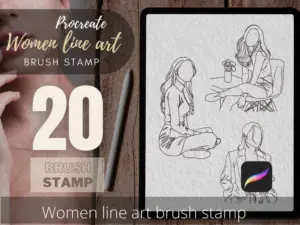
Women Line Art Tattoo Stencils, Procreate Brush Stamp (Digital Download)
Sold by TattooWorkerBrushesGraphic design asset questions.
Helpful information about choosing, organizing and using digital resources in creative projects.
What are graphic design assets?
Graphic design assets are reusable digital resources such as brushes, textures, mockups, templates, patterns, actions, overlays, presets, icons and other creative tools.
What can graphic design resources be used for?
They can support branding, advertising, packaging, social content, illustration, photography, presentations and many other visual projects.
Which software does Brushes Pack support?
The catalog includes resources for software such as Photoshop, Illustrator, Procreate, Lightroom, Clip Studio Paint, Affinity Designer, Figma and other creative applications.
Are digital assets editable?
Editability depends on the individual resource and its file format. Review the specific product page for compatibility and included files.
Can beginners use graphic design assets?
Yes. Templates, brushes and other resources can help beginners learn creative software while experimenting with different design techniques.
Does Brushes Pack offer free design resources?
Yes. Visit the Free Design Assets page to explore free creative resources.
How should I organize digital assets?
Organize them by software, resource type and creative purpose. A clear structure makes larger libraries much easier to use.
Where can I get support?
Visit Contact Us or review the Brushes Pack FAQ’s.
Graphic design assets for designers, artists and visual creators.
Graphic design assets are reusable creative resources that can help designers work more efficiently, explore new visual directions and build professional creative projects. They can support everything from illustration and branding to advertising, packaging, photography and digital content.
At Brushes Pack, you can explore a broad collection of graphic design assets including brushes, actions, textures, mockups, templates, patterns, overlays, presets and other creative resources.
What are graphic design assets?
Graphic design assets are digital files and creative tools that can be reused inside design projects. Rather than rebuilding every element from scratch, designers can use specialized resources as starting points or supporting tools.
The final creative direction still depends on composition, typography, hierarchy, color and the designer’s own decisions.
Graphic design resources for professional workflows
A useful design library should reflect the work you actually create. A branding designer may rely heavily on mockups, textures and templates, while an illustrator may prioritize brushes and digital patterns.
Organizing assets around real workflows makes a collection significantly more valuable.
Digital assets for graphic designers
Digital assets can speed up production by handling repetitive or specialized parts of a creative process. A Photoshop action can automate multiple editing steps, while a mockup can provide a ready-made presentation environment.
Used thoughtfully, these resources give designers more time to focus on the ideas and decisions that make a project distinctive.
Digital brushes for design and illustration
Brushes support drawing, painting, lettering, texture and visual effects across applications such as Procreate, Photoshop, Illustrator, Clip Studio Paint and Affinity Designer.
Explore Digital Brushes to browse resources across multiple creative applications.
Graphic design textures
Textures can add paper grain, print character, distressed detail, surface variation and other material qualities to digital compositions.
Visit Digital Textures for paper, grain, grunge, halftone and other surface resources.
Mockups for graphic designers
Mockups help designers place artwork into realistic or polished presentation scenes. They are commonly used for branding, packaging, apparel, posters, devices and product presentations.
Browse Mockup Templates for additional presentation resources.
Graphic design templates
Templates provide reusable structures for social media graphics, posters, presentations, promotional material and other design projects.
Rather than treating a template as a finished design, customize hierarchy, content and visual style to fit the actual communication goal.
Explore Design Templates for broader template resources.
Digital patterns for graphic design
Patterns can create repeatable visual systems for packaging, branding, textiles, backgrounds and decorative design.
Visit Digital Patterns to explore seamless and repeating resources.
Photoshop actions for designers
Photoshop actions automate sequences of editing steps. They can be useful for photo effects, painting treatments, color workflows and other repeatable creative processes.
Browse Photoshop Actions for additional automated editing resources.
Digital overlays and visual effects
Overlays can introduce light, atmosphere, weather, glass, particles and other compositing effects without requiring each visual element to be constructed manually.
Explore Digital Overlays for photography and creative design effects.
Creative presets
Presets can establish color and tonal direction more quickly in photo-editing and content workflows. They are particularly useful when multiple images need a related visual mood.
Visit Creative Presets for additional editing styles.
Graphic design bundles
Bundles combine multiple creative resources into larger collections. They can be useful when you need a broader toolkit around one software platform, creative style or resource type.
Explore Digital Asset Bundles for multi-item creative collections.
Graphic design assets for branding
Branding projects may use mockups, textures, typography resources, patterns, templates and graphic elements. Combining these resources can help designers explore a wider range of visual directions.
The strongest branding work still depends on strategic thinking and consistent use of the final visual system.
Graphic design assets for social media
Templates, backgrounds, textures and graphic elements can help creators build social content more efficiently. Reusable systems are especially useful when a brand needs frequent content while maintaining a recognizable visual identity.
Graphic design assets for packaging
Packaging designers can use patterns, textures, mockups, graphic elements and typography resources during both concept development and presentation.
Mockups are especially useful for showing how flat artwork translates into a dimensional product.
Graphic design assets for advertising
Advertising work often combines photography, typography, effects, textures and strong composition. Creative assets can help designers test visual directions quickly while developing campaigns.
Graphic design assets for illustration
Illustrators may use brushes, patterns, textures and reusable elements to support drawing and painting workflows.
For software-specific resources, explore Procreate Brushes & Digital Assets, Photoshop Assets, or Illustrator Brushes & Vector Assets.
Graphic design assets for Photoshop
Photoshop supports a wide range of creative resources, including brushes, actions, textures, templates, layer styles and effects.
Visit the Photoshop Brushes, Actions & Digital Assets page for a focused Photoshop collection.
Graphic design assets for Illustrator
Illustrator resources can include vector brushes, patterns, textures, shapes, gradients and other scalable design assets.
Explore Illustrator Brushes & Vector Assets for vector-focused tools.
Graphic design assets for Procreate
Procreate artists commonly use brushes, stamps, textures and palettes for illustration and digital painting.
Visit Procreate Brushes & Digital Assets for dedicated Procreate resources.
Graphic design assets for Affinity Designer
Affinity Designer users can work with brushes, patterns, textures, shapes and vector-oriented resources for illustration, branding and layout work.
Explore Affinity Designer Brushes & Digital Assets.
UI and product design resources
Digital-product designers can use templates, interface resources, mockups and reusable design systems for websites and applications.
Explore Figma Assets, UI Kits & Design Resources for product-design-focused resources.
Free graphic design resources
Free assets can be useful for experimenting with new styles, learning software and building an initial creative library.
Browse Free Design Assets & Creative Resources for brushes, effects, graphics and other free downloads.
How to choose graphic design assets
Start with the problem you need to solve. If you need to present a logo, look for a mockup. If an illustration needs surface detail, consider textures or brushes. If you are producing recurring content, templates may be more useful.
Choosing resources around specific design needs prevents your library from becoming an unorganized collection of downloads.
How to organize design resources
Create a folder structure based on software and asset type. For example, Photoshop can contain Brushes, Actions, Textures and Templates, while Procreate can contain Sketch, Ink, Paint and Stamp brush collections.
A consistent system makes resources easier to locate during active projects.
Premium graphic design assets
Premium resources can provide specialized tools, larger collections and different creative workflows. The value of an asset depends on whether it saves time or helps produce the visual result you need.
Rather than collecting resources simply because they are available, focus on assets that support your recurring project types.
Explore graphic design assets at Brushes Pack
Browse the Brushes Pack Shop to explore brushes, mockups, textures, templates, effects, patterns, actions, presets, plugins and other digital design resources.
Always review individual product pages for included files, compatibility and any specific requirements before purchasing or downloading.
How creative professionals can approach a growing asset library.
Editorial-style examples representing common ways designers evaluate and organize digital creative resources.
“I organize assets by the problem they solve. Mockups are for presentation, textures are for surface character, and templates are for recurring layouts. That keeps the library practical.”
“The best resource is usually the one that removes repetitive work without forcing the project into someone else’s visual style. I want assets to support the design, not control it.”
“I keep a much smaller favorites library than my full archive. The resources I can find quickly are the ones that actually become part of my everyday workflow.”
Helpful information before you download.
Learn more about Brushes Pack, access support resources and review important site policies.
Designer Workflow Notes are editorial-style examples representing common creative viewpoints and are not presented as verified purchase testimonials.
Build a creative library around the tools you use most.
Move from the broader graphic-design collection into focused resource and software pages for more specific creative workflows.
Build your next project with graphic design assets from Brushes Pack.
Explore brushes, textures, mockups, templates, patterns, overlays, actions, presets and other digital creative resources for designers, artists and visual creators.