
Free design assets for artists, designers & creators.
Explore free digital assets for illustration, graphic design, photo editing and creative projects. Discover free Procreate brushes, Photoshop brushes, creative effects, fonts, graphic elements and other downloadable resources from the growing free library at Brushes Pack.
Build your creative toolkit without starting with a purchase.
Free resources are useful for experimenting with new software, testing creative techniques and expanding your working library with tools you can explore immediately.
Free Procreate Brushes
Explore free drawing, sketching, painting, inking, watercolor, texture and specialty brushes for Procreate.
Explore free Procreate resources →Free Photoshop Brushes
Expand Photoshop drawing, painting, texture and design workflows with downloadable free brush resources.
Browse free Photoshop brushes →Free Photoshop Effects
Experiment with free actions, photo effects, text effects and other creative Photoshop editing resources.
Explore free effects →Free Graphic Elements
Discover decorative elements, stickers, shapes and other graphics that can support creative compositions.
Browse free graphics →Free Fonts & Typography
Explore free type resources and lettering-related assets for branding, posters, social graphics and creative design.
Explore free typography →Free Clip Studio Resources
Discover free brushes and starter resources for drawing, sketching and illustration workflows.
Browse free CSP resources →Free Textures
Add grain, surface detail, paper character and other visual material to digital artwork and graphic design.
Explore free textures →Free Digital Art Resources
Experiment with creative tools and downloadable resources that support illustration and digital artwork.
Browse digital art freebies →Free Creative Starter Packs
Try smaller resource collections that can help beginners explore different tools, techniques and creative software.
Explore starter resources →Free creative resources are useful for more than simply saving money.
They can help you test new techniques, learn unfamiliar tools, compare different creative workflows and discover what type of resources are most useful for the work you create.
Experiment Freely
Try unfamiliar brush styles, effects and creative workflows with less commitment.
Learn New Tools
Use starter resources while learning software such as Procreate, Photoshop or Clip Studio Paint.
Explore Styles
Test new drawing, painting and design aesthetics before building a larger resource collection.
Build Your Library
Create a useful starter toolkit of brushes, graphics and effects for future creative projects.
Free still deserves the same compatibility checks as any other digital asset.
Always review the individual product information before downloading. File type, software compatibility, included resources and installation method can differ from one creative asset to another.
Check software compatibility
Confirm that the free resource works with the application and version you plan to use.
Review what’s included
Read the product page so you understand the files and creative resources included in the download.
Organize your downloads
Keep brushes, effects, graphics and other assets grouped by software and resource type.
Learn the installation method
Different applications use different processes for importing brushes, presets and other creative resources.
Discover a free resource, test it, and decide whether it belongs in your toolkit.
A simple workflow helps prevent a growing free-resource library from becoming a collection of files you never actually use.
Discover
Browse free resources by software, asset type or creative technique.
Check
Review compatibility, file type and product information before downloading.
Download
Add the free creative asset to your library and keep the original file organized.
Test
Try the asset in a practice project and learn how it behaves in your workflow.
Create
Keep the tools that support your work and use them in future creative projects.
Explore free digital assets by software and creative use.
Discover downloadable resources for artists, illustrators, designers, photographers and other visual creators.
New free creative resources.
Explore recently added free design resources from Brushes Pack. This section automatically updates whenever new products are published in the Freebies category.
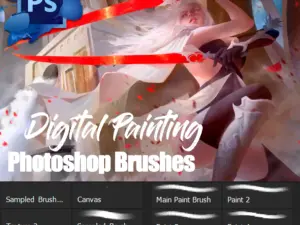
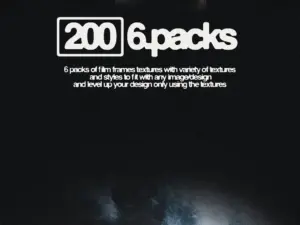
Free 200 Grainy Film Frames Textures Packs V.02
Sold by Zuli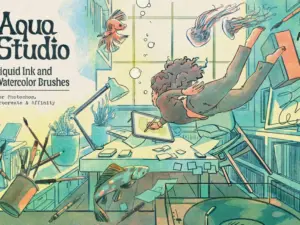
Aqua Studio – Beta Free Download
Sold by TGTS
Free design asset questions.
Helpful information about finding, downloading and using free creative resources from Brushes Pack.
What are free design assets?
Free design assets are downloadable creative resources offered at no purchase price, such as brushes, graphics, effects, fonts and other digital tools.
Does Brushes Pack offer free Procreate brushes?
Yes. The free library includes Procreate brush resources covering drawing, painting, sketching, inking, texture and other creative styles.
Are there free Photoshop resources?
Yes. Brushes Pack includes free Photoshop brushes and other resources such as selected actions, effects and creative tools.
Are the free assets instant downloads?
Product availability and download details are shown on each individual product page. Review the specific listing before downloading.
Can beginners use these free resources?
Yes. Free brushes and starter resources can be useful for learning digital art software and experimenting with new techniques.
Do all free assets work with every program?
No. Compatibility varies by product. Always check the listed software and file format before downloading.
Are new free resources added?
The Brushes Pack catalog changes as products are added or updated, so you can return to the Freebies collection to explore recent additions.
Where can I get support?
Visit the Contact Us page or review the Brushes Pack FAQ’s.
Free design assets and creative resources for artists and designers.
Free design assets give creators an easy way to explore new tools, creative styles and software workflows. They can help beginners build an initial resource library while also giving experienced creators opportunities to test unfamiliar brushes, effects and design techniques.
At Brushes Pack, you can explore free design assets for illustration, graphic design, photo editing and other creative workflows.
Free graphic design resources
Graphic design projects often depend on more than one type of creative resource. Brushes, effects, typography, textures and graphic elements can all contribute to a finished composition.
Free resources provide a useful way to expand your available options while learning which tools fit your workflow best.
Free creative assets
Creative assets can support illustration, content design, branding, social graphics, photo editing and digital artwork. A free resource library can include everything from individual brushes to small starter collections and visual effects.
Rather than downloading everything available, focus on tools that relate to the projects you actually create.
Free digital assets for beginners
Beginners can benefit from free digital assets because they provide practical tools for learning creative software without requiring a large resource library at the beginning.
Start with a small selection of brushes or effects, learn how they work and gradually build your toolkit around techniques you enjoy using.
Free Procreate brushes
Procreate has a large brush-based workflow, making free brushes especially useful for artists learning digital drawing and painting on iPad.
Free resources can cover pencils, inks, watercolor, textures, stamps, sketching brushes and other creative styles.
For the broader commercial collection, visit our Procreate Brushes & Digital Assets page.
Free brushes for Procreate beginners
A smaller starter brush set can be more useful to a beginner than hundreds of unfamiliar tools. Begin with basic sketching, inking and painting brushes before expanding into more specialized resources.
Learning a smaller collection well makes it easier to understand what features you want from future brush packs.
Free Photoshop brushes
Photoshop brushes can support painting, illustration, texture, concept art, graphic design and photo-related creative work.
Free Photoshop brush resources provide a convenient way to experiment with different brush behaviors and textures before developing a larger library.
Explore our Photoshop Brushes & Digital Assets hub for additional Photoshop resources.
Free Photoshop actions and effects
Free Photoshop actions and creative effects can help you explore automated editing workflows and visual treatments.
Actions may perform several editing steps automatically, while other effect resources may use templates, layers or other Photoshop features.
For additional automated workflows, browse Photoshop Actions.
Free digital brushes
Digital brushes are useful across illustration, sketching, painting, lettering and texture work. Different creative applications use their own brush formats and engines, so compatibility should always be checked first.
Visit Digital Brushes to explore the broader brush collection across multiple creative platforms.
Free Clip Studio Paint resources
Clip Studio Paint is widely used for illustration, manga, comics and character art. Free starter brushes can help artists test different inking, sketching and painting approaches.
For more software-specific resources, visit our Clip Studio Paint Brushes & Digital Assets page.
Free graphic elements
Graphic elements such as stickers, decorative objects, shapes and supporting graphics can be used to add detail to posters, social content and creative compositions.
Keep these resources organized by style or project type so they remain easy to find when needed.
Free fonts and typography resources
Typography can strongly influence the personality of a design. Free font and lettering resources give designers additional ways to explore hierarchy, display type and visual tone.
Always review the specific product information and any applicable usage details before using a font in a final project.
Free textures
Textures can add paper grain, natural surface variation, distressed detail and other tactile qualities to digital artwork.
They can be used subtly in the background or made more visible as part of the design style.
Explore our Digital Textures page for a broader collection of texture resources.
Free resources for digital painting
Digital painters can use free brushes to explore pencils, oils, watercolor, ink, texture and specialty effects. Testing different brush types can help you discover which tools match your drawing and painting habits.
Avoid keeping every downloaded brush active inside your software. A smaller favorite collection can make the painting workflow much faster.
Free resources for learning new software
When learning a new application, free resources can provide useful practice material. A simple brush pack can teach importing and brush management, while an effect can introduce layers, actions or other application-specific features.
Use free assets as opportunities to understand the software rather than only collecting files.
How to organize free creative downloads
Create clear folders based on software and resource type. For example, keep Procreate resources separate from Photoshop files, then organize each section into Brushes, Textures, Effects or other useful categories.
A simple folder system prevents a large download collection from becoming difficult to navigate.
Free assets versus premium creative resources
Free and premium assets can both have a place in the same creative workflow. Free resources are particularly useful for experimentation and learning, while paid resources may offer different collections, specialized workflows or broader packs.
Choose individual assets based on whether they solve a practical creative need rather than simply whether they are free or paid.
Combine free resources with design templates
Brushes, graphics and other free resources can be combined with reusable layouts for social graphics, posters and promotional designs.
Explore our Design Templates page for editable layout resources.
Combine free resources with digital patterns
Patterns can provide repeatable backgrounds while free brushes and graphic elements add custom detail.
Browse Digital Patterns for seamless and repeating design resources.
Build a larger resource library with bundles
After discovering which types of creative resources are most useful to you, larger asset bundles can be another way to expand your working library.
Visit Digital Asset Bundles to explore multi-item creative collections.
Download free design assets from Brushes Pack
Explore the Brushes Pack Freebies collection for free brushes, creative tools, graphic resources, effects and other digital downloads.
Before downloading, review the individual product page for software compatibility, file type, included resources and installation requirements. You can also explore the complete Brushes Pack shop for premium brushes, actions, textures, templates, overlays, presets, mockups and bundles.
What creators can get from a useful free-resource library.
Editorial-style examples representing common ways artists and designers can approach free creative resources.
“I like using free brush packs when I want to test a completely different drawing style. If I keep returning to the same type of tool, I know it deserves a permanent place in my library.”
“For beginners, a small free starter set is often enough. Learning ten useful brushes well can be much more productive than installing hundreds at once.”
“I organize every free download exactly like a paid resource. Good folder names make it much easier to find the useful tools again months later.”
Helpful information before you download.
Learn more about Brushes Pack, find support resources and review the site’s policies and terms.
Free Creative Library Notes are editorial-style examples representing common creative viewpoints and are not presented as verified customer testimonials.
Move from free resources into the creative tools you use most.
Explore software-specific collections and asset categories when you are ready to build a deeper toolkit around your preferred creative workflow.
Start creating with free digital assets from Brushes Pack.
Explore free brushes, Photoshop resources, Procreate tools, graphics, effects and other creative downloads for artists and designers.