
Procreate brushes for landscape & environment art.
Explore Procreate landscape brushes for mountains, forests, foliage, clouds, skies, rocks, fields, water and atmospheric environment painting. Build a practical painting toolkit for natural scenery, fantasy worlds, concept environments and expressive outdoor illustration.
FOREGROUND CONTRAST
LIGHT FROM RIGHT
Choose Procreate paint brushes around the landscape element you need to create.
Different parts of an environment need different kinds of marks. Combine broad painting brushes, foliage tools, texture brushes and detail tools without letting specialized brushes replace composition and observation.
Landscape Painting Brushes
Build hills, fields, valleys and natural scenes with broad, painterly strokes suited to environmental artwork.
Explore paint brushes →Foliage Brushes
Create vegetation masses, bushes, shrubs and leafy textures while preserving clear forms and depth.
Browse foliage painting tools →Tree & Forest Brushes
Develop trunks, branches, forest silhouettes and tree groups for natural and fantasy environments.
Explore forest resources →Cloud & Sky Brushes
Paint soft atmospheric clouds, dramatic skies and changing weather conditions with varied edges.
Browse sky brushes →Mountain & Rock Brushes
Create large terrain forms, cliffs, stone surfaces and rocky foreground details without painting every crack.
Explore terrain brushes →Water & Reflection Brushes
Build lakes, rivers, coastlines and reflective surfaces through value, color and directional marks.
Browse painting resources →Grass & Ground Brushes
Add controlled vegetation and ground texture after the major landscape shapes and perspective are established.
Explore ground textures →Atmosphere & Mist Brushes
Create depth through haze, fog, soft clouds and atmospheric separation between foreground and distance.
Browse atmospheric brushes →Environment Brush Packs
Build a broader Procreate landscape toolkit with coordinated painting, terrain, foliage and texture brushes.
Explore paint brush packs →Strong landscapes depend on depth, light and shape before surface detail.
A convincing environment is easier to read when large value groups, atmospheric perspective and focal areas are established before grass, leaves, rocks and other small marks.
Block Big Shapes
Establish sky, land, mountains and major foreground masses before adding texture.
Create Depth
Separate foreground, middle ground and distance through scale, contrast, color and atmosphere.
Control Light
Use one clear lighting idea to connect the landscape and guide attention through the scene.
Detail Selectively
Concentrate sharper textures around focal areas while allowing other regions to remain simpler.
A foliage brush cannot fix a landscape with weak depth.
Specialized environment brushes work best after composition, perspective, values and lighting already make sense. Use them to accelerate texture—not to replace the underlying painting.
Start with a thumbnail
Test composition and value relationships at a small size before working on surface details.
Simplify distant forms
Reduce contrast and detail as objects move farther away to strengthen atmospheric depth.
Group vegetation
Paint trees and grass as masses first instead of treating every leaf or blade as an individual object.
Use texture selectively
Variation is useful, but too much equal texture can flatten the hierarchy of the entire scene.
Move from simple composition to atmospheric landscape painting.
A clear landscape workflow helps you solve composition and depth before spending time on detailed vegetation, terrain and surface effects.
Compose
Test horizon placement, focal points and large shapes with quick thumbnails.
Block
Separate sky, ground, mountains, architecture or other major environment masses.
Light
Establish the main light direction and broad shadow relationships across the scene.
Atmosphere
Build depth through color shifts, softened edges, haze and reduced distant contrast.
Detail
Add foliage, rocks, texture and final accents around the most important areas.
Explore Procreate paint brushes for landscapes and environment art.
Browse paint-focused Procreate resources for scenery, forests, foliage, skies, terrain, atmospheric environments and outdoor digital painting.
Explore Procreate paint brushes for landscape artwork.
Browse paint-brush resources for digital painting, foliage, natural textures, atmospheric environments and related Procreate workflows.

Ink and Paint Brush for Procreate
Sold by MiksKS
PROCREATE BRUSHES BUNDLE
Sold by MiksKS
Procreate Brushes Starter Kit
Sold by MiksKS
Procreate Paint Brushes – Oil, Gouache, Acrylic
Sold by MiksKS
Procreate MEGA BUNDLE! (1K+ BRUSHES)
Sold by Extreme Brushes
Gouache Set – Procreate Brushes
Sold by Sadie Lew
Rough&Raw Procreate Brush Set
Sold by SHOUTBAM
Impressionism Brushes Procreate 5
Sold by Seam Less Team
Procreate Watercolor Heart Brush
Sold by Artisan Craft SVG
Paint Pens for Procreate
Sold by Brush Up Matt
Brushes for Drawing and Calligraphy set
Sold by Doodle Box
Sketchbook Procreate Brushes
Sold by Andrew Skoch Design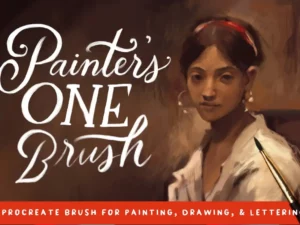
Procreate Brush Painter’s One Brush
Sold by Mila Garret
Oil Paint Procreate Brushes
Sold by Andrew Skoch Design
Realistic Watercolor Procreate Brush
Sold by Andrew Skoch Design
Gouache Procreate Brushes
Sold by Andrew Skoch Design
Paint! – Procreate Brush Pack
Sold by By Jessica Elena
Embroidery Stitches Procreate Brush
Sold by Andrew Skoch Design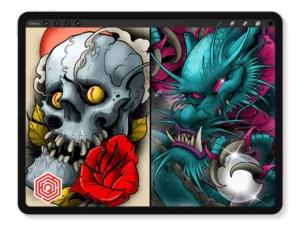
Battle Damage 1 + 2
Sold by Tattoo Smart
12 Paint Lettering Brushes
Sold by livefreedomink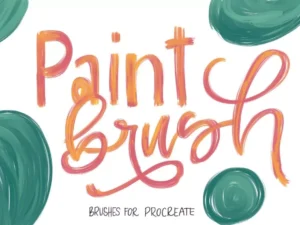
Brushset: Mixing Colors Paint
Sold by michalhirt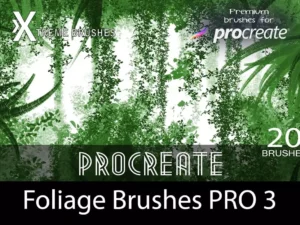
Foliage Brushes Pro 3
Sold by roddlopesProcreate landscape and environment brush questions.
Helpful information about painting landscapes, foliage, skies, terrain, atmosphere and choosing a useful environment brush toolkit.
What are Procreate landscape brushes?
They are digital brushes used for landscape-related painting tasks such as foliage, clouds, terrain, trees, rocks, grass, atmosphere and broader scenery.
What brushes are useful for environment painting?
A practical set can include a broad opaque paint brush, textured brush, foliage tool, cloud brush and smaller detail brush.
Can Procreate be used for landscape painting?
Yes. Procreate can be used for thumbnails, outdoor studies, landscape illustration, environment concepts and finished digital paintings.
Are foliage brushes useful?
Yes, particularly for adding controlled vegetation texture after the major tree, shrub and forest masses have already been established.
How do I create depth in a Procreate landscape?
Use overlapping shapes, scale changes, lower distant contrast, softer edges and atmospheric color shifts to separate foreground from background.
Do I need separate brushes for every landscape object?
No. Many environments can be painted with a small core brush set. Specialized tools are most useful for accelerating repetitive textures and finishing details.
Can landscape brushes be used for fantasy environments?
Yes. Natural forms such as mountains, vegetation, clouds and rocks can form the foundation for fantasy, game and concept-art environments.
Where can I find more Procreate painting tools?
Explore Procreate Brushes for Digital Painting for the broader painting collection.
Procreate landscape brushes for environment painting, scenery and nature art.
Procreate landscape brushes give digital artists practical tools for painting scenery, vegetation, terrain and atmosphere directly on iPad. A landscape toolkit may include general paint brushes alongside specialized foliage, cloud, tree, rock, grass and texture tools.
At Brushes Pack, you can explore environment-friendly paint brushes alongside the broader collection of Procreate Brushes for Digital Painting and Digital Brushes.
What are Procreate landscape brushes?
Procreate landscape brushes are digital brushes useful for creating natural scenery and environmental artwork. They can support everything from loose painterly studies to detailed forests, mountains and fantasy environments.
Some landscape brushes imitate traditional painting tools, while others create repeated natural textures such as grass, foliage, clouds or rocks.
Procreate environment brushes
Environment brushes can support natural and constructed scenes including forests, cities, mountains, deserts and imaginary worlds.
The strongest environment workflow usually combines broad general-purpose brushes with a smaller number of specialized texture tools.
Landscape painting brushes for Procreate
A broad painting brush is often the most important environment tool. It can establish sky, terrain, shadow, clouds and large vegetation masses without forcing the artist into excessive detail.
Specialized brushes can then be introduced during later stages.
Procreate paint brushes for landscapes
Paint brushes with predictable opacity and edge behavior are useful for developing value and color relationships across a landscape.
Choose brushes according to how easily they allow you to control shape, edges and texture rather than simply choosing the most complex brush set.
Procreate scenery brushes
Scenery brushes may include trees, mountains, clouds, vegetation and related outdoor elements. Brushes Pack currently carries scenery-focused Procreate products with tags covering landscape brushes, mountains, foliage, nature, clouds and trees. :contentReference[oaicite:1]{index=1}
These kinds of tools can speed up selected details, but the underlying scene still benefits from careful composition.
Procreate foliage brushes
Foliage brushes can help create the broken edges and irregular textures associated with leaves, shrubs and vegetation. Brushes Pack’s live Paint Brushes tag currently includes Procreate foliage products, making it a useful focused taxonomy for this landscape page. :contentReference[oaicite:2]{index=2}
Use foliage brushes on top of simple vegetation masses instead of stamping equal detail across an entire tree.
Tree brushes for Procreate
Tree brushes can support forest silhouettes, branches, trunks and foliage. Think of each tree first as a large shape that contributes to composition.
Detailed leaf texture should usually come later.
Forest brushes for Procreate
Forest scenes depend heavily on depth. Foreground trees can use stronger contrast and sharper edges, while distant tree groups often need softer shapes and reduced detail.
This helps avoid a wall of equally detailed vegetation.
Pine tree brushes for Procreate
Pine and conifer shapes are common in mountain and forest environments. Use variation in height, spacing and silhouette so repeated tree brushes do not create an obvious pattern.
Procreate grass brushes
Grass brushes can save time when adding foreground texture, but individually painting every blade can make a scene noisy.
Establish the ground plane and larger vegetation groups first, then add sharper grass detail around focal areas.
Flower and plant brushes
Plant brushes can support gardens, meadows and decorative environments. Mix scale, rotation and spacing while maintaining believable perspective.
Cloud brushes for Procreate
Cloud brushes can help generate soft and broken shapes, but clouds should still respond to lighting and atmosphere.
Think of larger cloud masses as three-dimensional forms rather than flat white stamps.
Painting skies in Procreate
The sky influences the color and mood of the entire environment. Decide whether the scene uses clear daylight, sunset, overcast weather or another lighting condition before refining the ground.
A coherent sky helps unify all objects below it.
Sunset landscape brushes
Sunset scenes often rely on warm light against cooler shadow or sky colors. Brush choice matters less than maintaining a believable relationship between light direction, atmosphere and value.
Night environment brushes
Night landscapes generally use compressed values and carefully controlled bright accents. Avoid making every shadow completely black.
Small differences in dark values can preserve readable landscape forms.
Mountain brushes for Procreate
Mountains are easier to paint when treated as large planes before cracks and rock texture are added.
Distance can be communicated by reducing contrast and shifting far mountains toward atmospheric colors.
Rock brushes for Procreate
Rock brushes can provide irregular texture, but the basic form should still respond to perspective and lighting.
Place highlights and shadow based on the larger planes of the stone.
Cliff brushes for environment art
Cliffs can create strong compositional shapes. Use directional strokes and value changes to describe large rock planes before adding surface texture.
Terrain brushes for Procreate
Terrain brushes may help suggest soil, stone, grass and rough ground. Vary textures according to distance and material rather than using one repeated surface across the whole image.
Ground texture brushes
Ground texture supports scale and material, especially in the foreground. However, detailed textures should gradually simplify as the terrain moves away from the viewer.
Water brushes for Procreate
Water can be painted through horizontal movement, reflections and value relationships. Specialized water brushes may speed up ripple texture, but perspective remains essential.
Lake painting in Procreate
Calm lakes often reflect the value and color of the sky and surrounding landscape. Keep reflections aligned with the objects they represent while allowing some distortion.
River environment painting
Rivers can lead the viewer through a composition. Their apparent width and edge relationships should change as they move through perspective.
Ocean brushes for Procreate
Ocean scenes may need broad color masses, waves, foam and atmospheric distance. Avoid giving every wave equal contrast or detail.
Reflection brushes for Procreate
Reflection brushes can create horizontal texture, but the reflected forms should remain connected to the lighting and objects above the water.
Mist and fog brushes
Fog can separate depth layers and create atmosphere. Use translucent shapes to soften distant forms rather than simply covering the scene with uniform white.
Atmospheric brushes for Procreate
Atmospheric brushes can support haze, dust, mist and soft light. These elements are useful for creating depth and directing focus.
Keep atmospheric effects strongest where they contribute to the scene’s lighting or spatial hierarchy.
How to create atmospheric perspective
As objects move farther away, they often become lower contrast, less saturated and softer in edge quality.
Applying these changes gradually can create convincing depth without relying on highly detailed brushwork.
Foreground landscape brushes
Foreground brushes can use stronger texture, sharper edges and larger marks because those elements appear closer to the viewer.
Use foreground detail to frame or guide attention rather than filling every corner.
Background landscape brushes
Background forms generally require less detail. Simple silhouettes and subtle color variation are often enough for distant mountains, trees and architecture.
Environment concept art brushes
Concept artists often need to explore environments quickly. Large opaque brushes, textured shape tools and selected natural-element brushes can support rapid iteration.
The goal is usually to communicate mood, scale, architecture or geography before producing polished detail.
Fantasy environment brushes
Fantasy environments can combine familiar natural forms with imaginative architecture, unusual lighting and exaggerated scale.
Reference real landscapes even when designing fictional worlds because believable natural structure can make imaginative elements feel more convincing.
Sci-fi environment painting
Science-fiction environments may combine natural terrain with structures, technology and atmospheric effects.
Keep perspective and scale relationships clear so viewers understand the space before processing the smaller design details.
Game environment concept art
Game environment concepts often communicate navigation, mood, landmarks and production ideas. Clear shapes and readable space can be more useful than painting every surface to final detail.
Environment art for animation
Animation backgrounds and environment concepts often require clear composition and consistent visual language across multiple shots.
Brush sets can help maintain texture and painting style, but design consistency remains essential.
Background painting in Procreate
Procreate can be used for background illustration, visual development and scene painting. Organize large depth groups on separate layers when that improves flexibility.
Landscape composition
Composition determines how the viewer moves through a scene. Test horizon placement, large value masses and focal points before adding detailed landscape textures.
Small thumbnails are one of the fastest ways to compare compositions.
Using foreground, middle ground and background
Dividing a landscape into depth zones can simplify painting decisions. Foreground elements may use stronger contrast, while middle and distant areas progressively soften.
Landscape focal points
A focal point can be created through contrast, color, edge sharpness, scale or lighting.
Avoid giving every area the same level of visual importance.
Lighting landscapes in Procreate
Choose one dominant lighting direction before rendering the environment. This makes mountain planes, tree masses, clouds and architecture easier to organize consistently.
Golden hour landscapes
Golden-hour lighting often creates warm illuminated areas against cooler shadows. Use atmospheric perspective to keep distant regions softer and less saturated.
Overcast environments
Overcast light tends to produce softer shadows and subtler value changes. Texture, color and material differences may become more important than dramatic light direction.
Painting snow environments
Snow is strongly influenced by surrounding light and sky color. Avoid painting all snow as pure white; use temperature and value differences to describe form.
Painting desert environments
Desert scenes can use large open shapes, strong light and controlled surface texture. Variation in rock, sand and atmosphere can prevent the scene from becoming visually flat.
Painting tropical landscapes
Tropical environments often contain dense vegetation and varied leaf structures. Group foliage into larger masses so the scene remains readable despite the amount of natural detail.
City environments in Procreate
Environment art does not need to be purely natural. Urban scenery uses many of the same principles of perspective, value grouping, atmosphere and focal hierarchy.
Architecture in landscape art
Buildings can provide scale and narrative within natural environments. Make sure architecture follows the same perspective and lighting system as the surrounding terrain.
How to start a landscape painting in Procreate
Begin with several small value thumbnails. Choose the strongest composition and block the main sky, ground and landscape masses with a broad brush.
Introduce color, atmosphere and specialized textures only after the scene reads clearly.
How to paint mountains in Procreate
Block the mountain silhouette first. Divide it into large light and shadow planes, then introduce selected rock texture.
Distant mountains usually need significantly less detail than foreground terrain.
How to paint trees in Procreate
Start with the overall tree silhouette and main shadow mass. Add foliage groups rather than individual leaves.
Use smaller details only near important branches or focal areas.
How to paint clouds in Procreate
Think of clouds as large soft forms with light-facing and shadow-facing areas. Mix hard and soft edges instead of blending every part equally.
How to paint grass in Procreate
Treat grass as a broad ground color first. Add grouped vertical marks and selected sharp blades later.
Repetitive grass stamps should be varied in scale and placement.
How to make digital landscapes look less repetitive
Rotate, resize and overlap specialized brushes. Break stamped textures with manual painting and avoid repeating identical marks at regular intervals.
How to make landscapes feel more realistic
Observe real references for perspective, lighting, vegetation growth and atmospheric behavior. Realism depends more on relationships between forms than on highly detailed brushes.
How to make landscapes more painterly
Use broader strokes, visible edges and simplified shapes. Avoid smoothing every transition or detailing every surface equally.
Procreate landscape brushes for beginners
Beginners can start with a simple opaque painting brush and one textured brush before introducing specialized foliage or cloud tools.
Learning value, perspective and composition will improve landscape art more than collecting dozens of narrowly focused brushes.
Professional Procreate environment brushes
Professional landscape artists often rely on tools that produce predictable marks quickly. A small set of familiar brushes can support faster decision-making than constantly searching through huge libraries.
Paint brushes vs stamp brushes for landscapes
Paint brushes allow artists to construct forms manually, while stamp brushes can place predefined natural shapes or textures.
Both can be useful, but stamps work best when integrated with hand-painted forms instead of being used as the entire image.
Landscape brushes vs general painting brushes
General painting brushes handle values, light and shape. Landscape-specific tools accelerate repeated natural textures such as vegetation or clouds.
A strong environment toolkit usually includes both.
How to organize landscape brushes in Procreate
Useful groups include Paint, Trees, Foliage, Grass, Clouds, Rocks, Water, Atmosphere and Details.
Keep a smaller favorites group for the brushes you use during almost every environment painting.
Procreate landscape resources at Brushes Pack
Brushes Pack contains Procreate resources for painting environments, including landscape packs, foliage tools, tree brushes, scenery resources and broad paint-brush collections. Current catalog examples include a free Procreate scenery set containing cloud, foliage, mountain, nature and tree-related brushes, as well as paid foliage products under the Paint Brushes tag. :contentReference[oaicite:3]{index=3}
Continue exploring Paint Brushes, Procreate Brushes for Digital Painting, Procreate Brushes for Character Design, Watercolor Brushes for Procreate, Digital Textures and Digital Brushes.
Always review each product page for Procreate compatibility, included brushes, file formats, installation information and applicable licensing before purchasing or downloading.
Practical approaches to stronger landscape paintings.
Editorial-style examples representing common environment painting and landscape illustration workflows.
“I solve the landscape at thumbnail size first. If the foreground, middle ground and distance do not read there, adding foliage brushes will not solve the problem.”
“I use foliage brushes over large painted tree masses instead of building the tree from stamps. That keeps the vegetation dimensional and avoids obvious repetition.”
“My distant mountains receive almost no texture. Softer edges and lower contrast usually create more believable depth than extra detail.”
Helpful information before you download.
Review Procreate compatibility, included brushes, file formats, product details and Brushes Pack policies before purchasing digital landscape resources.
Environment Artist Notes are editorial-style examples representing common creative viewpoints and are not presented as verified purchase testimonials.
Continue building your Procreate environment art toolkit.
Combine landscape painting brushes with watercolor, textures, drawing tools and broader Procreate resources for more flexible scenery and concept-art workflows.
Build convincing worlds from broad shapes to natural detail.
Explore Procreate landscape brushes for environment painting, foliage, forests, mountains, skies, terrain and atmospheric scenery at Brushes Pack.