
Watercolor brushes for natural painting in Procreate.
Explore watercolor brushes for Procreate designed for washes, wet edges, dry texture, pigment variation, blending and expressive digital painting. Discover realistic watercolor brush packs and creative painting tools for artists working on iPad.
Build a Procreate watercolor toolkit around different painting techniques.
Watercolor-style brushes can behave very differently depending on opacity, pressure, texture and edge treatment. Explore tools for broad washes, controlled details and expressive traditional-media effects.
Watercolor Wash Brushes
Create broad transparent areas of color for backgrounds, skies, loose painting and layered watercolor effects.
Explore watercolor washes →Wet Watercolor Brushes
Explore brushes with soft, irregular edges that can help recreate the appearance of pigment spreading across damp paper.
Browse wet brushes →Dry Watercolor Brushes
Add broken texture, grain and visible paper character for more controlled dry-brush effects.
Explore dry watercolor tools →Detail Watercolor Brushes
Use smaller controlled brushes for edges, accents, botanical details, characters and finishing work.
Browse detail brushes →Watercolor Texture Brushes
Introduce pigment variation, grain, blooms and irregular marks that can help reduce an overly digital appearance.
Explore watercolor texture →Watercolor Blending Brushes
Use soft blending tools and compatible watercolor brushes to create smoother transitions between painted areas.
Browse blending tools →Watercolor Splatter Brushes
Add spontaneous drops, splashes and pigment marks to loose illustration and expressive compositions.
Explore splatter effects →Watercolor Paper Textures
Combine watercolor brushes with textured paper surfaces to create stronger traditional-media character.
Explore digital textures →Watercolor Brush Packs
Explore larger sets that combine washes, painting brushes, texture tools and supporting watercolor resources.
Explore watercolor brush packs →Watercolor realism comes from more than one brush.
Traditional-looking digital watercolor usually develops from the interaction of transparent color, irregular edges, paper texture, pigment variation and controlled layering.
Transparent Layers
Build color gradually instead of covering the canvas with fully opaque strokes.
Irregular Edges
Let edges vary between soft, broken and defined areas to avoid a uniform digital appearance.
Paper Character
Use texture thoughtfully so the painting feels connected to a believable surface.
Controlled Imperfection
Watercolor often feels more natural when marks contain subtle variation instead of perfect repetition.
Think like a watercolor painter—even when the canvas is digital.
Instead of treating every brush as a special effect, work with value, transparency, layering and edge control. These fundamentals can make watercolor-style artwork feel far more convincing.
Start lighter than you think
Build darker areas gradually so transparent color relationships remain visible.
Vary your edges
Mix soft transitions, broken dry texture and sharper accents rather than using one edge treatment everywhere.
Use pressure deliberately
Many Procreate brushes respond to Apple Pencil pressure, which can influence size, opacity or pigment behavior.
Keep texture subtle
Paper and grain should support the painting rather than becoming more noticeable than the subject.
A simple approach to digital watercolor in Procreate.
Use a small number of complementary brushes and build the artwork in stages instead of changing tools constantly.
Sketch
Create a light drawing to establish composition, proportion and major shapes.
Wash
Lay in broad transparent color while keeping the first layers relatively light.
Layer
Build darker values and color variation gradually through additional painted passes.
Texture
Add dry marks, grain and paper character where they strengthen the artwork.
Accent
Finish with selective details, sharper edges and stronger values around focal areas.
Explore Procreate watercolor brushes by technique and painting style.
Find watercolor brushes and related resources for loose painting, realistic illustration, botanical art, lettering and textured digital artwork.
Explore Procreate watercolor brushes.
This section displays recently added Procreate products tagged for watercolor techniques and updates automatically as matching resources are published.
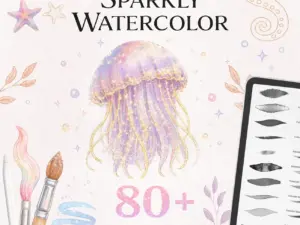
Sparkly Watercolor Brushes for Procreate – 80 Glitter, Shimmer and Metallic Brushes with Paper, Canvas Textures
Sold by dibrushes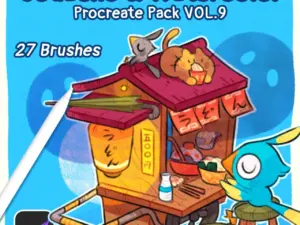
Procreate Pack VOL.9 ✿ Gouache & Watercolor
Sold by olguioo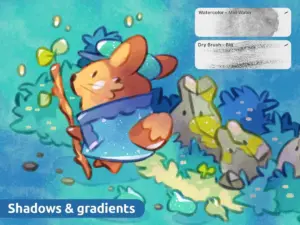
Procreate Brushes VOL.6 | Watercolor
Sold by olguioo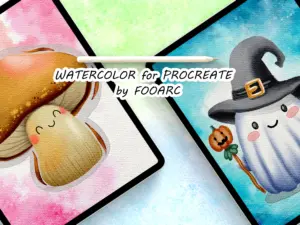
Watercolor Brushes for PROCREATE
Sold by Fooarc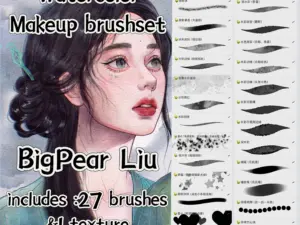
Procreate Texture Brushes
Sold by bigpearliu
Best Watercolor Brushes Procreate
Sold by Freya Art
Loose Watercolor brushes for Procreate
Sold by BooStudio
Realistic Watercolor Brushes – PS
Sold by Jenteva ART
Wet Watercolor Procreate Brushes
Sold by JuliaDreamsCo
Scissors Wizard Paper Cutout Effect
Sold by
87 Procreate Watercolor Brushes #11
Sold by Warm Cozy Cottage Shop
Procreate Texture and Stamp Brushes
Sold by BooStudio
Pro Watercolor – Procreate Brushes
Sold by BooStudio
Old Times- Procreate Vintage Brushes
Sold by BooStudio
Watercolor Lettering Procreate Kit -Brushes, Textures & More
Sold by
Powerful Watercolor Kit Porcreate
Sold by Patrycja Dolata
Powerful Watercolor Kit Porcreate
Sold by Patrycja Dolata
284 Realistic Watercolor Brushes for Procreate
Sold by milliehermajesty
Procreate DIY Draw Lavender Brushes & Swatches
Sold by lettersart
Watercolor Painting Brushes for Procreate
Sold by edyta
Procreate DIY Draw Monstera Brushes and Swatches
Sold by lettersart
The Procreate Watercolor Box
Sold by Justbia
30 Watercolor Brushes for Procreate
Sold by
Amazing Watercolor Painting Kit for Procreate
Sold byProcreate watercolor brush questions.
Helpful information about watercolor brushes, paper textures, pressure and building a digital watercolor workflow.
Can Procreate create realistic watercolor effects?
Yes. Watercolor-style Procreate brushes can simulate transparent washes, textured pigment, irregular edges and other traditional watercolor characteristics.
What are the best watercolor brushes for Procreate?
The best choice depends on your painting style. A useful set often includes washes, controlled painting brushes, dry texture brushes and detail tools.
Do watercolor brushes work with Apple Pencil?
Many Procreate brushes use pressure-sensitive settings that can respond to a compatible Apple Pencil. Review individual product details for specific requirements.
Do I need watercolor paper textures?
Not always, but a subtle paper texture can add surface character and make digital watercolor artwork feel more traditional.
Are watercolor brush packs good for beginners?
Yes. A focused watercolor set can help beginners learn washes, layering, edge control and digital painting techniques without needing a huge brush library.
Are free watercolor Procreate brushes available?
Yes. Brushes Pack currently includes free Procreate resources as well as premium watercolor brush sets. You can also explore the Free Procreate Brushes page.
How do I install watercolor brushes in Procreate?
Compatible Procreate brush files can generally be imported into Procreate after download. Always review the individual product information for included formats and instructions.
Can I use watercolor brushes for more than landscapes?
Yes. Digital watercolor can work well for botanicals, portraits, lettering, children’s illustration, food art, abstract painting and many other styles.
Watercolor brushes for Procreate artists and digital painters.
Watercolor brushes for Procreate can help artists reproduce many of the visual qualities associated with traditional watercolor while keeping the flexibility of a digital workflow. Transparent washes, irregular edges, paper texture and layered pigment effects can all contribute to a more natural watercolor appearance.
At Brushes Pack, you can explore Procreate watercolor brushes alongside a much larger collection of Procreate brushes and digital assets.
What are Procreate watercolor brushes?
Procreate watercolor brushes are digital brush presets designed to imitate characteristics of watercolor paint. Depending on the brush, these may include transparent color, textured pigment, soft edges, dry marks, grain or pressure-sensitive variation.
No digital brush behaves exactly like water and pigment on physical paper, but thoughtfully designed brushes can create convincing watercolor-inspired results.
Realistic watercolor brushes for Procreate
Realistic watercolor painting depends on more than the shape of a brush tip. Transparency, edge behavior, surface texture and layering all influence whether the final painting feels natural.
A strong realistic watercolor set may combine several types of brushes rather than trying to make one brush handle every stage of the painting.
Procreate watercolor brush packs
Watercolor brush packs often combine multiple painting tools designed to work together. A set may contain washes, detail brushes, dry brushes, texture tools, splashes and supporting paper resources.
Using a coordinated collection can make it easier to develop a consistent painting workflow because the brushes often share similar texture and visual character.
Watercolor wash brushes
Wash brushes are useful for laying in broad transparent areas of color. Artists can use them for skies, backgrounds, loose shapes, initial color blocking and soft atmospheric transitions.
Instead of trying to create the final color in a single stroke, build several lighter passes so areas can overlap naturally.
Wet watercolor brushes for Procreate
Wet watercolor brushes generally aim to create soft, irregular edges and pigment behavior associated with painting on damp paper.
These tools can be useful when you want one shape to feel less controlled or when neighboring colors need a softer relationship.
Dry watercolor brushes
Dry watercolor effects introduce broken marks and surface texture. They can work well for foliage, rocks, clothing, organic surfaces and final texture accents.
Use dry texture selectively. Applying the same rough effect everywhere can flatten the difference between focal areas and quieter sections of the painting.
Watercolor texture brushes
Texture brushes can create pigment granulation, rough paper effects and irregular marks that make digital artwork feel less mechanically smooth.
For broader surface resources, explore the Digital Textures collection.
Watercolor paper for Procreate
Paper texture can significantly influence the character of digital watercolor. Cold-press, hot-press and rough watercolor papers have different surfaces in traditional painting, and digital textures can imitate some of those visual qualities.
Keep paper effects subtle enough that the artwork remains the focus.
Watercolor brushes and Apple Pencil pressure
Pressure-sensitive settings can make a digital watercolor brush feel more responsive. Depending on the brush configuration, pressure may influence opacity, brush size or another property.
Test light and heavy strokes when you first install a brush so you understand how it responds to your drawing habits.
How to paint watercolor in Procreate
Begin with a light sketch and then establish broad transparent color areas. Build additional layers gradually rather than moving immediately to dark values.
Once the large shapes are working, add texture and detail. Finish with stronger accents only where the composition needs them.
Layering watercolor in Procreate
Layering is one of the most useful ways to create depth. Transparent passes can gradually develop richer color while preserving variation from the layers underneath.
Too many opaque adjustments can remove the luminous quality associated with watercolor, so consider keeping early layers relatively light.
How to make digital watercolor look traditional
Avoid uniform edges and identical texture across every part of the painting. Traditional watercolor naturally produces variation, so digital watercolor can benefit from a similar balance of control and imperfection.
Combine soft washes, dry marks, paper grain and sharper accents instead of relying on a single brush effect.
Watercolor brushes for botanical illustration
Watercolor works especially well for flowers, leaves and botanical studies because transparent layers can create subtle shifts in color and value.
Use broad washes for larger petal shapes and smaller controlled brushes for veins, stems and final accents.
Watercolor brushes for portraits
Portrait watercolor often benefits from restrained layering. Start with broad skin-tone relationships, then gradually introduce shadows and features.
Avoid overworking every area. Leaving some passages softer can preserve the loose character associated with watercolor.
Watercolor brushes for landscapes
Landscape artists can use washes for sky and distant shapes, textured brushes for foliage and terrain, and sharper marks for foreground accents.
Varying detail from foreground to background can help create depth without requiring every object to be rendered individually.
Watercolor brushes for food illustration
Transparent color and textured edges can work especially well for food illustration. Build color gradually and leave lighter areas to suggest reflected light and moisture.
Watercolor brushes for children’s illustration
Digital watercolor can create a warm handmade quality that works well in children’s artwork and storybook illustration.
Combine loose paint with clear shapes and readable values so the watercolor texture supports rather than obscures the storytelling.
Watercolor lettering in Procreate
Watercolor brushes can also be used for expressive lettering and decorative typography. Pressure-sensitive brushes can create stroke variation while watercolor texture adds a more handmade finish.
Best watercolor brushes for beginners
Beginners do not need dozens of similar brushes. Start with one broad wash, one general painting brush, one dry texture brush and one detail brush.
Learn how those tools behave before expanding the collection. Understanding a small set usually improves painting faster than constantly changing brushes.
Free watercolor brushes for Procreate
Free brushes can be useful for testing the digital watercolor workflow before building a larger toolkit. Brushes Pack includes free Procreate resources alongside premium brush sets.
Visit Free Procreate Brushes to explore additional free drawing and painting tools.
Premium watercolor brush packs
Larger watercolor packs may include multiple painting behaviors, paper textures and supporting tools within one coordinated collection.
When comparing sets, focus on what the pack adds to your workflow rather than simply choosing the one with the highest number of brushes.
Watercolor brushes vs painting brushes
General digital painting brushes may emphasize opacity and controlled blending, while watercolor brushes often rely more heavily on transparency, broken texture and irregular edges.
Both can be useful. The right choice depends on the visual character you want to create.
Organizing watercolor brushes in Procreate
Keep watercolor tools in a dedicated set and arrange them by purpose. For example: Washes, Paint, Dry Texture, Details, Splatter and Blenders.
This makes it easier to switch tools intentionally rather than searching through a large unorganized collection while painting.
Explore more Procreate brushes
Watercolor is only one part of the Procreate brush ecosystem. Artists can also use pencil, ink, paint, texture, stamp and specialty brushes for different creative workflows.
Explore the broader Procreate Brushes & Digital Assets page or browse Digital Brushes across multiple creative applications.
Discover watercolor brushes at Brushes Pack
Browse the Watercolor Techniques collection to explore Procreate watercolor brushes, painting kits and related resources.
Always review the individual product page for compatibility, included files, brush counts and any supporting textures or installation information before purchasing or downloading.
How digital artists can approach watercolor painting in Procreate.
Editorial-style examples representing common approaches to brush selection, texture and digital watercolor technique.
“I get better watercolor results when I stop trying to finish the painting with one brush. A wash, one texture brush and a small detail brush are usually enough.”
“The biggest improvement for me came from using lighter layers. Building color gradually makes the digital painting feel much closer to the watercolor process.”
“I keep paper texture very subtle. If I notice the texture before I notice the painting, I know I have pushed the effect too far.”
Helpful information before you download.
Review product details, compatibility, support information and Brushes Pack policies before purchasing digital products.
Watercolor Studio Notes are editorial-style examples representing common creative viewpoints and are not presented as verified purchase testimonials.
Continue building your Procreate painting toolkit.
Combine watercolor brushes with other Procreate painting, texture and creative resources depending on the style of artwork you want to create.
Bring watercolor character to your next Procreate painting.
Explore realistic watercolor brushes, washes, texture tools and Procreate brush packs for digital painting and illustration at Brushes Pack.