
Pencil brushes for natural sketching in Procreate.
Explore pencil brushes for Procreate designed for sketching, graphite shading, line drawing, concept art and textured pencil work. Discover realistic pencil brush packs for rough ideas, finished illustrations and everyday digital drawing on iPad.
Choose Procreate pencil brushes around the way you draw.
Different pencil brushes can support loose thumbnails, clean sketching, realistic graphite, shading and detailed illustration. Build a compact toolkit with brushes that serve distinct drawing purposes.
Sketching Pencil Brushes
Use responsive pencil tools for thumbnails, gesture drawing, rough concepts and everyday sketching.
Explore sketching brushes →Graphite Brushes
Create textured strokes inspired by traditional graphite pencils for drawing and realistic shading.
Browse graphite brushes →Rough Pencil Brushes
Use broken textured marks for energetic sketches, character concepts and expressive construction lines.
Explore rough pencil tools →Clean Pencil Brushes
Create more controlled lines for refined sketches, illustration planning and polished pencil drawing.
Browse clean pencils →Shading Pencil Brushes
Build value and form using textured side strokes, soft graphite and layered pencil shading.
Explore shading brushes →Colored Pencil Brushes
Add dry-media texture and layered color for illustrations inspired by traditional colored pencils.
Browse colored pencils →Concept Sketch Brushes
Work quickly through composition, character and environment ideas without becoming distracted by detail.
Explore concept brushes →Portrait Pencil Brushes
Use controlled graphite marks for facial structure, hair, features and gradual portrait shading.
Browse portrait pencils →Pencil Brush Packs
Explore coordinated collections with multiple pencils for sketching, shading, details and textured drawing.
Explore pencil brush packs →A convincing pencil brush should respond to the way you draw.
Pencil texture matters, but pressure, line variation, tilt and layering are equally important when trying to reproduce the feel of traditional sketching in Procreate.
Pressure Variation
Use light and heavy pressure to create changes in value, width and density.
Natural Texture
Graphite grain and broken edges can help digital strokes feel less mechanically smooth.
Layered Shading
Build darker values through repeated passes instead of forcing the final tone immediately.
Fast Ideation
A responsive pencil tool makes it easier to explore ideas without interrupting your drawing rhythm.
The best pencil brush is often the one you stop thinking about.
A good drawing tool should feel predictable enough that your attention remains on gesture, proportion, value and composition instead of constantly adjusting the brush.
Use a small brush set
One sketch pencil, one clean pencil and one shading brush may be enough for most drawing sessions.
Test light pressure first
Understanding the softer end of a brush’s pressure range helps you control construction lines and gradual shading.
Build values gradually
Layer graphite tones in multiple passes rather than making every shadow fully dark at the beginning.
Separate sketch and final lines
Keeping rough construction and refined line work on different layers can make the drawing easier to edit.
From rough idea to refined Procreate drawing.
A simple drawing process helps keep pencil work loose at the beginning while allowing more control as the illustration develops.
Gesture
Use loose strokes to capture direction, pose, movement and basic composition.
Construct
Develop simple forms, perspective and proportion before adding smaller details.
Refine
Reduce unnecessary construction lines and clarify the main shapes of the drawing.
Shade
Build value gradually to describe volume, material and lighting.
Accent
Add darker lines and details only where the drawing needs stronger visual emphasis.
Explore Procreate pencil brushes by drawing style and technique.
Find pencils for sketching, realistic graphite, rough construction, portrait drawing, shading and illustration.
Explore Procreate pencil and sketch brushes.
Discover recently added Procreate brushes suitable for pencil, sketching and drawing workflows.
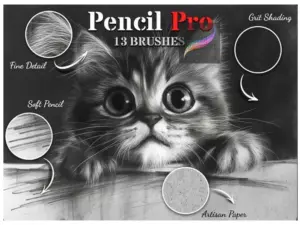
Pencil Pro Brushes for Procreate
Sold by goldbrushes.com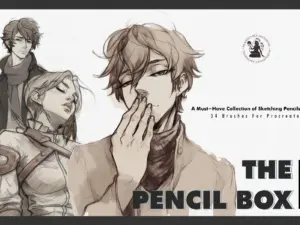
A Must Have – Realistic Pencil Brushes For Procreate, Sketching, Digital Art Brushes
Sold by Faye St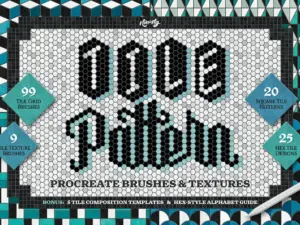
Tile Pattern Procreate Brushes
Sold by Nico-Ng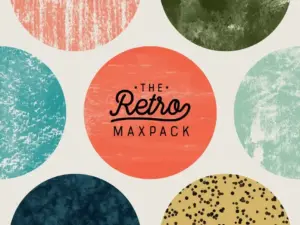
The Retro MaxPack – Brushes for Procreate
Sold by Max Packs
Procreate Children Book Pencils Box
Sold by Warm Cozy Cottage Shop
Concept Art Brush Set
Sold by roddlopes
Ivna’s Brush Pack – Colored Pencil
Sold by ivnalins
The Artist box: brush pack for Clip Studio, Procreate & Photoshop
Sold by Desiree Gneco

AF Studio Pencil
Sold by adilsonfariasart
Like Hand Drawing – 30 Brushes for Procreate
Sold by life103
Battle Damage 1 + 2
Sold by Tattoo Smart
Graphic pencil set Brushes for Procreate
Sold by Soulny
Procreate Brushes – Pencil Doodle Pack
Sold by SmallBrushFactory
50 part pencil box brushes procreate
Sold by Schrill Art
All In One Procreate Brush Set
Sold by Nuclear Brushes
Texture Brushes for Procreate
Sold by Magic & Dreams
Procreate Brushes – Anime and Manga Pencil Perfection
Sold by cozybrushery
Procreate Anime Lineart Brushes
Sold by cozybrushery
Pencil Paper Texture Brushes
Sold by cozybrushery
20 Sketch Pencil Brushes for Procreate
Sold by 9brookskim

Pencil Pack – Procreate Brushes
Sold by Sadie Lew
Graphite Pencils for Procreate
Sold by Roman StrigaProcreate pencil brush questions.
Helpful information about pencil brushes, pressure, graphite texture and building an efficient drawing workflow in Procreate.
What are Procreate pencil brushes?
Procreate pencil brushes are digital brush presets designed to imitate drawing tools such as graphite, sketch pencils and colored pencils.
What are the best pencil brushes for Procreate?
The best brush depends on your drawing style. A practical toolkit usually includes a rough sketch pencil, a cleaner drawing pencil and a shading brush.
Can Procreate pencil brushes look realistic?
Yes. Textured grain, pressure response, opacity variation and irregular edges can help digital pencil marks resemble traditional graphite.
Do pencil brushes work with Apple Pencil?
Many Procreate brushes are designed to respond to Apple Pencil pressure and may also use tilt depending on the individual brush settings.
Are pencil brushes useful for beginners?
Yes. Pencil brushes are useful for learning gesture, proportion, form and value without requiring a complex digital painting workflow.
Can I use pencil brushes for finished artwork?
Yes. Pencil tools can be used for rough sketches, refined line drawings, shaded portraits and complete graphite-style illustrations.
Are free Procreate pencil brushes available?
Yes. Brushes Pack includes free drawing resources such as pencil and sketch brushes. Explore Free Procreate Brushes.
How should I organize pencil brushes?
A simple structure such as Rough Sketch, Clean Pencil, Graphite Shade and Colored Pencil can keep your drawing workflow easy to navigate.
Pencil brushes for Procreate sketching, drawing and graphite art.
Pencil brushes for Procreate can bring the familiar feel of traditional sketching into a flexible digital workflow. Artists can use them for quick ideas, gesture drawing, character concepts, portraits, line work, shading and complete graphite-style illustrations.
At Brushes Pack, you can explore pencil and sketching tools alongside a larger collection of Procreate brushes and digital assets.
What are Procreate pencil brushes?
Procreate pencil brushes are digital brush presets designed to imitate traditional drawing tools. Their behavior can include graphite grain, pressure-sensitive darkness, varying edges and textured strokes.
Some pencil brushes are optimized for loose sketching while others are better suited to clean lines, shading or detailed illustration.
Realistic pencil brushes for Procreate
Realistic graphite does not produce perfectly uniform lines. Traditional pencil marks change according to pressure, paper surface, pencil hardness and drawing angle.
A convincing Procreate pencil brush often introduces similar variation through grain, opacity and pressure response.
Procreate sketching brushes
Sketching brushes are designed for speed. They should make it easy to explore proportion, pose, composition and shape without requiring constant adjustment.
For rough concept work, slightly textured lines can make construction strokes feel less rigid and more natural.
Graphite brushes for Procreate
Graphite brushes can reproduce soft or textured pencil effects and work particularly well for monochrome drawing, portrait studies and realistic shading.
Using several light passes often creates a more convincing graphite effect than applying a very dark stroke immediately.
Rough pencil brushes
Rough pencil brushes produce broken or grainy marks that can help early drawings stay energetic. They work well for gesture drawing, character exploration and concept design.
Because the line is not overly polished, artists may feel more comfortable making changes during the early stages of a drawing.
Clean pencil brushes
Clean pencils provide greater control for refined sketches and line-focused illustrations. They can be useful after the major construction work has already been solved.
Consider keeping rough and clean drawing on separate layers so you can adjust the sketch without losing the original structure.
Procreate shading brushes
Pencil shading brushes can simulate the side of a graphite pencil or textured hatching. Use them to build form, establish lighting and create gradual tonal transitions.
Layer values slowly and preserve lighter areas rather than shading every part of the image equally.
Colored pencil brushes for Procreate
Colored pencil brushes combine dry-media texture with digital color. They can work well for children’s illustration, botanical drawing, portraits and textured artwork.
Layering several colors can create richer surfaces than applying one fully opaque color.
Procreate pencil brushes for portraits
Portrait drawing benefits from brushes that support both delicate construction and controlled shading. Use lighter lines to establish proportions before emphasizing eyes, hair, lips and other focal features.
Graphite texture can also help soften transitions between light and shadow.
Pencil brushes for character design
Character artists can use rough pencils to explore silhouettes, poses and expressions before developing more detailed drawings.
A fast, pressure-sensitive brush is often more useful during concept work than a highly polished line tool.
Pencil brushes for concept art
Concept artists often need to generate many ideas quickly. Pencil-style brushes can support thumbnail sketches, environment layouts, costume concepts and prop exploration.
The goal during this stage is usually clear visual communication rather than perfect rendering.
Pencil brushes for anatomy studies
Digital pencil brushes are useful for gesture and anatomy practice because they allow artists to repeat studies quickly without managing physical materials.
Keep early marks light, then use stronger lines to emphasize important structure and weight.
Pencil brushes for line drawing
Some artists prefer pencil texture even in finished line art. A slightly grainy line can feel warmer and more organic than a perfectly smooth digital stroke.
Choose a brush with enough control to preserve clarity at the final artwork size.
Procreate pencil pressure settings
Pressure sensitivity can influence opacity, width or other brush characteristics. Light pressure can create construction lines while heavier pressure can produce darker accents.
Before starting a major drawing, test the brush with several pressure levels so you understand its full range.
Apple Pencil and sketch brushes
A compatible Apple Pencil can make Procreate sketching more responsive because pressure and tilt can be incorporated into brush behavior.
However, brush design still matters. Different pencil presets may respond very differently even when using the same stylus.
How to sketch in Procreate
Begin with loose gesture marks and simple forms. Avoid spending too much time on small details before the composition and proportion are working.
Create a new layer for cleaner lines once the rough sketch is established, then reduce the opacity of the construction layer underneath.
How to shade with pencil brushes in Procreate
Establish the light direction first. Then build midtones and darker areas gradually while preserving the lightest parts of the drawing.
Use changes in stroke direction to describe surfaces and form rather than shading everything with identical marks.
How to make digital pencil look traditional
Avoid perfectly uniform lines. Traditional graphite naturally changes as pressure and pencil angle shift across the paper.
Use textured brushes, varied pressure and layered shading to introduce similar variation into a digital drawing.
Best pencil brushes for beginners
Beginners do not need a huge collection. Start with a rough sketch pencil, a clean pencil and one shading tool.
Learning how a small number of brushes respond to pressure will usually help more than constantly switching between dozens of similar options.
Free pencil brushes for Procreate
Free pencil brushes can be a practical way to test different sketching styles. Brushes Pack currently includes free pencil and sketch resources among its Procreate products.
Browse Free Procreate Brushes for additional free tools.
Premium Procreate pencil brush packs
Larger brush packs may combine several pencil behaviors, such as rough graphite, clean sketch pencils, shading brushes and colored-pencil effects.
Choose a pack based on the variety you will actually use rather than simply the number of brushes included.
Pencil brushes vs ink brushes
Pencil brushes often emphasize texture, value and construction, while ink brushes typically produce stronger and more deliberate line work.
Many artists use pencil for the sketch stage and switch to ink for final lines, although a pencil brush can also become part of the finished artwork.
Pencil brushes vs painting brushes
Pencil brushes are useful for drawing, planning and value studies, while painting brushes often emphasize shape, color and broader rendering.
Combining both can create an efficient illustration workflow: sketch with pencil first, then paint over the drawing.
Organizing pencil brushes in Procreate
Create a dedicated pencil set and group tools by purpose. A simple order might be Rough Sketch, Clean Pencil, Graphite Shade, Colored Pencil and Texture.
Keeping the collection compact makes it easier to build familiarity with each brush.
Explore more Procreate brushes
Pencil brushes are only one part of a broader Procreate toolkit. Artists can combine them with watercolor, painting, ink, texture and stamp brushes depending on the project.
Explore Procreate Brushes & Digital Assets, Watercolor Brushes for Procreate, or browse Digital Brushes across multiple applications.
Discover pencil brushes at Brushes Pack
Browse Procreate brush resources at Brushes Pack to find pencil, sketch, graphite and drawing tools for digital illustration.
Always review the individual product page for software compatibility, included files, brush counts and any specific requirements before purchasing or downloading.
How artists can approach digital pencil drawing in Procreate.
Editorial-style examples representing common approaches to sketching, brush selection and graphite-style drawing.
“I prefer a pencil that looks slightly imperfect. If the line is too smooth, I start polishing too early instead of solving the drawing.”
“My main sketch set only has three brushes: rough pencil, clean pencil and a graphite shader. Knowing those tools well is more useful than having dozens open.”
“I keep my first sketch very light. Once the proportions work, I create a new layer and gradually strengthen only the lines that matter.”
Helpful information before you download.
Review product details, compatibility, support information and Brushes Pack policies before purchasing digital products.
Sketchbook Notes are editorial-style examples representing common creative viewpoints and are not presented as verified purchase testimonials.
Continue building your Procreate drawing toolkit.
Combine pencil brushes with watercolor, painting, texture and other Procreate resources as your artwork moves from rough sketch to finished illustration.
Find the pencil brush that feels natural in your Procreate workflow.
Explore pencil, graphite and sketching brushes for rough ideas, portraits, character design, shading and finished digital drawings at Brushes Pack.