
Procreate brushes for digital painting & illustration.
Explore Procreate painting brushes for digital art, illustration, concept art, portraits, environments and expressive iPad painting. Build a flexible brush library for sketching, blocking shapes, blending color, adding texture and finishing detailed artwork.
Choose Procreate brushes around each stage of your painting process.
A useful digital painting library does not need hundreds of nearly identical brushes. Combine a few dependable tools for sketching, shape design, painting, blending, texture and finishing.
Painterly Brushes
Create expressive marks, visible brushwork and traditional-inspired digital paintings with more natural stroke character.
Explore painting brushes →Sketching Brushes
Develop thumbnails, gestures and early drawing ideas before committing to color and detailed rendering.
Explore pencil brushes →Blocking Brushes
Establish silhouettes, large shapes and value groups quickly before spending time on surface detail.
Browse Procreate brushes →Blending Brushes
Control transitions between colors, values and edges while maintaining the amount of texture your painting needs.
Explore blending tools →Texture Brushes
Add grain, surface variation and material character without manually painting every small irregularity.
Explore digital textures →Portrait Painting Brushes
Paint skin, hair, facial features and subtle value transitions for character art and digital portrait studies.
Browse portrait brushes →Environment Brushes
Speed up foliage, terrain, clouds and atmospheric details while keeping the major composition under control.
Explore environment brushes →Traditional Media Brushes
Explore watercolor, dry media and textured paint styles for artists who enjoy an analog-inspired digital surface.
Explore watercolor brushes →Painting Brush Packs
Build a broader toolkit with coordinated collections covering several stages of illustration and painting.
Explore Procreate brush packs →The brush matters, but shape, value, color and edges build the painting.
Strong digital paintings usually begin with clear visual decisions. Brushes can make the process more expressive and efficient, but they work best when they support solid drawing, composition and value structure.
Shape First
Establish readable silhouettes and large forms before adding texture or tiny details.
Control Edges
Use hard, soft and lost edges deliberately to guide attention and create depth.
Texture With Purpose
Add surface variation where it supports material, atmosphere or visual interest.
Finish Selectively
Reserve the sharpest details and strongest contrast for important focal areas.
A smaller brush set can make your painting decisions clearer.
Constantly changing brushes can interrupt the painting process. Learn a small core set first, then add specialized texture or detail tools only when they solve a specific problem.
Start with large brushes
Large brushes encourage you to solve composition, shape and value before getting distracted by details.
Separate value from texture
A textured brush cannot rescue unclear lighting or weak value relationships.
Zoom out regularly
Check whether the artwork still reads clearly at thumbnail size before refining small areas.
Let strokes remain visible
Not every mark needs blending. Visible strokes can give digital painting energy and character.
Move from simple visual decisions toward controlled detail.
A structured workflow helps prevent detailed rendering from hiding problems in composition, drawing or value.
Sketch
Explore composition, gesture and the main idea with loose marks and simple shapes.
Block
Establish large silhouettes, color masses and major light-versus-dark relationships.
Paint
Develop forms with deliberate strokes while controlling color, value and edges.
Texture
Add material and surface character where it supports the subject rather than covering everything equally.
Refine
Strengthen focal areas, correct distracting marks and finish only the details the painting actually needs.
Explore Procreate brushes for digital painting and illustration.
Find brush resources for painterly artwork, portraits, concept art, environments, texture and professional digital illustration.
Discover recently added Procreate brushes.
Explore new Procreate brush resources for digital art, illustration, painting, sketching, texture and creative workflows.
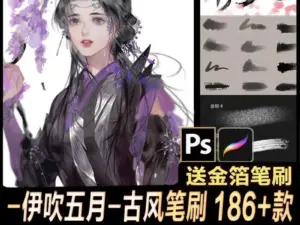
X500-伊吹东方古韵百款笔刷合集 古风笔刷 186+款
Sold by Ibuki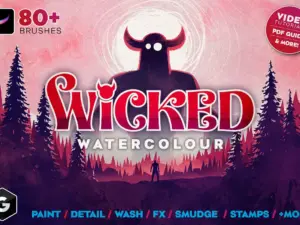
Wicked Watercolour Brushes for Procreate
Sold by GreenRoomMedia
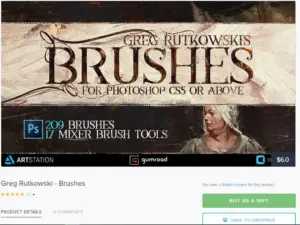
Greg Rutkowski – Brushes
Sold by grzegorzrutkowski
55 Figure Stamps Brushes for Procreate
Sold by DrawingStoryShop
Oil Portrait Big Brushpack for Procreate
Sold by AvvArt
Knitted patterns. Procreate brushes
Sold by Irina Matiash

Stylised Brush Set – Photoshop + Procreate
Sold by
Procreate Blending Brushes
Sold by Easy Procreate
Procreate – Essentials Brush Pack
Sold by Philip Sue
Charcoal Brushes for Procreate
Sold by 9brookskim
Battle Damage 1 + 2
Sold by Tattoo Smart
oli brushes by Eno|Procreate|43 brushes
Sold by Non sang
Skyscape Brush Toolkit for Procreate
Sold by Wonderbox Creative
Procreate Glitter Texture Brushes
Sold by Pixel Buddha
Glitter Texture Brushes For Affinity, Photoshop, Procreate, Illustrator, Clip Studio
Sold by Pixel Buddha
Drawing Essentials – 100 Digital Art Brushes – Photoshop, Procreate & Clip Studio Paint
Sold by Mike Nash
🎨Ultimate Oil Brush Set – for Procreate
Sold by Evergreeem

Cozy Watercolor studio brushes procreate
Sold by Warm Cozy Cottage Shop
Outline hair vol. 2 brushset procreate
Sold by Vegalia
Paris street scene in watercolor procreate brushes
Sold by Sofy Doll Designs
Procreate Brushes – Ethereal Alcohol Marker Magic
Sold by SmallBrushFactoryProcreate digital painting brush questions.
Helpful information about painting brushes, brush packs, Apple Pencil workflows and building a practical Procreate toolkit.
What are Procreate painting brushes?
They are digital brushes used for painting and illustration tasks such as blocking shapes, rendering, blending, adding texture and refining details in Procreate.
What are the best Procreate brushes for digital painting?
The best brushes depend on your style, but a useful core set often includes a sketch brush, solid painting brush, softer blending tool, texture brush and detail brush.
Can Procreate be used for professional digital painting?
Yes. Procreate supports layered raster painting, pressure-sensitive brushes and high-resolution canvases, making it suitable for many professional illustration workflows.
Do I need hundreds of Procreate brushes?
No. Many artists work effectively with a small group of familiar brushes and add specialized tools only when a project requires them.
Are Procreate brushes good for concept art?
Yes. Brushes for sketching, blocking, texture and environments can support concept-art workflows from thumbnails through more developed paintings.
Can I paint portraits with Procreate brushes?
Yes. Digital painting brushes can be used for skin, hair, facial features, clothing and other portrait elements.
Can I create traditional-looking paintings in Procreate?
Yes. Textured brushes can imitate qualities associated with watercolor, pencil, dry media and other traditional materials, although the workflow remains digital.
Where can I find more Procreate resources?
Explore Procreate Brushes & Digital Assets for the broader Brushes Pack collection.
Procreate brushes for digital painting, illustration and concept art.
Procreate brushes for digital painting can help artists build illustrations from the first rough sketch through final rendering. Different brush behaviors support shape blocking, painterly marks, blending, texture, portraits, environments and detailed finishing.
At Brushes Pack, artists can explore digital painting resources alongside a broader collection of Procreate brushes and digital assets.
What are Procreate digital painting brushes?
Digital painting brushes are Procreate tools designed or selected for painting rather than only line drawing or stamping. They may produce solid shapes, soft transitions, textured strokes, dry edges or other painterly marks.
The most useful brush is one whose behavior you understand well enough to control consistently.
Best Procreate brushes for digital painting
A strong painting toolkit can be surprisingly small. Many workflows need only a sketching brush, an opaque painting brush, a softer tool, a textured brush and one fine-detail option.
Specialized brushes become useful when they solve a recurring task such as foliage, clouds, hair or material texture.
Painterly Procreate brushes
Painterly brushes emphasize visible stroke character. They can make digital artwork feel less mechanically smooth and allow individual marks to contribute to the final surface.
Try varying brush size, pressure and stroke direction instead of blending every transition completely.
Procreate brushes for concept art
Concept art often requires speed during the early stages. Brushes that establish clear silhouettes and large shapes can be more useful than highly detailed texture tools.
Once the concept reads clearly, texture and specialized brushes can accelerate the development of materials and environments.
Procreate brushes for illustration
Illustration workflows vary from clean editorial art to highly rendered fantasy paintings. Choose brushes that support the intended visual language rather than trying to use the same pack for every style.
A consistent brush family can also help a series of illustrations feel visually connected.
Procreate sketching brushes for painters
A loose sketch establishes gesture, proportion and composition before rendering begins. The sketch does not need to be beautiful; it needs to make the painting easier to solve.
Explore Pencil Brushes for Procreate for more drawing-focused resources.
Blocking brushes for Procreate
Blocking brushes are useful for establishing large masses quickly. Opaque brushes with predictable edges make it easier to test silhouettes and value groups.
If the image does not read at this stage, additional texture usually will not solve the underlying structure.
Procreate blending brushes
Blending brushes can soften transitions between colors and values, but over-blending may remove useful edge variation and make the image feel uniformly smooth.
Keep some hard and textured edges so the painting retains visual hierarchy.
Texture brushes for digital painting
Texture brushes can suggest paper, grain, stone, fabric, foliage and other surfaces without painting every small variation individually.
Use texture selectively. When every surface receives equal detail, important focal areas become harder to identify.
Procreate portrait painting brushes
Portrait painting requires control over large facial planes as well as smaller details such as eyes, lips and hair.
Begin with simple value and color relationships before using specialized skin or hair brushes.
Skin painting brushes for Procreate
Skin contains subtle color and value variation. Rather than searching for one brush that automatically creates realistic skin, use controlled strokes to establish form first.
Texture should support the underlying structure rather than replace it.
Hair brushes for Procreate painting
Hair is usually easier to paint as large masses before adding individual strands. Establish the overall silhouette, direction and lighting first.
Specialized hair brushes are most useful near the later stages for selected details and edge variation.
Environment brushes for Procreate
Environment brushes can speed up recurring forms such as foliage, clouds, rocks and atmospheric texture.
Use them after establishing composition and depth so repeated brush shapes do not determine the entire scene.
Landscape painting brushes for Procreate
Landscape paintings benefit from brushes that can move between large atmospheric shapes and smaller textural accents.
Separate foreground, middle ground and background through value, color and edge control before adding detailed vegetation or terrain.
Foliage brushes for Procreate
Foliage brushes can create groups of leaves or organic marks quickly. Avoid stamping the same shape repeatedly at identical size and rotation.
Variation helps vegetation feel less procedural.
Cloud brushes for Procreate
Cloud brushes can accelerate atmospheric painting, but lighting and perspective remain important. Treat clouds as three-dimensional forms affected by the same light source as the rest of the scene.
Fantasy painting brushes for Procreate
Fantasy illustration may combine character painting, environments, atmospheric effects and detailed materials.
Build the image with general-purpose brushes first, then introduce specialized texture or effect brushes where they improve storytelling.
Character painting brushes for Procreate
Character painting combines drawing, shape design, anatomy, clothing, materials and lighting.
A reliable sketch brush and opaque painting brush can handle much of the process before specialized tools are needed.
Anime painting brushes for Procreate
Anime-inspired painting can range from clean cel shading to softer rendered illustration. Choose brushes according to whether the artwork needs crisp shapes, textured rendering or expressive line art.
For manga-specific resources, explore Manga Brushes for Procreate.
Watercolor painting brushes for Procreate
Digital watercolor brushes use transparency, edge variation and texture to suggest qualities associated with physical watercolor.
Explore Watercolor Brushes for Procreate for the dedicated watercolor collection.
Oil painting brushes for Procreate
Oil-inspired brushes may use thicker texture, visible bristle character and stronger paint-like blending behavior.
Allow some strokes to remain visible instead of smoothing every transition if you want a more traditional painterly appearance.
Gouache-style brushes for Procreate
Gouache-inspired digital painting often combines opaque shapes with subtle dry texture. It can work especially well for editorial illustration, landscapes and stylized character art.
Charcoal and dry media painting
Dry brushes can introduce broken edges and grain into paintings. They are useful for expressive studies and for interrupting overly smooth digital surfaces.
How to start a digital painting in Procreate
Begin with the main idea rather than details. Establish composition, large shapes and major value relationships using a small brush set.
Only increase detail once the painting reads clearly at a smaller size.
How to choose a Procreate painting brush
Consider opacity, edge quality, texture, pressure response and how quickly the brush builds color.
Test a brush on simple shapes before introducing it into a complex painting.
Hard brushes vs soft brushes in Procreate
Hard-edged brushes are useful for defining shapes and crisp transitions, while softer brushes can create gradual changes in light and color.
Strong paintings usually contain both rather than using one edge quality everywhere.
How to paint light and shadow
Think about the direction and character of the light source before rendering individual details.
Group values into understandable light and shadow families so the form remains readable.
How to use color in digital painting
Color works together with value, temperature and surrounding colors. A visually exciting palette cannot compensate for unclear structure.
Keep checking the image at thumbnail size to make sure color changes support the composition.
How to create depth in Procreate paintings
Depth can be created through overlapping shapes, scale, perspective, value contrast, atmospheric color shifts and edge variation.
Background elements often benefit from lower contrast and softer edges than the focal subject.
How to make digital painting look less digital
Avoid excessive smoothing and perfect repetition. Use varied edges, visible brushwork and restrained texture to introduce natural irregularity.
Traditional-looking artwork still depends more on painting decisions than on any single textured brush.
Apple Pencil brushes for digital painting
Pressure-sensitive input can make brush size, opacity and other behavior respond naturally to the artist’s hand.
Different brushes respond differently, so test pressure behavior before beginning important artwork.
Procreate painting brushes for beginners
Beginners do not need a huge brush collection. Start with a simple sketch brush, one solid painter, a softer brush and a textured option.
Learning value, color, shape and edges will have a greater effect on your artwork than continually changing tools.
Professional Procreate painting brushes
Professional artists often value predictable behavior and speed. A brush becomes useful when it fits naturally into a repeatable workflow.
Review product examples and included tools to determine whether a brush pack suits your preferred painting style.
Free Procreate painting brushes
Free brushes are useful for experimentation and learning what types of brush behavior work for you.
Explore Free Procreate Brushes for additional resources.
Premium Procreate brush packs
Premium brush packs may provide larger coordinated collections or more specialized tools for particular styles and workflows.
The number of brushes matters less than whether the collection gives you useful differences in stroke behavior.
How to organize Procreate painting brushes
Organize brushes according to function: Sketch, Block, Paint, Blend, Texture, Environment and Detail.
Keep a small favorites set for everyday work and store specialized collections separately.
Procreate brushes vs Photoshop painting brushes
Both applications support sophisticated raster painting, but their interfaces and workflows differ. Procreate is especially focused on direct iPad and Apple Pencil interaction, while Photoshop is commonly used in broader desktop creative workflows.
For desktop painting resources, explore Photoshop Brushes for Digital Painting.
Explore Procreate painting brushes at Brushes Pack
Brushes Pack offers digital resources for artists working across painting, drawing, lettering, manga, watercolor and other Procreate workflows.
Continue exploring Procreate Brushes & Digital Assets, Pencil Brushes for Procreate, Watercolor Brushes for Procreate, Manga Brushes for Procreate, Procreate Lettering & Calligraphy Brushes and Digital Brushes.
Always review the individual product page for supported software, included brushes, file types and installation information before purchasing or downloading.
Practical approaches to stronger digital painting workflows.
Editorial-style examples representing common approaches used in digital painting and illustration.
“I start with one large opaque brush and stay with it until the composition and value structure work. Texture comes much later.”
“I keep only a handful of brushes in my active painting set. Knowing exactly how each one behaves makes me faster than searching through hundreds.”
“My final pass is mostly subtraction. I soften unnecessary detail and keep the strongest texture around the focal area.”
Helpful information before you download.
Review Procreate compatibility, included brushes, product details and Brushes Pack policies before purchasing digital resources.
Digital Painter Notes are editorial-style examples representing common creative viewpoints and are not presented as verified purchase testimonials.
Continue building your Procreate art toolkit.
Combine digital painting brushes with pencil, watercolor, manga, lettering and texture resources for a wider creative workflow.
Build a Procreate painting toolkit around the way you create.
Explore Procreate brushes for digital painting, illustration, concept art, portraits, environments, texture and expressive artwork at Brushes Pack.