
Manga brushes for inking, comics & anime art in Procreate.
Explore manga brushes for Procreate designed for sketching, clean inking, expressive line art, screentones, speed lines, hair, effects and comic-style illustration. Build a practical digital toolkit for manga pages, anime artwork and character design.
Explore Procreate manga brushes by purpose.
Manga illustration usually moves through several stages, from loose construction to polished line art and effects. Choose brushes that solve a specific part of that workflow rather than relying on one tool for everything.
Manga Inking Brushes
Create confident outlines, tapered strokes and expressive line variation for finished manga and comic artwork.
Explore inking brushes →Manga Sketch Brushes
Develop poses, faces, costumes and page compositions with responsive brushes for loose construction drawing.
Browse sketch brushes →Anime Drawing Brushes
Explore drawing tools for anime-inspired characters, clean shapes, expressive features and stylized illustration.
Explore anime brushes →Screentone Brushes
Add dots, halftones, shadows and tonal surfaces inspired by traditional black-and-white manga production.
Browse screentone tools →Speed Line Brushes
Introduce motion, direction, impact and dramatic energy into action panels and dynamic compositions.
Explore speed lines →Manga Hair Brushes
Speed up repeated hair details while maintaining direction, flow and stylized strand patterns.
Browse hair brushes →Comic Effect Brushes
Add impact marks, smoke, energy, texture and other visual effects that support action and storytelling.
Explore comic effects →Manga Background Brushes
Use texture, environment and repeated-detail tools to help develop scenes without drawing every element manually.
Browse background brushes →Manga Brush Packs
Explore broader collections that combine sketching, ink, tone, effects and supporting comic illustration tools.
Explore manga brush packs →A manga brush should help communicate the panel—not distract from it.
Good tools support readable silhouettes, confident lines, controlled values and visual hierarchy. The goal is not simply to add more effects, but to make the artwork communicate more clearly.
Line Control
Use pressure and taper to move naturally between delicate details and stronger outlines.
Clear Values
Use blacks, whites and tones strategically so characters remain readable within each panel.
Visual Energy
Speed lines and impact effects can direct attention when they support the action rather than overwhelm it.
Efficient Production
Reusable tone, texture and effect brushes can reduce repetitive work across multiple illustrations or panels.
Strong manga art begins before the special effects.
Brushes can speed up production, but composition, anatomy, readable shapes and controlled line weight remain more important than any single tool. Build the drawing first, then use specialized brushes where they add real value.
Separate sketch and ink
Keep construction drawing on a different layer so final line work can remain clean and easy to revise.
Vary line weight
Use stronger lines around important forms and lighter marks where details need less visual emphasis.
Use tones intentionally
Screentones should clarify form, mood and value relationships instead of filling every empty area.
Save effects for impact
Motion lines and dramatic marks become more effective when they contrast with quieter areas of the page.
From rough panel to finished manga artwork in Procreate.
Keep each stage focused so specialized brushes improve efficiency without replacing the drawing decisions that make the artwork work.
Thumbnail
Plan panel composition, character placement and the direction of the viewer’s attention.
Sketch
Develop anatomy, expressions, clothing, environments and important storytelling details.
Ink
Use controlled pressure and line weight to create clean, expressive final drawing.
Tone
Add blacks, screentones and texture while preserving a readable value structure.
Effect
Finish with speed lines, impact marks and selective details that reinforce the scene.
Explore manga and anime brushes for Procreate.
Find drawing tools for manga inking, anime illustration, screentones, comic effects, character art and digital storytelling.
Explore Procreate brushes for manga and illustration.
Discover recently added Procreate brush resources for drawing, inking, characters, comics and related illustration workflows.
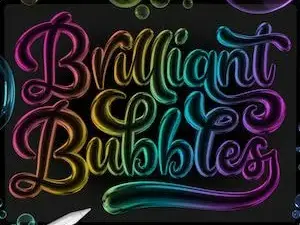
Brilliant Bubble Procreate Brushes
Sold by TheCreativeBix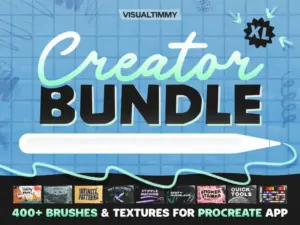
The Creator XL Bundle
Sold by Visual Timmy
55 Figure Stamps Brushes for Procreate
Sold by DrawingStoryShop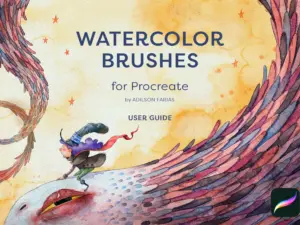
Digital Watercolor Brush Pack for Procreate
Sold by adilsonfariasart
Procreate Brushes Realistic Crayon
Sold by CozyBrusheryShop
Procreate Manga Outliner / 18 brushes for manga sound effects and handwritten text
Sold by 4580shop
Manga Megapack for Procreate
Sold by life103
anime pack (procreate)
Sold by theuglydrama/mxxny

Anime Soft Style Brushes for Procreate
Sold by stas4
128 Awesome Manga Procreate Brushes
Sold by Easy Procreate
Procreate Paint Tool Sai Brushes
Sold by cozybrushery
Procreate Manga Master Brushes
Sold by cozybrushery
Procreate Furry Brushes MaxPack
Sold by cozybrushery
Procreate Brushes – Realistic Copic Marker Set
Sold by cozybrushery
Procreate Brushes – Anime Ink Essentials
Sold by cozybrushery
Manga Hair Brushes
Sold by cozybrushery
Anime Portrait Essentials
Sold by cozybrushery
Anime Retro Pattern Brush Pack for Procreate
Sold by Attki
COPIC MARKERS inspired brushes
Sold by Sazor Shop
Manga Studio – 90 Procreate manga brushes
Sold by HattersLoft
91 Procreate Japanese Ink Brushes
Sold by Procreate iBox
Ultimate Procreate Manga Brush Set
Sold by Meisan Mui
Procreate Digital Art Sketch Brush
Sold by Pawsitively AestheticProcreate manga brush questions.
Helpful information about manga brushes, anime drawing, inking, screentones and building a practical comic illustration workflow.
What are manga brushes for Procreate?
Manga brushes are digital tools designed for workflows such as sketching, inking, screentones, effects, textures and comic-style illustration in Procreate.
Can I draw manga in Procreate?
Yes. Procreate can be used for manga and comic illustration, including sketches, line art, tones, effects, lettering preparation and finished artwork.
What brushes are useful for manga drawing?
A practical toolkit can include a sketch pencil, pressure-sensitive ink brush, tone tools and a small selection of effect brushes.
Can manga brushes be used for anime art?
Yes. Many sketching, line-art and effect brushes can also support anime-style character illustration and related digital artwork.
What is a manga inking brush?
An inking brush is designed for stronger final line work and may respond to pressure to create tapered or varied-width strokes.
What are screentone brushes?
Screentone brushes create repeating dot or texture patterns that can help establish values, shadows and visual texture in manga-style artwork.
Are free manga brushes available for Procreate?
Brushes Pack includes free Procreate resources that may be useful for manga, comics and illustration. Explore the Free Procreate Brushes collection.
Do manga brushes work with Apple Pencil?
Many Procreate brushes can use Apple Pencil pressure for line variation. Review individual product information for compatibility and included brush files.
Manga brushes for Procreate artists, comic creators and anime illustrators.
Manga brushes for Procreate can help artists build a faster digital workflow for sketching, inking, screentones, effects and character illustration. Rather than trying to replace drawing fundamentals, specialized brushes can reduce repetitive work and give artists more ways to control line, texture and visual energy.
At Brushes Pack, artists can explore manga-friendly resources alongside a larger collection of Procreate brushes and digital assets.
What are Procreate manga brushes?
Procreate manga brushes are digital brush presets designed around common manga and comic illustration tasks. Depending on the set, these tools may support sketching, pressure-sensitive inking, screentones, speed lines, hair, textures, backgrounds and visual effects.
A useful manga toolkit does not need to contain hundreds of brushes. It needs tools that solve distinct production problems efficiently.
Manga inking brushes for Procreate
Inking brushes are among the most important tools in a manga workflow. They can help transform rough construction into confident finished line art while allowing variation between delicate interior details and stronger exterior contours.
Pressure sensitivity can make an ink brush more expressive by allowing stroke width to change naturally while drawing.
Procreate manga sketch brushes
Sketch brushes should encourage speed and experimentation. Use them to explore poses, expressions, costumes, panel layouts and compositions before committing to polished line art.
For more sketch-focused resources, visit Pencil Brushes for Procreate.
Anime brushes for Procreate
Anime illustration often uses clean shapes, expressive faces and controlled line work. Manga and general drawing brushes can support many of the same tasks, particularly character sketching, line art and stylized details.
The final appearance depends more on drawing decisions, coloring and rendering than on whether a brush is specifically labeled for anime.
Comic brushes for Procreate
Comic brushes can cover a broader range of visual styles, from clean ink lines to rough textures and dramatic effects. They can be useful for sequential art, webcomics, graphic storytelling and illustrated scenes.
Choose brushes according to the visual language of the project rather than trying to use every available comic effect.
Screentone brushes for Procreate
Screentones are strongly associated with black-and-white manga production. Digital screentone brushes can help create dotted values, textures and patterned shadows without manually constructing each pattern.
Use tones strategically so they support the hierarchy of the page and remain readable at the final output size.
Manga speed line brushes
Speed lines can communicate movement, direction and impact. They work particularly well in action scenes where the viewer needs to understand how quickly something is moving or where the force is traveling.
Their effect becomes stronger when contrasted with calmer areas rather than applied throughout every panel.
Manga hair brushes
Hair brushes can help with repeated strands, texture and stylized shapes. They are particularly useful when an illustration requires complex hair detail across several characters or panels.
Use the brush as a supporting tool while maintaining control over the overall silhouette and flow of the hairstyle.
Manga effect brushes
Effect brushes may include smoke, energy, impact marks, particles, debris and other visual elements. These resources can accelerate production, especially for action-oriented scenes.
Effects should reinforce the storytelling. If the viewer notices the effect before understanding the scene, reducing its intensity may improve the composition.
Manga background brushes
Background brushes can help generate repeated environmental details, textures and supporting elements. This can save time when producing multiple panels or complex scenes.
However, perspective, scale and lighting should still match the rest of the illustration so the background feels integrated rather than pasted into the scene.
Procreate manga brush packs
A manga brush pack may combine pencils, inkers, screentones, effects and texture tools. Larger sets can be useful when they provide genuinely different brush behaviors rather than many nearly identical variations.
Before downloading or purchasing, review the product description to understand exactly what the set includes.
Best Procreate brushes for manga inking
A useful manga inker should produce predictable lines while still responding naturally to pressure. Look for enough control to create fine details as well as stronger contours.
Test several line weights before starting finished artwork so you understand how the brush behaves at the intended canvas resolution.
How to ink manga in Procreate
Begin with a resolved sketch and reduce the opacity of the sketch layer. Create a separate layer above it for finished ink.
Use stronger lines selectively around important forms and overlapping shapes. Interior details can often remain lighter so the image does not become visually heavy.
Line weight in manga drawing
Line weight helps describe depth and hierarchy. Stronger lines can emphasize silhouettes, foreground objects and areas of overlap, while finer lines can support facial features and smaller details.
Consistent variation generally creates a more intentional result than making every line equally dark and thick.
How to use screentones in Procreate
Use tones to separate values and materials rather than covering every open area with texture. Consider how the tone will look when the artwork is viewed at its final size.
Very fine patterns may behave differently after resizing, so test the finished image before exporting a complete project.
Creating manga panels in Procreate
Panel composition should guide the reader through the page. Start with thumbnails before spending time on detailed drawing.
Think about character placement, speech balloons, negative space and the direction of action while establishing the layout.
Manga brushes for character design
Character design often begins with fast exploration. Sketch brushes can help test silhouettes, hairstyles, costumes and expressions before the design is finalized.
Once the concept works, switch to more controlled line tools for cleaner presentation artwork.
Manga brushes for facial features
Eyes, hair, noses and mouths often require controlled line variation. A responsive ink brush can help move between small facial details and stronger surrounding forms without constantly changing tools.
Manga brushes for clothing and folds
Clothing benefits from understanding form and tension before texture is added. Use line direction to explain how fabric wraps around the body, then introduce specialized texture brushes only where appropriate.
Procreate brushes for manga backgrounds
Environment tools can speed up foliage, texture, architecture and atmospheric detail. Combine them with perspective and lighting so the scene remains believable.
For additional surfaces, explore Digital Textures.
Black and white manga in Procreate
Black-and-white artwork depends heavily on value organization. Large black shapes, white space and intermediate tones should work together to make each panel readable.
Before adding detailed tones, zoom out and check whether the major shapes already communicate clearly.
Free manga brushes for Procreate
Free Procreate brushes can provide useful sketching, inking and texture tools for artists experimenting with manga illustration.
Browse Free Procreate Brushes to explore free drawing resources available at Brushes Pack.
Premium manga brush packs
Premium packs may offer broader tool collections for specific workflows, including coordinated inkers, tones, effects and supporting brushes.
The value of a pack depends on how well its included tools fit your workflow, so review the product details rather than judging only by the number of brushes.
Manga brushes vs standard Procreate brushes
Many standard Procreate pencils and ink brushes can already be used for manga. Specialized manga brushes become useful when they simplify repeated tasks such as screentones, speed lines, effects or specific texture work.
A strong workflow often combines general-purpose drawing brushes with a smaller set of specialized manga tools.
Organizing manga brushes in Procreate
A practical organization might include Sketch, Ink, Tone, Hair, Background and Effects. Keeping brushes grouped by production stage makes it easier to find the right tool while drawing.
Remove or archive brushes you rarely use so the active set remains manageable.
Explore more Procreate drawing resources
Manga artists can combine specialized comic brushes with pencils, watercolor, textures and general digital painting tools.
Explore Procreate Brushes & Digital Assets, Pencil Brushes for Procreate, Watercolor Brushes for Procreate and the broader Digital Brushes collection.
Discover manga brushes at Brushes Pack
Brushes Pack provides digital resources for Procreate artists working across manga, comics, character art, illustration and other creative workflows.
Review each individual product page for included files, compatibility, brush counts and any installation or usage information before purchasing or downloading.
Practical approaches to manga drawing in Procreate.
Editorial-style examples representing common approaches to digital manga, inking and comic production.
“I keep the sketch loose and save the controlled pressure for the ink layer. It makes the final lines feel much more deliberate.”
“My manga set stays small: one sketch brush, two inkers, a tone brush and a few effects. Too many similar brushes slow me down.”
“I check the panel in black and white before adding detailed tones. If the major shapes already read clearly, everything else becomes easier.”
Helpful information before you download.
Review product details, compatibility, support information and Brushes Pack policies before purchasing digital products.
Manga Desk Notes are editorial-style examples representing common creative viewpoints and are not presented as verified purchase testimonials.
Continue building your Procreate illustration toolkit.
Combine manga brushes with pencils, textures, painting brushes and other creative resources as your artwork moves from rough concepts to finished panels.
Build your next manga panel with the right Procreate brushes.
Explore manga, anime, comic, inking and illustration brushes for character art, storytelling and digital drawing at Brushes Pack.