
Procreate brushes for character design & concept development.
Explore Procreate character design brushes for concept art, character sketching, silhouettes, portraits, costumes, creatures, expressions and visual development. Build a focused iPad toolkit for taking characters from rough ideas to polished concept sheets and finished illustrations.
POSE VARIATION
COLOR IDEA 03
Choose Procreate concept brushes around each stage of character design.
Character design involves more than drawing a finished face. Useful tools should support silhouette exploration, pose, gesture, costume, anatomy, expression, texture, rendering and final presentation.
Character Sketch Brushes
Explore loose ideas, poses, proportions and personality before committing to polished linework.
Explore concept brushes →Shape & Silhouette Brushes
Develop recognizable characters through simple, readable masses before adding surface detail.
Browse character concepts →People Drawing Brushes
Support figure sketches, portraits and character studies for human-focused visual development.
Explore people concepts →Creature Concept Brushes
Develop fantasy animals, monsters and imaginative creatures with texture and detail suited to concept artwork.
Browse creature resources →Costume Design Brushes
Explore clothing, fabric, armor and costume details while maintaining a strong overall character silhouette.
Explore costume concepts →Face & Portrait Brushes
Refine facial planes, skin, hair, eyes and other features while preserving expression and character identity.
Browse portrait concepts →Expression Study Brushes
Create quick facial studies for emotion, personality and communication across character sheets.
Explore expression resources →Character Painting Brushes
Develop selected character ideas with color, lighting, texture and controlled digital painting.
Browse concept painting →Character Concept Packs
Build a broader visual-development library with concept-focused brushes for multiple character tasks.
Explore concept packs →A memorable character needs a clear idea before detailed rendering.
Strong character design depends on readable shape language, proportion, personality and visual storytelling. Brushes can make exploration faster, but the design itself needs to communicate first.
Strong Silhouette
Make the character recognizable before relying on facial features or detailed costume texture.
Clear Personality
Use posture, proportion, expression and shape language to communicate who the character is.
Purposeful Costume
Design clothing and props around the character’s role, environment and story.
Controlled Detail
Use detail where it supports material, function and focal areas instead of decorating everything equally.
Draw several characters before polishing one.
Early iteration makes it easier to compare silhouettes, proportions, costumes and personalities. Explore alternatives quickly before investing time in rendering.
Start with silhouette
Test whether the character remains recognizable without internal details.
Push proportions
Experiment with height, width, head size and body shape to create stronger visual identity.
Design for the story
Costume, props and materials should suggest occupation, culture, environment or personality.
Use expression sheets
Test how the character behaves emotionally rather than designing only one neutral portrait.
Move from rough idea to a clear character concept sheet.
A structured concept workflow gives you room to explore before deciding which character direction deserves further development.
Explore
Create quick silhouettes, poses and proportion ideas without worrying about small details.
Select
Choose the strongest shape language and character direction for the intended story.
Develop
Add costume, facial structure, props and supporting design information.
Express
Create pose and expression variations to test personality and movement.
Present
Refine the selected design into a readable character sheet or polished concept illustration.
Explore Procreate concept brushes for character design.
Find concept-tagged Procreate resources for character art, creatures, costume exploration, sketching, portraits and visual development.
Explore Procreate concept resources for character design.
Browse concept-tagged Procreate products for character development, creatures, sketching, visual exploration, painting and related creative workflows.

On The Road – Procreate Brush Set
Sold by SHOUTBAM
Rough&Raw Procreate Brush Set
Sold by SHOUTBAM
Illusion Procreate Stamps
Sold by a.slowik
200 Abstract shapes & backgrounds
Sold by Samolevsky
Acid & chrome abstract shapes bundle
Sold by Samolevsky

173 Editable T-shirts BUNDLE
Sold by Creative Fabrica
32 brushes for Concept Art – Creatures
Sold by alanquiroz
Illusion Procreate Stamps
Sold by Aleksandra Slowik
Procreate Brush Stamp 10 Book Stamps
Sold by anningarts
Procreate Brushes Stamp 15 Box Gifts
Sold by anningarts
Procreate brush stamp COVID19 element
Sold by Nanodog Shop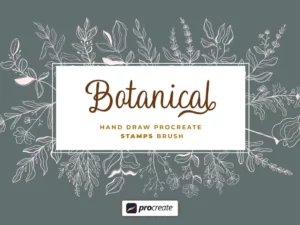
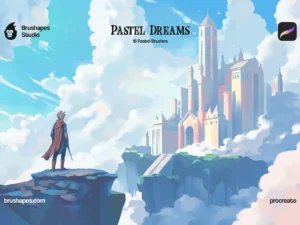
Pastel Dreams Procreate Brushes
Sold by brushapes.com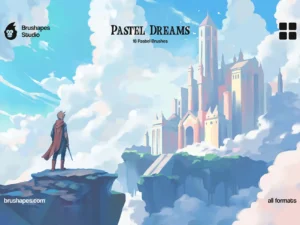
Multi App Pastel Dreams Brushes
Sold by brushapes.comProcreate character design brush questions.
Helpful information about character concept brushes, silhouettes, creatures, painting and visual-development workflows.
What are Procreate character design brushes?
They are brushes used for character-related tasks such as sketching, silhouettes, costume ideas, faces, creatures, painting and concept development.
What brushes are useful for character concept art?
A practical toolkit can include a loose sketch brush, solid shape brush, painterly brush, texture brush and small detail brush.
Can Procreate be used for professional character design?
Yes. Procreate can support sketching, painting, concept exploration and character-sheet creation on iPad.
Are concept brushes useful for creature design?
Yes. Brushes can help create creature silhouettes, textures and details while keeping the underlying design under the artist’s control.
Should character design start with the face?
Not necessarily. Starting with silhouette and proportion can make it easier to develop a distinctive overall design before focusing on facial detail.
Can I use character brushes for costume design?
Yes. Sketch, texture and painting brushes can help explore clothing, armor, accessories and other costume elements.
How many character variations should I create?
There is no fixed number. Create enough alternatives to compare meaningful differences in proportion, shape, costume and personality.
Where can I find more Procreate painting brushes?
Explore Procreate Brushes for Digital Painting for broader painting resources.
Procreate brushes for character design, concept art and visual development.
Procreate character design brushes can help artists explore people, creatures, costumes, poses and personalities directly on iPad. Concept-focused brushes support the development process from rough sketches and silhouettes to painted character sheets and finished illustrations.
At Brushes Pack, you can explore Procreate concept resources alongside broader collections for digital painting, drawing and manga art.
What are character design brushes for Procreate?
Character design brushes are tools suited to character development tasks such as sketching, shape blocking, painting, hair, skin, costumes, creatures and textures. They do not design the character automatically. Instead, they give artists efficient tools for exploring and presenting ideas.
Procreate concept brushes for character design
Concept brushes can support fast ideation by helping artists move between rough lines, solid shapes, texture and painting without interrupting the creative process. A flexible brush library can be more useful than a large set of highly specialized tools during early design stages.
Character concept art in Procreate
Character concept art communicates appearance, personality, role and visual language before final production artwork is created. Concept sheets may include front views, poses, expressions, costume ideas, color studies and close-up details.
Character sketch brushes for Procreate
Sketch brushes should encourage experimentation. Loose pencil-like marks allow artists to test gesture, anatomy and costume ideas without becoming too attached to clean linework.
Explore Pencil Brushes for Procreate for additional drawing resources.
Silhouette brushes for character design
Silhouette studies remove internal detail and force the design to communicate through overall shape. This method can reveal whether several character ideas are genuinely different or only decorated variations of the same body shape.
Shape language in character design
Circles, squares, triangles and other dominant forms can influence how a character feels. Rounded designs may feel softer, while sharper shapes may communicate tension or danger, depending on context.
Character proportions in Procreate
Changing proportions can create stronger character identities. Experiment with shoulder width, head size, limb length and overall height rather than beginning every design from realistic anatomy.
People drawing brushes for Procreate
People-focused brushes can support gesture studies, portraits, clothing and character illustration. Combine them with references and fundamental drawing knowledge rather than relying on specialized tools alone.
Gesture drawing for character concepts
Gesture drawing focuses on action and movement rather than surface detail. Strong gesture helps characters feel alive and prevents poses from becoming overly stiff.
Pose brushes and character design
Pose-related tools can help artists explore body language and movement, but the final pose should still support personality and storytelling.
Character anatomy brushes
No brush can replace anatomical understanding, but responsive sketching and painting tools can make anatomy studies more comfortable. Use references and construction methods when developing believable figures.
Face brushes for character design
Face-focused brushes may help with skin, eyes, lashes, brows or smaller portrait details. However, begin with facial structure and expression before introducing detailed surface tools.
Character portrait brushes
Portrait-oriented brushes are useful when a character sheet needs a detailed head study or final painted portrait. Keep the face consistent with the broader shape language of the character.
Hair brushes for character art
Hair brushes can speed up selected strands and texture. Start by designing the overall hairstyle as large masses rather than drawing every hair individually.
Expression brushes and character sheets
Expression studies explore how a character communicates emotion. Create variations such as happiness, fear, anger, surprise and neutral states while maintaining recognizable facial structure.
Character expression sheets
An expression sheet can reveal whether a facial design remains recognizable across emotional changes. This is particularly useful for animation, comics and narrative illustration.
Costume design in Procreate
Costume design should support the character’s environment, culture, role and personality. Explore broad costume silhouettes before becoming focused on seams, jewelry or tiny fabric patterns.
Clothing brushes for character design
Texture and fabric brushes can help suggest clothing materials after the overall costume has been designed. Material detail should reinforce the design rather than replace clear construction.
Armor concept brushes
Armor design combines protection, movement, shape and cultural language. Use hard-edged and texture brushes to support material rendering after the major armor forms are established.
Fantasy character brushes for Procreate
Fantasy character concepts may include unusual costumes, weapons, creatures and magical details. Specialized brushes can speed up decorative elements, but the character should remain readable without them.
Sci-fi character brushes
Science-fiction concepts may combine clothing, mechanical surfaces, technology and graphic details. Use repeated technical elements carefully so the design does not become visually noisy.
Creature concept brushes for Procreate
Creature design combines anatomy, silhouette, texture and imagination. Concept-focused brushes can speed up creature textures and details while leaving shape and anatomy under the artist’s control.
Begin with movement and large anatomical forms before introducing scales, fur, horns or other detailed textures.
Monster design brushes for Procreate
Monster designs become more memorable when their anatomy and shape language support the intended behavior or story. Texture should reinforce those forms rather than obscure them.
Animal character design
Animal-inspired characters may use real anatomy as a starting point before proportion and personality are exaggerated. Reference real animals even when creating highly stylized designs.
Cartoon character brushes
Cartoon characters often rely on clear shape language and exaggerated expression. Simple brushes are usually sufficient during the design phase because readability matters more than realistic texture.
Anime character brushes for Procreate
Anime character workflows may combine sketching, clean line art, flat color and rendered illustration.
For comic and manga-specific tools, explore Manga Brushes for Procreate.
Comic character design in Procreate
Comic characters need designs that remain recognizable across multiple panels, poses and expressions. Avoid relying on details that are too difficult to repeat consistently.
Game character concept art
Game character concepts may need to communicate costume construction, equipment, materials and alternate views for production teams. Clear design information can be more important than producing one highly polished illustration.
Character design for animation
Animation characters need designs that can move and remain recognizable from multiple angles. Simplify details that would become difficult to reproduce across many frames or poses.
Character turnaround sheets
Turnaround sheets show the character from several angles, commonly front, side and back. They help clarify proportions, costume construction and details that may not be visible in one illustration.
Character model sheets in Procreate
A model sheet may combine multiple views, expressions, poses, props and color information. Use guides and layers to maintain consistent scale across views.
Character color studies
Color studies allow artists to compare palettes without repainting the full design from scratch. Create several small variations and evaluate which palette best supports the personality and story.
Character lighting studies
Lighting studies help explore how the character reads in different environments or moods. Keep the underlying design clear even when using dramatic light.
Character painting brushes
Once the concept is selected, painting brushes can help develop form, material, skin, hair and costume.
For broader painting resources, explore Procreate Brushes for Digital Painting.
Character skin painting
Skin should be painted as form before texture. Establish light, shadow and color relationships first. Small skin details matter much less if the facial planes are unclear.
Painting character hair
Treat hair as grouped shapes before introducing individual strands. This keeps the hairstyle readable and prevents detailed brushes from creating visual noise too early.
Character costume textures
Texture can differentiate cloth, leather, metal and other materials. Use material texture in combination with lighting and edge control so surfaces remain dimensional.
How to start a character design
Begin with the character’s role, personality and story function. Translate those ideas into silhouettes and proportion variations before drawing detailed clothing.
How to create unique characters
Compare shape, posture, proportions and costume rather than changing only hairstyle or color. Create several alternatives and push differences further than your first instinct.
How to improve character silhouettes
Fill the character with one solid color and remove internal detail. If the pose and identity become unclear, adjust the outer shape.
How to design better costumes
Ask why the character wears each element. Clothing can communicate climate, profession, status, culture and personality.
How to design character props
Props can extend the story of a character. Weapons, tools, books, instruments or personal objects should feel connected to the character rather than added randomly.
How to make characters more expressive
Expression is not limited to the face. Head angle, shoulders, hands and overall pose contribute to emotion. Create quick gesture studies before refining individual facial features.
How to create a character sheet
Organize the sheet around the information other viewers need to understand. Include the main design, alternate views, expressions, color details and relevant props when necessary.
Character design brushes for beginners
Beginners can work effectively with a basic pencil, opaque painting brush and simple texture tool. Design fundamentals matter more than collecting a large specialized brush library.
Professional Procreate character brushes
Professional tools should support repeatable workflows and fast exploration. Choose brushes whose behavior you understand rather than changing tools constantly during the design process.
Concept brushes vs illustration brushes
Concept brushes often prioritize exploration and speed, while illustration brushes may focus more heavily on finished rendering. A character project may use both as it moves from development toward final artwork.
Character design vs portrait illustration
Portrait illustration usually focuses on representing one specific subject, while character design involves creating identity, personality, costume and functional visual language.
Character design vs manga brushes
Manga brushes may emphasize line art, tones and comic production, while character concept brushes support broader exploration of shapes, costumes and painted development.
How to organize character design brushes
Create groups such as Sketch, Shape, People, Creature, Costume, Paint and Detail. Keep a smaller favorites set available for rapid concept development.
Procreate character concept resources at Brushes Pack
Brushes Pack offers a broad selection of Procreate resources for drawing, painting, character design, concept development and creative illustration.
Continue exploring Concept Resources, Procreate Brushes for Digital Painting, Pencil Brushes for Procreate, Manga Brushes for Procreate, Digital Brushes and Digital Assets.
Always review each product page for Procreate compatibility, included brushes, file formats, installation details and applicable licensing before purchasing or downloading.
Practical approaches to stronger character concepts.
Editorial-style examples representing common character-design and visual-development approaches.
“I explore silhouettes first. When three designs look almost identical in solid black, I know I have not pushed the character ideas far enough.”
“I design costume around the character’s story instead of adding decoration randomly. Every major shape should tell me something about who they are.”
“I keep my concept brushes simple during the first stage. Specialized hair, texture and detail tools only come in once the character already works.”
Helpful information before you download.
Review Procreate compatibility, included brushes, product details and Brushes Pack policies before purchasing digital character resources.
Character Designer Notes are editorial-style examples representing common creative viewpoints and are not presented as verified purchase testimonials.
Continue building your Procreate character art toolkit.
Combine concept brushes with sketching, painting, manga and texture resources for a more complete character-development workflow.
Turn rough ideas into characters with personality, purpose and story.
Explore Procreate concept brushes for character design, people, creatures, costumes, sketching, painting and professional visual development at Brushes Pack.