
Procreate Animal & Fur Brushes
Explore Procreate animal brushes for realistic fur, wildlife portraits, feathers, creature textures, animal markings, pet illustrations, fantasy creatures, and expressive digital painting. Build convincing animals faster with focused creative resources from Brushes Pack.
Build convincing animals from anatomy to the final strands of fur.
Animal illustration becomes easier to manage when structure, coat direction, texture, markings, lighting, and environment are treated as connected but separate stages.
Animal Sketch Brushes
Develop gesture, anatomy, proportions, movement, poses, silhouettes, facial structure, and preliminary wildlife studies.
Short Fur Brushes
Create controlled short coats for cats, dogs, horses, wildlife, small mammals, and other closely textured animals.
Long Fur Brushes
Build flowing coats, tufts, manes, tails, fluffy edges, layered hair masses, and soft animal silhouettes.
Animal Texture Brushes
Add skin, pores, scales, rough surfaces, wrinkles, creature texture, hide variation, and natural irregularity.
Feather Brushes
Support wings, birds, layered feathers, down, flight feathers, plumage texture, and decorative avian details.
Eyes & Facial Detail
Refine eyes, noses, whiskers, lashes, muzzles, facial fur, highlights, and expression around focal areas.
Marking Brushes
Develop spots, stripes, mottling, patches, coat variation, camouflage, and species-specific surface patterns.
Edge & Highlight Fur
Add selected flyaway hairs, rim-lit strands, whiskers, highlights, soft edges, and finishing coat detail.
Habitat Brushes
Place wildlife within grass, foliage, rocks, skies, forests, water, atmospheric depth, and natural environments.
Paint the form underneath the fur—not thousands of random hairs.
Fur becomes more convincing when it follows anatomy, changes direction around forms, groups into masses, and receives the same lighting logic as the animal underneath it.
Establish Anatomy
Define the head, rib cage, limbs, joints, muscles, and major volumes before detailed coat rendering begins.
Map Fur Direction
Observe how the coat changes direction around the face, neck, shoulders, torso, legs, and joints.
Group the Coat
Think in larger clumps and value shapes instead of drawing every individual strand with equal importance.
Finish Selectively
Add individual strands, whiskers, edge hairs, and highlights primarily where they improve focus and material clarity.
Explore connected animal-art resources.
Use these clickable search paths to move between animal brushes, fur, character design, textures, painting, landscapes, and other complementary Procreate resources.
Explore Procreate Animal & Fur Brushes.
Browse animal-focused Procreate resources for wildlife, fur, creature texture, pets, animal portraits, natural details, and related illustration workflows at Brushes Pack.

Animals Brushes, Texture (Procreate)
Sold by Disyukov
Procreate Animal Pack!
Sold by Extreme Brushes
Procreate Animal Cute Characters Brushes
Sold by Digital Ideas Art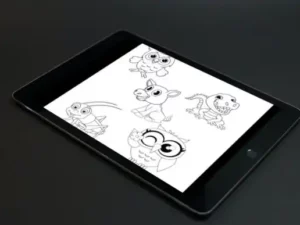
10 Kawaii Animal Brush Stamps V 2
Sold by Manifesto Design
40 Dogs Silhouettes Brushes for Procreat
Sold by ML Creative Shop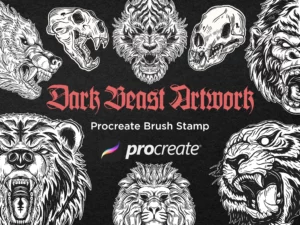
30 Skull Beast Animal Dark Artworks Design Procreate Brushes
Sold by Morspective
Snake Patterns Brushset for Procreate
Sold by Purple Mind Studios
Procreate Furry Brushes MaxPack
Sold by cozybrusheryFrom gesture to believable fur and final wildlife detail.
Observe
Study proportions, skeleton, movement, species characteristics, coat direction, markings, and reference images.
Construct
Build the animal from simple volumes and establish pose, anatomy, perspective, balance, and silhouette.
Block Values
Establish major light, shadow, local color, coat groups, markings, and large surface relationships.
Build Texture
Introduce fur, feathers, scales, skin, wrinkles, markings, and other species-specific surface information.
Refine
Finish eyes, whiskers, selected hairs, highlights, edge variation, atmosphere, and focal details.
Texture should describe the animal—not hide the structure.
Build the body before the coat
Fur can obscure landmarks, but the underlying skeleton, joints, muscles, and body volumes still determine how the outer silhouette behaves.
Hair changes direction across anatomy
Study how fur flows away from the nose, around the eyes, across the cheeks, down the neck, and around joints rather than using one universal stroke direction.
Not every silhouette needs individual hairs
Mix soft, sharp, lost, and textured edges. Reserving detailed strands for selected areas can make the finished animal feel more natural.
Eyes often carry the portrait
In many animal portraits, the eyes and facial features become primary focal points. More texture around them can help guide attention.
Match the brush behavior to the species you are drawing.
Cats & Dogs
Combine short or long fur, whiskers, expressive eyes, noses, ear texture, coat markings, and carefully controlled edge detail.
Lions, Tigers & Big Cats
Use fur direction, muscular structure, manes, stripes, spots, whiskers, and strong facial anatomy to define species and character.
Foxes, Wolves & Bears
Layer coat masses, longer edge fur, facial texture, color variation, and environmental lighting for believable wilderness subjects.
Feathers & Wings
Organize feathers into major groups before adding individual barbs, edge texture, pattern, and fine plumage detail.
Scales & Skin
Let scale direction wrap around form while varying pattern size, density, contrast, roughness, and visibility.
Imaginary Creatures
Combine real animal references with fur, scales, feathers, horns, wings, texture, and unusual anatomy to develop new creature designs.
Procreate Animal Brushes for Wildlife and Pet Illustration
Procreate animal brushes can help artists create fur, feathers, scales, skin textures, animal markings, wildlife portraits, pets, fantasy creatures, and other natural subjects with a more focused digital toolkit.
Brushes Pack carries dedicated animal resources alongside broader Procreate painting and texture tools. Its catalog includes animal fur products as well as an animal texture collection containing 100 brushes for animal illustration and fur-related work. :contentReference[oaicite:1]{index=1}
Artists can combine these specialized resources with Procreate digital painting brushes, sketching tools, texture brushes, and environmental resources to create complete animal illustrations.
What Are Procreate Animal Brushes?
Procreate animal brushes are digital drawing, painting, texture, or stamp brushes designed to support animal illustration. Individual sets may focus on fur, feathers, skin, scales, wildlife, pets, creature textures, or complete animal shapes.
Their main advantage is efficiency. Repetitive natural details can take significant time to paint manually, while a suitable brush can establish useful variation more quickly.
Procreate Fur Brushes
Fur brushes can create multiple strands or textured marks with a single stroke. They can be useful for pets, wildlife, fantasy creatures, clothing trim, tails, ears, manes, and other hair-covered forms.
The brush itself is only part of the process. Fur becomes convincing when stroke direction follows anatomy and when strand length, density, value, softness, and color vary across the animal.
Explore the dedicated Procreate hair and fur brushes page for additional fur-oriented resources.
Short Fur vs Long Fur Brushes
Short fur generally reveals more of the underlying anatomy because the coat sits closer to the body. Long fur can significantly change the silhouette and may form larger clumps, curls, tufts, or flowing shapes.
For either type, establish the major coat masses before adding isolated strands. This prevents the illustration from becoming a collection of disconnected hair marks.
Drawing Animal Fur in Procreate
A useful fur workflow begins with the animal’s large light-and-dark masses. Once the form reads clearly, medium-scale fur groups can establish coat direction and texture.
Individual strands are most effective near focal points, silhouette breaks, strongly lit edges, whiskers, and areas where the coat changes direction.
Animal Texture Brushes for Procreate
Not every animal is covered in fur. Wildlife illustration may require scales, wrinkles, rough skin, pores, hide, feathers, shells, or other specialized surfaces.
Brushes Pack’s Animals Brushes, Texture collection is described as a 100-brush Procreate set designed for animal illustration and fur textures. :contentReference[oaicite:2]{index=2}
For broader surface resources, explore Procreate texture and grain brushes.
Procreate Brushes for Pet Portraits
Pet portraits often depend on recognizable proportions, coat patterns, eyes, muzzle structure, ears, and characteristic markings. Specialized fur brushes can accelerate the rendering stage, but likeness still begins with accurate observation.
It can help to establish the eyes, nose, head proportions, and major coat pattern before introducing large amounts of fur detail.
For additional facial rendering resources, explore Procreate portrait and skin brushes.
Procreate Wildlife Brushes
Wildlife illustration can include mammals, birds, reptiles, aquatic animals, insects, and fantasy-inspired creatures. Each category presents different surface and anatomy challenges.
A general animal toolkit may therefore combine sketch brushes, painting tools, fur brushes, feather textures, scale brushes, environmental resources, and finishing effects.
Drawing Animal Eyes
Eyes can become powerful focal points in animal portraits. Their shape, reflection, eyelids, surrounding fur, color, and placement all contribute to expression and species recognition.
Highly detailed eyes paired with completely undeveloped surrounding forms can feel disconnected, so refine them in relation to the rest of the portrait.
Painting Feathers in Procreate
Like fur, feathers are easier to manage when grouped first. Wings contain organized feather structures rather than random repeated shapes.
Establish the major wing shape and feather groups before adding smaller overlaps, edge variation, markings, and fine texture.
Painting Scales and Reptile Skin
Scale brushes can quickly establish repeated structures for reptiles, fish, snakes, dragons, and fantasy creatures.
The pattern should still respond to the underlying form. Changing scale size and direction as the surface turns can create more convincing volume.
For fantasy scale applications, visit Procreate dragon brushes.
Animal Brushes for Creature Design
Real animals provide useful references for fantasy creature design. Artists can combine the anatomy of one species with the fur, scales, wings, horns, proportions, or movement characteristics of another.
The result usually feels more believable when the combined features have some visual or functional logic.
Explore Procreate character design brushes for broader concept-development resources.
Animal Brushes for Children’s Illustration
Animal brushes are also useful for stylized and children’s artwork. Realistic texture does not have to produce realistic anatomy; fur, feathers, and natural marks can be combined with simplified shapes and expressive characters.
Artists can adjust texture density and brush scale to match softer, graphic, cartoon, or storybook illustration styles.
Painting Animal Environments
An animal often becomes more convincing when its environment reinforces its habitat and lighting. Grass, foliage, trees, rocks, water, skies, snow, and atmospheric depth can establish context and scale.
Explore Procreate landscape and environment brushes for complementary habitat-building tools.
Using Animal Brushes Without Over-Texturing
One of the easiest ways to weaken animal artwork is to apply detailed texture uniformly. If every square inch contains equally sharp fur, scales, or feathers, the viewer has fewer visual cues about where to look.
Use the greatest texture contrast near focal areas and allow quieter surfaces to describe the larger form.
How to Choose Procreate Animal Brushes
Consider the species and surface you draw most often. A pet portrait artist may benefit from several lengths of fur brushes, while a fantasy creature artist may need scales, skin, feathers, and texture.
Also consider whether you need stroke-based brushes or stamps. Stroke brushes can provide more directional control, while stamps can be useful for repeated shapes and rapid concept development.
Review each Brushes Pack product page for exact brush contents, software compatibility, included files, installation information, and creator-specific details.
Build an Animal Illustration Toolkit at Brushes Pack
A flexible animal toolkit can combine pencils, painting brushes, fur brushes, textures, stamps, portrait tools, foliage, landscape brushes, skies, and special effects.
Brushes Pack’s wider Procreate catalog also includes products such as Animal Fur Procreate Brushes, while its curated Disyukov collection documents a dedicated 100-brush animal texture set. :contentReference[oaicite:3]{index=3}
Continue exploring digital brushes or browse the complete Procreate collection at Brushes Pack.
Procreate Animal & Fur Brushes FAQ
What are Procreate animal brushes?
They are digital brushes or stamps designed to help create animals, fur, feathers, scales, skin textures, markings, wildlife, pets, and related natural details.
What are Procreate fur brushes used for?
Fur brushes can help create short coats, long hair, fluffy edges, manes, tails, whiskers, tufts, highlights, and other hair-covered animal surfaces.
Can animal brushes be used for pet portraits?
Yes. Fur, texture, sketching, painting, and detail brushes can support portraits of dogs, cats, horses, rabbits, and other pets.
Can I use animal brushes for wildlife art?
Yes. They can support mammals, birds, reptiles, and other wildlife when combined with suitable anatomy, painting, texture, and environmental tools.
How do I make digital fur look realistic?
Follow the animal’s anatomy and natural fur direction, establish large coat masses first, vary strand length and value, and reserve individual hairs for selected details.
Can animal brushes be used for fantasy creatures?
Yes. Fur, feathers, scales, skin, markings, and natural textures can be combined to create dragons, monsters, hybrids, and imaginary animals.
Do I need a separate brush for every animal?
No. Many brushes can work across several species when stroke size, direction, color, pressure, layering, and texture density are adjusted appropriately.
Where can I find more Procreate resources?
Brushes Pack includes focused collections for fur, textures, digital painting, landscapes, character design, stamps, skies, and many other Procreate workflows.
The best fur brush still needs to know which direction the animal is facing.
I would solve the animal’s anatomy and silhouette before adding fur. If the pose does not work without texture, thousands of hair strands will not repair the underlying structure.
Animal Drawing NotesI would map fur direction across the body before rendering. The coat around a muzzle behaves differently from the neck, shoulder, torso, and legs.
Fur Rendering NotesI would save the sharpest whiskers, eye highlights, and individual hairs for focal areas. Selective detail often feels more convincing than uniform detail everywhere.
Wildlife Painting NotesBuild a complete animal illustration workflow.
From the first gesture to the final strand of fur.
Explore Procreate animal and fur brushes for pets, wildlife, feathers, creature textures, natural markings, fantasy animals, and detailed digital illustration at Brushes Pack.