
Procreate Dragon Brushes
Explore Procreate dragon brushes for fantasy creature illustration, dragon scales, wings, horns, claws, skin textures, fire, smoke, magical effects, and detailed digital painting. Build legendary creatures faster with focused resources from Brushes Pack.
Build creatures from silhouette to scales, wings, and elemental effects.
Dragon illustration becomes easier to organize when anatomy, surface texture, environment, and effects are treated as separate creative problems.
Dragon Shape Brushes
Develop silhouettes, heads, bodies, tails, poses, creature concepts, and recognizable fantasy forms.
Scale Brushes
Add repeated scale structures across heads, necks, bodies, tails, armor-like surfaces, and creature skin.
Wing Brushes
Support leathery wings, membranes, wing structures, silhouettes, folds, tears, and flying creature designs.
Horn & Claw Details
Develop horns, spikes, claws, teeth, ridges, armor plates, and distinctive anatomical accents.
Creature Skin Texture
Introduce rough skin, reptilian surfaces, wrinkles, scars, pores, cracks, and natural irregularity.
Fire Effects
Add flames, embers, sparks, heat, burning breath, environmental illumination, and dramatic action.
Smoke & Atmosphere
Create smoke trails, mist, haze, dust, volcanic atmosphere, battlefield effects, and cinematic depth.
Magic Effects
Build glowing eyes, magical breath, particles, energy, runes, elemental power, and fantasy lighting.
Environment Brushes
Place dragons inside mountains, caves, ruins, forests, skies, clouds, rocks, and fantasy landscapes.
Make the dragon believable before making it complicated.
A convincing fantasy creature benefits from readable structure. Texture and effects become more useful after anatomy, silhouette, scale, and movement are established.
Recognizable Shape
Decide what makes the creature identifiable from a distance: wings, horns, posture, tail, head shape, or body proportions.
Functional Anatomy
Give limbs, wings, necks, jaws, and joints enough visual logic to make movement feel intentional.
Controlled Texture
Use scales and skin texture to describe form rather than covering every surface with equal detail.
Environment & Effects
Fire, smoke, magic, scars, armor, landscape, and lighting can communicate habitat, power, age, and personality.
Explore connected fantasy-art resources.
Move between dragon brushes, creature textures, fire, smoke, fantasy painting, character design, environments, and effects through these related Brushes Pack collections.
Explore Procreate Dragon Brushes.
Browse dragon-focused resources for fantasy creatures, textures, scales, creature details, stamps, and related illustration workflows at Brushes Pack.

Procreate Animal Pack!
Sold by Extreme Brushes
Procreate Dragon Brush Kit
Sold by Extreme Brushes
Procreate Brush Stamp Zodiac Animals
Sold by anningarts
Procreate Dragon Stamps Tattoo Brush
Sold by Art Print Babe
Unlimited Tattoo Full Pack Stamp Art
Sold by Aynug
Reptile Skin Brush Set
Sold by Zsolt Kosa
40 Fairytale Brushes for Procreate
Sold by ML Creative Shop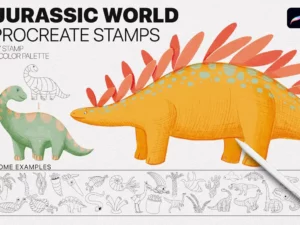
Jurassic World Procreate Stamp
Sold by Spasibenko Art
Animal Texture Procreate Brushes
Sold by Mels Brushes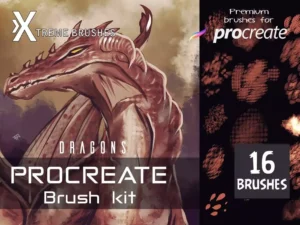
A practical dragon illustration workflow in Procreate.
Thumbnail
Test silhouettes, poses, camera angles, wing positions, action, and composition quickly.
Construct
Build the skeleton, torso, neck, head, limbs, wings, tail, and major anatomical relationships.
Design
Add horns, scales, claws, armor, skin structures, facial features, scars, and distinctive details.
Render
Establish light, shadow, materials, color, scale variation, skin texture, and environmental interaction.
Finish
Add fire, smoke, glow, particles, atmosphere, highlights, depth, and selective final details.
Details become stronger when the creature underneath them works.
Decide how large the dragon actually is
A dragon’s apparent size depends on comparison. Trees, people, architecture, rocks, clouds, and atmospheric depth can establish scale more effectively than detail alone.
Follow the form instead of filling a surface
Scale direction and size should respond to anatomy. Repeated texture becomes more convincing when it bends around the underlying three-dimensional form.
Think about structure and tension
Wing membranes become more believable when their attachment points, folds, supporting bones, stretching, and perspective relate to the pose.
Let fire and magic affect the scene
A bright flame or magical glow should influence nearby surfaces, shadows, smoke, atmosphere, and color if it is intended to feel integrated.
Dragon brushes can support much more than one creature portrait.
Fantasy Creature Design
Develop original dragons, wyverns, serpents, hybrids, monsters, guardians, mounts, and mythical creatures.
Dragon Portraits
Focus on eyes, horns, facial scales, teeth, scars, skin texture, lighting, and expressive creature personalities.
Epic Fantasy Scenes
Combine dragons with mountains, castles, clouds, fire, smoke, weather, armies, and cinematic environments.
Game Concept Art
Explore creature silhouettes, variants, elemental types, armor, anatomy, skins, poses, and visual-development ideas.
Book Illustration
Create fantasy covers, narrative scenes, children’s illustrations, mythical worlds, and story-driven dragon artwork.
Fantasy Character Art
Pair dragons with riders, warriors, wizards, castles, magical environments, and character-driven compositions.
Procreate Dragon Brushes for Fantasy Art
Procreate dragon brushes can help digital artists create fantasy creatures, scales, reptilian textures, wings, horns, claws, fire, smoke, magical effects, and detailed creature illustrations.
Dragon artwork combines creature design, anatomy, texture, lighting, storytelling, and environmental design. Specialized brushes can accelerate repetitive details, but the strongest results usually come from using those tools on top of a clear underlying design.
Brushes Pack provides a broader library of Procreate brushes and digital assets for fantasy artists, creature designers, illustrators, concept artists, and digital painters.
What Are Procreate Dragon Brushes?
Procreate dragon brushes are digital brushes and stamps designed for dragon-related illustration. Depending on the individual set, they may contain complete creature stamps, scales, skin textures, wings, horns, claws, silhouettes, anatomical details, or other fantasy elements.
They can be useful for finished illustrations as well as concept exploration, creature studies, fantasy environments, book art, game concepts, and character design.
Designing Dragons in Procreate
Before applying detailed brushes, consider the creature’s overall design language. A heavy ground-dwelling dragon may use a different body structure from a fast flying creature. An aquatic dragon may require another silhouette entirely.
Questions about habitat, movement, diet, age, temperament, magic, and story can help make design decisions feel connected rather than random.
For broader concept resources, explore Procreate brushes for character design.
Procreate Dragon Scale Brushes
Scale brushes can reduce the time required to create repeated surface details. However, repeating a scale pattern uniformly across an entire creature may flatten the form.
Try varying scale size, direction, density, visibility, and contrast according to anatomy and lighting. Larger structures may work around major body areas while finer scales can support the face, limbs, and transitions.
Additional surface tools can be found in the Procreate texture and grain brushes collection.
Drawing Dragon Wings
Dragon wings can be designed in many ways, but visual structure helps them feel functional. Establish major supporting forms before adding membrane texture, tears, veins, scales, or decorative details.
Perspective is especially important when a wing extends toward or away from the viewer. Large simple shapes usually need to work before smaller texture is introduced.
Dragon Horns, Claws, and Spikes
Horns and spikes can reinforce the creature’s silhouette and personality. Their direction can make a dragon appear elegant, aggressive, ancient, armored, or unusual.
Claws, teeth, horns, and armor plates also benefit from variation. Perfect repetition can look artificial unless a deliberately stylized design requires it.
Dragon Skin and Creature Textures
Dragons do not need to use one texture everywhere. Combining larger scales, smaller scales, rough skin, smoother membranes, scars, wrinkles, and hard armor can help separate different anatomical regions.
Brushes Pack also carries dedicated animal and creature texture resources, including animal sets covering fur and multiple animal categories. :contentReference[oaicite:1]{index=1}
Procreate Fire Brushes for Dragons
Fire-breathing dragons benefit from more than a flame shape. Sparks, embers, smoke, glow, heat, illuminated surfaces, and environmental response can make the effect feel connected to the scene.
Explore Procreate fire and smoke brushes for complementary elemental resources.
Smoke and Atmospheric Effects
Smoke can create depth, movement, scale, and atmosphere. It can partially obscure parts of a dragon, separate foreground from background, or connect a fire effect to the surrounding environment.
Changing edge softness, opacity, direction, and density can prevent smoke from looking like a flat decorative layer.
Magic and Elemental Dragons
Fantasy dragons are not limited to fire. Ice, electricity, celestial energy, poison, glowing runes, magical particles, and other elemental ideas can give creatures distinct identities.
For luminous effects, explore Procreate neon and glow brushes. Cosmic fantasy scenes can also use resources from Procreate space and galaxy brushes.
Painting Dragons in Procreate
A dragon can be rendered with clean line art, painterly strokes, cel shading, watercolor-like marks, textured paint, or realistic digital painting. The best brush choice depends on the intended visual language.
General painting brushes are particularly useful for large forms, lighting, color transitions, environmental integration, and surfaces that do not need specialized stamps.
Explore Procreate brushes for digital painting for complementary painting tools.
Creating Dragon Environments
Environment helps communicate story and scale. A dragon flying through clouds feels different from the same creature inside a dark cave, volcanic landscape, ruined castle, snowy mountain, or cosmic world.
Explore Procreate landscape and environment brushes and Procreate cloud and sky brushes for related resources.
Dragon Brushes for Concept Art
Concept artists can use dragon brushes and stamps as starting points for variation rather than treating the first generated shape as a finished design.
Changing proportions, horns, wings, textures, tails, color, posture, and anatomy can turn similar starting resources into more distinctive creature concepts.
Dragon Brushes for Fantasy Illustration
Fantasy illustration often combines creature resources with painting, atmospheric effects, landscapes, characters, architecture, fire, smoke, and lighting.
A focused dragon brush set therefore works best as one component inside a larger illustration toolkit rather than as a replacement for general drawing and painting brushes.
How to Choose Procreate Dragon Brushes
Start by identifying what takes the most time in your current workflow. If you already draw creatures comfortably but struggle with repeated scales, texture brushes may provide the greatest benefit. If creature construction is difficult, stamps and shape-oriented tools may be more useful.
Review each Brushes Pack product page for exact brush contents, software compatibility, included files, installation information, and creator-specific features before choosing a set.
Build a Fantasy Creature Toolkit at Brushes Pack
A flexible fantasy toolkit can combine dragon brushes, texture brushes, sketching tools, painting brushes, fire and smoke effects, glow, clouds, landscapes, stamps, and character-design resources.
Brushes Pack’s verified Dragon archive currently includes dedicated Procreate dragon products alongside related animal and fantasy resources. :contentReference[oaicite:2]{index=2}
Continue exploring digital brushes or browse the wider Procreate collection at Brushes Pack.
Procreate Dragon Brushes FAQ
What are Procreate dragon brushes?
They are digital brushes or stamps designed to support dragon and fantasy-creature illustration, including shapes, scales, textures, wings, details, and related effects.
Can dragon brushes help create scales?
Yes. Scale and texture brushes can speed up repeated details, although varying scale direction, size, and visibility usually creates a more natural result.
Can I use dragon brushes for other creatures?
Many dragon-related textures and details may also be useful for reptiles, monsters, dinosaurs, fantasy beasts, serpents, and other creature concepts.
What brushes work well with dragon brushes?
Painting, texture, fire, smoke, glow, landscape, cloud, sketching, and stamp brushes can all complement a dragon illustration workflow.
Are dragon stamp brushes useful for concept art?
They can help generate starting shapes and repeated elements quickly, especially when artists modify and develop those elements into original concepts.
Can I paint realistic dragons in Procreate?
Yes. Realistic creature rendering can combine structural drawing, painting brushes, textures, controlled lighting, atmospheric effects, and detailed surface work.
How can I create fire-breathing dragons?
Combine the creature with flame, sparks, embers, smoke, glow, and lighting that affects nearby surfaces to integrate the fire into the scene.
Where can I find more fantasy brushes?
Brushes Pack includes Procreate collections for fire, smoke, glow, landscapes, skies, galaxies, character design, painting, textures, and other fantasy-art workflows.
Design the creature first. Decorate the creature second.
I would test the dragon as a solid silhouette before drawing scales. If the species, pose, and attitude already feel distinctive, surface detail has something meaningful to support.
Creature Design NotesI would make scale direction respond to anatomy. Repeated texture becomes much more convincing when it wraps around the body instead of sitting on top of it.
Creature Texture NotesI would treat fire as a light source, not just an effect. The dragon, smoke, ground, and surrounding atmosphere should respond to that brightness.
Fantasy Lighting NotesBuild the world around your dragon.
Build creatures worthy of their own fantasy world.
Explore Procreate dragon brushes for scales, wings, creature textures, fantasy concepts, fire, smoke, magic, environments, and detailed digital illustration at Brushes Pack.