
Procreate Fire & Smoke Brushes
Explore Procreate fire and smoke brushes for flames, sparks, embers, vapor, atmospheric smoke, magical effects, action scenes, concept art, fantasy illustration, and dramatic environmental artwork. Discover effect-focused creative resources at Brushes Pack for adding energy, movement, light, and atmosphere to digital art.
Fire and smoke become more convincing when you build them as separate visual layers.
Flames, sparks, smoke, glow, particles, and environmental light each contribute something different. Combining them intentionally gives you more control than relying on one oversized effect.
Flame Shapes
Create flowing tongues of fire, burning edges, torch flames, magical fire, campfires, explosions, and stylized energy.
Sparks & Embers
Add smaller directional particles around the primary flame to communicate movement, heat, impact, and environmental energy.
Smoke
Build rising smoke, drifting vapor, hazy atmosphere, soft transitions, environmental depth, and aftermath effects.
Light & Glow
Connect the flame to surrounding objects with warm highlights, illuminated edges, reflected light, and controlled glow.
Ash & Particles
Introduce subtle debris, soot, dust, ash, and tiny marks that make large fire effects feel more integrated with the scene.
Environmental Response
Use surrounding color, contrast, silhouettes, and atmosphere so the effect influences the entire composition rather than floating above it.
A convincing flame changes everything around it.
Fire is a light source as well as an object. Smoke occupies space as well as decorating it. Treating both as parts of the environment can make an illustration feel much more cohesive.
Establish the source
Decide exactly where the fire begins and what object, surface, character, or event is producing it.
Direct the movement
Allow flames, sparks, and smoke to follow a readable directional flow rather than scattering randomly.
Light nearby forms
Add reflected warmth and brighter edges to nearby surfaces so the fire feels connected to the environment.
Let smoke soften distance
Smoke can partially obscure background forms and reduce contrast, creating additional atmospheric depth.
Finish with small particles
Use sparks, ash, embers, or dust selectively to reinforce movement without making the composition unnecessarily noisy.
Explore connected Procreate effects and techniques.
Each search connects to a relevant Brushes Pack collection, tag, or focused resource page so related keywords also strengthen the site’s internal discovery structure.
Explore Procreate Fire & Smoke Effects.
Browse effects-oriented Procreate resources for flames, smoke, sparks, atmospheric illustration, glowing details, fantasy effects, dynamic scenes, and creative digital artwork.

Fire Brushes for Procreate
Sold by Disyukov
Over 1000+ Procreate Brushes
Sold by Disyukov
Procreate fire brushes
Sold by Nurmiftah
Procreate Neon&Fire 70 Brushes
Sold by infinity art works
Fire Procreate Color Palette
Sold by Digital Art Supply
140 Smoke Tube Brushes & PNG
Sold by Xresch
1500+ Brushes Megapack
Sold by Xresch
Smoke and Fire Reloaded
Sold by Xresch
Real Smoke Photoshop Brushes Bundle
Sold by Mri Studio
48 Neon Brushes for Procreate
Sold by Pawsitively Aesthetic
Fire Christmas Brush Strokes
Sold by PW Digital Designs
National Park Stamp
Sold by Spasibenko Art
Sparks Procreate Brushes
Sold by Andrew Skoch Design
Fire Procreate Brushes
Sold by Andrew Skoch Design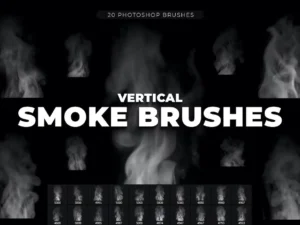
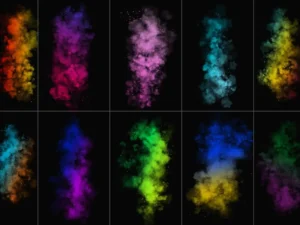
Fog Smoke Brush & PNG
Sold by Mri StudioSmall choices make fire and smoke effects much more believable.
Keep the hottest area bright
The brightest part of a flame often works best near its source. Allow outer flame shapes to become darker or more saturated as they move away from that core.
Give particles one dominant direction
Sparks and embers feel more connected when their movement follows the same general force as the flame instead of scattering equally in every direction.
Change edges as smoke rises
Mix defined forms with softer edges and transparency. Repeating identical opaque clouds can quickly make smoke feel stamped rather than atmospheric.
Let the effect influence nearby color
Warm reflected light on surrounding objects can help a flame feel physically present instead of appearing like an isolated graphic placed above the illustration.
Build dramatic effects in five controlled stages.
Place the source
Determine where the fire, explosion, magical energy, or smoke begins.
Build the main shape
Establish large flame or smoke forms before introducing tiny details.
Add directional flow
Use shape, wind direction, and movement to guide flames, vapor, and particles.
Integrate the light
Add glow and reflected illumination to objects around the primary effect.
Add sparks & texture
Finish selectively with embers, ash, grain, particles, haze, and small accents.
Fire and smoke effects can support many illustration styles.
Magic & Spell Effects
Transform flame shapes into magical energy, enchanted weapons, supernatural powers, glowing attacks, and fantasy visual effects.
Action Illustrations
Add energy around characters, weapons, vehicles, creatures, and dramatic poses while reinforcing movement and visual impact.
Burning Landscapes
Use flames, smoke, haze, embers, and atmospheric color to build dramatic environments and storytelling scenes.
Explosions & Destruction
Combine fire, smoke, debris, sparks, texture, and lighting for action-oriented concept illustrations.
Fog, Vapor & Haze
Smoke-like brushes can also support softer atmospheric effects, environmental depth, misty scenes, and mysterious backgrounds.
Posters & Graphics
Use dramatic fire, smoke, sparks, and glowing accents in covers, promotional graphics, posters, social artwork, and visual compositions.
Procreate Fire and Smoke Brushes for Dynamic Digital Art
Procreate fire and smoke brushes can help digital artists build flames, sparks, embers, vapor, haze, atmospheric smoke, glowing effects, and dramatic environmental details more efficiently.
These effects can appear in fantasy illustration, character design, concept art, landscapes, comics, posters, magical scenes, action artwork, and cinematic environments.
Brushes Pack provides a broader collection of Procreate brushes and digital assets for artists building flexible creative workflows.
What Are Procreate Fire Brushes?
Fire brushes are digital brush resources designed to help create or support flame-related visual effects. Depending on the brush set, these may include flame shapes, sparks, embers, glowing marks, burning edges, or other elements associated with heat and fire.
A specialized brush can speed up repetitive or complex marks, but convincing fire still benefits from careful composition, color, lighting, and integration with surrounding objects.
Creating Better Flames in Procreate
Begin with the overall direction of the fire. Flames usually feel more convincing when they share a general movement rather than pointing randomly in every direction.
Establish the largest flame shapes first. Smaller tongues of fire, sparks, and embers can then support those primary forms.
Think about the light source
Fire produces light. If a bright flame is positioned close to a character, wall, ground plane, or object, the surrounding surfaces should usually respond visually.
Adding controlled highlights and warm reflected color can connect the flame to the rest of the scene.
For additional luminous resources, explore Procreate neon and glow brushes.
Procreate Smoke Brushes for Atmospheric Effects
Smoke brushes can support much more than burning scenes. Similar soft forms can be useful for vapor, mist, haze, magical atmosphere, environmental depth, mysterious backgrounds, and stylized clouds.
The key to believable smoke is variation. Repeating the same opacity, size, and edge softness can make the effect feel artificial.
Mix defined forms with softer regions and allow portions of the background to remain visible through the smoke.
Combining Fire and Smoke
Fire and smoke naturally complement one another because they communicate different parts of the same event. Flames create brightness, energy, and directional movement, while smoke can create volume, atmosphere, obscuration, and depth.
When both effects are used together, avoid giving them equal visual emphasis everywhere. Decide whether the flame or the smoke is more important to the composition.
A bright foreground flame may need subtle supporting smoke, while a distant burning landscape may rely primarily on enormous smoke shapes with only small visible areas of fire.
Spark and Ember Brushes for Procreate
Sparks and embers are useful secondary details because they reinforce movement and heat without requiring another large visual shape.
Particle direction is especially important. Sparks generally feel more connected when their movement follows the forces already established by the primary effect.
Artists looking for related decorative particle effects can also explore Procreate glitter and sparkle brushes.
Fire Brushes for Character Design
Fire effects can play a major role in character illustration. They may represent elemental powers, magical weapons, supernatural abilities, burning clothing, creature effects, environmental interaction, or dramatic backlighting.
In these scenes, the effect should support the character rather than completely hide the design. Use contrast and particle density carefully around important facial features and silhouettes.
Explore Procreate brushes for character design for additional character-focused resources.
Fire and Smoke for Environment Art
Environmental artwork provides an opportunity to use fire and smoke at a much larger scale. Burning forests, distant cities, campsites, volcanic environments, battle scenes, damaged structures, and fantasy landscapes can all use these effects as storytelling devices.
Smoke can also create atmospheric perspective by partially obscuring distant objects and reducing contrast.
For broader scene-building resources, explore Procreate landscape and environment brushes.
Using Texture with Fire and Smoke Effects
Texture can help integrate dramatic effects with the surrounding illustration. Ash, soot, rough surfaces, grain, debris, and subtle noise can make a scene feel less digitally perfect.
However, texture should support the scene rather than cover every surface uniformly.
Explore Procreate texture and grain brushes for additional surface-building tools.
Smoke, Clouds, Mist and Atmospheric Painting
Smoke and clouds share several visual principles. Both involve overlapping soft forms, changing opacity, atmospheric depth, irregular silhouettes, and gradual edge transitions.
This means cloud-oriented resources can sometimes complement smoke painting, particularly when creating enormous atmospheric masses or distant environmental effects.
Visit Procreate cloud and sky brushes for related atmospheric resources.
Fire Effects for Digital Painting
Specialized effects are most useful when combined with general painting skills. A flame brush may provide complex marks quickly, but painting brushes still help control surrounding forms, shadows, reflected light, environmental color, and transitions.
For broader painting resources, explore Procreate brushes for digital painting.
Choosing Procreate Fire and Smoke Brushes
Think about the visual problem you are trying to solve before choosing a brush set. Some projects primarily need flames. Others need atmospheric smoke, tiny sparks, magical fire, glowing light, large environmental effects, or a combination of several techniques.
Review each Brushes Pack product page for its exact included files, software compatibility, brush contents, and other product-specific information.
Build a Flexible Procreate Effects Toolkit
A useful effects toolkit does not have to contain hundreds of nearly identical brushes. A smaller collection of complementary tools can often provide greater control.
Consider combining fire and smoke resources with painting brushes, glow tools, texture brushes, atmospheric brushes, and particle effects.
Continue exploring digital brushes or browse the wider Procreate collection at Brushes Pack.
Procreate Fire & Smoke Brushes FAQ
What are Procreate fire brushes?
They are digital brush resources used to create or support flame-related effects such as fire shapes, sparks, embers, burning details, glowing marks, and other heat-inspired visual elements.
What are Procreate smoke brushes used for?
Smoke brushes can support smoke, vapor, haze, atmospheric depth, magical effects, mist-like forms, burning scenes, and environmental illustrations.
Can I combine fire and smoke brushes?
Yes. Fire and smoke naturally complement one another and can be combined with sparks, glow, texture, painting, and atmospheric brushes.
Can fire brushes be used for fantasy art?
Yes. Flame effects can represent magical powers, elemental attacks, supernatural energy, enchanted objects, creatures, and fantasy environments.
How can I make digital fire look more integrated?
Allow the flame to affect nearby surfaces through reflected light, color, contrast, shadows, sparks, smoke, and environmental atmosphere.
Can smoke brushes create fog or mist?
Some smoke-style marks can also support misty or hazy effects, depending on the brush design and how opacity, scale, color, and layering are used.
What other brushes work with fire effects?
Glow, painting, texture, grain, sparkle, environmental, cloud, and particle brushes can all complement fire and smoke workflows.
Where can I find more Procreate brushes?
Brushes Pack includes broader Procreate collections covering painting, textures, landscapes, characters, clouds, glow effects, stamps, traditional media, and many other creative workflows.
Think beyond the brush mark.
I would decide how the flame moves before adding sparks. Once the main direction is clear, secondary particles can reinforce the same force instead of creating visual confusion.
Effects Artist NotesI would use smoke to control visibility. Partially hiding distant forms can create depth and make the environment feel larger than simply adding more objects.
Environment Artist NotesI would treat fire as a light source first and a decorative effect second. Reflected illumination often makes the flame feel more convincing than additional flame detail.
Lighting Artist NotesAdd heat, movement, atmosphere, and drama to your next Procreate scene.
Explore fire, smoke, glow, texture, painting, atmospheric, and effects-oriented Procreate resources at Brushes Pack.