
Photoshop brushes for concept art & imaginative illustration.
Explore Photoshop concept art brushes for environment design, character development, digital painting, visual development, thumbnails, atmospheric scenes and professional illustration. Build a focused brush toolkit for turning rough ideas into believable worlds, characters and production-ready concepts.
Choose Photoshop concept brushes around the problem you need to solve.
Concept art moves quickly between ideation and presentation. A practical brush library should help you create thumbnails, large forms, environments, characters, texture and atmospheric depth without slowing down the design process.
Thumbnail Brushes
Create fast compositions and shape ideas before investing time in detailed concept paintings.
Explore concept brushes →Environment Brushes
Build terrain, architecture, landscapes, vegetation and atmospheric scenes for world-building and visual development.
Explore environment concepts →Character Concept Brushes
Support silhouettes, costume exploration, shape language and painted character development.
Browse character resources →Shape & Blocking Brushes
Establish large silhouettes and graphic masses before rendering materials and small details.
Explore blocking tools →Concept Texture Brushes
Add controlled material variation to stone, metal, terrain, architecture, clothing and environmental surfaces.
Browse concept textures →Atmosphere Brushes
Develop fog, cloud, dust and atmospheric depth while strengthening scale and mood within a scene.
Explore atmospheric resources →Concept Painting Brushes
Develop rough ideas into more polished presentations using painterly strokes, controlled edges and texture.
Browse painting brushes →Detail Brushes
Add selective focal detail after the major composition, design and lighting decisions are established.
Explore detail brushes →Concept Art Brush Packs
Explore coordinated collections built for several stages of visual development and production artwork.
Explore concept art packs →Concept art is about solving ideas before polishing surfaces.
The best concept brush is usually the one that helps you communicate shape, scale, function, mood or storytelling more quickly. Detailed rendering matters only after the core design works.
Explore Faster
Generate several compositions or silhouettes before becoming attached to the first idea.
Design Clearly
Use strong shapes and readable value groups so the concept communicates before detailed rendering.
Build Atmosphere
Use depth, lighting and texture to communicate mood without filling every area with equal detail.
Present Professionally
Refine the selected concept enough that viewers can understand the design, materials and intended environment.
Thumbnail before you render.
A detailed image can still contain a weak concept. Test several silhouettes, compositions and value structures at small size first. Once a direction works, move toward painting and presentation.
Design in silhouette
Strong silhouettes make characters, props and environments easier to understand before surface rendering begins.
Control value groups
Organize major light and dark masses so the concept remains readable at thumbnail size.
Use texture selectively
Apply detail where it explains material, scale or focal information rather than covering the entire design.
Keep iterations
Save alternate ideas rather than continuously painting over them. Comparison often reveals the strongest design direction.
Move from rough idea to clear visual development.
A flexible workflow keeps design exploration fast while still allowing the selected concept to reach a polished presentation stage.
Explore
Create multiple thumbnails, silhouettes and visual directions without committing to detail.
Select
Choose the strongest composition or design according to readability, purpose and storytelling.
Block
Establish major shapes, perspective, scale and value relationships with broad painting brushes.
Develop
Introduce lighting, color, material and atmosphere while maintaining the original design clarity.
Present
Add selective detail, clean important edges and prepare the concept for communication or production.
Explore Photoshop resources for concept art and visual development.
Find Photoshop concept brushes for environment painting, character design, digital illustration, texture and production artwork.
Explore Photoshop concept art resources.
Browse concept-tagged resources for visual development, digital art, painting, design exploration and professional creative workflows.

Rough & Raw Photoshop Brush Set
Sold by SHOUTBAM
200 Abstract shapes & backgrounds
Sold by Samolevsky
Acid & chrome abstract shapes bundle
Sold by Samolevsky
Holographic 3D shapes collection
Sold by Samolevsky
RM Digital Art Brushes EE for PS
Sold by Rainbow Wings
Watercolor Art Photoshop Action
Sold by Studio Retouch
Vintage Magic Symbols
Sold by anna42f
3D Black Shapes Collection
Sold by Design Essense
3D Chrome Circles
Sold by Designer Ana
Best Bundle INSTAGRAM Media Kit
Sold by Dirty Temp
Cyber Punk Sketch Photoshop Action
Sold by Eka Design
KROMAC – Monochrome Background
Sold by Viaction Type
20 Square Plastic Wrap Texture
Sold by Freeject
62 Abstract Scanline Glitch Texture
Sold by Freeject
150 Crystal Light Leak Overlay
Sold by Freeject
Commodore 64 Old pc Mockup
Sold by Graphic Vil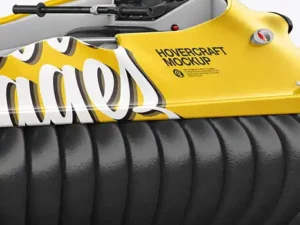
Hovercraft Mockup – Back HalfSide View
Sold by Hayrudin
Surface Melt – Abstract Textures
Sold by Huebert World
Flag SFLA Mockup 002
Sold by Art Directed Design
Collage Abstract Shape Textures
Sold by Nassy Art
Halftone Photoshop Brushes
Sold by Theme Fire
Plastic Foil Overlay Mockups
Sold by Rebrandy
40 Charcoal Photoshop Brushes
Sold by Scary Clown
89 Watercolour photoshop Brushes
Sold by Scary ClownPhotoshop concept art brush questions.
Helpful information about concept brushes, environment design, visual development and professional Photoshop workflows.
What are Photoshop concept art brushes?
They are Photoshop brushes used for visual development tasks such as thumbnails, silhouettes, digital painting, environments, characters, texture and atmosphere.
What brushes are useful for concept art?
A practical concept toolkit can include an opaque shape brush, sketch brush, textured painter, softer atmospheric brush and a small detail brush.
Can Photoshop be used for professional concept art?
Yes. Photoshop is widely suited to raster painting, compositing, design exploration and detailed visual-development workflows.
Are concept brushes useful for environment design?
Yes. Shape, texture and atmospheric brushes can accelerate environment concepts while leaving composition, perspective and design under the artist’s control.
Can I use concept art brushes for characters?
Yes. Brushes can support character silhouettes, costume exploration, painting, texture and final presentation.
Should I use detailed brushes when thumbnailing?
Usually simple brushes are more useful during early exploration because they help you focus on composition and shape instead of surface detail.
What is visual development?
Visual development explores how characters, environments, props, color, lighting and design language should look within a creative project.
Where can I find more Photoshop painting resources?
Explore Photoshop Brushes for Digital Painting for the broader painting collection.
Photoshop brushes for concept art, environments and visual development.
Photoshop concept art brushes can help artists move quickly from rough ideas to readable visual designs. They support sketching, silhouette exploration, digital painting, environment development, character concepts, texture and final presentation.
At Brushes Pack, the dedicated Concept collection provides concept-related creative resources alongside the broader Photoshop and digital-painting catalog.
What are concept art brushes?
Concept art brushes are tools that help artists explore and communicate visual ideas efficiently. Some are intentionally simple and opaque, while others introduce texture, atmosphere or material detail.
The goal is not necessarily to create a finished illustration. Concept art often exists to solve visual questions before production begins.
Photoshop concept art brushes
Photoshop supports a wide range of brush behavior, making it suitable for fast thumbnails as well as more polished concept paintings.
Artists can combine general painting brushes with specialized concept tools depending on the type of project.
Best Photoshop brushes for concept art
The best concept brushes make common design tasks faster without controlling the design for you. A dependable opaque brush can handle many stages of visual development.
Specialized environment, texture and atmospheric brushes can then be introduced where they provide meaningful efficiency.
Concept art brush packs for Photoshop
A concept art brush pack may combine several brush categories, such as sketching, blocking, painting, texture and environmental details.
Evaluate the collection according to the problems it solves rather than simply the total number of brushes.
Environment concept art brushes
Environment brushes can support landscapes, terrain, vegetation, architecture and large-scale world-building.
Begin with composition and perspective before using detailed environment brushes. Repeated textures cannot fix an unclear spatial design.
Photoshop environment brushes
Environment artists often use a combination of simple shape brushes and specialized textures.
Large forms establish the world, while smaller marks help communicate scale, materials and atmospheric conditions.
Landscape concept brushes
Landscape concepts benefit from tools capable of moving between broad shapes and selective organic detail.
Use value, overlap and atmospheric perspective to separate foreground, middle ground and background.
Mountain brushes for concept art
Mountain and rock brushes can accelerate texture, but the underlying mountain shape should remain intentionally designed.
Vary brush scale and orientation so terrain does not appear stamped or repetitive.
Foliage brushes for environment concepts
Foliage brushes are useful when a scene needs trees, leaves or vegetation quickly.
Establish large vegetation groups first and reserve individual foliage detail for focal areas.
Cloud brushes for concept art
Cloud brushes can support skies, weather and atmospheric mood.
Treat clouds as forms influenced by lighting rather than as decorative white shapes placed over the scene.
Fog and atmosphere brushes
Atmospheric brushes can separate depth layers, soften distant elements and strengthen scale.
Use atmosphere strategically so foreground contrast remains stronger than distant areas when appropriate.
Character concept art brushes
Character concept work often begins with gesture and silhouette rather than facial detail.
Brushes that create clear graphic shapes make it easier to compare costume, proportion and shape-language alternatives.
Character silhouette brushes
Silhouette exploration is a fast method for evaluating character readability.
If several designs look nearly identical as silhouettes, their shape language may need stronger differentiation.
Costume design brushes
Concept artists can use textured or patterned brushes to explore clothing materials and costume details after the primary silhouette is established.
Design logic should remain more important than surface decoration.
Creature concept art brushes
Creature design may combine anatomical drawing, unusual silhouettes and specialized texture.
Start with proportion and movement before adding scales, fur or skin details.
Vehicle concept art brushes
Vehicle design often benefits from harder-edged brushes, shape tools and controlled perspective.
Texture and weathering can be added after the vehicle’s functionality and primary forms are understandable.
Prop concept art brushes
Props may need to communicate function, scale and material clearly.
Simple brushes are useful during design exploration, while texture brushes become more relevant during presentation.
Architecture concept brushes
Architecture concepts combine perspective, shape design, scale and environmental storytelling.
Use broad value masses first before introducing windows, panels and repeated architectural details.
Sci-fi concept art brushes
Science-fiction concepts often combine graphic forms, mechanical details, atmosphere and material variation.
Specialized brushes can accelerate small details, but large-scale design decisions should remain clear before technical texture is introduced.
Fantasy concept art brushes
Fantasy concepts may include landscapes, castles, creatures, characters and atmospheric lighting.
Use brushes to support storytelling rather than simply adding visual complexity.
Game concept art brushes
Game concept artists often create environments, characters, props and visual-development studies that communicate ideas to larger production teams.
Clarity is therefore as important as visual appeal.
Film concept art brushes
Film concept work may focus heavily on cinematic composition, mood, lighting and environment storytelling.
Brushes that allow rapid value and atmosphere changes can help artists test several visual directions efficiently.
Photoshop brushes for visual development
Visual development explores the overall look of a project, including shape language, color, environment, character styling and lighting.
A flexible Photoshop brush toolkit allows these elements to evolve without forcing every study into the same visual treatment.
Concept sketch brushes for Photoshop
Sketch brushes should allow fast, comfortable mark-making. They do not need elaborate texture if the main purpose is exploring ideas.
Loose lines can be useful because they discourage premature polishing.
Thumbnail brushes for concept artists
Thumbnail brushes work best when they encourage large, readable shapes.
Keep thumbnails small enough that you cannot hide weak composition behind tiny detail.
Shape brushes for concept art
Shape-focused brushes help establish silhouettes quickly and can be especially useful when developing environments and characters.
Rotate, transform and repaint shapes rather than relying on the first random result.
Texture brushes for concept art
Texture can communicate material and scale when applied deliberately.
Use it after the large design is solved so surface detail does not become a substitute for form.
Rock texture brushes
Rock brushes can accelerate cliffs, terrain and environmental surfaces.
Combine several scales of detail to avoid repetitive texture.
Metal texture brushes
Metal is communicated through value relationships and reflections as much as surface texture.
A metal brush can contribute marks, but lighting still determines whether the material reads convincingly.
Grunge brushes for concept design
Grunge texture can help break up overly clean digital surfaces.
Use it selectively so important shapes and focal areas remain readable.
Concept painting brushes
Painting brushes become more important as a concept moves from exploration toward presentation.
Maintain the clarity of the original design while introducing color, material, atmosphere and refined edges.
Digital painting and concept art
Digital painting and concept art overlap, but their goals are not always identical. A finished illustration may prioritize presentation, while concept art prioritizes communication and design problem-solving.
For a broader painting workflow, explore Photoshop Brushes for Digital Painting.
Concept art composition
Composition determines how visual information is organized within the frame.
Use large value groups and directional shapes to guide attention toward the important story element.
Value studies for concept art
Value studies help test whether a design reads before color is introduced.
Several fast black-and-white studies can reveal stronger compositions than one highly rendered first attempt.
Color thumbnails for concept art
Color thumbnails allow artists to explore mood and lighting quickly.
Keep them simple enough that you can compare several alternatives without spending excessive time on rendering.
Lighting brushes for concept art
Soft brushes, textured brushes and layer modes can all contribute to lighting exploration.
The most important factor is a coherent light direction and believable relationship between light and form.
Cinematic concept art
Cinematic concepts often emphasize composition, atmosphere, lighting and scale.
Contrast, focal placement and foreground framing can help make a concept feel more like a deliberate shot rather than a generic environment painting.
World-building brushes for Photoshop
World-building requires consistency across architecture, terrain, culture, materials and visual language.
Brushes can speed production, but repeated elements should still feel connected to the logic of the fictional world.
Concept art for beginners
Beginners should focus on drawing, perspective, value, shape and composition before building an enormous brush library.
A basic hard brush and textured painter can already support a large amount of concept work.
Professional concept art brushes
Professional artists generally benefit from tools that behave predictably and support fast iteration.
The best brush library is one you understand well enough that selecting tools does not interrupt the design process.
How to organize concept art brushes
Organize brushes by function such as Sketch, Shape, Paint, Environment, Texture, Atmosphere and Detail.
Keep frequently used general-purpose brushes separate from specialized stamp or environment collections.
Concept brushes vs digital painting brushes
Concept-focused brushes often emphasize speed and design exploration, while general digital painting brushes may emphasize rendering and finish.
Many artists use both within the same project.
Photoshop vs Procreate for concept art
Photoshop provides a mature desktop environment for painting, compositing and production workflows, while Procreate offers a direct iPad and Apple Pencil experience.
For iPad-focused painting resources, explore Procreate Brushes for Digital Painting.
Explore the Concept tag at Brushes Pack
The Brushes Pack Concept collection brings together concept-related resources across digital art, painting and creative design. The tag currently includes more than 100 products and includes Adobe Photoshop resources.
You can also explore Photoshop Brushes & Digital Assets, Photoshop Brushes for Digital Painting, Digital Brushes, Digital Textures and Digital Assets.
Always review each individual product page for Photoshop compatibility, included brushes, file formats and installation information before purchasing or downloading.
Practical approaches to faster visual development.
Editorial-style examples representing common concept-art workflows and creative viewpoints.
“I create several tiny value thumbnails before painting anything seriously. It is much easier to discard a weak idea after two minutes than after two hours.”
“My everyday concept set is mostly simple brushes. Specialized environment brushes only come in after the major shape and perspective decisions are working.”
“I treat texture as information. If a mark does not explain material, scale, atmosphere or story, I usually do not need it.”
Helpful information before you download.
Review Photoshop compatibility, included brushes, product details and Brushes Pack policies before purchasing digital concept resources.
Concept Artist Notes are editorial-style examples representing common creative viewpoints and are not presented as verified purchase testimonials.
Continue building your concept art toolkit.
Combine concept brushes with digital painting tools, textures and broader Photoshop resources for professional visual-development workflows.
Turn rough ideas into worlds, characters and visual stories.
Explore Photoshop concept art brushes for environment design, character development, digital painting, visual development, texture and professional creative workflows at Brushes Pack.