

Shuffle Elements – Randomize Layer Props
Are you looking to add a touch of unpredictability to your designs? Shuffle Elements is the perfect solution for you! This innovative plugin allows you to quickly randomize various properties of your selected layers in Photoshop, such as position, size, and color, all with just a single click.
Product Overview
Shuffle Elements is designed for digital designers who want to introduce randomness into their projects effortlessly. Whether you’re creating unique compositions or experimenting with different styles, this plugin helps you achieve diverse results without the hassle of manual adjustments.
Key Features & Benefits
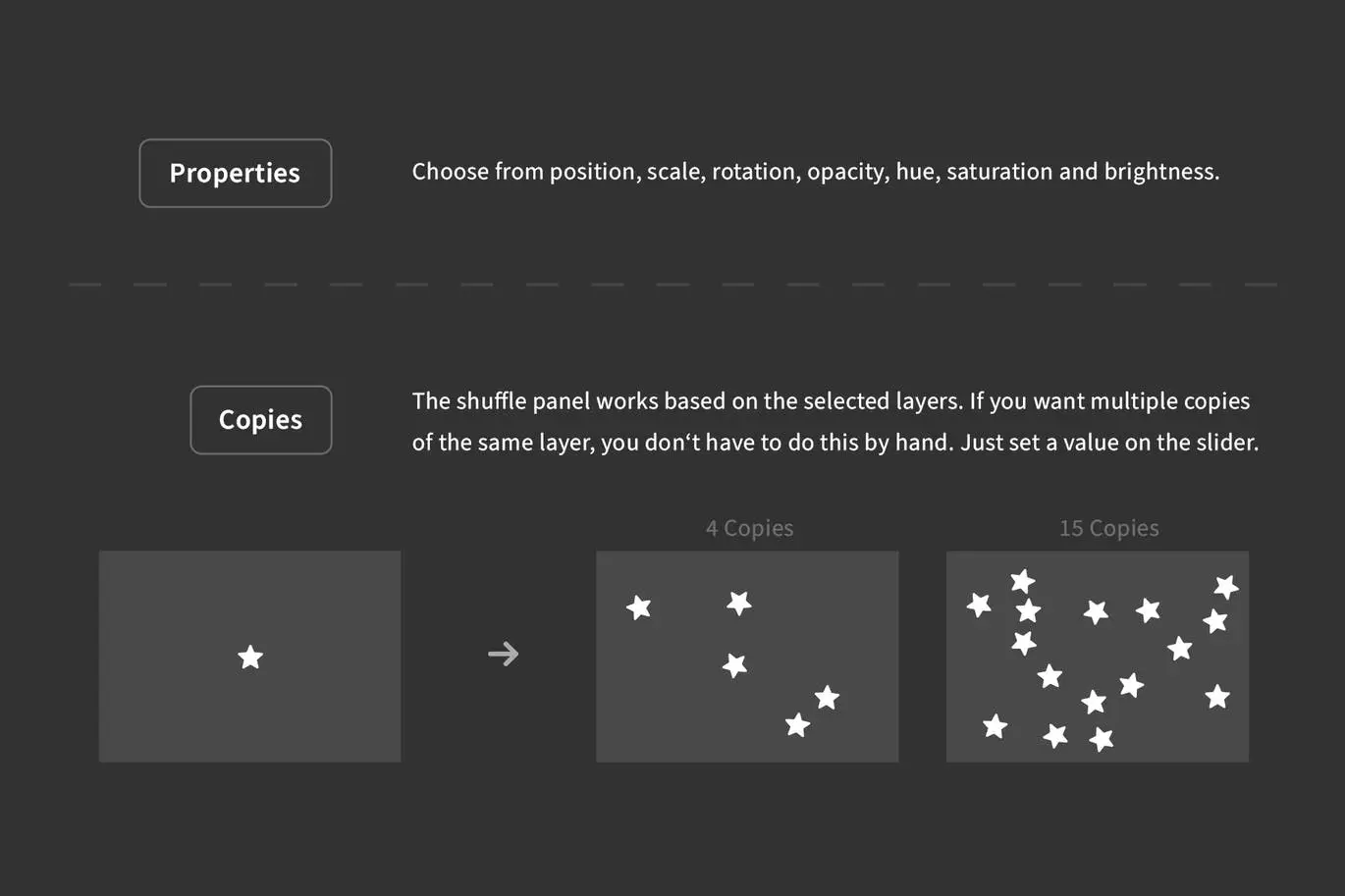
- ✅ Randomize Layer Properties → Instantly change position, rotation, scale, color, opacity, hue, saturation, and brightness with one click.
- ✅ Collision Prevention → The plugin intelligently avoids overlapping layers when assigning random positions, ensuring a clean design.
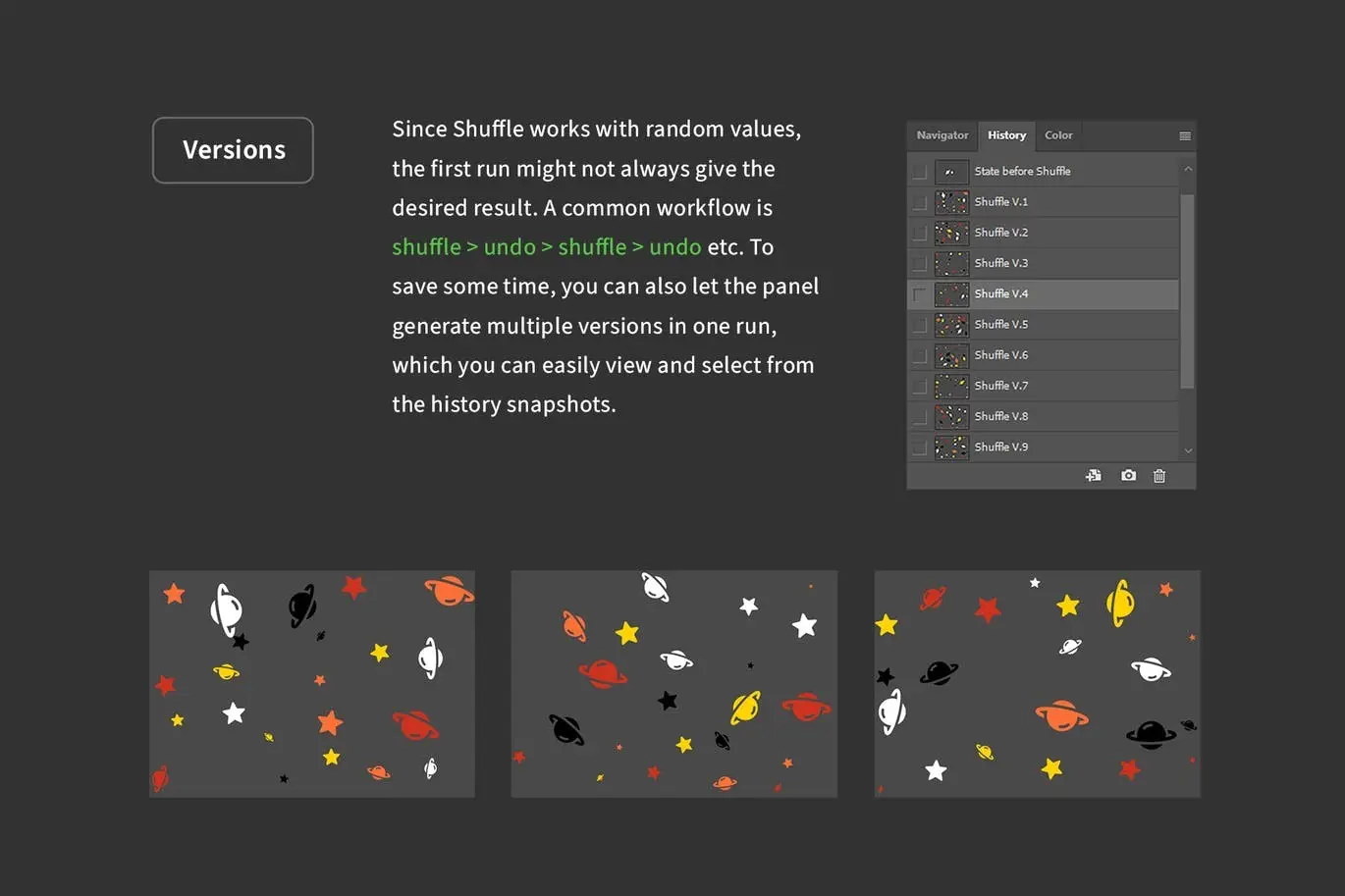
- ✅ Create Copies → Easily generate multiple versions of your layers, allowing for more creative options in your workflow.
- ✅ Undo Functionality → Make adjustments worry-free with a simple undo option, limited to just one history step.
- ✅ Preview Versions → Each created version comes with a preview snapshot, making it easy to compare and select your favorite.
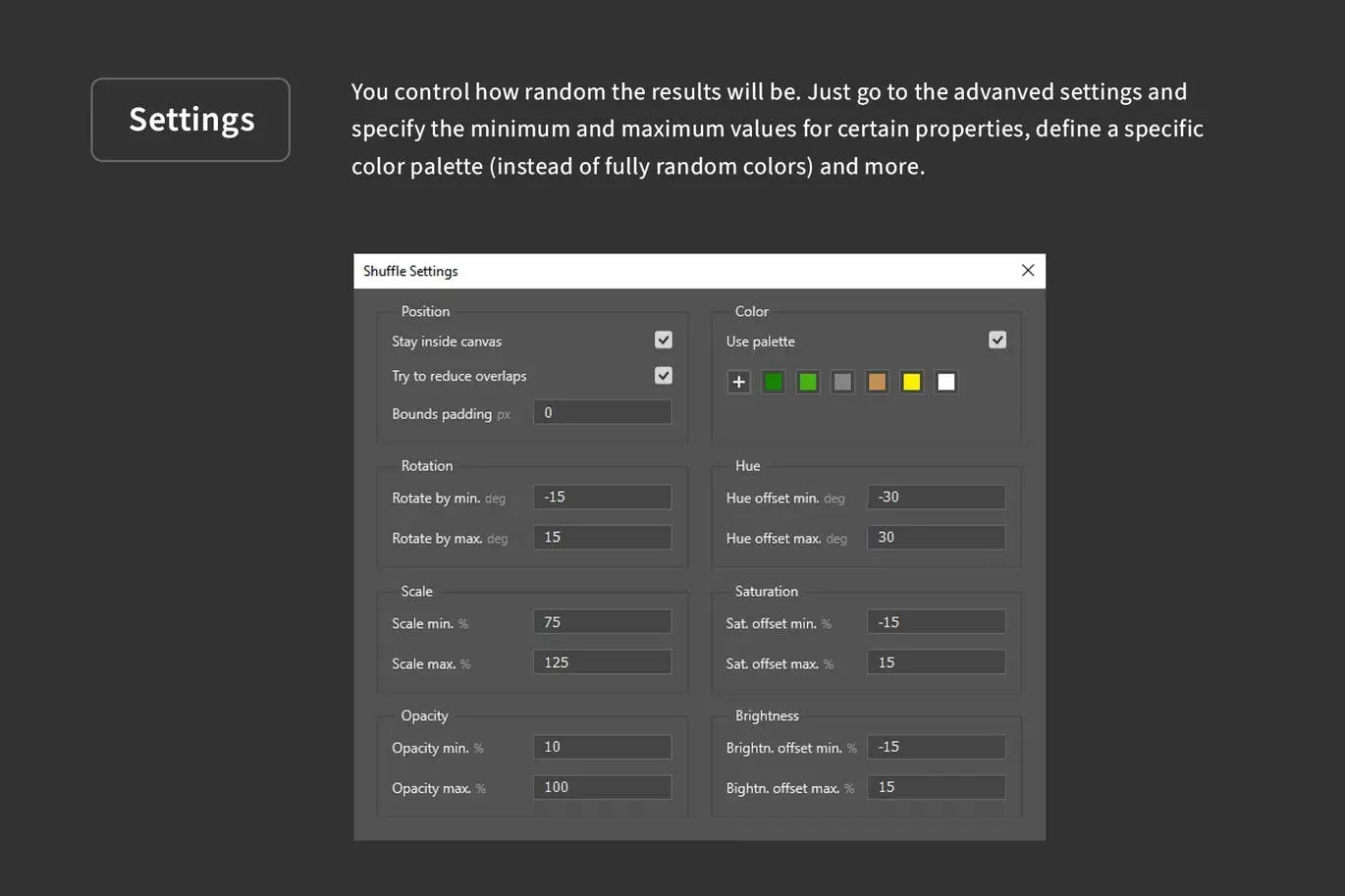
- ✅ Color Schemes → Develop unique color palettes and apply them randomly to your layers for added visual interest.
Why Choose This Product
With Shuffle Elements, you can enhance your creative process and break free from repetitive designs. This plugin is trusted by digital artists worldwide for its ease of use and powerful features. Whether you’re a professional designer or a hobbyist, this tool can significantly improve your workflow and inspire new ideas.
Specifications (Technical Details)
| Requirement | Details |
|---|---|
| Software Compatibility | Photoshop 2021 or newer |
| Version | 1.0.1 |
What’s Included / What’s in the Box
- Shuffle Elements Plugin
- User Manual
- Version Update Log
Perfect For
- Graphic Designers
- Illustrators
- Digital Artists
- Creative Professionals
How to Use
Using Shuffle Elements is straightforward:
- Select the layers you want to randomize.
- Adjust the settings for minimum and maximum values as needed.
- Click the randomize button to see your changes instantly!
FAQ
- Can I undo changes made by the plugin? Yes, you can easily undo the last action.
- What versions of Photoshop are supported? The plugin requires Photoshop 2021 or newer.
Add Shuffle Elements to your toolkit today and start transforming your designs with ease! 🚀
User Reviews
Be the first to review “Shuffle Elements – Randomize Layer Props”
You must be logged in to post a review.


Clockwork – Create Gears & More in Photoshop
Sold by
Art & Branding Scene Generator – Part 1
Sold by
Shadowify – Realistic Blur & Shadow Kit
Sold by
Specs – Custom Measures & Marks (Photoshop 2021)
Sold by
Smaller PSD – Filesize Reduce Kit
Sold by
Original price was: $5.00.$2.50Current price is: $2.50.


There are no reviews yet.