
Procreate brushes for halftone, stipple & retro comic shading.
Explore Procreate halftone and stipple brushes for comic shading, dot textures, screen tones, vintage print effects, engraving-inspired detail and graphic illustration. Build a focused toolkit for adding controlled tone and texture without manually drawing thousands of repeated marks.
ANGLE 45°
PRINT CONTRAST
Choose halftone and stipple brushes around the kind of tone you want to create.
Halftone, stipple and print brushes can create very different visual languages. Some produce clean comic dots, while others imitate rough printing, engraving, vintage illustration or hand-drawn shading.
Halftone Brushes
Create repeated dot patterns for comic shading, graphic illustration and retro print-inspired artwork.
Explore Procreate tools →Stipple Brushes
Build tonal shading through scattered dots while keeping control over density, scale and placement.
Browse stipple resources →Comic Screen Tone Brushes
Create manga and comic-inspired tonal fields for shadows, backgrounds, clothing and graphic effects.
Explore comic resources →Retro Print Brushes
Add imperfect dots, worn ink and vintage reproduction character to posters and illustrated graphics.
Browse print-style tools →Hatching Brushes
Combine directional lines with dot-based texture for pen-and-ink shading and illustrated depth.
Explore shading tools →Engraving Brushes
Create detailed line textures inspired by traditional engraving, etching and old printed illustrations.
Browse engraved effects →Dot & Grain Brushes
Blend controlled speckle with broader grain for shading, backgrounds and textured graphic shapes.
Explore dot textures →Comic Shading Brushes
Combine inks, dots, lines and bold black shapes for sequential art and graphic storytelling.
Browse comic brushes →Halftone Brush Packs
Build a broader toolkit containing clean dots, irregular tones, stipple, hatching and print-inspired effects.
Explore Procreate packs →Good halftone shading supports form instead of becoming decoration.
Dots and stipple should help explain light, depth and material. When tone is applied equally everywhere, the artwork can become noisy. Strong shading uses density, scale and contrast deliberately.
Control Density
Use tighter dot spacing for darker values and lighter spacing where more paper should remain visible.
Respect Form
Shape tone around the volume of faces, clothing, objects and environments.
Vary Scale
Choose dot size according to viewing distance, output size and the visual style of the artwork.
Preserve Clarity
Keep important silhouettes and linework readable even when textures become dense.
Halftone is a value tool first and a texture effect second.
Before applying dots, decide which areas need to appear light, middle value or dark. The pattern should support that value structure rather than simply covering empty space.
Establish values first
Know where the shadow belongs before deciding which dot pattern should represent it.
Keep dot scale consistent
Randomly changing scale can make the same surface look disconnected unless variation is intentional.
Avoid unwanted moiré
Overlapping regular patterns at conflicting angles can produce distracting interference patterns.
Check final size
Very fine dots may merge or disappear once artwork is resized for print or social media.
Move from clean artwork to controlled retro shading.
A structured approach helps your dot patterns work with the drawing instead of appearing like an unrelated filter placed on top.
Draw
Establish clean line art, shapes or painted forms before applying halftone texture.
Map Values
Decide where light, middle tone and shadow should sit across the illustration.
Apply Tone
Add halftone or stipple on separate layers so density remains easy to edit.
Shape
Mask or erase patterns so they follow contours, materials and focal areas.
Review
Check the artwork at final viewing size and simplify tone where detail becomes distracting.
Explore Procreate tools for dots, screen tones and retro comic shading.
Browse Procreate resources for halftones, stippling, comic texture, screen tones, engraving, dot shading and vintage print effects.
Explore Procreate tools for halftone, stipple and print effects.
Browse Procreate resources that include stipple tools, comic brushes, textured pens, drawing resources and related shading workflows.

My Best brushes for procreate
Sold by JinxpawzArt
Glossy makeup brushes procreate
Sold by Heymaryjean
Sketch kit brushes procreate
Sold by Frankentoon Studio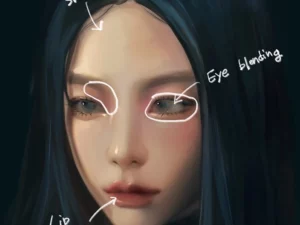
Water jelly brushes procreate
Sold by Eulhwa
Pattern magic brushes procreate
Sold by Dans Design
Procreate Brushes – Anime and Manga Pencil Perfection
Sold by cozybrushery
35 Painting Brushes for Procreate
Sold by chainsawroll
Procreate Texture Brushes procreate: Standard
Sold by bigpearliu
Diamond II Brush Set for Procreate
Sold by jeerawanth
Forester Hot Press Watercolor Paper Texture for Procreate
Sold by Drifter Studio
Perfect Eyelashes Brush Set for Procreate
Sold by alicjaprints
Cartoon ish Make Up Brush Set Procreate
Sold by alicjaprints
NEW!The Watercolor Brushes for Procreate + Watercolor Paper
Sold by XBRC
VVDS Realistic Watercolor Studio Brushes for Procreate
Sold by VintageVoyageDS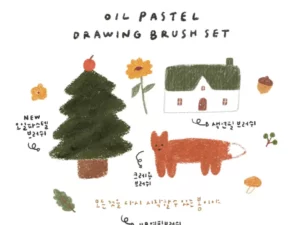
Procreate Oil Pastel, Crayon, Color Pencil Brush 10 SET
Sold by slowmind
Procreate Brush 30 SET
Sold by slowmind
Brush Pack – Watercolors
Sold by simz
Watercolor Set Procreate Brushes
Sold by Sazor Shop
Sazor Braid Brushes Procreate Mini Pack
Sold by Sazor Shop
Urban Sketching – Procreate Brushes
Sold by Sadie Lew
Pencil Pack – Procreate Brushes
Sold by Sadie Lew
Mini Sketchbook Set – Procreate Brushes
Sold by Sadie Lew
Gouache Set – Procreate Brushes
Sold by Sadie Lew
Drawing Box – Procreate Brushes
Sold by Sadie LewProcreate halftone and stipple brush questions.
Helpful information about comic tones, stippling, dot size, retro printing, shading and combining texture with clean digital line art.
What are Procreate halftone brushes?
Halftone brushes create repeated dot patterns that can represent different tonal values and produce comic, print and retro graphic effects.
What are stipple brushes?
Stipple brushes create scattered dots for shading and texture, helping artists build tonal areas without placing every dot manually.
What is the difference between halftone and stipple?
Halftones usually use more regular repeated patterns, while stippling often uses irregular dot placement to build tone.
Can halftone brushes be used for manga?
Yes. Dot and screen-tone brushes can create tonal backgrounds, clothing shadows and other manga-inspired effects.
Can stipple brushes be used for tattoo-style art?
They can help create digital concepts with dot shading, though digital brush use is separate from professional real-world tattoo technique.
Why do halftone dots sometimes look strange when resized?
Very small repeating patterns can merge or create interference after resizing, so always inspect artwork at its final output size.
Should halftones go on a separate layer?
Using separate layers makes it easier to change opacity, masking, scale and placement without altering your original drawing.
Where can I find clean line brushes for the artwork underneath?
Explore Procreate Inking & Line Art Brushes for focused linework resources.
Procreate halftone and stipple brushes for comics, retro print and illustration.
Procreate halftone brushes help digital artists create repeated dots, screen-tone effects and print-inspired shading directly on iPad. Stipple brushes offer a related but more organic approach by using dots to build value, texture and form.
At Brushes Pack, you can combine these shading resources with Procreate Inking & Line Art Brushes, Manga Brushes and Procreate Texture & Grain Brushes.
What are halftone brushes for Procreate?
Halftone brushes create repeating dots or shapes that visually combine into tonal areas. Traditional halftone printing was designed to reproduce shades using limited ink, and the aesthetic remains popular in comics, posters and retro illustration.
Procreate stipple brushes
Stipple brushes produce groups of dots that can be layered to create darker and lighter values.
They are useful for illustration, comic shading, engraving-inspired work and decorative texture.
Halftone vs stippling
Halftones generally follow a more regular pattern, while stippling can appear more irregular and handmade.
Halftones often feel graphic and printed; stippling can feel more illustrative and organic.
Screen tone brushes for Procreate
Screen-tone effects are commonly associated with manga and comic production. Digital versions can create dots, lines, gradients and repeated graphic patterns.
Use tones strategically so characters remain separated from backgrounds.
Comic halftone brushes
Comic shading often combines bold line art, black shapes and halftone patterns.
Different dot densities can create middle values without introducing full-color rendering.
Manga screen tones in Procreate
Manga-style tones can help establish clothing values, backgrounds, atmosphere and dramatic effects.
For broader comic resources, explore Manga Brushes for Procreate.
Retro comic brushes for Procreate
Retro comic artwork may combine halftone dots, limited colors, rough ink and aged paper texture.
A restrained palette can make the print effect feel more intentional.
Vintage print brushes
Vintage print effects often include broken ink, imperfect alignment, rough paper and visible dot patterns.
These imperfections can give digital illustrations a more tactile graphic character.
Dot brushes for Procreate
Dot brushes can create everything from subtle texture to highly visible graphic patterns.
Choose dot size based on the scale and output of the artwork.
Fine stipple brushes
Fine stipple is useful for delicate shading and small illustrations.
At normal viewing size, small dots may visually merge into a smooth tonal field.
Coarse stipple brushes
Larger dots create stronger visible texture and work well for posters, comic art and bold graphic illustration.
Coarse stipple can become a stylistic element rather than simply a shading method.
Stipple shading in Procreate
Build darker values by increasing dot density rather than simply changing the dot color.
Gradual density changes create smoother transitions across rounded forms.
How to shade faces with stipple
Place denser dots in shadow areas while keeping highlights relatively open.
Follow the structure of the face instead of applying one uniform texture mask.
Stippling for portraits
Portrait stippling can describe facial planes, hair and clothing without traditional soft blending.
Avoid placing equally strong texture across sensitive focal areas such as eyes and lips.
Stipple brushes for character art
Character designs can use stipple to suggest shadow, fabric or graphic styling.
For the broader development process, explore Procreate Brushes for Character Design.
Stipple brushes for landscapes
Stipple can suggest rough terrain, foliage and atmospheric texture in stylized scenery.
Keep the scale of dots appropriate to the depth of the environment.
Halftone shadows
Halftones are particularly useful for separating shadow from light while keeping the artwork visually graphic.
Start with clear shadow shapes before introducing the pattern.
Halftone gradients
A halftone gradient gradually changes dot size or spacing to simulate a tonal transition.
These effects can create dimensional shading while maintaining a strong print aesthetic.
Halftone highlights
Light halftones can soften transitions or add subtle texture to highlights.
Leave enough untouched space so bright areas remain visually distinct.
Halftone backgrounds
Dot patterns can create energetic comic backgrounds, radial effects and graphic fields.
Use background tone at lower visual priority than characters or important text.
Halftone for posters
Poster designs can support much larger visible dots than detailed illustrations.
Bold color blocks and halftone patterns work particularly well together for retro-inspired graphics.
Halftone for social media graphics
Comic dots can add energy to promotional graphics, illustrated posts and headline backgrounds.
Keep essential text free from dense patterns to preserve readability.
Halftone for pop art
Pop-art-inspired work frequently combines limited palettes, bold contours and highly visible dot patterns.
Contrast between flat color and textured tone can create strong visual rhythm.
Procreate comic shading brushes
Comic shading sets may include halftone, hatching, texture, black-fill and specialty effects.
A smaller consistent group is usually easier to control across multiple pages.
Hatching and halftone together
Hatching creates tone through lines, while halftones use repeated dots or patterns.
Combining both can create richer pen-and-ink style illustration when each texture has a clear role.
Cross-hatching brushes
Cross-hatching builds darker areas through intersecting directional lines.
Allow lines to follow the form when you want shading to reinforce volume.
Engraving brushes for Procreate
Engraving-inspired brushes create repeated lines and detailed marks associated with traditional etched illustrations.
They can work well for currency-style art, vintage badges and ornamental drawing.
Etching-style Procreate brushes
Etching effects often combine broken lines, hatching and irregular texture.
Use the marks to describe form rather than covering the entire illustration uniformly.
Procreate brushes for vintage illustration
Vintage illustration may combine engraving, halftones, stipple, rough ink and paper grain.
For additional surface effects, explore Procreate Texture & Grain Brushes.
Newspaper-style halftones
Newspaper-inspired effects generally use visible dot structures and restricted tonal reproduction.
Pairing the pattern with rough paper and limited color can strengthen the effect.
Screen-print style brushes
Screen-print-inspired art often uses flat color areas, visible texture and controlled imperfections.
Keep the number of dominant colors limited when aiming for a traditional printed feel.
Risograph-style texture
Risograph-inspired graphics may include grain, limited palettes and slight registration variation.
Digital layers make it easy to experiment with these effects while maintaining editable artwork.
How to use halftone brushes in Procreate
Create your drawing or shape first, add a new layer for halftone, and apply the pattern where middle tones or shadows are needed.
Masks and clipping layers can help keep tone inside specific areas.
How to use stipple brushes in Procreate
Begin with light dot coverage and gradually increase density in shadow regions.
Avoid applying maximum density immediately because gradual layering offers more control.
How to create smooth stipple gradients
Change dot density gradually across the form. Larger jumps between empty and dense areas will create harder tonal transitions.
How to avoid repeating brush stamps
Change brush size, angle and pressure where appropriate. Erase or redraw obvious repeated shapes when they attract attention.
How to use halftone on separate layers
Separate layers let you move, mask, recolor and adjust opacity without damaging line art.
This is particularly useful when testing multiple dot scales.
Using clipping masks for halftones
Clipping masks allow tone to remain inside a color or shape layer.
This can speed up shading for clothing, characters and graphic objects.
Halftone brush size
The correct size depends on output. Large dots may dominate a small illustration, while tiny dots can disappear after resizing.
Evaluate patterns at the final display or print dimensions.
Halftone resolution
High-resolution canvases offer more flexibility, but the final appearance still depends on export size.
Always test detailed patterns after downscaling.
Avoiding moiré patterns
Moiré can occur when regular patterns overlap at conflicting frequencies or angles.
Avoid stacking similar halftones unnecessarily and inspect the artwork at different zoom levels.
Halftones for black-and-white illustration
Black-and-white work can use halftones to create additional values without introducing gray paint.
This preserves a graphic ink-based visual language.
Halftones with color
Colored halftones can create energetic poster and comic effects.
Keep color combinations controlled so the pattern does not overwhelm the main subject.
Red and blue retro print effects
Limited red, blue, yellow and black palettes can evoke vintage comic or print aesthetics.
Small registration-style shifts can add character when used carefully.
Halftone brushes for lettering
Dot texture can be clipped inside lettering for retro titles, badges and display typography.
For lettering tools, explore Procreate Lettering & Calligraphy Brushes.
Halftone brushes for logos and badges
Illustrative badges can use halftones to add print texture while retaining simple recognizable shapes.
Check the design at small sizes before adding fine detail.
Halftone brushes for merchandise
T-shirts, stickers and posters often benefit from bold visible patterns.
Consider the final production process before relying on extremely fine dots.
Stipple brushes for botanical illustration
Stipple can describe leaves, petals and organic surfaces while retaining a traditional pen-and-ink character.
Allow dot direction and density to support the shape of the plant.
Stipple brushes for animals
Animal illustration can use stippling to indicate shadow, fur transitions or surface variation.
Avoid replacing anatomical structure with texture.
Stipple brushes for skulls and dark art
Dot shading works well for skulls, gothic illustration and monochrome designs because it can create detailed tonal modeling without soft gradients.
Halftone brushes for manga
Manga workflows can use regular tones for clothing, backgrounds and atmosphere while keeping characters clearly readable.
Combine them with focused Procreate Manga Brushes where needed.
Halftone brushes for comic books
Comic artists can use dots for middle values, dramatic backgrounds and print-inspired texture.
Maintain consistent tone scale across related panels to create a cohesive page.
Halftone brushes for beginners
Beginners can start with one clean halftone brush, one irregular stipple brush and one simple hatching tool.
Learning value structure matters more than collecting many nearly identical patterns.
Professional Procreate halftone brushes
Professional brush sets should provide predictable scale and density so repeated artwork remains consistent.
Save favorite brush sizes or duplicated brush presets for common output dimensions.
Halftone brushes vs texture brushes
Halftone brushes create structured repeated patterns, while general texture brushes may produce grain, paper, grunge or irregular surface effects.
Both can work together, but they serve different visual roles.
Stipple brushes vs grain brushes
Stipple dots are usually visible as individual marks, while grain may appear as finer overall surface variation.
Stipple is often more useful for deliberate shading, while grain works well for subtle finishing.
Halftone brushes vs inking brushes
Inking brushes create the primary lines and silhouettes, while halftone brushes typically add tone after the drawing is established.
Explore Procreate Inking & Line Art Brushes for focused line tools.
How to organize halftone brushes in Procreate
Useful groups include Fine Dots, Coarse Dots, Stipple, Hatching, Engraving, Comic Tones and Print Texture.
Keep a small favorites group containing the patterns that match your most common output style.
Procreate halftone resources at Brushes Pack
Brushes Pack offers Procreate drawing resources that include stippling, comic tools, textured pens, print-inspired brushes and broader illustration packs.
Continue exploring Procreate Drawing Resources, Inking & Line Art Brushes, Manga Brushes, Texture & Grain Brushes, Character Design Brushes and Digital Brushes.
Always review each product page for Procreate compatibility, included brushes, file formats, installation information and applicable licensing before purchasing or downloading.
Practical approaches to cleaner halftone and stipple shading.
Editorial-style examples representing common comic, print and digital illustration workflows.
“I decide the shadow shape before touching the halftone brush. The dots work much better when they are describing a value decision instead of filling empty space.”
“I keep dot scale consistent across related artwork. Changing from tiny to huge halftones without a reason can make different sections feel like separate images.”
“I always zoom out before finishing stipple shading. At normal viewing size I often discover that I need far fewer dots than I thought while working close up.”
Helpful information before you download.
Review Procreate compatibility, included brushes, product details, file formats and Brushes Pack policies before purchasing comic and shading resources.
Print Artist Notes are editorial-style examples representing common creative viewpoints and are not presented as verified purchase testimonials.
Continue building your Procreate comic and illustration toolkit.
Combine halftones with inking, manga, texture, pencil and character resources for a more complete black-and-white and retro illustration workflow.
Turn flat digital shapes into bold comic tones and tactile retro prints.
Explore Procreate halftone and stipple brushes for comic shading, screen tones, engraving, dot texture and vintage print illustration at Brushes Pack.