
Photoshop actions for creative photo effects.
Explore Photoshop actions for photo effects, artistic transformations, cinematic edits, painting styles, vintage looks, light effects, HDR treatments and creative image editing. Discover reusable Photoshop actions designed to speed up repeatable effects while keeping your workflow flexible.
Find Photoshop actions for different creative editing styles.
Photoshop actions can automate repeated editing steps and create useful starting points for photo effects. Choose actions according to the visual result and workflow you actually need.
Cinematic Photoshop Actions
Create dramatic color, contrast and atmosphere for portraits, editorial images and cinematic photo treatments.
Explore cinematic actions →Painting Effect Actions
Transform photographs into artwork inspired by oil paint, watercolor, illustration and other painterly styles.
Browse painting actions →Vintage Photo Actions
Create faded color, retro contrast, aged tones and nostalgic visual treatments for photography and design.
Explore vintage actions →HDR Photoshop Actions
Enhance local contrast, detail and tonal intensity for dramatic architecture, landscapes and stylized photos.
Browse HDR actions →Sketch Photo Actions
Convert photographs into pencil, drawing, line-art and hand-rendered inspired effects.
Explore sketch effects →Light & Glow Actions
Introduce glow, color light, atmospheric highlights and dramatic lighting effects into photo compositions.
Browse light effects →Portrait Photo Actions
Develop stylized portrait treatments with controlled color, tone, contrast and creative finishing effects.
Explore portrait actions →Artistic Photoshop Actions
Explore cartoon, illustration, dispersion, mixed-media and experimental effects for creative imagery.
Browse artistic effects →Creative Photo Effects
Discover unusual transformations for advertising, posters, social graphics, editorials and digital artwork.
Explore photo effects →A Photoshop action should accelerate the process—not make every photo look identical.
Actions can provide an efficient starting point, but stronger results usually come from reviewing generated layers, adjusting intensity and adapting the effect to the photograph.
Save Repeated Steps
Automate workflows that would otherwise require performing the same sequence of Photoshop commands manually.
Explore New Styles
Experiment with artistic treatments and visual directions without rebuilding each effect from the beginning.
Customize the Result
Review layers and adjustments after an action runs so the effect can fit the individual photograph.
Build Consistency
Use repeatable workflows as a starting point when several images need a related visual treatment.
Run the action. Then make the effect belong to the image.
Photoshop actions can automate complex sequences, but photographs vary in exposure, color, subject and resolution. Review the result and customize it rather than treating automation as the final creative decision.
Check compatibility first
Review the product information for supported Photoshop versions, file types and any required setup.
Prepare the image correctly
Some actions require specific image modes, layers, selections or naming conventions before playback.
Inspect generated layers
If the action creates editable layers, use them to adjust color, intensity, masks and local effects.
Keep the original safe
Work non-destructively whenever practical so you can compare, revise or rebuild the effect later.
A practical way to work with Photoshop actions.
Treat an action as one stage of the editing process rather than a replacement for reviewing the photograph.
Prepare
Open the photograph and follow any setup requirements included with the action.
Run
Select the Photoshop action and play the automated sequence according to its instructions.
Review
Check the result at different zoom levels and determine which parts of the effect need adjustment.
Customize
Modify editable layers, masks, opacity or color settings when the action provides those controls.
Export
Save an editable working version before exporting the final image for its intended use.
Explore Photoshop actions by editing style and creative effect.
Find automated Photoshop workflows for photography, artistic transformations, cinematic editing and visual effects.
Explore Photoshop actions for creative photo effects.
Discover recently added Photoshop actions for photography, artistic editing and creative transformations.
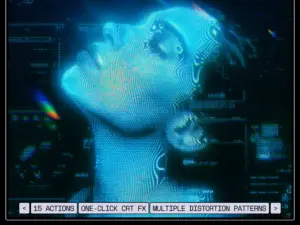

Desert Photoshop Action
Sold by 315700
Radiant Glow Photoshop Action
Sold by Supremetones
Mythic Photoshop Action
Sold by ihemalaya
Photoshop Action Photo Effect Bundle Vol 1
Sold by brushespack
Photoshop Action Photo Effect Bundle Vol 9
Sold by brushespack
Photoshop Action Photo Effect Bundle Vol 7
Sold by brushespack
Photoshop Action Photo Effect Bundle Vol 5
Sold by brushespack
Photoshop Action Photo Effect Bundle Vol 8
Sold by brushespack
Photoshop Action Photo Effect Bundle Vol 10
Sold by brushespack
Photoshop Action Photo Effect Bundle Vol 2
Sold by brushespack
Photoshop Action Photo Effect Bundle Vol 3
Sold by brushespack
Photoshop Action Photo Effect Bundle Vol 6
Sold by brushespack
Photoshop Action Bundle Vol
Sold by brushespack
Old Painting Fx Photoshop Actions
Sold by brushespack
Salt And Sugar Generator-Photoshop Actions
Sold by brushespack
Leather Badge Generator-Photoshop Actions
Sold by brushespack
Flour & Powder-Photoshop Actions
Sold by brushespack
Halftone Photoshop Actions
Sold by brushespack
Winter Pack Photoshop Action
Sold by brushespack
Beach Vibes Photoshop Actions
Sold by brushespack

4 In 1 Cartoon Vector Art Photoshop Actions
Sold by brushespack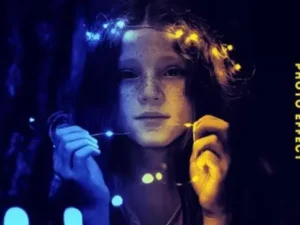
Awesome Premium Photo Effects For Photoshop [Vol 5]
Sold by brushespackPhotoshop photo action questions.
Helpful information about installing, using and customizing Photoshop actions for creative effects.
What is a Photoshop action?
A Photoshop action records or packages a sequence of commands that Photoshop can replay to automate part of an editing workflow.
What can Photoshop photo actions do?
Actions can support color treatments, artistic effects, painting styles, HDR looks, sketch effects, lighting treatments and many other workflows.
Are Photoshop actions one-click effects?
Many actions automate a large part of an effect, but stronger results may still require adjustments based on the photograph and the action’s instructions.
Can I customize a Photoshop action result?
Often yes, especially when the action generates editable layers, masks and adjustments. The exact structure depends on the individual product.
What file format do Photoshop actions use?
Photoshop actions commonly use the ATN format. Always review the individual product information to confirm included files and compatibility.
Why might a Photoshop action not work?
Possible reasons include incompatible Photoshop versions, incorrect image mode, missing preparation steps or failure to follow the action’s included instructions.
Are free Photoshop actions available?
Brushes Pack includes free creative resources and some free Photoshop effects. Browse Free Design Assets for additional free downloads.
Where can I explore more Photoshop resources?
Visit Photoshop Brushes, Actions & Digital Assets for brushes, effects, textures, mockups and related creative resources.
Photoshop actions for photo effects, artistic editing and creative transformations.
Photoshop actions for photo effects can automate repeated editing steps and help photographers, designers and digital artists explore creative visual treatments more efficiently. Actions can support everything from subtle color changes to dramatic artistic transformations.
At Brushes Pack, you can explore Photoshop actions alongside brushes, textures, overlays, mockups and other Photoshop digital assets.
What are Photoshop photo actions?
Photoshop actions are automated sequences of commands that can be played inside Adobe Photoshop. Instead of manually performing the same sequence repeatedly, an action can reproduce those steps automatically.
Creative actions may generate adjustment layers, masks, effects, filters and other editable elements depending on how the action was built.
Photoshop actions for creative photo effects
Photo-effect actions can transform the visual direction of an image by changing color, contrast, texture, lighting or rendering style.
The strongest workflow is usually to treat the automated result as a starting point and then customize it around the subject and purpose of the photograph.
Professional Photoshop actions
Professional workflows often involve repeated processes. Actions can help standardize parts of those processes while allowing editors to spend more time on image-specific decisions.
A useful action should solve a genuine editing task rather than simply create an effect that looks impressive in isolation.
Cinematic Photoshop actions
Cinematic actions can introduce dramatic color relationships, deeper contrast and stylized atmosphere inspired by film and editorial imagery.
The effect should still respect the original photograph. Skin tones, shadows and highlights may need manual adjustment after the action has been applied.
Painting Photoshop actions
Painting actions transform photographs into artwork inspired by oil painting, watercolor, illustration or mixed-media techniques.
These actions can be useful for posters, portraits, promotional graphics and creative experiments where a more illustrative appearance is desired.
Oil painting Photoshop actions
Oil-style actions may use texture, edge treatment and color adjustments to give photographs a painterly appearance.
For the most convincing result, review important facial or subject details after the action runs and adjust areas that have become too abstract.
Watercolor Photoshop actions
Watercolor actions can introduce transparent-looking color, paper texture, washed edges and painterly marks.
They are often used for portraits, architecture, wedding imagery and artistic compositions where a softer handmade look is appropriate.
Sketch Photoshop actions
Sketch actions transform photographs toward pencil, ink or hand-drawn visual styles. Some effects emphasize outlines while others include shading and paper textures.
Brushes Pack also has a focused Quick Sketch collection containing Photoshop sketch effects.
HDR Photoshop actions
HDR-style actions can increase local contrast and detail to create more dramatic imagery. They can work well for landscapes, vehicles, architecture and stylized photography.
Use the effect carefully on portraits because excessive local contrast can make skin texture appear unnaturally strong.
Vintage Photoshop actions
Vintage actions may use faded blacks, warm or cool color shifts, reduced saturation, grain and other treatments associated with older photographic processes.
Different eras have different visual characteristics, so select the treatment according to the mood of the project rather than relying on a generic retro appearance.
Retro photo effects in Photoshop
Retro treatments can include print textures, halftones, old-film colors, faded contrast and nostalgic graphic effects.
These styles can be effective for posters, social graphics, music artwork and editorial design.
Black and white Photoshop actions
Black-and-white actions can establish tonal relationships quickly, but conversion quality still depends on how colors translate into grayscale.
Review the separation between skin, clothing, backgrounds and important objects after applying the effect.
Portrait Photoshop actions
Portrait actions can support creative color grading, tonal adjustments and artistic treatments. Different photographs may respond differently depending on lighting, exposure and skin tone.
Keep facial detail and skin texture under control when using strong effects.
Fashion photo actions
Fashion and editorial actions may emphasize polished contrast, stylized color and controlled tonal direction.
Use them as part of a larger retouching process rather than assuming one action will solve exposure, color and retouching simultaneously.
Light and glow Photoshop actions
Glow and lighting effects can introduce luminous highlights, color light and atmospheric accents.
Consider the existing light direction in the photograph so added effects feel connected to the scene.
Double exposure Photoshop actions
Double exposure effects combine two or more visual elements to create layered conceptual imagery.
These treatments often work best when the original subject has a clear silhouette and enough negative space for the secondary image to remain readable.
Dispersion Photoshop actions
Dispersion effects break parts of an image into particles, fragments or directional pieces. They are frequently used for sports, action and advertising graphics.
Keep the main subject recognizable and use the effect direction to reinforce movement rather than covering the entire image evenly.
Cartoon Photoshop actions
Cartoon and illustration effects can simplify tonal transitions, strengthen outlines and change photographic texture into a more graphic appearance.
These actions can support posters, portraits and stylized social content when the visual treatment fits the project.
Comic Photoshop actions
Comic effects may use bold outlines, halftones, simplified colors and graphic contrast to move photography toward a comic-book style.
Typography, layout and additional graphic elements can further reinforce the final comic treatment.
Color Photoshop actions
Color actions can create consistent tonal direction through adjustment layers and color treatments. They can be useful when several images require a related visual mood.
Because photographs begin with different colors and exposure, final adjustments may still be necessary from image to image.
Photo editing actions for Photoshop
Not every action needs to create a dramatic visual effect. Some actions can help automate practical editing processes or establish reusable adjustment structures.
The most useful Photoshop automation is often the one that removes repetitive steps from a workflow you perform frequently.
How to install Photoshop actions
Photoshop actions commonly arrive as ATN files. Installation methods can vary depending on the Photoshop version and the product, so follow the included instructions where available.
After loading an action, it normally appears in Photoshop’s Actions panel.
How to use Photoshop actions
Before running an action, read its instructions carefully. Some actions require a particular layer name, image mode, selection or brush step before playback.
After the action finishes, inspect any generated layers and adjust their opacity, masks or settings as needed.
How to customize Photoshop actions
Many creative actions produce layered results. If so, experiment with individual layers rather than changing only the overall opacity.
You may be able to adjust color, remove an effect from certain areas or reduce specific textures while preserving the rest of the transformation.
Why Photoshop actions sometimes fail
An action may depend on specific Photoshop commands, image modes, language settings or preparation steps. Compatibility can therefore differ between products and software versions.
Review the product information and included documentation before assuming that the action is defective.
Photoshop actions vs presets
Actions automate a sequence of Photoshop commands, while presets generally store settings for a particular tool or adjustment. They are related workflow resources but serve different purposes.
For photography-oriented preset resources, explore Creative Presets.
Photoshop actions vs brushes
Brushes are interactive tools used directly while drawing or painting, whereas actions automate editing steps.
For artistic brush workflows, explore Photoshop Brushes for Digital Painting.
Photoshop actions and overlays
Actions can automate effects, while overlays introduce visual elements such as light, atmosphere, smoke or particles into a composition.
Explore Digital Overlays for additional compositing resources.
Free Photoshop photo effects
Free creative resources are useful for experimenting with automated Photoshop workflows before expanding into larger collections.
Browse Free Design Assets and Free Photoshop Brushes for additional no-cost resources.
How to organize Photoshop actions
Organize actions according to purpose rather than storing everything in one long panel. Categories such as Photo Edit, Color, Painting, Sketch, Light and Creative FX can make the collection easier to navigate.
Archive actions you rarely use and keep your most frequently used workflows easy to access.
Explore Photoshop photo effects at Brushes Pack
The Brushes Pack Photoshop Actions collection includes a broad range of automated creative effects and editing resources.
You can also explore the broader Photo Effect collection, the dedicated Photoshop Actions landing page, or Photoshop Brushes, Actions & Digital Assets.
Always review each individual product page for supported software, included files and any preparation or installation instructions before purchasing or downloading.
How creative editors can get more from Photoshop actions.
Editorial-style examples representing common approaches to Photoshop automation and creative photo editing.
“I treat an action as the beginning of the effect, not the end. The useful part is getting the layered structure quickly and then adjusting it for the photograph.”
“I keep actions organized by purpose rather than style names. Color, painting, light and special effects are much easier to find during a project.”
“I always save the editable Photoshop file before exporting. That makes it much easier to revisit masks and effect intensity later.”
Helpful information before you download.
Review Photoshop compatibility, product instructions, support information and Brushes Pack policies before purchasing digital products.
Photo Editor Notes are editorial-style examples representing common creative viewpoints and are not presented as verified purchase testimonials.
Continue building your Photoshop creative toolkit.
Combine actions with brushes, overlays, textures and presets to support different stages of photo editing and creative production.
Transform your Photoshop workflow with creative photo actions.
Explore Photoshop actions for cinematic effects, artistic transformations, painting styles, HDR treatments, vintage looks and professional photo editing at Brushes Pack.