
Clip Studio Paint brushes for manga, comics & expressive ink.
Explore Clip Studio Paint brushes for manga drawing, comic inking, anime illustration, screentones, expressive line art and character artwork. Build a practical CSP brush library for sketching, clean inks, backgrounds, effects and finished manga pages.
Choose brushes around each stage of manga production.
A useful Clip Studio Paint manga toolkit can include loose sketch pencils, controlled inking pens, texture brushes, screentone resources and special-effect tools rather than relying on one brush for everything.
Manga Sketch Brushes
Create loose character studies, thumbnails, construction lines and early page ideas before committing to final inks.
Explore sketch brushes →Manga Inking Brushes
Develop clean, expressive outlines for characters, clothing, props and finished comic artwork.
Browse inking brushes →Pen-Style Brushes
Explore controlled line variation for manga-style contours, expressive details and confident final linework.
Explore pen brushes →Screentone Brushes
Add halftone-inspired shading, pattern and tonal separation to black-and-white manga artwork.
Browse tone resources →Speed Line Brushes
Create movement, impact and directional energy for action panels, dramatic scenes and comic effects.
Explore effect brushes →Manga Texture Brushes
Introduce grit, shadows, surfaces and environmental detail without manually drawing every repeated mark.
Browse texture brushes →Hair & Detail Brushes
Support repeated strand, highlight and detail work for manga and anime character illustration.
Explore detail brushes →Background Brushes
Speed up environmental detail, foliage, buildings and repeated background elements across comic panels.
Browse background tools →Complete Manga Brush Packs
Build a broader workflow with coordinated brush collections covering several stages of manga creation.
Explore CSP brush packs →Good manga brushes support the drawing without overpowering the storytelling.
Line quality matters, but manga also depends on panel clarity, readable silhouettes, value separation and visual rhythm. Use brushes to make production more efficient while keeping the story and artwork in control.
Line Control
Use different line weights to separate forms, emphasize focal areas and create depth.
Faster Production
Use specialized tools for repeated effects and textures instead of drawing every mark manually.
Visual Consistency
Keep a focused brush library so line character remains coherent across pages and chapters.
Creative Range
Switch between clean ink, rough texture, tones and effects according to the needs of each panel.
Readable line art matters more than having hundreds of brushes.
A compact group of brushes you understand well can be more useful than a huge library. Learn how your sketch, ink, tone and effect brushes behave, then expand your collection when a real production need appears.
Separate sketch and ink
Use loose tools for exploration and more controlled brushes when the artwork moves toward final linework.
Vary line weight intentionally
Thicker and thinner lines can communicate depth, emphasis, shadow and material differences.
Check the page at reading size
Details that look impressive when zoomed in may become noise when the complete manga page is viewed normally.
Use effects selectively
Speed lines, textures and tones are strongest when they support emotion, action or atmosphere rather than fill every panel.
From rough panel idea to finished Clip Studio Paint artwork.
Use specialized brushes at the stage where they provide the most value instead of forcing one tool through the entire drawing process.
Thumbnail
Plan panel flow, composition, character placement and major areas of contrast.
Sketch
Develop poses, expressions, clothing, environments and perspective with flexible sketch brushes.
Ink
Build deliberate linework using pens and manga inking brushes suited to the intended style.
Tone
Add shadows, screentones, textures and effects while preserving clear visual hierarchy.
Finish
Review panel readability, clean distractions and prepare the finished page for its intended output.
Explore Clip Studio Paint brushes for manga and comics.
Find CSP brushes for inking, sketching, anime artwork, line art, tones, effects and comic production.
Discover new Clip Studio Paint brushes and creative resources.
Explore recently added CSP products for manga, illustration, comics, painting and character artwork.
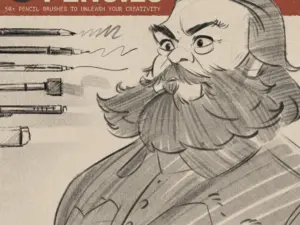
LP Pencil Brushes
Sold by lucaspeinador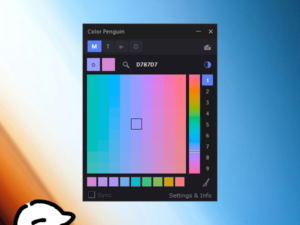
Color Penguin Pro v1.9.97 (for CSP & Rebelle pro) – 🍕🐧’s Ko-fi Shop
Sold by 🍕🐧's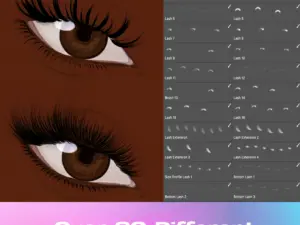
Clip Studio Paint, Photoshop & Fresco Lash Stamp Brushes
Sold by Vegalia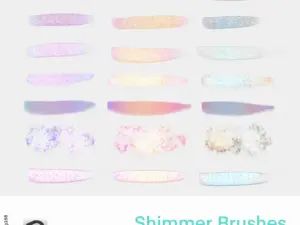
[CSP] Shimmer brushes by GojiJung158
Sold by gojijung158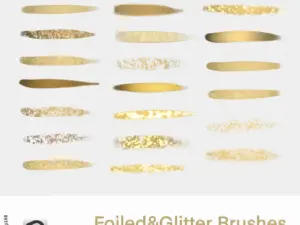
[CSP] Foiled&Glitter Brushes
Sold by gojijung158
COFE’s Ultimate Pencil Pack | Ver 2.0 | Clip Studio Paint
Sold by GH Kim
Scapefiend’s Finest Brushes! for Clip Studio Paint & Manga Studio
Sold by scapefiend
RETRO DELUXE – brushes for Clip Studio Paint
Sold by scapefiend
SAI watertool for clip studio paint
Sold by sasucchi95
3D Muscular Man for CSP (A2)
Sold by Noborius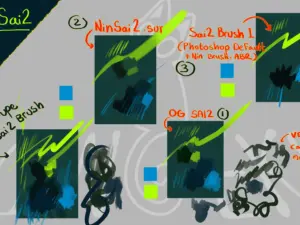
Nin’s Sai2 Dupe for CSP and Photoshop
Sold by NinGeko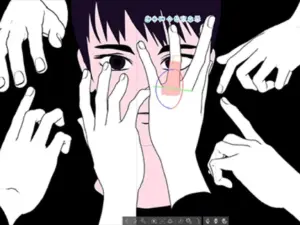
Moving Deforme 3d Hand Modeling
Sold by Nal_ro

EnchantedFins: Radiant Mermaid Brush Essentials (Procreate & Clip Studio Paint)
Sold by Kiara M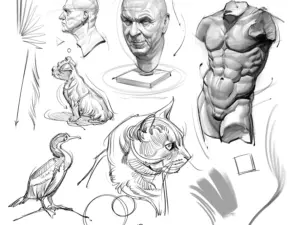
Brush Pack for Sketching and Painting!
Sold by Josh H Black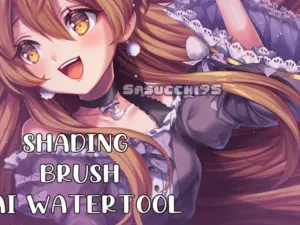
SAI watertool for clip studio paint
Sold by sasucchi95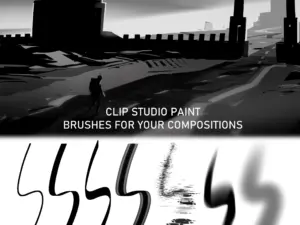
JOOS: Composition Brushes for Clip Studio Paint
Sold by mmmJOOS
DAUB® SuperBundle – 572+ Pro Tools and 60+ Textures for Clip Studio Paint
Sold by Daub
EnchantedFins: Radiant Mermaid Brush Essentials (Procreate & Clip Studio Paint)
Sold by Kiara M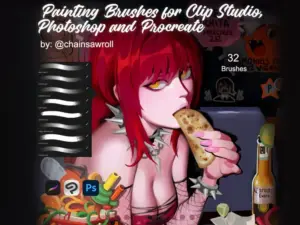
32 Painting Brushes for Clip Studio Paint, Photoshop and Procreate – @chainsawroll’s Ko-fi Shop
Sold by chainsawroll's
Brush Pack 2.0 (CSP) (8 Brushes)
Sold by Kabb
Realistic Watercolor Brushes for Clip Studio Paint | CSP Kit
Sold by JuliaDreamsCo
Haz Brush Pack 05 Rakes | Clip Studio Paint Brushes
Sold by hazmaten
Shirakawa Kashiwa Procreate,Photoshop and CSP Brushes, Painting Brush Set
Sold byClip Studio Paint manga brush questions.
Useful information for artists building manga, anime and comic workflows in Clip Studio Paint.
What are Clip Studio Paint manga brushes?
They are brushes and drawing tools suited to manga workflows such as sketching, line art, inking, textures, effects and comic illustration.
Is Clip Studio Paint good for drawing manga?
Clip Studio Paint is widely used for illustration, comics and manga-style workflows because it combines drawing, inking and comic-production tools in one application.
Which CSP brushes are best for manga inking?
Look for brushes that provide the line control, taper and texture appropriate for your style. Clean pen brushes and expressive ink brushes serve different purposes.
Can CSP manga brushes be used for anime art?
Many manga-oriented sketching, inking and line-art brushes can also support anime-style character illustration.
Do I need different brushes for sketching and inking?
Not necessarily, but separate tools can make it easier to keep loose construction work distinct from deliberate final lines.
What brushes help with manga backgrounds?
Texture, foliage, architecture and repeated-detail brushes can speed up background production, depending on the scene and artistic style.
Can I use manga brushes for commercial artwork?
Usage rights depend on the individual product license. Review the relevant product information and licensing terms before commercial use.
Where can I find more Clip Studio Paint assets?
Explore Clip Studio Paint Brushes & Digital Assets for the broader CSP collection.
Clip Studio Paint brushes for manga, comic inking and anime illustration.
Clip Studio Paint brushes for manga can support nearly every drawing stage, from loose thumbnails and character sketches to clean line art, expressive inks, textures and final comic effects. A focused brush collection can help artists work efficiently while preserving their individual drawing style.
At Brushes Pack, artists can explore CSP resources alongside a broader collection of Clip Studio Paint brushes and digital assets.
What are manga brushes for Clip Studio Paint?
Manga brushes are drawing tools suited to the visual and production needs of comics and manga-style artwork. They can include pencils, ink pens, textured brushes, effect tools and specialized resources for repeated details.
The best brush depends on the task. A loose sketch brush and a precise final inking brush do not need to behave the same way.
CSP manga brushes for sketching
Sketch brushes should make it easy to explore poses, expressions, perspective and page composition without encouraging premature detail.
Many artists prefer a pencil-like brush that responds naturally to quick strokes and remains visually distinct from final inks.
Clip Studio Paint brushes for manga inking
Inking brushes help convert rough drawings into deliberate finished linework. Good manga inks often combine confident contours with controlled variation in line weight.
Use thicker lines selectively around focal shapes, overlapping forms or shadow areas rather than applying identical weight everywhere.
CSP inking brushes and line control
Line control is one of the most important characteristics of a manga inking brush. The tool should feel predictable enough for clean contours while allowing enough variation to keep the artwork expressive.
Test a brush on long curves, short details, hair, faces and clothing before deciding whether it fits your workflow.
G-pen style brushes for manga
Pen-style brushes inspired by traditional manga tools can support tapered lines and expressive variation. They are useful for character contours, folds, hair and other areas where line weight helps describe form.
Digital tools do not need to reproduce traditional media perfectly to be useful. What matters is whether the brush gives you the control and visual character you need.
Clip Studio Paint brushes for anime art
Anime-style illustration often uses controlled line art, clear silhouettes and deliberate detail. Manga inking and sketching brushes can therefore work well for anime character artwork too.
Choose brushes according to the desired finish, from crisp polished lines to rougher expressive artwork.
Manga line art brushes
Line-art brushes should remain readable at the final viewing size. Extremely textured or complex strokes can look attractive when zoomed in but become distracting across a complete page.
Check artwork regularly at normal reading size to ensure the line quality supports rather than competes with the composition.
Brushes for manga hair
Hair combines larger flowing shapes with smaller strand details. Begin by designing the main masses before adding individual lines.
Specialized detail brushes can accelerate repeated strand work, but they should reinforce the hairstyle’s form rather than replace it.
Brushes for manga eyes and facial details
Faces attract attention quickly, so small differences in line weight can have a large effect. Use controlled tools for eyelashes, eyelids, brows and other important facial details.
Avoid adding more texture simply because the brush can produce it. Clarity is especially important around expressions.
Manga texture brushes for CSP
Texture brushes can add rough shadows, environmental surfaces, fabric, dirt and atmospheric detail. They are useful when repeated marks would otherwise consume unnecessary production time.
Use textures with restraint so characters and important storytelling elements remain easy to identify.
Manga screentone brushes
Screentone-inspired tools can help establish shadow, atmosphere and value separation in black-and-white comic artwork.
Different dot sizes and densities create different visual weights, so consider how the tone will reproduce at the final output size.
Speed line brushes for Clip Studio Paint
Speed lines communicate direction, impact and energy. They are common in action scenes, dramatic reactions and moments where the composition needs stronger movement.
Align speed lines with the intended motion or focal point instead of using them as generic decoration.
Manga effect brushes
Effect brushes can support smoke, dust, impact, sparkles, debris, energy and many other visual storytelling elements.
Effects are usually strongest when they reinforce the scene rather than becoming the most visually complex part of every panel.
Background brushes for manga
Background production can involve many repeated elements. Specialized brushes may help with foliage, textures, architecture and environmental details.
However, important perspective and structural forms should still be planned carefully before decorative details are added.
Clip Studio Paint brushes for comic panels
A complete comic workflow may use different brushes according to the scene. Dialogue-heavy panels may need clean restrained lines, while action panels can support more aggressive marks and effects.
The brush should serve the storytelling role of the panel.
Manga brushes for character design
Character design usually begins with exploration. Loose brushes help artists test silhouettes, costumes, hairstyles and expressions without becoming attached to polished details too early.
Once the design becomes clearer, switch to tools that support more deliberate construction and presentation.
Manga brushes for clothing and folds
Clothing should describe the form beneath it. A responsive inking brush can help vary line weight around folds, seams and overlapping fabric.
Study where material compresses, stretches and hangs instead of treating every fold as an isolated decorative line.
Manga brushes for shadows
Manga shadows can range from solid black shapes to hatching, texture and screentones. Different brushes support different approaches.
Choose shadow methods according to the visual language of the page and maintain enough contrast for clear reading.
Cross-hatching brushes for CSP
Hatching and cross-hatching can create value, form and texture through repeated lines. Brush tools can speed up the process, but direction still matters.
Follow the form of the subject where appropriate so hatching contributes to volume rather than appearing as a flat pattern.
Clip Studio Paint brushes for black-and-white manga
Black-and-white manga relies heavily on value organization. Strong blacks, open whites, line density and tones must work together across the page.
A large brush collection cannot compensate for weak value hierarchy, so review pages in grayscale and at reduced size.
CSP brushes for colored manga and anime illustration
Many Clip Studio Paint brush packs can also support colored illustration. Sketch, line-art and texture brushes remain useful even when the final artwork includes full color.
For painting workflows, combine clean drawing tools with brushes suited to rendering, blending and surface texture.
Pressure-sensitive manga brushes
Pressure response can allow a single brush to move between thin and thick strokes, which is useful for expressive line art.
Actual behavior depends on the brush settings and drawing hardware, so test pressure curves and stabilization according to your drawing style.
Brush stabilization for manga inking
Stabilization can help smooth deliberate curves, but excessive stabilization may make quick lines feel slow or less natural.
Use enough assistance to support your hand without removing the energy you want from the stroke.
Clean manga line art vs textured line art
Clean line art works well for polished anime-style artwork and highly controlled comic pages. Textured lines can create a rougher, handmade or expressive character.
Neither approach is universally better. Choose according to the mood, genre and visual identity of the project.
Manga brush packs for beginners
Beginners usually do not need hundreds of specialized brushes. Start with a sketch pencil, one or two inking tools, a texture option and a few effect resources.
Learning a smaller toolkit deeply makes it easier to understand what additional brushes would genuinely improve your workflow.
Professional Clip Studio Paint manga brushes
For production work, consistency and predictability can matter more than novelty. A professional brush should help the artist repeat the desired mark efficiently across many pages.
Test brushes under realistic working conditions instead of judging them only from promotional examples.
How to choose a CSP manga brush pack
Consider your style and production needs first. An artist focused on clean character comics may need different tools from someone creating heavily textured horror manga or painterly illustrations.
Review the product description for compatibility, included files and the types of brushes provided.
How to organize Clip Studio Paint manga brushes
A practical library can be divided into Sketch, Ink, Tone, Texture, Background and Effects. Keep the brushes you use on most pages close together.
Large collections become easier to manage when experimental or rarely used tools are separated from the everyday production set.
Manga brushes vs general digital brushes
General digital brushes can often work perfectly well for manga. Manga-specific packs simply focus on marks and workflows commonly useful in comic production.
Explore Digital Brushes if you want to compare tools across several creative applications and styles.
Clip Studio Paint manga brushes vs Procreate brushes
Both applications can support illustration and comic-style artwork, but brush files and workflows are application-specific. Always confirm compatibility before downloading.
For iPad-focused artwork, explore the broader Procreate Brushes & Digital Assets collection.
Explore Clip Studio Paint resources at Brushes Pack
Brushes Pack provides Clip Studio Paint resources for manga, anime illustration, painting, sketching and digital art. The broader CSP collection can help artists discover brushes beyond manga-specific workflows.
Explore Clip Studio Paint Brushes & Digital Assets, Digital Brushes, Digital Textures and Digital Assets.
Always check each product page for supported software, included files, installation details and licensing information before purchasing or downloading.
Practical ideas for a cleaner CSP manga workflow.
Editorial-style examples representing common approaches to manga drawing, inking and comic production.
“I keep my sketch brush intentionally rough. It stops me from polishing too early and makes the transition to final inks much clearer.”
“I test new inking brushes on faces, hair and long curves. If a brush behaves well on all three, it usually earns a place in my main set.”
“Effects are the last thing I add. Speed lines and textures become much more useful when the panel already reads clearly without them.”
Helpful information before you download.
Review Clip Studio Paint compatibility, included files, product information and Brushes Pack policies before purchasing digital resources.
Manga Studio Notes are editorial-style examples representing common creative viewpoints and are not presented as verified purchase testimonials.
Continue building your manga and illustration toolkit.
Explore broader brush collections, textures and creative resources for Clip Studio Paint and digital illustration.
Build a Clip Studio Paint brush library made for manga creation.
Explore CSP brushes for sketching, manga inking, anime line art, screentones, textures, backgrounds and comic effects at Brushes Pack.