
Procreate Tie Dye Brushes & Stamps
Explore Procreate tie dye brushes for colorful dye effects, Shibori-inspired patterns, watercolor textures, seamless backgrounds, fabric-inspired artwork, abstract compositions, branding, stationery, digital illustration, and creative surface design at Brushes Pack.
Build flowing color, organic patterns, dyed textures, Shibori-inspired marks, seamless surfaces, and vibrant abstract artwork.
Tie dye brushes can turn irregular color, repeated folds, circular forms, watercolor transitions, textured edges, and spontaneous-looking marks into a flexible digital design language.
Classic Tie Dye Brushes
Create colorful spiral, radial, folded, irregular, and organic dye-inspired effects for digital artwork and surface design.
Shibori Brushes
Explore indigo-inspired marks, folded structures, resist-style patterns, repeated shapes, and traditional textile-inspired visual ideas.
Tie Dye Stamps
Build compositions quickly with reusable organic shapes that can be resized, rotated, recolored, masked, and layered.
Seamless Patterns
Create repeatable surfaces for digital paper, fabric concepts, backgrounds, stationery, branding, packaging, and decorative design.
Watercolor Dye Effects
Use soft edges, transparent layering, bleeding color, irregular pigment, and watercolor-inspired transitions.
Indigo Textures
Develop restrained blue-and-white compositions inspired by indigo dye, textile pattern, handcrafted marks, and Shibori aesthetics.
Rainbow Tie Dye
Combine vibrant color families for posters, digital illustration, social graphics, playful artwork, merchandise concepts, and backgrounds.
Fabric-Inspired Surfaces
Combine dye effects with textile texture, grain, folds, roughness, and material variation for more tactile digital surfaces.
Abstract Dye Art
Use tie dye marks as expressive starting points for abstract paintings, collage, editorial graphics, creative backgrounds, and mixed-media artwork.
Digital tie dye works best when repetition feels intentional without becoming mechanically perfect.
Layer, rotate, mask, recolor, erase, distort, and combine brush marks so the finished surface keeps the irregular character associated with dyed material.
Limit the Palette
A focused color family can make complicated dye textures easier to control and help the composition feel more unified.
Layer Transparently
Overlapping colors and semi-transparent marks can create richer transitions than isolated opaque shapes.
Break Repetition
Rotate, resize, crop, erase, and partially overlap stamps so repeated assets do not become obvious.
Keep Imperfection
Irregular edges, grain, watercolor variation, and uneven density can help preserve a more organic visual character.
Explore tie dye, watercolor, patterns, fabric, textures, and digital painting resources.
Connect this search intent with existing Brushes Pack collections for patterns, watercolor, textiles, abstract painting, textures, traditional media, and colorful digital artwork.
Explore Procreate Tie Dye Brushes & Stamps.
Browse Procreate pattern resources that can support tie dye, Shibori-inspired surfaces, watercolor effects, seamless designs, organic texture, abstract artwork, fabric concepts, and colorful digital compositions.

Galaxy Tie Dye Stamp Brushes
Sold by OlgaRom
Procreate Shibori Tie Dye Brushes
Sold by Nurmiftah
Indigo Tie Dye Brushes for Procreate
Sold by andriecrossland
Tie-Dye Patterns Brushes for Procreate
Sold by V Design Creator
Procreate Tie-Dye Brush Bundle
Sold by The Gypsy Goddess
Procreate Tie-Dye Brush Stamp Bundle
Sold by The Gypsy Goddess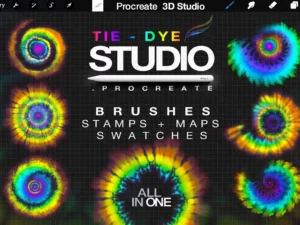
Tie Dye Brushes Studio Procreate
Sold by Procreate 3D Studio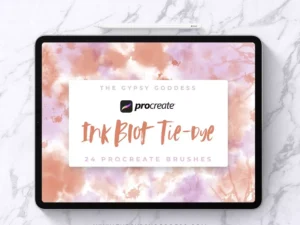
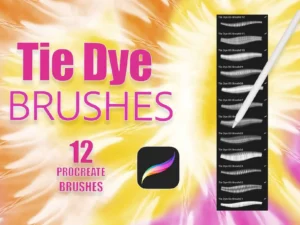
Procreate Realistic Tie Dye Brushes Volume 5
Sold by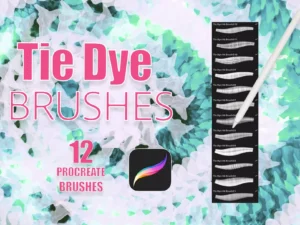
Procreate Realistic Tie Dye Brushes Vol. 6
Sold by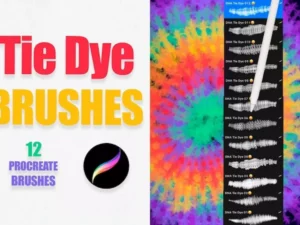
Realistic Tie Dye Brushes Vol 01
Sold by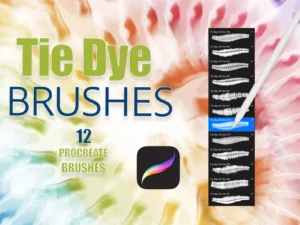
Realistic Tie Dye Brushes Vol 02
Sold by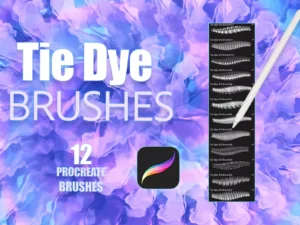
Realistic Tie Dye Brushes Vol 03
Sold by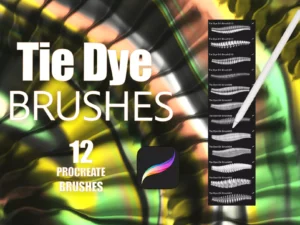
Realistic Tie Dye Brushes Vol 4
Sold by
Procreate Tie-Dye Brushes Volume 1
Sold by stort designs
Procreate Tie-Dye Brushes Volume 2
Sold by stort designs
Procreate Tie-Dye Brushes Volume 3
Sold by stort designsStart with a color direction, build the major dye structure, then introduce variation and texture.
Palette
Choose a focused color family such as indigo, rainbow, warm tones, pastels, earth colors, or a limited brand palette.
Structure
Establish the primary spiral, folded, radial, striped, irregular, or Shibori-inspired visual direction.
Layer
Overlap brushes and stamps while varying scale, rotation, transparency, placement, and color relationships.
Distress
Erase selected areas, soften edges, add grain, introduce watercolor variation, and break obvious digital repetition.
Finish
Balance contrast, refine focal areas, adjust color, crop the pattern, and integrate typography or illustration when needed.
Before you start creating, decide whether the tie dye is the artwork, the background, or a supporting surface.
Decide what should dominate
Highly saturated tie dye can become the focal point quickly. Reduce contrast when typography, a character, or another illustration needs more attention.
Watch muddy overlaps
Layering many colors can produce visually heavy intersections. Controlled palettes often create cleaner and more intentional results.
Test the repeat
For seamless designs, inspect edges and repeated motifs at multiple scales before using the pattern across a larger surface.
Avoid perfect digital edges
Soft transitions, grain, irregular boundaries, watercolor variation, and selective distress can help tie dye feel less synthetic.
One tie dye toolkit can support illustration, surface design, branding, stationery, backgrounds, and experimental artwork.
Fabric & Textile Concepts
Explore repeating dye surfaces, fashion prints, textile concepts, decorative fabrics, and digitally illustrated material ideas.
Colorful Visual Identity
Use controlled dye textures for backgrounds, packaging concepts, social graphics, promotional artwork, and creative brand assets.
Cards & Paper Goods
Create notebooks, invitations, digital paper, greeting cards, wrapping concepts, stationery, and decorative backgrounds.
Abstract Backgrounds
Place tie dye behind characters, lettering, florals, posters, editorial art, quotes, or other focal illustrations.
Mixed-Media Surfaces
Combine dye marks with watercolor, gouache, grain, paint, collage-like textures, and hand-drawn elements.
Seamless Repeats
Turn individual tie dye forms into repeatable decorative surfaces for digital backgrounds and pattern-based design projects.
Procreate Tie Dye Brushes
Procreate tie dye brushes help digital artists create colorful dyed effects, Shibori-inspired patterns, watercolor textures, organic backgrounds, seamless surfaces, fabric concepts, abstract compositions, and decorative digital artwork.
Brushes Pack carries several dedicated Procreate tie dye collections, giving artists options ranging from individual stamps and patterns to larger brush libraries.
Tie Dye Brushes Studio Procreate
The Brushes Pack catalog includes Tie Dye Brushes Studio Procreate, a dedicated collection containing 21 brushes and stamps together with two Procreate startup files featuring rainbow and watercolor effects.
The set is designed for digital artists, illustrators, and designers who want colorful tie-dye-inspired effects inside Procreate.
Indigo Tie Dye Brushes for Procreate
Brushes Pack also carries an Indigo Tie Dye collection inspired by Shibori and traditional tie-dye techniques.
The collection includes 66 Procreate stamp brushes, six seamless backgrounds, and five seamless patterns, making it useful for both individual compositions and repeated surface designs.
Procreate Shibori Tie Dye Brushes
Shibori-inspired digital brushes can provide a more restrained alternative to multicolor rainbow tie dye. Indigo, white space, repeated folds, organic geometry, and irregular marks can create a strong handcrafted visual direction.
A dedicated Procreate Shibori Tie Dye Brushes product is present in the Brushes Pack pattern collection.
Procreate Tie Dye 57 Brushes
The Brushes Pack catalog also includes a 57-brush Procreate tie dye collection, giving artists another option when they want a larger range of dye-inspired marks.
Larger brush libraries can be especially useful when building varied compositions without repeating the same few forms too obviously.
How to Create Tie Dye in Procreate
Start by choosing a pattern structure. Spirals, rings, stripes, folds, irregular spots, radial designs, and Shibori-inspired arrangements can all produce different visual results.
Layer brush marks on separate layers so color, opacity, transformation, masking, and texture can be adjusted independently.
Tie Dye Stamp Brushes for Procreate
Stamp brushes can accelerate the creation of individual dye forms. After stamping, resize, rotate, distort, erase, recolor, or partially mask each mark to create more variation.
Explore Procreate stamp brushes and shape stamps for complementary resources.
Shibori Brushes for Procreate
Shibori-inspired artwork often uses repeated folds, bound forms, resist-like marks, indigo color, and organic geometric structures.
Digital brushes can reproduce the visual language while still allowing artists to modify scale, spacing, color, and composition.
Indigo Tie Dye in Procreate
A limited indigo palette can create strong contrast while keeping complicated texture visually unified.
Try combining deep blue, softer blue variations, off-white, and subtle texture instead of using a single perfectly uniform color.
Watercolor Tie Dye Brushes
Watercolor-inspired tie dye can use transparent layers, soft boundaries, pigment variation, irregular edges, and overlapping color.
Brushes Pack’s Tie Dye Studio includes watercolor-oriented resources, while the Indigo Tie Dye collection also references watercolor within its product tags.
Explore watercolor brushes for Procreate.
Seamless Tie Dye Patterns
Seamless patterns are useful when tie dye needs to cover a larger surface repeatedly without visible boundaries.
These can support digital paper, textile concepts, stationery, backgrounds, packaging, merchandise concepts, and decorative design.
Explore Procreate pattern brushes.
Tie Dye Texture Brushes
Texture can make clean digital color feel more tactile. Grain, watercolor variation, roughness, fabric character, faded areas, and irregular density can all support the illusion of dyed material.
Explore Procreate texture and grain brushes.
Tie Dye Brushes for Fabric Design
Tie dye naturally connects with textile and fashion-oriented artwork. Digital brushes can help artists explore colorways, repeat patterns, fabric concepts, decorative surfaces, and clothing-print ideas before production.
Explore Procreate fabric and textile brushes.
Tie Dye Brushes for Fashion Illustration
Tie dye patterns can be applied to shirts, dresses, scarves, accessories, costumes, and other garment concepts.
Transform and mask the pattern so it follows the folds and perspective of the clothing rather than appearing pasted flat over the garment.
Explore Procreate fashion illustration brushes.
Procreate Tie Dye Backgrounds
Tie dye can work as a full background when the design needs energy, color, or organic texture. It can also be reduced in contrast to support typography, product graphics, characters, or editorial artwork.
The Indigo Tie Dye collection includes six seamless backgrounds for this type of workflow.
Tie Dye for Stationery Design
Tie dye surfaces can support notebooks, cards, invitations, planners, digital paper, wrapping concepts, labels, and other stationery-oriented projects.
Use a restrained palette when important text needs to remain highly readable.
Tie Dye for Branding and Social Graphics
Colorful dye effects can create energetic backgrounds for campaign graphics, promotional posts, creative branding, packaging concepts, merchandise artwork, and social-media design.
Keep recurring colors and pattern treatments consistent when the artwork is part of a broader visual identity.
Abstract Tie Dye Art in Procreate
Tie dye does not need to imitate fabric literally. Organic marks can become starting points for abstract painting, mixed media, poster artwork, editorial graphics, collage, or experimental compositions.
Combine them with paint brushes and manual drawing to move beyond a recognizable stamp-based result.
Tie Dye and Digital Painting
Dye textures can be integrated into paintings as backgrounds, clothing patterns, abstract shapes, atmospheric color, surface variation, or compositional accents.
Explore Procreate brushes for digital painting.
Tie Dye with Gouache and Traditional Paint
Combining clean digital dye patterns with textured paint can produce a mixed-media result. Gouache, dry-media, watercolor, and paper grain can help soften overly perfect digital surfaces.
Explore Procreate gouache and traditional paint brushes.
How to Avoid Obvious Repeated Stamps
Change the scale and rotation of each stamp, crop some marks at the canvas edge, overlap shapes, erase selected sections, alter opacity, and use multiple brush designs.
This helps prevent viewers from immediately recognizing identical repeated assets.
Choosing Colors for Digital Tie Dye
Rainbow palettes create high energy, while indigo, monochromatic, pastel, earth-tone, or limited complementary palettes can produce more controlled results.
Consider where the artwork will be used before deciding how much saturation and contrast the tie dye should contain.
Using Tie Dye Patterns on Separate Layers
Separate layers make it easier to recolor individual dye marks, experiment with blending, erase overlaps, transform patterns, change opacity, and prepare alternate colorways.
This is especially useful for textile, branding, stationery, and fashion workflows.
How to Choose Procreate Tie Dye Brushes
Choose according to the visual direction you need. Shibori and indigo resources suit restrained textile-inspired artwork, while rainbow and watercolor collections support more colorful expressive compositions.
For surface design, prioritize sets that include seamless patterns or backgrounds. For illustration, a varied stamp and brush collection may offer greater flexibility.
Build a Tie Dye Toolkit at Brushes Pack
A flexible digital tie dye toolkit can combine dye brushes, Shibori stamps, seamless patterns, watercolor tools, fabric textures, grain, pattern brushes, traditional paint, and general Procreate stamps.
Specialized resources can accelerate pattern creation, while color control, layering, variation, composition, texture, and manual editing help make the finished artwork feel distinctive.
Continue exploring Procreate brushes and digital assets at Brushes Pack.
Procreate Tie Dye Brushes FAQ
What are Procreate tie dye brushes?
They are digital brushes and stamps designed to create dye-inspired patterns, organic color effects, Shibori-style marks, watercolor textures, and decorative surfaces in Procreate.
Does Brushes Pack have dedicated tie dye brushes?
Yes. Brushes Pack carries several Procreate-specific tie dye collections, including Tie Dye Studio, Indigo Tie Dye, Shibori Tie Dye, and larger tie dye brush sets.
Can I create Shibori effects in Procreate?
Yes. Dedicated Shibori-inspired Procreate resources can help create indigo patterns, folded structures, organic geometry, and textile-inspired surfaces.
Are there seamless tie dye patterns?
Yes. Some Brushes Pack tie dye products include seamless patterns and backgrounds that can support larger repeated surfaces.
Can tie dye brushes be used for fashion design?
Yes. Digital tie dye patterns can support clothing concepts, textile prints, accessories, fabric studies, fashion illustration, and surface-design exploration.
Can I recolor tie dye stamps?
Yes. Working on separate layers makes it easier to recolor, transform, mask, erase, resize, rotate, and blend individual elements.
What brushes work well with tie dye?
Watercolor, texture, grain, fabric, pattern, stamp, gouache, and digital-painting brushes can all complement tie-dye-inspired artwork.
How do I make digital tie dye look less repetitive?
Vary stamp size, rotation, opacity, overlap, cropping, color, masking, and texture while combining several different brush forms.
Keep the energy of tie dye while controlling where the viewer looks.
I would begin with fewer colors than I think I need. Additional hues are easy to introduce later, while an overcrowded palette is harder to simplify.
I would rotate, crop, mask, and overlap repeated stamps so the viewer notices the overall surface before recognizing individual brush shapes.
If typography or illustration is the focal point, I would reduce the tie dye contrast behind it rather than letting every area compete equally.
Build a broader color, pattern, texture, textile, and painting toolkit.
Turn digital color into organic tie dye surfaces.
Explore Procreate tie dye brushes for Shibori patterns, watercolor dye effects, seamless backgrounds, stamps, textile concepts, abstract artwork, colorful surfaces, and creative digital illustration at Brushes Pack.