
Procreate Pattern Brushes
Explore Procreate pattern brushes for seamless patterns, decorative fills, geometric designs, textile-inspired surfaces, backgrounds, repeat motifs, retro graphics, illustration textures, and creative digital design. Build faster repeating systems with pattern-focused resources from Brushes Pack.
Start with the kind of repetition your design actually needs.
Pattern brushes can behave very differently depending on whether you are creating a decorative background, fabric-like surface, geometric repeat, illustrated motif, border, texture, or stylized graphic.
Seamless Patterns
Build continuous repeating surfaces for backgrounds, packaging concepts, digital paper, illustrations, merchandise, and graphic layouts.
Explore patterns →Geometric Patterns
Create grids, diamonds, lines, circles, triangles, waves, angular forms, abstract repeats, and structured decorative surfaces.
Browse geometric resources →Floral & Organic Motifs
Repeat flowers, leaves, botanical forms, natural shapes, decorative motifs, and hand-drawn elements across larger compositions.
Explore floral brushes →Lines & Waves
Use repeating stripes, wave systems, zigzags, hand-drawn lines, decorative borders, and rhythmic linear designs.
Explore pattern resources →Textile-Inspired Patterns
Create surfaces influenced by fabric, woven structures, decorative cloth, print design, fashion illustration, and material textures.
Browse textile-style patterns →Retro & Decorative Patterns
Add vintage transfer tones, dots, graphic motifs, playful shapes, retro surface design, and stylized repeated elements.
Explore decorative patterns →Polka Dot Patterns
Use regular or hand-drawn dot repeats for playful illustrations, children’s designs, stationery, digital paper, clothing concepts, and backgrounds.
Browse dot patterns →Texture Patterns
Combine repeating forms with grain, ink, roughness, tonal variation, and distressed surfaces to avoid overly clean digital results.
Explore texture brushes →Pattern Stamps
Build custom repeats from individual motifs using stamps, decorative elements, icons, shapes, and reusable illustrated objects.
Explore stamp brushes →A good repeat feels consistent without feeling mechanically obvious.
Strong pattern design depends on spacing, scale, rhythm, contrast, variation, and how naturally one repeated area connects with the next.
Decide the visual scale
Small repeating motifs create texture. Larger repeats become more noticeable design elements and can dominate the composition.
Watch the spacing
Uneven gaps or obvious empty channels can reveal the repeat immediately, especially across large surfaces.
Create hierarchy
A pattern can contain dominant motifs, supporting forms, and smaller details instead of giving every repeated element equal importance.
Test the repeat early
View the design across a larger area before spending time on fine detail so obvious seams or distracting repetition can be corrected.
Match the pattern to the surface
Backgrounds, clothing, packaging, walls, decorative graphics, and illustrations often require different pattern scales and contrast levels.
Explore connected pattern and surface-design resources.
Each related keyword below links to a relevant Brushes Pack tag, collection, or focused landing page instead of acting as a static keyword label.
Explore Procreate Pattern Brushes.
Browse pattern-oriented Procreate resources for seamless repeats, decorative surfaces, geometric designs, motifs, textures, backgrounds, illustration, graphic design, and creative surface work.

Pattern Brushes 2.0 for Procreate
Sold by Sandra Winther Art
Pattern Brushes for Procreate
Sold by Sandra Winther Art
Pattern Craft Pro Brushes
Sold by Mels Brushes
Pattern Magic Procreate Brushes
Sold by Mels Brushes
Art Deco Creator Kit
Sold by Letter Elfa Studio
Baroque Lettering Creator Kit
Sold by Letter Elfa Studio
Vintage Lettering Bundle
Sold by Letter Elfa Studio
Adventure Mountain Stamp Brush Procreate
Sold by Dans Design
Barber Shop Brush
Sold by Dans Design
Blossom Vintage Brush
Sold by Dans Design
Botanical Floral Brush Stamp
Sold by Dans Design
Botanical Floral Brush Stamp #2
Sold by Dans Design
Botanical Leaf Brush Stamp Procreate
Sold by Dans Design

Craftsman Tool Brush Stamp Procreate
Sold by Dans Design
Dans Artemis Brush Stamp Procreate
Sold by Dans Design
Dans design Craftsman Tool Brush Stamp Procreate
Sold by Dans Design
Dans design Sailor Element Brush Stamp Procreate
Sold by Dans Design
Dans Forest Brush For Procreate
Sold by Dans Design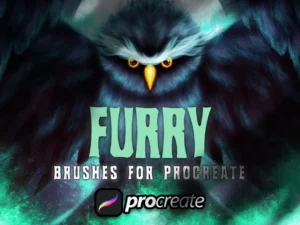
Dans Furry Brush For Procreate
Sold by Dans Design
Dans Gouache Brush Procreate
Sold by Dans Design
Dans Watercolor Brush Procreate
Sold by Dans Design
Engraving Cactus Stamp Brush
Sold by Dans Design
Flowers Brush Stamp #1
Sold by Dans DesignBuild a repeat from structure before decoration.
Choose the motif
Start with the shape, texture, symbol, floral form, line, geometric element, or illustrated object you want to repeat.
Set the scale
Decide whether the repeat should behave like subtle texture or become a major decorative element.
Build rhythm
Control spacing, direction, repetition, density, rotation, and visual flow across the surface.
Check the edges
Review how neighboring areas connect and look for seams, accidental gaps, or obvious repeated blocks.
Apply selectively
Adjust scale, opacity, color, and contrast according to the actual background, object, clothing, or design surface.
Better pattern design starts with better repetition decisions.
Small patterns behave like texture
When a repeat is reduced enough, individual motifs become less important and the combined surface begins to behave more like visual texture.
Not every pattern should dominate
Lower contrast can help patterns support characters, products, typography, or other focal elements without competing for attention.
Repetition needs variation
Different motif sizes, alternating forms, directional changes, or supporting details can make a repeating system feel more intentional.
Preview at final size
A pattern that looks balanced when zoomed in may become too dense, sparse, or visually loud at its final output size.
Pattern brushes can move from illustration to design without changing tools.
Clothing & Character Design
Add repeated prints, decorative fabrics, costume details, dots, stripes, symbols, or surface motifs to character artwork.
Fabric & Textile Concepts
Explore repeating motifs for fashion ideas, fabric concepts, textile illustration, decorative print studies, and product design.
Packaging & Backgrounds
Patterns can establish a recognizable visual system across packaging concepts, posters, labels, social graphics, and presentations.
Scrapbooking & Stationery
Create decorative digital paper, invitations, journaling elements, cards, printable backgrounds, and craft-oriented designs.
Backgrounds & Tone Effects
Use repeated lines, dots, tones, textures, or abstract patterns to support panels, backgrounds, clothing, and graphic storytelling.
Posters & Decorative Layouts
Combine bold pattern systems with typography, illustration, shapes, and color for striking graphic compositions.
Procreate Pattern Brushes for Seamless Digital Design
Procreate pattern brushes can help artists and designers create repeating textures, decorative backgrounds, geometric systems, textile-inspired surfaces, line patterns, dots, motifs, and seamless visual elements more efficiently.
Instead of manually redrawing the same visual information across a large area, pattern-oriented brushes can make repetition faster while still allowing the artist to control scale, color, opacity, placement, and composition.
Brushes Pack provides a broader collection of Procreate brushes and digital assets for illustration, painting, texture, pattern design, decorative work, and many other creative workflows.
What Are Procreate Pattern Brushes?
Procreate pattern brushes are brushes designed to generate repeated visual information as the artist paints. Depending on the brush, this might include dots, geometric forms, decorative lines, illustrated motifs, textile-inspired structures, tones, abstract shapes, surface textures, or other repeatable marks.
Pattern brushes can be useful because one stroke may create a much larger structured design system than a conventional painting brush.
Seamless Pattern Brushes for Procreate
Seamless patterns are designed so neighboring repeated areas connect without obvious breaks. This makes them especially useful when covering larger areas such as backgrounds, clothing, digital paper, walls, packaging concepts, or decorative graphic surfaces.
The effectiveness of a seamless repeat depends on more than the individual motif. Spacing and edge relationships determine whether the repeat feels continuous.
Look for unwanted visual channels
Even when individual tiles connect technically, repeated empty spaces can accidentally form visible horizontal, vertical, or diagonal lines.
Previewing the pattern across a large area makes these problems easier to identify.
Geometric Pattern Brushes in Procreate
Geometric patterns can include circles, lines, squares, diamonds, grids, waves, triangles, zigzags, and more complex abstract combinations.
These patterns work well for backgrounds, graphic design, packaging, retro illustration, clothing concepts, poster art, social graphics, and stylized environments.
Geometric repetition becomes especially powerful when paired with deliberate color relationships and controlled scale.
Floral and Botanical Pattern Brushes
Botanical motifs are common in surface design because flowers, leaves, stems, branches, and organic shapes can be combined in many different arrangements.
Some designs use tightly packed floral repeats, while others use large isolated motifs with generous negative space.
Artists building botanical patterns can also explore Procreate botanical and floral brushes.
Pattern Brushes for Textile and Fabric Design
Repeating patterns naturally connect with textile design. Clothing, fabric concepts, cushions, decorative surfaces, fashion illustrations, and accessories can all use repeated visual systems.
When applying patterns to illustrated clothing, remember that the pattern should usually respond to the form beneath it.
A completely flat pattern placed over a curved figure can break the sense of volume unless its scale, direction, and distortion support the shape.
Using Patterns in Character Illustration
Pattern brushes can speed up clothing design, costume details, accessories, tattoos, decorative objects, and environmental props.
The important consideration is visual hierarchy. Highly detailed patterns can compete with a character’s face or silhouette if they are used at full contrast throughout the illustration.
Reduce contrast or pattern size when the repeated detail should remain secondary.
Pattern Brushes and Procreate Texture
Pattern and texture often overlap. At a sufficiently small scale, a repeated pattern may visually merge into an overall textured surface.
Grain, roughness, ink variation, distressed edges, and irregularity can make repeated elements feel less mechanically perfect.
For more surface-focused tools, explore Procreate texture and grain brushes.
Creating Patterns from Procreate Stamp Brushes
Stamp brushes offer another way to create pattern systems. Instead of painting an already-repeating brush, an artist can place individual motifs and build a custom arrangement manually.
This offers more control over scale, rotation, spacing, color, and irregularity.
Explore Procreate stamp brushes and shape stamps for more motif-based creative resources.
Procreate Pattern Brushes for Backgrounds
Background patterns can add visual interest without requiring a fully illustrated environment.
For posters, social graphics, character portraits, book illustrations, stationery, and packaging concepts, a controlled pattern can provide structure behind the primary content.
Lowering opacity or using closely related colors can help the pattern remain supportive rather than dominant.
Retro Patterns and Transfer-Tone Style Brushes
Retro-inspired patterns frequently use dots, stripes, geometric repeats, halftone-like structures, rough ink, transfer tones, and limited graphic shapes.
They can introduce a print-like or analog feeling into otherwise clean digital artwork.
Artists interested in additional tonal effects can also explore Procreate halftone and stipple brushes.
Choosing the Right Procreate Pattern Brush
Start by identifying the surface and purpose of the pattern. A small texture pattern for a distant background has different requirements from a bold decorative motif used on clothing or packaging.
Consider motif size, repeat density, style, line quality, complexity, software compatibility, included brushes, and how much control the brush gives you over scale and color.
Review each Brushes Pack product page for the exact included files, brush contents, compatibility information, installation details, and creator-specific specifications.
Pattern Brushes vs Digital Pattern Files
Pattern brushes are useful when you want to paint repeated information directly inside Procreate. Separate digital pattern files may be more appropriate when a prebuilt repeat or reusable design surface is required.
Both approaches can be useful depending on the project.
Browse the wider digital patterns collection for additional pattern-oriented resources beyond this Procreate-focused page.
Build a Flexible Surface Design Toolkit
Pattern design works especially well when pattern brushes are combined with texture brushes, stamps, drawing tools, floral resources, painting brushes, and color palettes.
Patterns provide repetition, stamps provide individual motifs, and textures introduce surface variation. Together they create a flexible system for illustration and graphic design.
Continue exploring digital brushes or visit the wider Procreate collection at Brushes Pack.
Procreate Pattern Brushes FAQ
What are Procreate pattern brushes?
Procreate pattern brushes are digital brushes designed to generate repeated visual elements such as geometric forms, dots, lines, motifs, decorative surfaces, or texture-like patterns as you draw.
What is a seamless pattern brush?
A seamless pattern is designed so repeated areas connect without obvious edges, allowing the pattern to cover a larger surface continuously.
Can pattern brushes be used for clothing?
Yes. They can help create repeated fabric prints, decorative motifs, dots, stripes, floral designs, and other clothing details in character and fashion illustrations.
Can Procreate pattern brushes create backgrounds?
Yes. Patterns can create decorative backgrounds, digital paper, poster surfaces, stationery, packaging concepts, illustrations, and graphic design elements.
What is the difference between pattern brushes and stamp brushes?
Pattern brushes generally create repeated information as you paint, while stamp brushes typically place individual reusable shapes or motifs that can be arranged manually.
Can pattern brushes also create texture?
Yes. When repeated motifs are small enough, they can visually behave like surface texture rather than obvious individual shapes.
Are Procreate pattern brushes useful for surface design?
Yes. They can support textile concepts, decorative prints, digital paper, packaging, fabric illustrations, stationery, merchandise concepts, and repeating graphic systems.
Where can I find related Procreate resources?
Brushes Pack includes related resources for textures, stamps, florals, halftones, painting, digital patterns, and many other Procreate workflows.
Think about the repeat as a system, not only as a motif.
I would test a pattern at several scales before committing. The same motif can feel like a bold graphic at one size and subtle texture at another.
Surface Design NotesI would look at the empty spaces between motifs as carefully as the motifs themselves. Those gaps are part of the repeat and strongly affect rhythm.
Pattern Artist NotesI would reduce contrast before reducing detail when a pattern competes with the main subject. This often preserves the design while restoring hierarchy.
Illustration NotesTurn a single motif into an entire visual system.
Explore Procreate pattern brushes, seamless repeats, decorative motifs, texture tools, stamps, and surface-design resources at Brushes Pack.