
Procreate Makeup & Beauty Brushes
Explore Procreate makeup and beauty brushes for digital makeup, eyelashes, eyes, lips, brows, blush, eyeshadow, highlights, portrait details, fashion illustration, beauty concepts, and stylized character art at Brushes Pack.
Build makeup looks with brushes designed around individual facial details.
A flexible Procreate beauty toolkit can combine makeup brushes with portrait, skin, hair, blending, sparkle, texture, and drawing tools so every part of the face can be developed independently.
Eye Makeup Brushes
Create eyeshadow, eyeliner, eye accents, smoky effects, graphic makeup, colorful eye looks, and stylized beauty illustration.
Eyelash Brushes
Add natural, curled, long, dramatic, stylized, editorial, or character eyelashes without manually drawing every individual lash.
Eyebrow Brushes
Build individual brow hairs, soft shapes, arches, textured brows, stylized eyebrows, and realistic portrait details.
Lip & Gloss Brushes
Create lipstick, lip texture, gloss, shine, highlights, gradients, soft edges, stylized lips, and beauty-rendering details.
Blush Brushes
Add soft cheek color, warm skin transitions, stylized blush, fashion makeup, character accents, and controlled color variation.
Highlight Brushes
Create luminous cheekbones, nose highlights, glossy accents, skin glow, reflective details, and beauty-lighting effects.
Skin Texture Brushes
Add pores, freckles, subtle texture, natural variation, skin details, soft imperfections, and more believable portrait surfaces.
Sparkle & Shimmer
Add glitter, shimmer, stars, luminous particles, eye accents, glossy highlights, fantasy makeup, and editorial finishing effects.
Beauty Blenders
Smooth transitions between makeup colors, soften edges, blend skin tones, merge shadows, and control polished beauty rendering.
Treat makeup as part of the form of the face—not a flat layer placed over it.
Digital makeup becomes more convincing when color, edges, highlights, and shadows respond to facial planes and the lighting already established in the portrait.
Follow the Eyelid
Let eyeshadow wrap around the eye socket and lid instead of appearing as a flat painted shape.
Respect the Planes
Place blush and highlight according to cheek structure, expression, light direction, and the intended makeup style.
Separate Color & Shine
Build the base lip color first, then add controlled highlights and gloss where the lip surface catches light.
Finish Selectively
Lashes, pores, freckles, shimmer, gloss, and individual hairs should support the focal areas rather than compete equally.
Explore makeup, portrait, skin, hair, sparkle, and illustration resources.
Combine beauty brushes with Brushes Pack portrait, skin, hair, glitter, drawing, painting, and character-design resources for a more complete digital beauty workflow.
Explore Procreate Brushes for Makeup & Beauty Illustration.
Browse Procreate resources for digital makeup, eyelashes, eyes, skin, portrait details, color application, shading, sparkle, blending, fashion illustration, character art, and beauty-focused creative work.

Makeup and Facial Stamps for Procreate
Sold by Sandra Winther Art
Skin Painting Procreate Brushes
Sold by Mels Brushes
18 Procreate Eyes Stamp Brush
Sold by Efficient Tools
CyberPunk Hair Procreate Brushes
Sold by Sundrameda
Easy MakeUp Brushes for Procreate
Sold by Sundrameda
Face Stamp Brushes Procreate
Sold by Sundrameda
Glasses Stamps Brushes for Procreate
Sold by Sundrameda
Hairstyle II Stamp Brushes Procreate
Sold by Sundrameda
Headwear Procreate Brush Stamp. Hats
Sold by Sundrameda
Shine Glitter Brushes for Procreate
Sold by Sundrameda
Tops fashion stamp brushes Procreate
Sold by Sundrameda
20 Hair Brushes for Procreate
Sold by LABF Creations
The Ultimate Procreate Makeup Kit
Sold by Extreme Brushes
10 Procreate Makeup Stamps (set 1)
Sold by Nasty Afrim
10 Procreate Makeup Stamps (set 2)
Sold by Nasty Afrim
40 Procreate Makeup Brushes, Eyelashes
Sold by Nasty Afrim
20+ Procreate Freckle Brush Set
Sold by Zara Roza Designs
Rose Gold & Lavender Glitter Texture Kit
Sold by Liquid Amethyst Art
10 Portrait Brushes Procreate
Sold by CC Preset
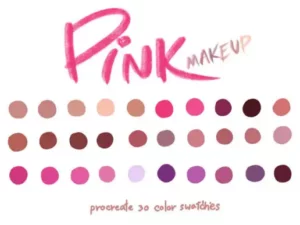

Cartoon ish Make Up Brush Set Procreate
Sold by alicjaprintsBuild the portrait first, then let the makeup respond to it.
Sketch
Establish face proportions, expression, eyes, nose, mouth, jaw, hairline, and the main portrait structure.
Skin
Develop the underlying skin values, lighting, shadows, temperature changes, and facial planes before detailed makeup.
Makeup
Add eyeshadow, eyeliner, brows, lips, blush, contour, or stylized color according to the creative direction.
Detail
Introduce lashes, individual hairs, pores, freckles, lip texture, eye details, shimmer, and selected sharp accents.
Polish
Balance gloss, highlights, blending, edge softness, saturation, contrast, sparkle, and the final portrait focal hierarchy.
Beauty illustration becomes stronger when makeup supports anatomy, lighting, and expression.
Use the eye socket as the foundation
Eyeshadow, eyeliner, lashes, and highlights should respond to eyelid curvature, eye direction, facial perspective, and surrounding shadows.
Keep some natural variation
Subtle pores, freckles, color changes, and texture can prevent polished digital skin from becoming excessively smooth or plastic.
Highlights need a light source
Lip gloss, eye shine, glitter, and luminous skin feel more convincing when their brightest accents agree with the portrait lighting.
Mix softness with sharp detail
Soft makeup transitions can sit beside sharper lashes, eyeliner, lip edges, highlights, and focal details to create hierarchy.
Use Procreate beauty brushes for portraits, fashion, characters, concepts, and editorial artwork.
Digital Makeup Portraits
Create realistic or stylized makeup studies with eyeshadow, liner, lashes, brows, lips, blush, highlights, and skin details.
Beauty & Fashion Illustration
Develop editorial faces, runway-inspired makeup, beauty campaigns, fashion sketches, cosmetics concepts, and stylized looks.
Character Makeup Design
Explore makeup as part of character identity through color, shape, symbols, fantasy accents, theatrical effects, and facial styling.
Fantasy Beauty Looks
Combine glitter, glow, unusual colors, stars, decorative marks, luminous skin, magical eyes, and imaginative makeup concepts.
Makeup Concept Art
Visualize lipstick, eye palettes, blush combinations, editorial looks, color stories, and cosmetics-inspired digital concepts.
Beauty Content Artwork
Create illustrated beauty graphics, makeup charts, portrait artwork, stylized profile art, promotional graphics, and creative posts.
Procreate Makeup Brushes for Digital Beauty Illustration
Procreate makeup brushes can help illustrators create digital eyeshadow, eyeliner, eyelashes, eyebrows, lips, blush, highlights, shimmer, skin details, and other beauty effects while maintaining the flexibility of a layered digital workflow.
Brushes Pack carries makeup-oriented Procreate resources including Makeup Eye Brushes for Procreate and Cartoon-ish Make Up Brush Set Procreate, alongside eyelash, eye, portrait, skin, blending, sparkle, and hair tools.
For the underlying portrait workflow, explore Procreate portrait and skin brushes.
What Are Procreate Makeup Brushes?
Procreate makeup brushes are digital tools intended to simplify or enhance the process of illustrating cosmetics and beauty details on a digital face.
Depending on the brush set, these tools can help with eye makeup, eyelashes, eyeliner, brows, blush, lipstick, skin shading, gloss, sparkle, blending, and stylized cosmetic effects.
Procreate Eye Makeup Brushes
Eye makeup is one of the most detailed areas of beauty illustration. A useful toolkit can support eyeshadow, eyeliner, eye highlights, smoky gradients, graphic shapes, shimmer, and decorative accents.
Brushes Pack currently carries Makeup Eye Brushes for Procreate as well as broader eye and makeup-oriented resources.
Procreate Eyelash Brushes
Drawing every eyelash manually can take considerable time, particularly when creating multiple portraits, character concepts, or beauty studies.
Dedicated eyelash brushes can provide starting shapes for natural, dramatic, curled, long, stylized, or editorial lashes.
Adjust size, angle, placement, erasing, and individual hairs so the lashes follow the eye rather than appearing like an unchanged stamp.
Eyebrow Brushes for Procreate
Eyebrows contribute strongly to expression and character design. Their shape should respond to facial anatomy, perspective, hair direction, and the intended beauty style.
Use individual hair strokes around the edges and denser texture through the central brow where appropriate.
Procreate Lip Brushes
Digital lips can be built through base color, value changes, texture, edge variation, reflected light, and carefully placed highlights.
Gloss should normally be introduced after the underlying lip form already reads correctly. Bright highlights are most convincing when they follow the established lighting direction.
Blush Brushes for Procreate
Blush can be soft and natural, graphic and editorial, or exaggerated for stylized character artwork.
Rather than placing identical circles on both cheeks, consider facial perspective, cheekbone structure, lighting, expression, and the chosen makeup style.
Procreate Skin Brushes for Beauty Art
Skin provides the foundation beneath digital makeup. Value structure, facial planes, color temperature, texture, and lighting should generally be established before detailed cosmetics are added.
Subtle pores, freckles, small color changes, and controlled texture can help preserve natural surface variation.
Explore Procreate portrait and skin brushes for dedicated portrait resources.
Skin Texture and Pore Brushes
Brushes Pack’s Procreate collection includes skin texture and pore resources. These can help add subtle surface detail after the major portrait forms have already been rendered.
Keep pores appropriately scaled. Large or uniformly strong texture can make the skin appear artificial instead of realistic.
Procreate Sparkle Brushes for Makeup
Sparkle brushes can support glitter eyeshadow, fantasy makeup, luminous accents, glossy highlights, stars, decorative eye effects, and editorial beauty concepts.
Use the brightest sparkles around selected focal areas rather than spreading equal-intensity highlights across the entire face.
Explore Procreate glitter and sparkle brushes.
Glow Effects for Beauty Illustration
Glow can help create fantasy cosmetics, neon makeup, luminous eye effects, futuristic portraits, magical characters, and dramatic editorial artwork.
A convincing glow usually benefits from a bright core plus softer surrounding illumination rather than one uniformly blurred shape.
Explore Procreate neon and glow brushes.
Hair Brushes for Beauty Portraits
Hair frames the face and can strongly influence the overall beauty composition. Establish the major hair mass before adding individual strands and flyaways.
For complementary tools, explore Procreate hair and fur brushes.
Makeup Brushes for Character Design
Makeup can function as part of a character’s visual identity rather than simply as decoration. Shape, color, symmetry, symbolism, culture, costume, personality, and narrative can all influence the makeup concept.
Explore Procreate brushes for character design for a broader character workflow.
Fantasy Makeup in Procreate
Fantasy makeup can move beyond conventional cosmetics by incorporating glowing lines, metallic accents, stars, symbols, floral elements, glitter, magical marks, unusual colors, and decorative patterns.
Even highly imaginative makeup benefits from following the underlying facial perspective so decorative elements appear attached to the face.
Cartoon Makeup Brushes for Procreate
Stylized character art may use cleaner shapes, stronger color, simplified gradients, exaggerated lashes, graphic eyeliner, bright blush, and more obvious highlights than realistic portrait painting.
Brushes Pack carries the Cartoon-ish Make Up Brush Set Procreate within its live Procreate-oriented catalog.
Beauty Brushes for Fashion Illustration
Fashion illustration often prioritizes gesture, silhouette, styling, color, and visual impact rather than photographic realism.
Beauty brushes can support runway-inspired faces, cosmetics concepts, editorial portraits, fashion characters, and coordinated makeup-and-outfit studies.
Marker resources can also be useful for fashion workflows. Explore Procreate marker and alcohol marker brushes.
How to Blend Digital Makeup in Procreate
Build makeup gradually instead of immediately applying maximum opacity. Use softer transitions where eyeshadow or blush merges into skin while preserving sharper edges around eyeliner, lashes, selected lip contours, and graphic makeup.
Blending should not remove all texture and form. Preserve enough variation to keep the face dimensional.
How to Paint Glossy Lips
Start with lip form and base color. Establish the darker areas and volume before adding small, brighter highlights.
Gloss highlights should follow the curvature of the lips and the scene’s light direction. A few carefully placed bright marks can communicate shine more effectively than covering the entire lip with white.
How to Draw Realistic Eyelashes
Eyelashes emerge from the eyelid and curve according to their position. Their direction changes as they move from the inner corner toward the outer edge.
Vary length, spacing, overlap, curvature, and thickness. Even when using an eyelash brush, small edits can make the result fit the specific eye more naturally.
How to Add Makeup Without Flattening the Face
Keep the portrait’s original light and shadow structure visible. Makeup color should usually interact with the facial planes rather than replacing them with flat color.
Use clipping masks, layer opacity, blend modes, masks, or separate layers where useful so makeup remains adjustable during the illustration process.
Realistic vs Stylized Procreate Makeup
Realistic beauty illustration may prioritize subtle gradients, skin texture, believable gloss, individual hairs, restrained saturation, and physically consistent lighting.
Stylized beauty art can use stronger shapes, exaggerated lashes, graphic shadows, unconventional colors, simplified skin, decorative patterns, and dramatic highlights.
Neither direction is inherently better. The appropriate brush choices depend on the visual goal.
How to Choose Procreate Makeup Brushes
Start with the feature you need to create. Eye-focused work may benefit from eyeshadow, liner, lash, and eye-detail brushes. Portrait artists may prioritize skin, pores, blending, hair, and subtle texture.
Fantasy or editorial artists may benefit from sparkle, glow, stamps, decorative effects, and more graphic makeup tools.
Review individual Brushes Pack product pages for exact brush contents, compatibility, file formats, installation information, and creator-specific details.
Build a Digital Beauty Toolkit at Brushes Pack
A flexible beauty toolkit can combine makeup brushes with portrait, skin, eyelash, eye, hair, blending, sparkle, glow, pencil, marker, and digital painting resources.
The brushes can accelerate repeated details, but strong beauty illustration still depends on facial structure, color, lighting, edge control, composition, expression, and selective detail.
Continue exploring digital brushes or browse the wider Procreate collection at Brushes Pack.
Procreate Makeup & Beauty Brushes FAQ
What are Procreate makeup brushes?
They are digital brushes designed to help create makeup and beauty details such as eyeshadow, lashes, eyeliner, brows, lips, blush, highlights, skin effects, and decorative cosmetics.
Does Brushes Pack have makeup brushes for Procreate?
Yes. Brushes Pack carries dedicated makeup-oriented products including Makeup Eye Brushes and Cartoon-ish Make Up brushes, along with eyelash, portrait, skin, eye, sparkle, and blending resources.
Can I use Procreate brushes for eyelashes?
Yes. Dedicated eyelash brushes can speed up natural, dramatic, stylized, and editorial lash creation while still allowing manual adjustments.
Can makeup brushes be used for realistic portraits?
Yes. Makeup brushes can complement portrait and skin brushes when color, texture, highlights, and details are integrated with realistic facial form and lighting.
Can I create fantasy makeup in Procreate?
Yes. Makeup brushes can be combined with sparkle, glow, stamps, unusual colors, decorative shapes, and lighting effects for fantasy beauty concepts.
Are makeup brushes useful for character design?
Yes. Makeup can help communicate personality, culture, role, fashion, mood, fantasy themes, and other aspects of a character’s visual identity.
What brushes complement digital makeup?
Portrait, skin, hair, blending, pencil, sparkle, glow, marker, and digital painting brushes can all support a broader beauty workflow.
Should makeup be painted on a separate layer?
Separate layers are often useful because they make it easier to adjust color, opacity, blending, masks, edges, and effects without changing the underlying portrait.
The best digital makeup still respects the structure underneath it.
I would finish the major facial planes before detailed makeup. It is much easier to place blush, eyeshadow, and highlights when the face already has believable volume.
Portrait Structure NotesI would keep the brightest shine selective. A few strong highlights on lips, eyes, or shimmer can feel more luminous than covering every area with equal sparkle.
Beauty Lighting NotesI would modify stamped lashes and brows after placement. Small changes in angle, length, spacing, and silhouette help them belong to the individual face.
Detail Control NotesBuild a complete Procreate portrait and beauty toolkit.
Turn the digital canvas into your beauty studio.
Explore Procreate makeup and beauty brushes for eyes, eyelashes, lips, skin, blush, highlights, shimmer, portraits, fashion illustration, character design, and creative beauty artwork at Brushes Pack.