
Procreate Food Illustration Brushes
Explore Procreate food illustration brushes for fruit, vegetables, desserts, bakery art, drinks, meals, ingredients, restaurant graphics, recipe illustrations, stickers, menus, and delicious digital artwork at Brushes Pack.
From a simple strawberry stamp to a fully rendered restaurant illustration.
Food artwork can be realistic, painterly, cute, editorial, hand-drawn, or graphic. The right brush combination helps communicate shape, texture, freshness, temperature, shine, and personality.
Fruit Brushes
Create berries, citrus, tropical fruit, apples, cherries, fruit slices, smoothie ingredients, and colorful food illustrations.
Vegetable Brushes
Add leafy greens, vegetables, herbs, fresh produce, salad ingredients, cooking elements, and botanical food details.
Dessert Brushes
Illustrate cakes, frosting, cupcakes, candy, chocolate, cookies, ice cream, pastries, and sweet decorative details.
Bakery Brushes
Create bread, croissants, pastries, baked texture, flour effects, crusts, bakery displays, and cozy food artwork.
Coffee & Drink Brushes
Build coffee, tea, cups, foam, beverages, glasses, café scenes, menus, drink illustrations, and lifestyle graphics.
Meal Stamp Brushes
Speed up ramen, sushi, noodles, bowls, plates, restaurant dishes, international foods, and illustrated recipe elements.
Shine & Highlight Brushes
Add glossy sauce, fruit highlights, sparkling drinks, moist surfaces, candy shine, glass reflections, and appetizing finish.
Food Texture Brushes
Create bread crust, cake crumb, rough vegetables, powdered surfaces, grain, seeds, frosting, and natural irregularity.
Sketch & Ink Brushes
Develop illustrated recipes, café graphics, food journals, packaging concepts, menus, stickers, and hand-drawn food art.
Make the viewer understand the food before adding every crumb.
Strong food illustration depends on recognizable silhouettes, appealing color relationships, material-specific texture, and carefully controlled highlights.
Start With Recognition
A croissant, strawberry, cup, cake slice, or bowl should read clearly before small texture is introduced.
Build Appetite
Use color temperature, saturation, contrast, and variation to distinguish fresh ingredients and cooked surfaces.
Describe Texture
Bread, frosting, fruit, glass, chocolate, vegetables, ceramic, and sauce each respond differently to light.
Control the Highlights
Strategic shine can communicate moisture, glaze, freshness, glass, syrup, icing, and other appetizing surfaces.
Explore connected food and illustration resources.
Use these clickable search paths for food stamps, bakery illustration, dessert art, painting, textures, botanical ingredients, line art, and broader Procreate resources.
Explore Procreate Food Illustration Resources.
Browse Procreate brush packs that can support food painting, desserts, bakery artwork, restaurant illustrations, ingredients, cute food art, menus, recipes, and creative culinary projects.


Procreate Stamp Brush Create Your Dishes
Sold by Jyllyco
Procreate Sweets Food Stamp Brushes
Sold by Arty Katia
All For Procreate Brush Bundle
Sold by zzorna
Summer Brush Box for Procreate
Sold by zzorna
Food colors mixed Procreate Palettes
Sold by PoyJazz
Coffee & Food Bag 3D Mockup Bundle
Sold by Creative Fabrica
Pencil Studio Procreate Brush
Sold by Creative Fabrica
Hot Coffee Color Palette Procreate
Sold by anningarts
Procreate Brush Stamp Ice Cream
Sold by anningarts
Vegetable Procreate Brush Stamps
Sold by anningarts
Brush Stamp Procreate – Pumpkins Fall
Sold by Art Dee
Dinner Procreate Hand Drawn Brush Stamps
Sold by Beautiful Hand Made Art
Banana Doodles Brush Stamp Procreate
Sold by Digital Ideas Art
Fruit & Veggie Stamp Brushes
Sold by Xxtina Studio
Easter Menu Procreate Stamps Food Set
Sold by Ducatum
60 Kitchen Herbs Procreate Stamps
Sold by Emily Esther Designs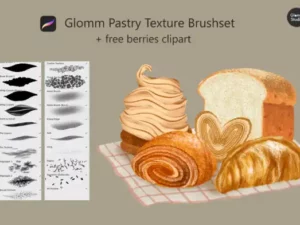
Glomm Pastry Texture Brushset Procreate
Sold by Glomm Studio
Fruit Harvest Procreate Palette
Sold by KC Jean Design Co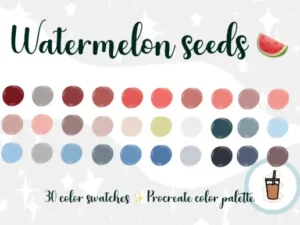
Watermelon Seeds Procreate Palette
Sold by KC Jean Design Co
Procreate Brush Stamp Fruit Flat SeT
Sold by Leko Art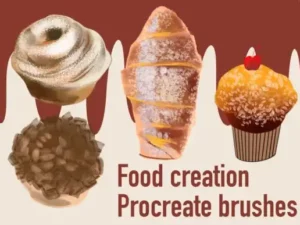
Food Illustration Create Procreate Brush
Sold by Meisan Mui
36 Coffee & Tea,Silhouettes for Procreate
Sold by ML Creative Shop
Christmas Sushi Stamp Brush Procreate
Sold by TamawukuBuild food from silhouette to irresistible finishing detail.
Reference
Study the food’s shape, ingredients, surface, lighting, proportions, and most recognizable visual characteristics.
Shape
Block the main silhouette and large forms before introducing crumbs, seeds, frosting, bubbles, or other detail.
Color
Establish local colors, warm and cool relationships, shadows, highlights, cooked areas, and ingredient variation.
Texture
Add material-specific detail such as bread crust, cake crumb, fruit skin, frosting, sauce, herbs, or seeds.
Finish
Use selective highlights, reflected light, steam, crumbs, garnish, shine, and edge detail around focal areas.
Different foods need different visual clues.
Do not render every surface the same way
A glossy cherry, rough bread crust, soft cake, creamy frosting, crisp lettuce, and transparent drink should each react differently to light.
Use edge variation to describe softness
Crisp packaging and utensils may need sharper edges than whipped cream, steam, bread interiors, or soft ingredients.
Avoid one flat local color
Even a simple fruit often contains temperature changes, reflected light, subtle hue shifts, shadows, and surface variation.
Put the sharpest detail near the focal point
Seeds, crumbs, garnish, highlights, texture, and small ingredients can guide attention when their density is controlled.
Food illustration belongs on much more than a recipe page.
Recipe Illustration
Create illustrated ingredients, dishes, recipe steps, cookbooks, food journals, editorial pages, and culinary guides.
Dessert Artwork
Illustrate cakes, cupcakes, cookies, pastries, frosting, chocolate, candy, ice cream, and bakery-themed graphics.
Menu Illustration
Create coffee, drinks, dishes, menu icons, restaurant artwork, café graphics, promotional designs, and signage concepts.
Packaging Concepts
Use illustrated ingredients and food motifs for packaging concepts, labels, product graphics, and culinary branding.
Stickers & Chibi Food
Create kawaii food, Japanese dishes, bakery characters, cute desserts, stickers, planners, and social-media graphics.
Painterly Food Studies
Practice color, texture, lighting, materials, composition, still-life painting, and stylized culinary illustration.
Procreate Food Illustration Brushes for Digital Artists
Procreate food illustration brushes can help artists create fruit, vegetables, desserts, bakery items, beverages, meals, ingredients, restaurant graphics, recipes, stickers, and culinary artwork.
Depending on the project, food art may require painting brushes, texture tools, stamps, line-art brushes, highlights, grain, botanical elements, and specialized food shapes.
Brushes Pack offers Procreate resources that can support realistic, painterly, cute, graphic, and stylized food illustration workflows.
What Are Procreate Food Brushes?
Procreate food brushes are digital brushes or stamps useful for drawing and painting culinary subjects. Some may contain recognizable food shapes, while others help create the texture, color, shine, line work, or rendering needed to illustrate food.
Food-specific stamps can speed up repeated objects, while general painting tools offer greater control for custom illustrations.
Food Stamp Brushes for Procreate
Food stamps can be useful for stickers, planners, menus, cute illustrations, social-media graphics, recipe layouts, and compositions containing many small food objects.
Brushes Pack’s catalog includes food-oriented Procreate stamp resources, including tropical food and Japanese food designs.
Explore Procreate stamp and shape brushes for additional stamp-based workflows.
Procreate Brushes for Dessert Illustration
Dessert art may include cakes, icing, chocolate, pastries, cookies, candy, ice cream, cream, fruit toppings, glaze, and decorative details.
Different dessert materials benefit from different brush behavior. Soft cake needs a different texture from glossy chocolate or smooth frosting.
Procreate Bakery Brushes
Bakery illustration often relies on warm color, irregular crust, flour, crumbs, toasted surfaces, soft interiors, and recognizable shapes.
Bread and pastries can become more convincing when texture follows the form instead of being applied uniformly over the entire object.
Painting Cake in Procreate
Begin with the large cake shape and separate the major layers. Establish frosting, cake interior, toppings, and shadows before adding fine crumb or decorative texture.
Highlights on frosting and glaze can help communicate moisture and softness, while restrained grain can help distinguish the cake interior.
Procreate Brushes for Fruit Illustration
Fruit offers useful opportunities to study color, surface variation, transparency, shine, seeds, leaves, and organic form.
A strawberry, lemon, orange, apple, grape, or watermelon should remain recognizable from its large shape before small details are introduced.
For leaves and plant-related ingredients, explore Procreate botanical and floral brushes.
Vegetable and Ingredient Illustration
Vegetables, herbs, spices, and ingredients can support recipe art, packaging, menus, editorial illustrations, cookbooks, and food branding.
Organic variation is important. Repeated leaves, seeds, slices, or herbs should not necessarily look perfectly identical.
Coffee and Beverage Illustration
Drink illustration may involve ceramic cups, glass, liquid, foam, ice, condensation, steam, reflections, straws, garnish, and transparent materials.
Brushes Pack also carries Procreate color resources inspired by coffee and other food themes, which can support palette development for culinary artwork.
How to Make Food Look Appetizing in Procreate
Appetizing food illustration usually depends more on convincing shape, color, material, and lighting than on excessive detail.
Strategic highlights can suggest freshness or moisture, while warm color relationships can help cooked and baked foods feel inviting.
Avoid making every surface equally shiny. Bread, vegetables, frosting, sauce, glass, fruit, and ceramic all require different highlight behavior.
Food Texture Brushes for Procreate
Texture brushes can help create crumbs, grain, rough crusts, frosting, powdered ingredients, fruit surfaces, seeds, paper-like illustration texture, and subtle natural variation.
Explore Procreate texture and grain brushes for complementary surface tools.
Food Illustration for Menus
Menu artwork usually needs fast visual recognition. A customer should be able to understand the illustrated dish without studying excessive detail.
Consistent line weight, perspective, color treatment, and level of detail can help multiple menu illustrations feel like one coherent set.
Recipe Illustration in Procreate
Recipe illustration can combine ingredients, utensils, food steps, finished dishes, lettering, arrows, decorative elements, and handwritten notes.
For a hand-drawn visual language, combine food resources with Procreate inking and line art brushes.
Cute Food and Chibi Illustration
Food does not need to be realistic. Simplified shapes, expressive faces, pastel or bright colors, and playful proportions can turn dishes and desserts into characters, stickers, or kawaii illustrations.
The Brushes Pack catalog includes Japanese food and bakery-oriented Procreate stamps within chibi-focused resources.
Realistic Food Painting in Procreate
For realistic food, use references and pay close attention to material differences. Study where the surface is matte, glossy, rough, transparent, soft, crisp, wet, or dry.
General Procreate digital painting brushes can provide the control needed for custom food rendering.
Food Illustration for Packaging
Illustrated ingredients can support coffee packaging, bakery branding, snack concepts, beverage labels, restaurant identities, and food-product graphics.
Packaging artwork may need simpler shapes and stronger silhouettes than standalone painterly illustration because the design often needs to remain readable at smaller sizes.
Food Patterns in Procreate
Repeated fruit, desserts, vegetables, coffee cups, bakery items, and other culinary motifs can become surface patterns for packaging, stationery, textiles, backgrounds, and digital products.
Explore Procreate pattern brushes for complementary repeating-design tools.
Using Highlights on Food
Highlights are especially useful for glaze, fruit, sauce, candy, drinks, glass, chocolate, frosting, and wet ingredients.
Keep the highlight shape connected to the surface form and light source rather than placing identical white marks on every object.
Adding Steam and Atmosphere
Hot coffee, soup, noodles, freshly cooked dishes, and baked foods can benefit from subtle steam. Keep it softer and lower contrast than the main food so it supports rather than obscures the illustration.
Choosing a Food Illustration Style
Food artwork can be realistic, watercolor-inspired, painterly, flat, cartoon, sketchy, textured, vintage, kawaii, or editorial.
Choose brushes that support the intended style rather than trying to force every brush set into every type of food illustration.
How to Choose Procreate Food Brushes
Consider whether your projects need ready-made food stamps, painterly rendering tools, dessert textures, highlights, line art, botanical ingredients, or a flexible combination of several brush types.
Recipe illustrators may prioritize drawing and stamps, while realistic food painters may need blending, texture, and painting brushes. Sticker artists may prefer clean shapes and recognizable food stamps.
Always review individual Brushes Pack product pages for exact brush contents, file types, compatibility, installation details, and creator-specific information.
Build a Food Illustration Toolkit at Brushes Pack
A flexible culinary toolkit can combine food stamps, digital painting brushes, textures, highlights, line art, botanical elements, patterns, and color resources.
Specialized tools can speed up repetitive details while composition, shape, color, lighting, texture, and visual storytelling remain under your control.
Continue exploring digital brushes or browse the wider Procreate collection at Brushes Pack.
Procreate Food Illustration Brushes FAQ
What are Procreate food brushes?
They are brushes, stamps, and related digital tools that can help create food shapes, textures, ingredients, desserts, drinks, meals, and culinary illustrations.
Can I create realistic food in Procreate?
Yes. Painting, texture, blending, highlight, and detail brushes can be combined with good reference material to create realistic food artwork.
Are food stamps useful for Procreate?
Yes. Food stamps can speed up stickers, planners, menus, recipe graphics, cute illustrations, patterns, and compositions containing repeated culinary elements.
Can I draw desserts and bakery art?
Yes. Brushes Pack includes resources relevant to cakes, bakery illustration, food painting, textures, shine, and dessert-oriented artwork.
What brushes are useful for recipe illustration?
Food stamps, sketch brushes, ink brushes, painting tools, botanical brushes, texture brushes, and lettering resources can all support illustrated recipes.
How do I make digital food look appetizing?
Focus on recognizable form, appealing color, material-specific texture, controlled highlights, believable lighting, and selective detail.
Can I use food brushes for menus and packaging?
Yes. Food illustration can support restaurant menus, café graphics, recipe cards, packaging concepts, labels, promotional artwork, and culinary branding.
Where can I find more Procreate illustration resources?
Brushes Pack includes collections for painting, textures, stamps, patterns, line art, botanicals, markers, and broader Procreate creative tools.
Paint the material, not just the name of the food.
I would make sure the food reads from its silhouette before adding texture. A recognizable shape gives small crumbs, seeds, glaze, and garnish something solid to support.
Food Shape NotesI would treat bread, fruit, frosting, chocolate, glass, and vegetables as different materials. Using the same highlight and texture language on everything makes the meal feel artificial.
Material Rendering NotesI would save the sharpest texture and brightest highlights for the focal food. Selective detail often feels more appetizing than maximum detail across the entire plate.
Food Detail NotesBuild a complete culinary illustration workflow.
Turn ingredients, meals, and desserts into illustrations worth looking at twice.
Explore Procreate food illustration resources for bakery art, desserts, fruit, vegetables, drinks, meals, recipes, menus, stickers, packaging concepts, and culinary digital artwork at Brushes Pack.