
Lightroom presets for natural, polished portrait editing.
Explore Lightroom presets for portraits, people, weddings, lifestyle photography and professional photo editing. Build consistent skin tones, refined color, cinematic moods, light-and-airy looks and cohesive portrait galleries with creative Lightroom presets.
Explore Lightroom portrait presets by look and photography workflow.
Different portraits need different treatment. Choose presets that support your lighting, subject and desired mood rather than forcing every photograph into the same color grade.
Natural Portrait Presets
Create clean, balanced edits that preserve realistic skin tones while refining contrast, exposure and color.
Explore natural presets →Warm Portrait Presets
Add warmer highlights and inviting color for lifestyle, family, couples and outdoor portrait photography.
Browse warm presets →Light & Airy Presets
Create bright, soft and elegant portrait looks for weddings, families, lifestyle shoots and editorial photography.
Explore airy presets →Moody Portrait Presets
Build deeper tones, atmospheric contrast and expressive color for dramatic portrait storytelling.
Browse moody presets →Cinematic Portrait Presets
Create film-inspired color relationships and dramatic visual mood for portraits and editorial photography.
Explore cinematic presets →Wedding Portrait Presets
Support consistent color across couples, bridal portraits, ceremonies and full wedding galleries.
Browse wedding presets →Film-Inspired Portrait Presets
Add soft contrast, characteristic color and analog-inspired mood to modern digital portrait photography.
Explore film presets →Black & White Portrait Presets
Focus attention on light, expression and tonal structure with monochrome portrait editing workflows.
Browse monochrome presets →Portrait Preset Packs
Explore broader Lightroom collections with multiple complementary styles for different portrait sessions and lighting.
Explore preset packs →A good portrait preset supports skin, light and emotion—not just color trends.
Portrait editing is sensitive to exposure, skin tone and lighting. Presets work best as a consistent starting point that you refine for the individual photograph.
Consistent Color
Build a recognizable visual style across portrait sessions, galleries and client collections.
Faster Editing
Begin from a useful color and tone foundation instead of rebuilding the complete look for every photograph.
Flexible Results
Adjust exposure, white balance and other settings after applying a preset to fit the actual image.
Cohesive Galleries
Use related presets and careful refinement to help a complete portrait or wedding gallery feel unified.
A preset is a starting point. Skin tone still needs your attention.
Lighting, camera settings and environment can change how the same preset looks from one portrait to another. Apply the look, then review exposure, white balance and skin color before calling the edit finished.
Fix exposure first
Large exposure differences can change the character of a preset, so establish a sensible tonal starting point.
Check white balance
Warm or cool lighting can strongly affect skin, even when the preset itself is well designed.
Watch skin carefully
Review faces separately from backgrounds so stylish color grading does not create unnatural skin color.
Edit for consistency
Compare several images from the same session together rather than perfecting every photograph in isolation.
From camera file to consistent Lightroom portrait gallery.
Use presets to speed up creative direction while keeping important image-specific corrections under your control.
Correct
Check exposure, white balance and major technical issues before committing to a strong creative treatment.
Apply
Choose a portrait preset that fits the lighting, subject and mood of the photograph.
Refine
Adjust tone and color so the preset complements the individual image rather than fighting it.
Compare
Review neighboring photographs together to maintain consistent skin, contrast and overall color direction.
Export
Prepare the final files for client delivery, print, portfolio use or social publishing.
Explore Lightroom presets for portraits and people photography.
Find portrait color styles for skin tones, weddings, families, lifestyle photography and professional editing workflows.
Discover new Lightroom presets for portrait and photo editing.
Explore recently added Lightroom resources for portraits, people, weddings, lifestyle photography and broader creative color workflows.
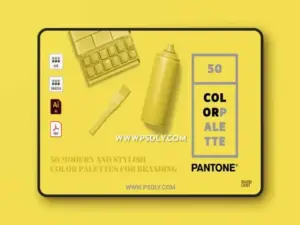
50 Pantone Branding Color Palettes
Sold by PulPixel
Seaweed Photoshop Action & Lightrom Presets
Sold by NMC 2010
Light Yellow Action & Lightrom Presets
Sold by NMC 2010
Sun Kissed Face Action & Lightrom Presets
Sold by NMC 2010
Arta-Addgrain Presets For Lightroom
Sold by artapresets
Arta Sunset Presets For Mobile And Desktop
Sold by artapresets
Arta Forest Presets For Mobile And Desktop
Sold by artapresets
Arta-Rare Presets For Lightroom
Sold by artapresets
Arta-Pinkworld Presets For Lightroom
Sold by artapresets
Arta-Vision Presets For Lightroom
Sold by artapresets
Arta-Savage Presets For Lightroom
Sold by artapresets
Arta-Skate Presets For Lightroom
Sold by artapresets
Arta-People Presets For Lightroom
Sold by artapresets
Arta-Stil Presets For Lightroom
Sold by artapresets
Arta Orange And Teal Presets For Mobile And Deskto
Sold by artapresets
Arta-Offroad Presets For Lightroom
Sold by artapresets
Arta-Spirituality Presets For Lightroom
Sold by artapresets
Arta-Tone Presets For Lightroom
Sold by artapresets
Arta-Nightgreen Presets For Lightroom
Sold by artapresets
Arta-Seaside Presets For Lightroom
Sold by artapresets
Arta-Experimental Presets For Lightroom
Sold by artapresets
Arta-Rare Presets For Lightroom 1
Sold by artapresets
Arta-Puredesert Presets For Lightroom
Sold by artapresets
Arta-Moto Presets For Lightroom
Sold by artapresetsLightroom portrait preset questions.
Helpful information about portrait presets, skin tones, mobile and desktop Lightroom workflows and consistent photo editing.
What are Lightroom presets for portraits?
They are saved Lightroom settings designed to provide a starting look for portrait and people photography, including tone, color and contrast adjustments.
Do portrait presets work on every photo?
A preset can provide a useful starting point, but results vary with exposure, lighting, white balance, camera profile and the colors already present in the image.
Can Lightroom presets improve skin tones?
Some presets are designed around portrait color, but you should still evaluate and adjust skin tones for each photograph.
What are the best presets for wedding portraits?
Wedding photographers often use natural, warm, light-and-airy, film-inspired or moody looks depending on their brand and shooting style.
Can I use presets on Lightroom Mobile?
Many products support mobile workflows, often through DNG or compatible preset formats. Check the individual product description for exact compatibility.
What is an XMP Lightroom preset?
XMP is a common preset format used by modern Lightroom workflows. Individual products may include XMP, DNG or other files depending on their intended platform.
Should I adjust exposure after applying a preset?
Yes, when needed. Exposure and white balance are often the first settings to refine because they strongly affect how a preset appears.
Where can I find more Lightroom resources?
Explore Lightroom Presets & Photo Editing Assets for the broader collection.
Lightroom presets for portraits, people and professional photography.
Lightroom presets for portraits can help photographers create a consistent color direction across individual portraits, lifestyle sessions, weddings and complete client galleries. They provide a reusable starting point for tone, color, contrast and stylistic treatment while leaving room for image-specific refinement.
At Brushes Pack, photographers can explore portrait-oriented presets alongside a broader collection of Lightroom presets and photo editing assets.
What are portrait Lightroom presets?
Portrait Lightroom presets are saved combinations of Lightroom settings intended to produce a particular color and tonal direction for photographs of people.
Depending on the preset, the look may be natural, warm, bright, moody, cinematic, film-inspired or highly stylized.
Best Lightroom presets for portraits
The best portrait preset is the one that fits your lighting, subject and editing style. A subtle natural preset may work well for professional headshots, while a warmer or more atmospheric look may suit lifestyle or editorial portraits.
Avoid judging presets only from one sample image. Consider whether the style remains useful across different lighting situations.
Lightroom presets for natural skin tones
Natural-looking skin depends on white balance, exposure, camera profile and surrounding colors as much as the preset itself.
Use portrait presets as a starting point, then evaluate skin carefully and make individual adjustments where necessary.
Lightroom skin tone presets
Skin-tone-focused presets aim to create pleasing portrait color while balancing the rest of the image. However, skin varies widely across people and lighting environments.
A good workflow should preserve variation rather than forcing every subject toward the same hue.
Wedding Lightroom presets
Wedding photographers often edit hundreds of images from changing lighting conditions. Presets can help create a consistent overall gallery while reducing repeated color-grading work.
Natural, warm, light-and-airy and film-inspired presets are common starting points for wedding imagery.
Light and airy portrait presets
Light-and-airy looks typically emphasize brighter exposure, softer contrast and clean color. They are popular for weddings, families, maternity sessions and lifestyle photography.
Watch highlight detail carefully so a bright style does not remove important information from dresses, skin or backgrounds.
Warm portrait Lightroom presets
Warm presets can add a welcoming, relaxed character to portraits. They are especially useful for golden-hour photography, family sessions, couples and outdoor lifestyle work.
Keep an eye on skin so warmth does not shift faces too far toward orange or yellow.
Moody Lightroom presets for portraits
Moody portrait presets often use deeper shadows, subdued color and stronger atmospheric contrast.
They can be effective for editorial portraits, creative couples photography and environmental portraiture where the setting contributes to the story.
Cinematic portrait presets
Cinematic presets may use controlled contrast, stylized color relationships and film-inspired tonal shifts to create a more dramatic look.
Use cinematic grading carefully on skin and important clothing colors so the style does not reduce subject clarity.
Film-inspired Lightroom presets for portraits
Film-inspired presets can introduce softer highlight behavior, characteristic color and analog-style tonal relationships.
The goal does not need to be perfect film emulation. Many photographers simply use film-inspired color as a creative starting point.
Black and white portrait presets
Black-and-white portrait presets shift attention toward expression, light, shape and tonal relationships.
A strong monochrome portrait still needs careful control of skin luminance, background separation and contrast.
Portrait presets for family photography
Family photography often takes place in changing outdoor light and includes varied clothing and skin tones.
Choose a flexible preset that provides consistency without requiring extreme corrections from image to image.
Lightroom presets for couples photography
Couples sessions often benefit from cohesive warm, film-inspired or moody treatments depending on the photographer’s style.
Consistency across the session can help the final gallery feel intentional even when locations and lighting change.
Maternity Lightroom presets
Maternity portraits often use soft light, natural color and gentle contrast. Light-and-airy or warm portrait presets can provide a useful starting direction.
Preserve skin detail and highlight information when using brighter looks.
Newborn and family portrait presets
Newborn imagery often benefits from subtle color and controlled warmth rather than aggressive grading.
A preset should support the softness of the scene while keeping blankets, skin and neutral backgrounds balanced.
Fashion portrait Lightroom presets
Fashion portraits may support stronger contrast, cinematic color or editorial styling. The ideal preset depends heavily on the clothing, lighting and publication context.
Review garment colors after applying a strong grade because color accuracy may matter to the project.
Editorial portrait presets
Editorial work allows more visual experimentation than some commercial portrait assignments. Moody, film-inspired and cinematic presets can create a strong starting direction.
Keep the grade consistent with the story, wardrobe and lighting rather than selecting a look in isolation.
Headshot Lightroom presets
Professional headshots generally benefit from clean color, controlled contrast and realistic skin tones.
Use subtle presets that enhance the image without introducing a style that competes with the subject.
Outdoor portrait presets
Outdoor portraits include environmental colors that interact with skin. Grass, trees, buildings and open sky can all create color casts.
After applying a preset, review both the face and the surrounding environment to keep the image balanced.
Golden hour portrait presets
Golden-hour photography already contains strong warm color. A preset can enhance that mood, but excessive warmth may overwhelm skin and highlights.
Use white balance and temperature adjustments to retain the atmosphere without losing natural color relationships.
Indoor portrait presets
Indoor portraits may include mixed window, tungsten or artificial lighting. Presets alone cannot always correct those differences.
Establish a sensible white balance before judging the final portrait grade.
Portrait presets for darker environments
Low-light and moody portraits often require careful shadow treatment. Increasing contrast too aggressively can remove important facial information.
Choose a preset with the final mood in mind, then recover or deepen shadows as the individual photograph requires.
Lightroom Mobile presets for portraits
Mobile Lightroom workflows are useful for photographers and creators who edit on phones or tablets. Many preset products include mobile-compatible resources such as DNG files.
Always review the product information to confirm whether the pack supports Lightroom Mobile, Desktop or both.
Lightroom Desktop portrait presets
Desktop workflows can provide efficient editing for larger sessions and professional photography collections.
Modern preset packs may include XMP files for desktop use, though exact file formats depend on the individual product.
XMP portrait presets
XMP is commonly used in current Lightroom preset workflows. These files store adjustment settings that can be imported and reused.
Check the software requirements on each product page because compatibility can vary between preset packs.
DNG portrait presets
DNG-based preset workflows are often associated with mobile Lightroom installation. The DNG image contains settings that can be copied or saved as a preset.
Follow any included installation instructions because product workflows may differ.
How to edit portraits with Lightroom presets
Begin with a reasonably exposed image and establish white balance. Apply a preset that suits the photograph, then refine exposure, skin, highlights, shadows and other settings.
Avoid assuming the preset should remain untouched. Small corrections often make the difference between a generic filter and a polished portrait.
How to get consistent skin tones in Lightroom
Consistency begins during photography with controlled exposure and light. During editing, compare several images together and pay attention to white balance and surrounding color casts.
Apply similar creative direction across the gallery while still correcting photographs individually when required.
Presets and white balance
White balance strongly influences how any preset appears. The same preset may look beautiful on one image and too warm or cool on another simply because their starting white balance differs.
Adjust temperature and tint before abandoning a preset that otherwise fits the desired style.
Presets and exposure
Underexposed and overexposed photographs can respond very differently to the same preset. Correct major exposure issues first so the creative treatment starts from a sensible baseline.
Using Lightroom presets across a portrait gallery
A preset can provide a common foundation across a session. Apply it to a representative group, compare the results and refine individual images where necessary.
The goal is visual consistency, not identical slider values on every photograph.
Portrait presets for photographers
Professional photographers can use presets to reduce repetitive editing while maintaining a recognizable color direction.
A useful preset library may contain several related styles rather than dozens of unrelated looks.
Professional portrait preset packs
A larger pack may provide variations for different lighting conditions, moods or shooting environments.
Evaluate the practical differences between the included presets instead of judging value only by the total number of files.
Portrait presets vs general Lightroom presets
General presets may work across landscapes, travel and other subjects, while portrait-focused presets place greater emphasis on how the grade interacts with people and skin.
Neither type is automatically better. Choose according to the photography you edit most often.
Lightroom presets vs Photoshop actions
Lightroom presets store editing settings for Lightroom workflows, while Photoshop actions automate sequences of Photoshop commands.
For automated Photoshop effects, explore Photoshop Actions for Photo Effects.
Lightroom portrait presets and creative presets
Portrait presets are a specific part of the broader preset ecosystem. Photographers working across landscapes, travel, products and lifestyle photography may want additional visual styles.
Explore Creative Presets for broader photo-editing resources.
How to organize Lightroom portrait presets
Organize presets according to your actual workflow. Categories such as Natural, Warm, Airy, Moody, Film and B&W are often easier to navigate than keeping every downloaded pack in one list.
Remove or archive looks you rarely use so your active preset library remains manageable.
How to choose a portrait preset pack
Look at whether the visual style matches the way you shoot and the type of clients or subjects you photograph. Also review supported Lightroom versions and included file formats.
A pack with fewer useful presets may be more valuable than a much larger collection of styles that do not fit your photography.
Explore Lightroom portrait presets at Brushes Pack
Brushes Pack offers Lightroom resources for portraits, people, weddings, lifestyle photography and broader creative editing workflows.
Explore Lightroom Presets & Photo Editing Assets, Creative Presets, Digital Overlays and Digital Assets.
Always review each individual product page for supported software, included files, preset formats and installation instructions before purchasing or downloading.
Practical approaches to consistent Lightroom portrait editing.
Editorial-style examples representing common portrait photography and color-grading approaches.
“I correct white balance before deciding whether a preset works. A good portrait look can seem completely wrong if the starting color is already too warm.”
“I use one main look across a session and make small exposure and skin adjustments from image to image. That keeps the gallery cohesive without forcing every file to match mechanically.”
“I compare portraits side by side before exporting. Skin color that looks fine by itself can suddenly look too warm when placed next to the rest of the gallery.”
Helpful information before you download.
Review Lightroom compatibility, included preset formats, product details and Brushes Pack policies before purchasing digital resources.
Portrait Editing Notes are editorial-style examples representing common creative viewpoints and are not presented as verified purchase testimonials.
Continue building your photography editing toolkit.
Combine portrait presets with broader Lightroom styles, overlays, Photoshop effects and other resources for professional photography workflows.
Build a Lightroom portrait workflow that stays consistent without losing natural color.
Explore portrait presets for weddings, families, couples, lifestyle photography, cinematic color, natural skin tones and professional Lightroom editing at Brushes Pack.