
Illustrator brushes for lettering, calligraphy & expressive type.
Explore Illustrator brushes for lettering, hand-drawn typography, calligraphy, ink strokes and expressive vector type. Discover creative brush resources for logos, quotes, packaging, posters and custom lettering workflows in Adobe Illustrator.
Build an Illustrator brush toolkit around the marks you want to create.
Different lettering projects need different stroke behavior. Explore brushes for calligraphy, ink, markers, monoline lettering, texture and expressive hand-drawn typography.
Calligraphy Brushes
Create elegant thick-and-thin strokes for scripts, names, invitations, branding and decorative lettering.
Explore calligraphy brushes →Ink Lettering Brushes
Add expressive vector ink strokes with irregular edges and handmade character for bold typography.
Browse ink brushes →Brush Lettering Brushes
Create fluid hand-lettered strokes for quotes, logos, packaging and custom typographic compositions.
Explore brush lettering →Monoline Brushes
Build clean lettering with relatively consistent stroke width for modern scripts and simple typography.
Browse monoline brushes →Marker Lettering Brushes
Create bold handwritten marks inspired by felt-tip markers, brush pens and casual hand lettering.
Explore marker brushes →Textured Lettering Brushes
Introduce grain, rough edges and analog character into otherwise clean vector lettering.
Browse textured brushes →Chalk Lettering Brushes
Create dry, tactile strokes for chalkboard graphics, menus, signs and handmade-style typography.
Explore chalk brushes →Vintage Lettering Brushes
Add distressed, print-inspired or retro character to badges, labels, logos and heritage-style typography.
Browse vintage brushes →Lettering Brush Packs
Explore coordinated Illustrator brush collections with multiple stroke styles for broader lettering workflows.
Explore lettering packs →Keep the character of hand lettering while gaining the flexibility of vectors.
Illustrator makes it possible to develop expressive marks while retaining control over paths, scale, color and composition. The best workflow balances natural stroke character with thoughtful vector refinement.
Expressive Strokes
Use brush character and line variation to keep vector lettering from feeling mechanically perfect.
Editable Paths
Refine curves, spacing and letterforms after drawing without rebuilding the entire composition.
Scalable Artwork
Vector lettering can adapt from small labels to large posters and signage without relying on raster resolution.
Flexible Styling
Experiment with color, texture and layout while preserving the underlying lettering structure.
Good lettering begins with rhythm, not decoration.
Brushes can give strokes personality, but strong lettering still depends on spacing, consistency, contrast, rhythm and readable letterforms. Build the structure first, then use texture and brush character intentionally.
Sketch before refining
Work through letter shapes and composition before spending time perfecting individual vector paths.
Watch stroke rhythm
Repeated angles, spacing and curves help separate intentional lettering from a collection of disconnected letters.
Keep anchor points efficient
Cleaner paths are usually easier to refine than curves overloaded with unnecessary anchor points.
Add texture after structure
Make sure the letterforms work before using roughness, grain or distress to create visual character.
From rough lettering idea to refined Illustrator artwork.
Separate creative exploration from technical cleanup so your lettering can remain expressive while becoming production-ready.
Sketch
Explore words, layouts, letter shapes and overall rhythm before worrying about precise vector construction.
Draw
Use an Illustrator brush that supports the intended calligraphic, ink, marker or textured character.
Refine
Adjust curves, spacing, stroke relationships and awkward transitions while preserving natural movement.
Style
Develop color, texture and supporting graphic elements around the completed lettering.
Prepare
Check paths, scale, appearance and final output requirements before exporting or delivering the artwork.
Explore Adobe Illustrator brushes for lettering and calligraphy.
Find vector brush resources for hand lettering, brush scripts, calligraphy, ink, markers, typography and logo design.
Explore new Adobe Illustrator brushes and vector assets.
Discover recently added Illustrator resources that can support lettering, typography, illustration and vector design workflows.

[asset] 54 types of John Kafka’s Customizable Brush
Sold by John Kafka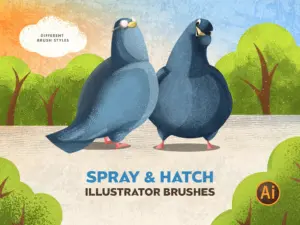
Spray & Hatch Illustrator Brushes – Set of 10 Spray & 10 Hatch Brushes
Sold by PritArt
Wiggle Illustrator Vector Brushes
Sold by Mels Brushes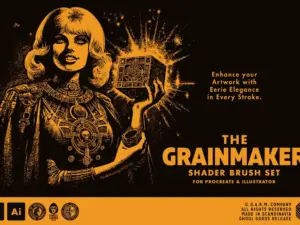
Grainmaker Brush Set (Illustrator)
Sold by garmco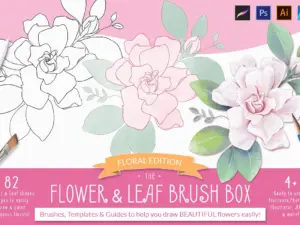
Procreate Flower & Leaf Brush Box
Sold by Kris Lauren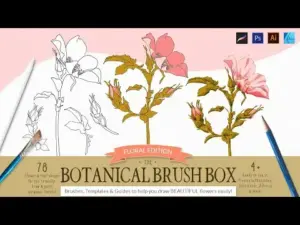
The Botanical Brush Box – Procreate
Sold by Kris Lauren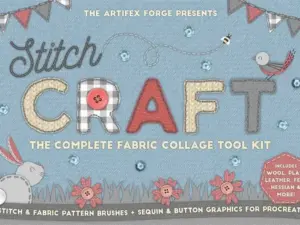
Stitch Craft Procreate Brushes
Sold by Jeremy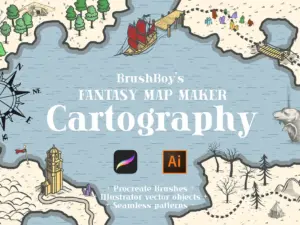
Procreate Fantasy Map Maker Brushes
Sold by Brush_Boy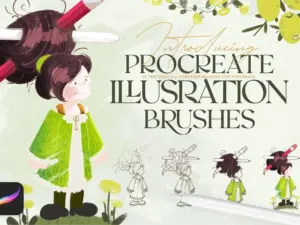
ILLUSTRATION BRUSHES: PROCREATE
Sold by Tankiso Mpela
Illuminati Vintage Woodcut Brushes
Sold by Andrew Pixel
The Builder Bundle – Save 25%
Sold by ianbarnard.co
Highlight & Shadow Vector Brushes
Sold by matjenn
50 Pantone Branding Color Palettes
Sold by PulPixel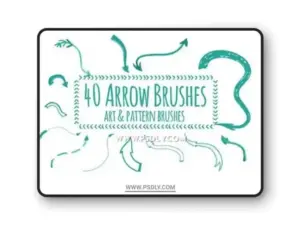
40 Hand-drawing arrow brushes
Sold by sim.seraph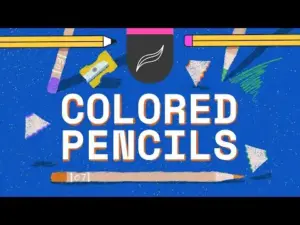
Procreate Colored Pencils Brush Set
Sold by Enariyoshi
BF Konkret Grotesk Pro
Sold by BrassFonts
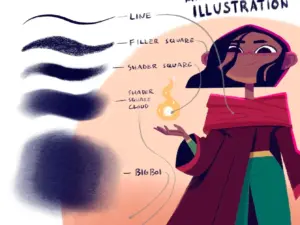
Michael’s Procreate Brushes – Textural Brushes for Animation and Illustration
Sold by Michael Relth
Illustrator lettering brush questions.
Helpful information about vector brushes, calligraphy, brush lettering and building a flexible Illustrator lettering workflow.
What are Illustrator lettering brushes?
They are brush resources designed for Adobe Illustrator workflows such as calligraphy, hand lettering, ink strokes and stylized vector typography.
Can Adobe Illustrator be used for hand lettering?
Yes. Illustrator can combine freehand drawing with editable vector paths, making it useful for lettering that needs to remain scalable and adjustable.
What brushes are best for Illustrator lettering?
It depends on the style. Calligraphy, ink, marker, monoline and textured brushes all produce different types of lettering.
Can Illustrator brushes create calligraphy?
Yes. Brushes can support thick-and-thin stroke variation and other characteristics useful for digital calligraphy and script lettering.
Are Illustrator lettering brushes vector-based?
Illustrator is a vector application, but exact brush construction and included files vary by product. Review each product description before downloading.
Can lettering brushes be used for logo design?
Yes. Custom brush lettering can provide a useful starting point for wordmarks, badges and logo typography before final path cleanup.
Can I edit lettering after drawing it?
One of Illustrator’s advantages is the ability to refine vector paths, stroke settings and composition after the initial lettering is created.
Where can I find more Illustrator resources?
Explore Illustrator Brushes & Vector Assets for additional brushes, patterns, textures and design resources.
Illustrator brushes for lettering, calligraphy and hand-drawn typography.
Illustrator brushes for lettering can help designers combine the natural character of handmade strokes with the flexibility of vector artwork. They can support calligraphy, brush scripts, logo lettering, quotes, packaging, posters and many other typography projects.
At Brushes Pack, you can explore lettering-friendly resources alongside a broader collection of Adobe Illustrator brushes and vector assets.
What are Illustrator lettering brushes?
Illustrator lettering brushes are creative brush resources designed to produce strokes suitable for hand lettering, calligraphy and expressive typography.
Different brush constructions can create smooth, rough, tapered, textured or consistent strokes depending on the intended visual style.
Adobe Illustrator brushes for hand lettering
Hand lettering focuses on drawing letterforms rather than simply typing with a font. Illustrator brushes can help preserve the movement of drawn strokes while allowing designers to refine paths afterward.
This combination makes Illustrator useful for artwork that needs both handmade character and production flexibility.
Calligraphy brushes for Illustrator
Calligraphy relies heavily on stroke contrast and rhythm. Illustrator brushes can help reproduce thick and thin relationships associated with pens, nibs and brush tools.
Pay attention to the relationship between downstrokes, upstrokes and curves so the lettering feels consistent across the entire word.
Brush lettering in Adobe Illustrator
Brush lettering uses pressure-like variation and flowing movement to create script-style typography. Digital brushes can give strokes more character than a basic uniform vector line.
Once the overall lettering works, refine awkward joins and spacing rather than trying to perfect every curve during the first drawing pass.
Illustrator ink brushes for lettering
Ink brushes can create irregular edges, tapered marks and analog texture that make vector typography feel less mechanical.
The Brushes Pack catalog includes products such as INKWASH vector ink and water brushes for Adobe Illustrator, demonstrating the range of ink-style vector resources available on the marketplace.
Marker brushes for Illustrator
Marker-style brushes are useful for bold, casual lettering and handwritten compositions. They can work well for packaging, posters, social graphics and energetic display typography.
A slightly imperfect edge or overlapping stroke can help preserve the handmade appearance.
Monoline lettering brushes
Monoline lettering keeps stroke width relatively consistent. This can create a cleaner and more modern appearance than traditional calligraphy.
Monoline styles are useful for logos, minimalist scripts, signatures and decorative lettering where consistency is part of the design.
Textured Illustrator lettering brushes
Texture brushes introduce grain, roughness and surface variation into vector strokes. They can help lettering imitate dry media, print, ink or worn signage.
Use texture carefully so the letterforms remain readable at their intended output size.
Chalk brushes for Illustrator
Chalk-style brushes can create dry edges and tactile marks useful for chalkboard menus, signs, quotes and vintage-inspired graphics.
Brushes Pack currently carries Adobe Illustrator chalk brush products, confirming this style as part of the live Illustrator inventory.
Vintage lettering brushes
Vintage lettering often combines expressive type with texture, distress and print-inspired imperfections.
Start with strong letterforms first. Distress should enhance the historical or handcrafted appearance rather than hide weak typography.
Illustrator brushes for logo lettering
Brushes can be useful during the exploratory stage of wordmark and logo creation. Draw multiple versions quickly, then select the strongest structure and refine it into a more controlled vector form.
Logo artwork generally benefits from careful path cleanup because it may need to reproduce at many different sizes.
Illustrator lettering for packaging
Custom lettering can help packaging develop a distinctive personality. Brush scripts may communicate handmade, premium, playful or artisanal qualities depending on the stroke style.
Always test lettering alongside the rest of the packaging hierarchy instead of evaluating it only as an isolated word.
Illustrator brushes for poster typography
Posters allow lettering to become a major visual element. Bold ink, marker and textured brushes can create strong display typography and energetic compositions.
Use scale and contrast so decorative lettering remains readable from the intended viewing distance.
Illustrator brushes for quotes
Quotes often combine expressive script with simpler supporting typography. This creates contrast between key words and secondary information.
Use lettering brushes selectively on the phrases that deserve the strongest visual emphasis.
Illustrator brushes for wedding lettering
Calligraphy and script brushes can support invitations, names, menus and decorative wedding stationery.
Elegant lettering usually benefits from generous spacing and consistent stroke relationships rather than excessive decoration.
Illustrator brushes for branding
Custom lettering can become part of a larger brand language across logos, packaging, campaigns and social graphics.
Once the lettering direction is established, create consistent rules for color, texture and supporting typography.
How to create lettering in Illustrator
Begin with a rough composition before worrying about perfect paths. Draw the major letterforms, evaluate spacing and rhythm, and then refine curves once the overall word works.
Working from general structure toward detail helps prevent technical cleanup from limiting creative exploration too early.
How to improve lettering curves
Smooth vector curves usually require fewer well-positioned anchor points rather than many small corrections.
Look at the silhouette of each letter and adjust handles so curves transition naturally through turns and joins.
Spacing in hand lettering
Letter spacing should be judged visually rather than mechanically. Different shapes create different amounts of negative space even when measured distances are identical.
Zoom out regularly and read the word as a complete shape rather than adjusting every letter in isolation.
Using Illustrator brushes with a drawing tablet
A drawing tablet can make freehand lettering more natural because it allows movements closer to traditional pen or brush drawing.
Actual pressure behavior depends on the brush setup, Illustrator settings and input hardware, so test the tool before beginning final artwork.
Vector lettering vs fonts
Fonts provide reusable type systems, while custom lettering is drawn for a specific composition. Both are valuable, but they solve different design problems.
A font is efficient for repeated text; custom lettering can create a unique visual identity for a word, phrase or logo.
Lettering brushes vs standard Illustrator brushes
General Illustrator brushes can often be used for lettering, but dedicated lettering tools may provide stroke characteristics chosen specifically for script, calligraphy or hand-drawn typography.
Choose the brush based on how it behaves rather than whether the product title includes the word lettering.
Expand appearance and final vector cleanup
Depending on the project and brush construction, designers may eventually convert appearances or strokes into more explicit vector artwork for final production.
Keep an editable version before performing destructive cleanup so you can return to the original brush-based lettering if needed.
Lettering and typography resources
Lettering often works together with fonts, layouts and supporting typography. Brushes Pack maintains a large Typography archive for broader type-related exploration.
You can combine custom lettering with type resources to create clearer hierarchy across posters, branding and packaging.
Illustrator lettering and vector textures
Texture can add print, grain or distressed character after the lettering structure is complete.
Explore Digital Textures for additional surface resources that can support graphic design projects.
How to organize Illustrator brushes
Group brushes according to purpose. A practical lettering library might include Calligraphy, Ink, Marker, Monoline, Texture and Specialty.
Keep your most frequently used brushes easy to access and archive experimental sets separately so the working library remains manageable.
Choosing an Illustrator lettering brush pack
Look beyond brush quantity. A useful pack should provide meaningful differences in stroke behavior that suit the type of lettering you actually create.
Review previews, compatibility and included files on each product page before purchasing or downloading.
Explore more Illustrator resources
Lettering brushes are one part of the Illustrator ecosystem. Designers can also use vector textures, patterns, shapes, icons and templates across branding and illustration workflows.
Explore Illustrator Brushes & Vector Assets, Digital Brushes, Digital Patterns and Graphic Design Assets.
Discover Illustrator lettering resources at Brushes Pack
Brushes Pack provides creative assets for designers working with Adobe Illustrator across lettering, illustration, branding and graphic design.
Always review individual product pages for software compatibility, included file formats, brush counts and installation information before purchasing or downloading.
Practical approaches to vector lettering in Adobe Illustrator.
Editorial-style examples representing common creative approaches to lettering, calligraphy and vector refinement.
“I solve the word as a complete shape before touching individual anchor points. Otherwise I can polish a letter that does not belong in the final composition.”
“I like rough ink brushes during exploration because they keep the work energetic. I only simplify paths after the lettering has the movement I want.”
“Texture is my final step. If the lettering does not work without distress or grain, adding more surface detail usually does not improve it.”
Helpful information before you download.
Review Illustrator compatibility, included files, product information and Brushes Pack policies before purchasing digital resources.
Lettering Studio Notes are editorial-style examples representing common creative viewpoints and are not presented as verified purchase testimonials.
Continue building your Illustrator creative toolkit.
Combine lettering brushes with patterns, textures, templates and broader vector resources for branding, packaging, posters and illustration.
Give your Illustrator lettering more character, rhythm and creative range.
Explore calligraphy, ink, marker, texture and lettering brushes for logos, quotes, branding, packaging and custom vector typography at Brushes Pack.