
Vintagio Photoshop Action


Original price was: $8.00.$4.00Current price is: $4.00.

Redvokinputs
Product Specs
- Compatible with: Adobe Photoshop
- File Type: zip
- Instant Download
- File Size: 191 MB
VINTAGIO Photoshop Action
Are you ready to add a sprinkle of nostalgia to your projects? This digital download features the VINTAGIO Photoshop Action, perfect for creating stunning vintage effects with just a click! 🌟 Enjoy instant access to this creative asset and watch your photos come to life with a retro touch!
Product Overview
The VINTAGIO Photoshop Action is designed to give your images that classic, vintage feel. Whether you’re working on a personal project or a professional piece, this action will save you hours of editing time while delivering high-quality results. With its user-friendly setup, you can easily apply a vintage photo action Photoshop effect that transforms ordinary images into extraordinary ones!
Key Features & Benefits
- Quick Processing: Save time with a single action that applies multiple adjustments at once.
- Organized Layers: Enjoy a well-structured file with layers and folders, making it easy to tweak and refine your results.
- High Compatibility: Optimized for Adobe Photoshop CS6 and CC, ensuring smooth performance.
- Perfect for Various Styles: Whether you’re aiming for a vintage poster Photoshop action or a vintage sketch Photoshop action, this tool has you covered!
Technical Specifications
| Compatible with | Adobe Photoshop |
|---|---|
| File Type | zip |
| Instant Download | Yes |
| File Size | 191 MB |
What’s Included
- VINTAGIO Photoshop Action by RedVokinputs.atn
- VINTAGIO_Brushes.abr
- VINTAGIO_Pattern.pat
- Help File.txt
Perfect For
This action is ideal for photographers, graphic designers, and anyone looking to create beautiful vintage art Photoshop action effects. If you love adding a nostalgic touch to your images, this is the perfect tool for you!
FAQ
- Is this a physical product? No, it’s a digital download!
- Can I use it with other languages of Photoshop? This action is specifically optimized for the English version of Photoshop.
- What if I have trouble using the action? If you encounter any issues, please refer to the Help File or contact us at [email protected].
How to Configure Photoshop to Work with Actions
- Ensure you are using the English version of Photoshop.
- Set your document to RGB Mode and 8 Bits color.
- Check that the option “Add ‘copy’ to Copied Layers and Groups” is enabled.
- Use images with a resolution of 72dpi or higher.
How to Combine My Actions
- Open your photo.
- Play the first action.
- Save the result as an image.
- Open the previously saved image.
- Play the second action.
Note
Photos used in the preview are not included. If you love this action, please don’t forget to rate it! 😊
User Reviews
Be the first to review “Vintagio Photoshop Action”
You must be logged in to post a review.

Art Photoshop Action 4 in 1 Bundle
Sold by Redvokinputs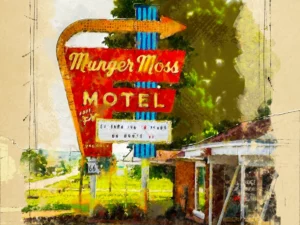
Unique Photoshop Action
Sold by Redvokinputs
Aquarelle Marker Photoshop Action
Sold by Redvokinputs
Retrowave Photoshop Action
Sold by Redvokinputs
Runes Photoshop Action
Sold by Redvokinputs
Calligraphy 2 Photoshop Action
Sold by Redvokinputs Original price was: $8.00.$4.00Current price is: $4.00.


There are no reviews yet.