
Calligraphy 2 Photoshop Action

Original price was: $6.00.$3.00Current price is: $3.00.

Redvokinputs
Product Specs
- Compatible with: Adobe Photoshop
- File Type: zip
- Instant Download
- File Size: 55.4 MB
Calligraphy 2 Photoshop Action – Instant Download!
Looking for a way to add a touch of elegance to your designs? The Calligraphy 2 Photoshop Action is your perfect companion! This digital download provides instant access to a stunning ink pen effect that will elevate your artwork to new heights. Say goodbye to tedious manual work and hello to beautifully crafted calligraphy with just a click! ✍️✨
Product Overview
The Calligraphy 2 Photoshop Action gives your images the enchanting look of an Asia ink pen sketch. With this action, you can save hours of work while achieving professional results. Once the action is completed, you’ll receive a well-organized file filled with layers, folders, and settings designed to enhance your final creation. Your artistic journey just got a whole lot easier!
Key Features & Benefits
- Easy to Use: Simply play the action and watch your image transform into a stunning piece of art.
- Organized Layers: Enjoy a structured file with multiple layers for better control and customization.
- Compatibility: Works seamlessly with Adobe Photoshop CS6, CC 2015.5+, and CC 2017+ (English version only).
- Instant Download: Get started right away with immediate access to your files!
Technical Specifications
| Compatible with | Adobe Photoshop |
|---|---|
| File Type | zip |
| Instant Download | Yes |
| File Size | 55.4 MB |
What’s Included
- CALLIGRAPHY 2 Photoshop Action by RedVokinputs.atn
- CALLIGRAPHY 2 (CC2017) Photoshop Action by RedVokinputs.atn
- CALLIGRAPHY 2_Brushes.abr
- CALLIGRAPHY 2_Patterns.pat
- Help File.txt
Perfect For
This action is ideal for graphic designers, illustrators, and anyone looking to add a touch of calligraphy to their digital artwork. Whether you’re creating invitations, posters, or social media graphics, this action will help you achieve stunning results effortlessly!
FAQ
- Is this a physical product? No, it’s a digital download!
- Can I use this on any version of Photoshop? This action is optimized for CS6, CC 2015.5+, and CC 2017 (English version only).
- What if I encounter issues? If you have any problems, please refer to the Help File. For further assistance, reach out via email: [email protected].
Important Information
The compatible versions of Photoshop are CS6, CC 2015.5+, and CC 2017. Ensure your software has the Oil Paint Filter available to use this action effectively.
If Oil Paint is grayed out for you, try these steps:
- Ensure Photoshop is up-to-date.
- Make sure your document is in RGB mode.
- If using Windows, confirm you’re on a 64-bit OS with the 64-bit version of Photoshop.
- Check that ‘Use Graphics Processor’ is enabled under Preferences > Performance.
How to Combine My Actions
- Open your photo.
- Play the first action.
- Save the result as an image.
- Open the previously saved image.
- Play the second action.
Note:
Photos used in the preview are not included. If you love this action, please don’t forget to rate it!
User Reviews
Be the first to review “Calligraphy 2 Photoshop Action”
You must be logged in to post a review.

Aquarelle Marker Photoshop Action
Sold by Redvokinputs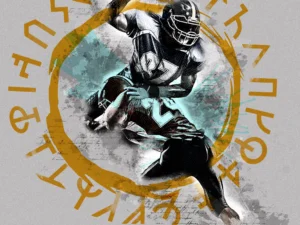
Runes Photoshop Action
Sold by Redvokinputs
Glossary Photoshop Action
Sold by Redvokinputs
Art Bundle 2 Photoshop Action
Sold by Redvokinputs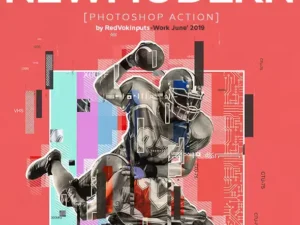
New Modern Photoshop Action
Sold by Redvokinputs
Vintagio Photoshop Action
Sold by Redvokinputs Original price was: $6.00.$3.00Current price is: $3.00.


There are no reviews yet.