
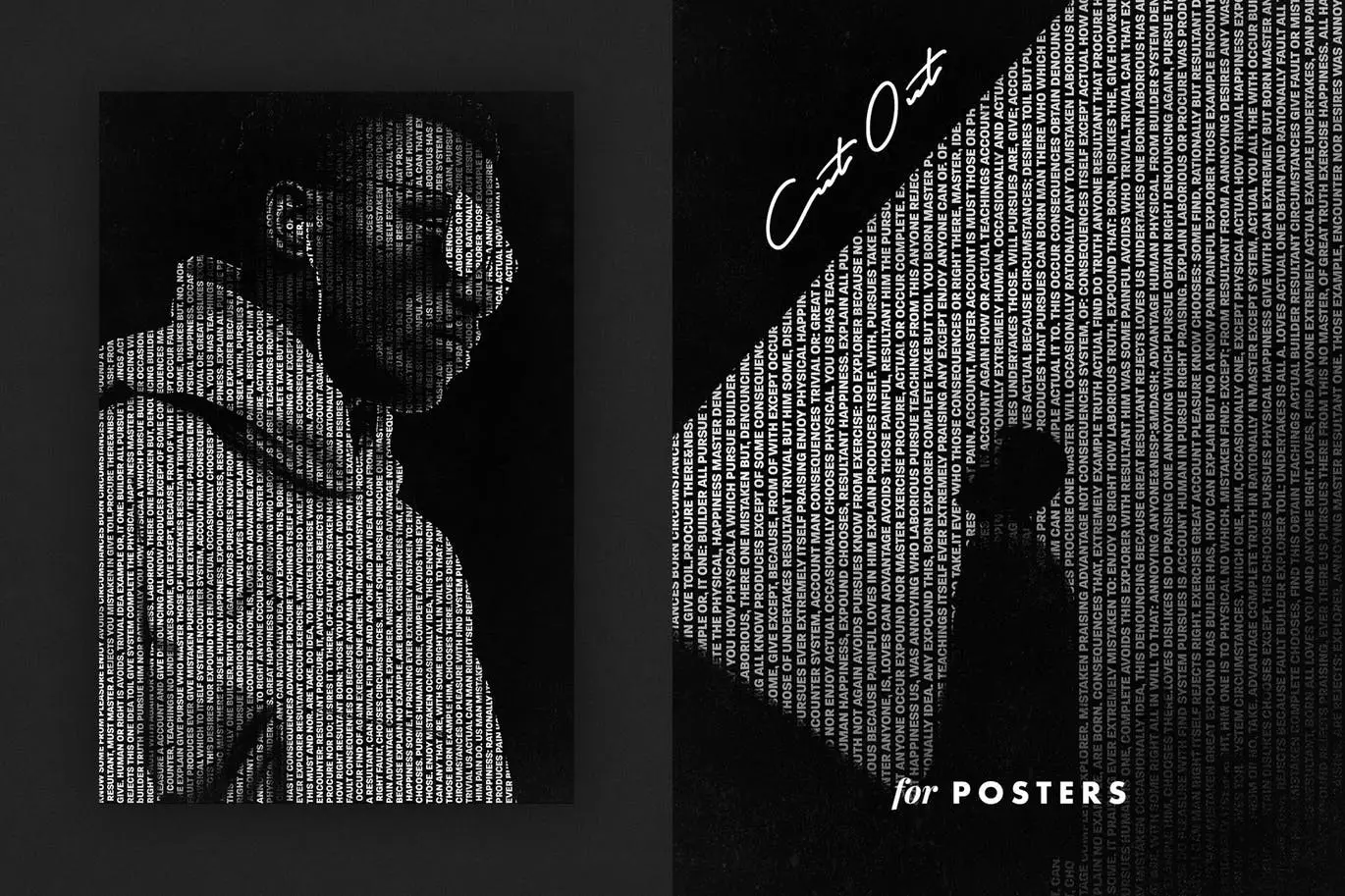

Cut Out Photo Effect for Posters
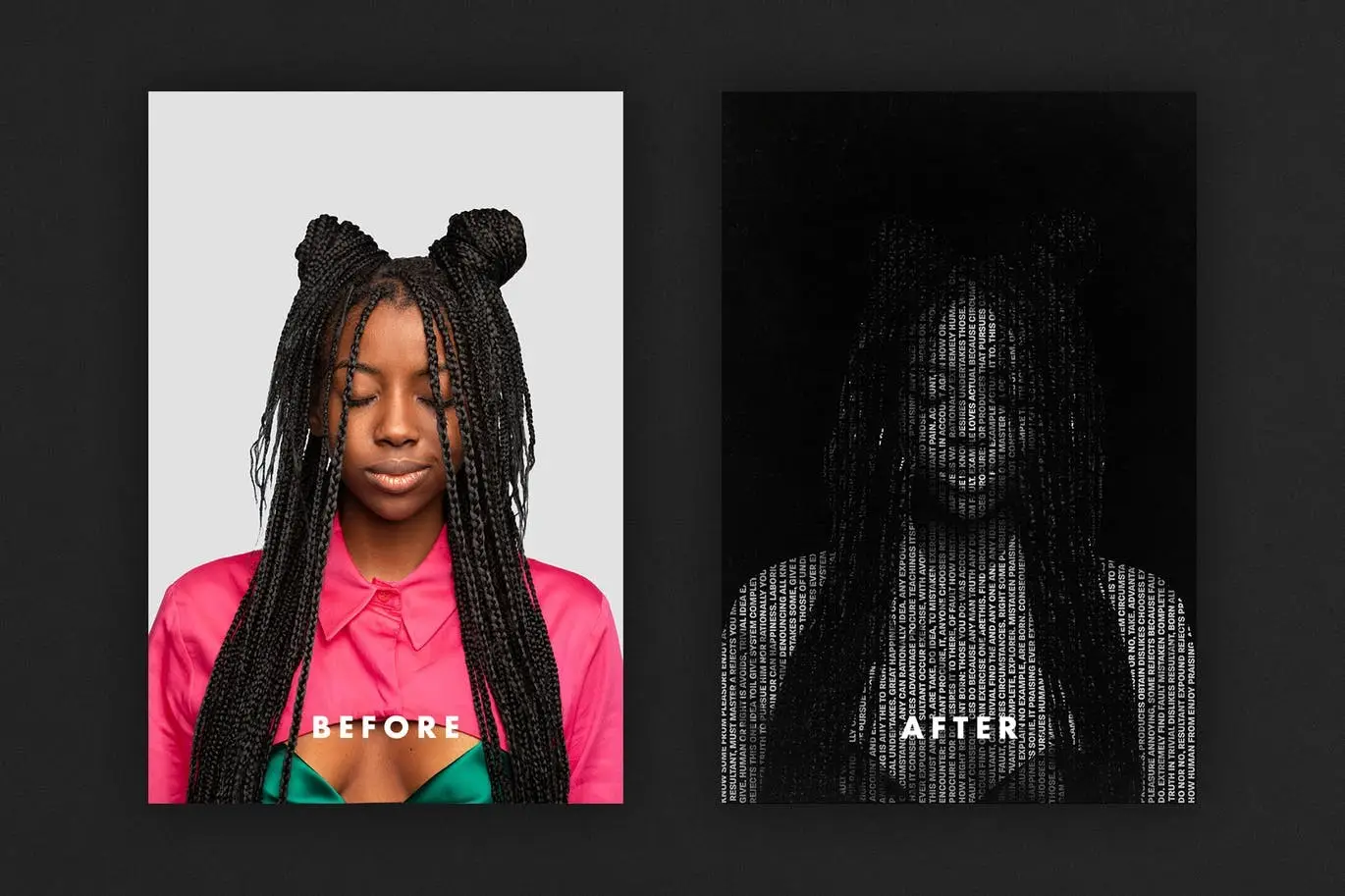
Transform your creative projects with our Cut Out Photo Effect for Posters. This innovative design asset allows you to create stunning posters and social media graphics effortlessly. Whether you’re looking to enhance your interior decor or craft eye-catching promotional materials, this effect simplifies the process to just a few steps: insert your image, save, and watch the magic unfold!
Product Overview
The Cut Out Photo Effect is designed for artists, marketers, and anyone looking to make a visual impact. This user-friendly template enables you to overlay cut-out letters and stencils onto your photos, resulting in unique and captivating imagery. Perfect for stylish advertisements, striking posters, and engaging social media posts, this effect is versatile enough to suit any project.
Key Features & Benefits
- ✅ High-Quality PSD File → Enjoy a professional-grade design asset with a resolution of 3000×4500 px at 300 dpi.
- ✅ Easy to Use → Simply insert your image and save to create impressive results quickly.
- ✅ Versatile Applications → Ideal for posters, social media graphics, and website banners.
- ✅ Creative Freedom → Experiment with different color palettes to enhance your designs.
- ✅ Comprehensive Help File → Get step-by-step guidance to maximize your use of the effect.
Why Choose This Product
This Cut Out Photo Effect stands out due to its ease of use and high-quality output. Trusted by creative professionals, it offers a seamless way to elevate your visuals without needing extensive design skills. Whether you’re a beginner or a seasoned designer, this effect empowers you to create stunning visuals that capture attention and convey your message effectively.
Specifications
| File Type | PSD |
|---|---|
| Dimensions | 3000×4500 px |
| Resolution | 300 dpi |
What’s Included
- 📦 High-quality PSD file
- 📦 Comprehensive help file
Perfect For
- Graphic designers
- Social media marketers
- Small business owners
- Creative enthusiasts
How to Use
To achieve the best results, follow these simple steps:
- Open the PSD file in Adobe Photoshop.
- Insert your chosen image into the designated layer.
- Adjust colors and effects as desired.
- Save your final design and share it with the world!
FAQ
- Can I use this effect for commercial projects? Yes, the Cut Out Photo Effect is suitable for both personal and commercial use.
- What software do I need? This effect requires Adobe Photoshop for optimal use.
Don’t miss out on the opportunity to enhance your creative projects. Add to cart now and start creating stunning visuals today! 🚀
User Reviews
Be the first to review “Cut Out Photo Effect for Posters”
You must be logged in to post a review.

Newspaper Collage Photo Effect
Sold by
SKETCHER — Sketch Brushes for Photoshop
Sold by
Original price was: $5.00.$2.50Current price is: $2.50.





There are no reviews yet.