
Affinity Designer brushes for expressive digital illustration.
Explore Affinity Designer brushes for illustration, drawing, inking, painting, texture and creative mark-making. Build a flexible brush library for character art, editorial illustration, concept work, lettering and professional digital artwork.
Explore Affinity Designer brushes by creative purpose.
A useful illustration library combines brushes for rough ideas, confident lines, broad shapes, texture and finishing details instead of relying on one brush for every stage.
Sketching Brushes
Develop thumbnails, loose ideas, gesture drawings and early illustration concepts with natural drawing marks.
Explore sketch brushes →Inking Brushes
Create confident outlines, expressive contours and variable line weight for finished illustration and comic-style work.
Browse ink brushes →Painting Brushes
Build broad color shapes, painterly marks and expressive surfaces for digital illustration workflows.
Explore painting brushes →Texture Brushes
Add grain, roughness, distressed character and tactile variation to otherwise clean digital artwork.
Browse texture brushes →Vector Brushes
Create editable strokes and stylized paths for illustration, decorative artwork and graphic design.
Explore vector brushes →Pencil & Drawing Brushes
Develop hand-drawn lines, shading and sketch-like texture for expressive digital drawing.
Browse drawing brushes →Lettering Brushes
Create expressive strokes for hand lettering, decorative typography, titles and illustrated words.
Explore lettering brushes →Detail Brushes
Add controlled accents, fine marks, decorative elements and finishing texture to polished illustrations.
Browse detail brushes →Affinity Brush Packs
Explore coordinated brush collections covering several stages of drawing, painting and illustration.
Explore brush packs →Good brushes give you different kinds of marks—not simply a longer brush list.
A focused set can help you move from loose sketch to finished illustration while keeping line, shape and texture under creative control.
Natural Mark-Making
Introduce irregularity and variation that can make digital artwork feel less mechanically perfect.
Faster Exploration
Switch between sketch, ink, paint and texture tools without rebuilding brush behavior for each idea.
Visual Character
Use brush choice as part of the illustration style rather than treating every stroke as a neutral line.
Flexible Workflow
Combine brushes with Affinity Designer’s vector and raster capabilities according to the artwork.
Use fewer brushes more intentionally.
A huge library does not automatically improve an illustration. Start with a small working set for sketching, line work, broad shapes and texture. Add specialized brushes only when the artwork needs them.
Separate sketch and finish
Use loose brushes while exploring ideas and more controlled tools when defining important final shapes.
Vary line weight
Changing stroke weight can help separate focal elements, depth and visual hierarchy.
Texture selectively
Apply texture where it adds material character or visual interest instead of covering every surface equally.
Check compatibility
Review the individual product description for supported Affinity software, versions and included brush formats.
From first marks to finished Affinity Designer illustration.
A structured brush workflow keeps creative decisions clear while leaving room for experimentation.
Sketch
Explore composition, gesture and ideas quickly without worrying about perfect edges.
Shape
Establish the major silhouettes, forms and color relationships that hold the illustration together.
Define
Use ink, drawing or controlled brushwork to clarify important edges and forms.
Texture
Add surface character, grain and expressive marks where they strengthen the artwork.
Refine
Finish focal details, remove unnecessary marks and prepare the illustration for its final use.
Explore Affinity Designer brushes for illustration and drawing.
Discover brush resources for sketching, inking, painting, texture, lettering and professional digital illustration.
Discover new Affinity Designer brushes and assets.
Explore recently added Affinity Designer resources for illustration, drawing, creative design and professional artwork.
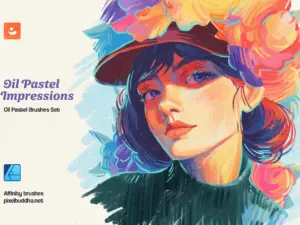
Oil Pastel Affinity Designer Brushes
Sold by Pixel Buddha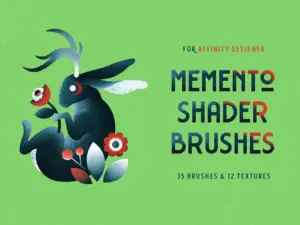
Memento Shader Brushes for Affinity
Sold by Pixelbuddha Studio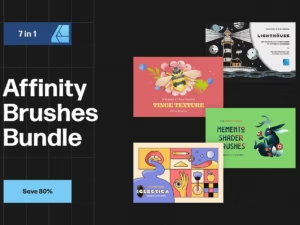
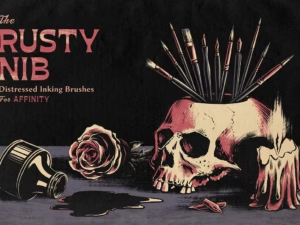
Rusty Nib Inkers for Affinity
Sold by True Grit Texture Spply
Procreate Flower & Leaf Brush Box
Sold by Kris Lauren
The Botanical Brush Box – Procreate
Sold by Kris Lauren
Ill-INK Affinity Designer Brushes
Sold by Annex1
The Builder Bundle – Save 25%
Sold by ianbarnard.co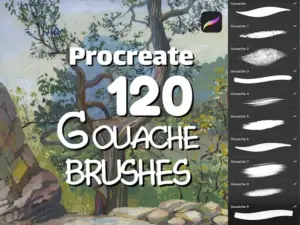
120 Gouache Brushes, Realistic Gouache Brush Set for Procreate, Photoshop, and Affinity
Sold by Eka Design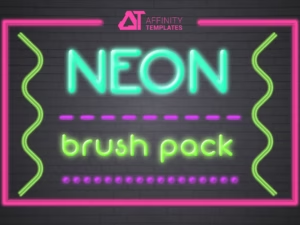
Neon Brush Pack Affinity Designer
Sold by AffinityTemplates
Poison Pen (Affinity Designer Brushes)
Sold by Annex
Multi App Pastel Dreams Brushes
Sold by brushapes.com
Pastel Dreams Affinity Brushes
Sold by brushapes.com


Vague II: 12 Acrylics Textures
Sold by Nicholas Asmita
Life-Inspired Mixed Media Collage
Sold by Nat Purple
BARBIELAND pink graphic collage pack
Sold by madiwaso
Hello Spring – 3D Lettering Set
Sold by LarysaZabrotskaya
GRIDOLOGY | 100+ Graphs & Wireframes
Sold by deptroom
400+ Brutalist Vectors Pack
Sold by deptroom
Affinity Glitter Texture Brushes
Sold by Pixel Buddha
Glitter Texture Brushes For Affinity, Photoshop, Procreate, Illustrator, Clip Studio
Sold by Pixel Buddha
1500+ Photoshop Brushes Bundle
Sold by Eldamar StudioAffinity Designer illustration brush questions.
Helpful information about Affinity brushes, vector and raster workflows, brush packs and digital illustration.
What are Affinity Designer brushes?
Brushes are creative tools that can produce different stroke appearances for drawing, illustration, texture, inking and other design work.
Can I use Affinity Designer brushes for illustration?
Yes. Brushes can support sketching, line work, texture, decorative marks and other stages of digital illustration.
What is the difference between vector and raster brushes?
Vector and raster workflows behave differently. Vector strokes are path-based, while raster brushwork works with pixels. The appropriate option depends on the artwork and desired result.
Are Affinity brushes good for inking?
Brushes designed for controlled line work can be useful for inking, outlines, comics and expressive illustration.
Can I create painterly illustrations in Affinity?
Affinity workflows can support textured and painterly artwork, particularly when suitable raster brushes and creative techniques are used.
Do brush packs work with every Affinity version?
Compatibility can vary. Always check the individual product page for supported software, versions and included file formats.
Should I use one brush for the entire illustration?
You can, but many artists use a small coordinated set for sketching, defining edges, adding texture and finishing details.
Where can I find more Affinity resources?
Explore Affinity Designer Brushes & Digital Assets for the broader collection.
Affinity Designer brushes for illustration, drawing and creative artwork.
Affinity Designer brushes for illustration can help artists build expressive lines, textured shapes and distinctive visual styles while working digitally. Different brush types can support sketching, inking, drawing, decorative work, texture and finishing details.
At Brushes Pack, you can explore illustration brushes alongside a broader collection of Affinity Designer brushes and digital assets.
What are Affinity Designer illustration brushes?
Illustration brushes are tools designed to create strokes with particular visual characteristics. A brush might imitate pencil grain, ink variation, dry media, paint, texture or decorative shapes.
The brush becomes part of the visual language of the illustration rather than simply a way to place color on the canvas.
Best Affinity Designer brushes for illustration
The best brush depends on what you are trying to draw. Loose sketching may benefit from a textured pencil, while polished line art may require a more controlled ink brush.
For many illustrators, a small collection covering sketch, ink, texture and detail is more useful than hundreds of similar brushes.
Affinity Designer drawing brushes
Drawing brushes can support gesture sketches, contour drawing, studies and finished artwork. Look for tools that respond appropriately to the type of marks you naturally make.
A brush that feels comfortable during long drawing sessions can become more valuable than a visually dramatic brush that is difficult to control.
Affinity Designer sketch brushes
Sketch brushes are useful for early ideas because they encourage speed and experimentation. Rough texture can make preliminary lines feel less precious and easier to revise.
Use separate layers for exploratory sketches when you want to lower opacity or remove them later.
Affinity pencil brushes
Pencil-style brushes can add grain, pressure variation and hand-drawn character to digital sketches and illustrations.
They can be useful for concept development, portrait drawing, character studies and artwork intended to retain a traditional drawing quality.
Affinity Designer inking brushes
Inking brushes are designed around clearer lines and controlled edges. They can support comics, character illustration, editorial artwork and stylized line drawing.
Vary line weight to distinguish focal forms from secondary details and to create a stronger sense of depth.
Affinity Designer vector brushes
Vector brushes combine path-based construction with stylized stroke appearances. They can be useful when artwork needs flexible paths alongside more expressive visual treatment.
This makes them relevant to illustration, decorative graphics, lettering and design work where scalability and editing remain important.
Affinity Designer raster brushes
Raster brushes work with pixels and can support painterly texture, shading and organic mark-making.
They are useful when the illustration requires surface variation that would be cumbersome to reproduce entirely with clean vector shapes.
Affinity painting brushes
Painting brushes can help create broad strokes, color variation and expressive surfaces. They can support concept art, stylized illustration and mixed-media-inspired digital work.
Begin with large forms before moving to smaller detail brushes so the composition remains readable.
Affinity texture brushes
Texture brushes add irregular surface detail such as grain, roughness, speckling or distressed marks.
Use them selectively. Texture is often more effective when it creates contrast between smooth and rough areas rather than appearing uniformly across the entire illustration.
Dry brush effects in Affinity Designer
Dry brush styles can introduce broken edges and irregular pigment-like marks. They are useful for artwork that needs a more tactile or printed character.
These brushes can work particularly well around edges, backgrounds and areas where perfect digital smoothness feels inappropriate.
Affinity watercolor-style brushes
Watercolor-inspired brushes can help introduce transparent-looking washes, irregular edges and layered color effects into digital illustration.
Results depend on the specific brush and workflow, so check individual product examples and compatibility before choosing a pack.
Affinity ink brushes for line art
Clean line-art brushes are useful when contours need to remain readable at different sizes. Character design, icons, comics and editorial illustration may all benefit from controlled inking.
Avoid using identical line weight everywhere if you want the drawing to feel more dimensional and expressive.
Affinity brushes for character illustration
Character artwork may use several brush types throughout the process: rough pencil for gesture, ink for final lines, paint for color and texture for clothing, hair or environmental details.
Choose brushes according to each stage rather than expecting one tool to solve the entire illustration.
Affinity brushes for portrait illustration
Portrait illustration benefits from controlled drawing tools for facial structure and expressive brushes for hair, clothing and background texture.
Keep important facial features readable before introducing heavy surface effects.
Affinity brushes for editorial illustration
Editorial illustration often depends on a distinctive visual voice. Brush texture can help establish that identity through recurring line, shape and surface characteristics.
Build a small collection of complementary brushes so multiple illustrations can share a recognizable style.
Affinity brushes for children’s illustration
Children’s artwork can benefit from playful lines, textured paint and deliberately imperfect shapes.
The brush style should support the mood of the story rather than adding complexity simply because the tool allows it.
Affinity brushes for botanical illustration
Botanical artwork may combine controlled lines with texture brushes for leaves, stems and natural surfaces.
Specialized brushes can accelerate repeated details, but varied placement helps prevent natural elements from appearing mechanically duplicated.
Affinity brushes for comic art
Comic workflows may require sketching brushes, inkers, texture and effect tools. Strong line hierarchy is especially important when artwork must remain readable at reduced sizes.
Keep your active brush set organized by production stage to make page creation faster.
Affinity brushes for concept art
Concept artists often prioritize speed during early exploration. Broad brushes and textured shapes can establish silhouettes, environments and visual direction quickly.
Detailed rendering can follow after the strongest idea has been selected.
Affinity Designer brushes for lettering
Brushes can add personality to hand lettering and decorative typography through changes in width, texture and edge quality.
Pair expressive lettering with simpler surrounding design elements so the words remain the visual focus.
Affinity brushes for logos and branding
Expressive brushwork can contribute to hand-drawn brand elements, badges and illustrative identity systems.
For final logo work, consider how the artwork will reproduce at small sizes and across different applications.
Affinity brushes for poster design
Poster artwork can combine bold brush strokes with typography and vector shapes to create contrast and visual energy.
Texture can help unify photographic, vector and illustrated elements when used consistently.
Affinity Designer brushes for graphic design
Brushes are not limited to traditional illustration. Designers can use them for backgrounds, decorative elements, frames, texture, typography and expressive graphic marks.
For broader resources, explore Graphic Design Assets.
How to choose an Affinity brush pack
Start by identifying the marks missing from your current toolkit. If you already have several sketching brushes, a specialized texture or inking pack may add more value than another general collection.
Review sample artwork, file formats and software compatibility before downloading.
Professional Affinity Designer brush packs
Professional workflows benefit from brushes that are predictable enough to control while still producing useful variation.
The number of brushes in a pack matters less than whether the included tools solve distinct creative needs.
Affinity Designer brush packs for beginners
Beginners can start with a compact selection: one sketch brush, one clean drawing brush, one broad painting tool and one texture brush.
Learning how those tools behave can be more useful than switching constantly between a very large collection.
How to organize Affinity brushes
Group brushes by function such as Sketch, Ink, Paint, Texture and Detail. Keep frequently used tools easy to reach and archive packs you rarely use.
A well-organized library reduces interruptions while drawing.
Vector vs raster brushes for illustration
Vector brushes are useful when editable paths and scalability matter, while raster brushes can provide richer pixel-based texture and painterly variation.
Many creative projects benefit from combining both approaches instead of treating them as competing workflows.
How to create more natural digital illustrations
Natural-looking digital work often comes from variation rather than simply selecting a realistic brush. Change pressure, stroke length, edge quality and texture density throughout the illustration.
Leave some areas simpler so the textured portions have more impact.
How to use texture without overpowering artwork
Apply texture according to material and hierarchy. A focal character may need carefully controlled surface detail, while secondary areas can remain simpler.
Reducing texture in quiet areas also gives the viewer somewhere to rest visually.
Affinity Designer brushes vs Procreate brushes
Both applications support creative brush workflows, but brush formats and software behavior differ. A brush made for one application should not automatically be assumed compatible with another.
For iPad-focused resources, explore Procreate Brushes & Digital Assets.
Affinity brushes vs Photoshop brushes
Photoshop and Affinity use different brush systems and compatibility requirements. Always use the product listing to confirm which application a brush pack supports.
For Photoshop resources, visit Photoshop Brushes & Digital Assets.
Digital brushes for illustration
Artists who work across several applications may want to explore different brush ecosystems for sketching, painting, inking and texture.
Browse the broader Digital Brushes collection for additional creative resources.
Explore Affinity Designer brushes at Brushes Pack
Brushes Pack provides creative assets for illustrators, designers and digital artists working with Affinity Designer and other professional creative software.
Explore Affinity Designer Brushes & Digital Assets, Digital Brushes, Digital Textures, Graphic Design Assets and Digital Assets.
Always review each product page for supported software, versions, included files and installation information before purchasing or downloading.
Practical ways to build a more useful Affinity brush workflow.
Editorial-style examples representing common approaches to drawing and digital illustration.
“I keep one rough sketch brush and one controlled ink brush available all the time. Limiting the choice helps me focus on the drawing instead of browsing tools.”
“I add texture after the large shapes are working. If the composition is weak, more grain and brush detail will not solve the underlying problem.”
“I mix clean vector forms with rougher brush marks. The contrast gives the illustration structure without making the finished artwork feel too mechanical.”
Helpful information before you download.
Review Affinity compatibility, included files, product details and Brushes Pack policies before purchasing digital resources.
Illustrator Notes are editorial-style examples representing common creative viewpoints and are not presented as verified purchase testimonials.
Continue building your digital illustration toolkit.
Combine Affinity brushes with textures, vector assets and other digital resources for illustration and professional creative work.
Build an Affinity illustration toolkit around the marks you actually want to make.
Explore Affinity Designer brushes for sketching, drawing, inking, painting, texture, lettering and professional digital illustration at Brushes Pack.