
Watercolor 2 Photoshop Action





Original price was: $5.00.$2.50Current price is: $2.50.

ihemalaya
Product Specs:
- Compatible with: Actions
- File Type: ZIP
- File Size: 7.9 MB
- Instant Download
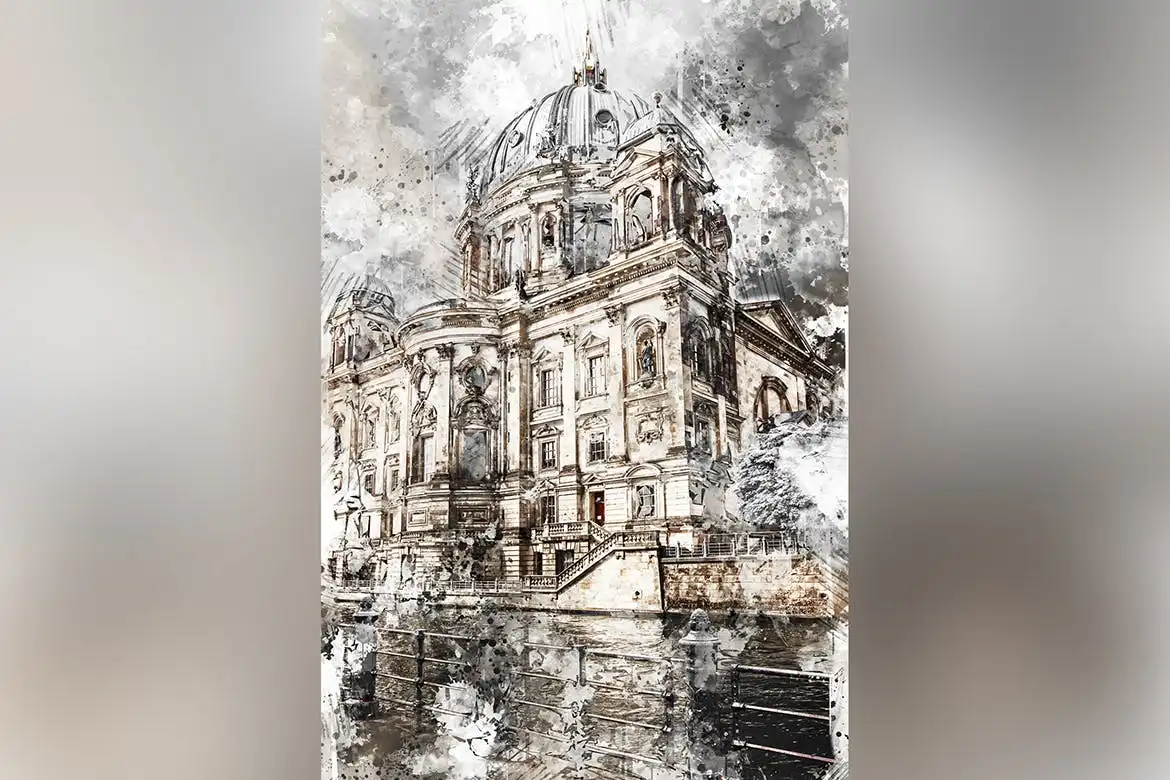
Watercolor 2 Photoshop Action – Transform Your Photos into Stunning Artworks
Are you ready to elevate your digital art? The Watercolor 2 Photoshop Action allows you to create breathtaking watercolor artworks with just a single click. This user-friendly action not only simplifies the process of generating watercolor effects but also offers you the freedom to explore and manipulate layers, making your creative experience enjoyable and rewarding.
Product Overview
This Photoshop action is designed for both designers and photographers who seek to enhance their images with a unique artistic flair. Whether you’re creating CD covers, posters, flyers, or social media graphics, this action makes it easy to produce eye-catching designs without needing advanced skills.
Key Features & Benefits
- ✅ Compatible with Photoshop CS4 & Higher → Seamlessly integrates into your existing workflow.
- ✅ Supports All Photoshop Languages → No barriers, just creativity!
- ✅ Fast & Easy to Use → Create stunning artworks in moments.
- ✅ Non-Destructive Editing → Maintain original images while experimenting with effects.
- ✅ Comprehensive Help File Included → Step-by-step instructions ensure a smooth experience.
Why Choose This Product
The Watercolor 2 Photoshop Action stands out due to its ease of use and versatility. Trusted by artists worldwide, this action empowers you to transform ordinary photos into extraordinary pieces of art. With its non-destructive nature, you can explore various styles and adjustments without the fear of losing your original work. Experience the joy of creativity and watch your designs come to life!
Specifications
| Compatibility | Photoshop CS4 and higher |
|---|---|
| Languages Supported | All Photoshop languages |
| File Type | Photoshop Action (.atn) |
What’s Included
- 📦 Watercolor 2 Photoshop Action file
- 📦 Help file with detailed instructions
Perfect For
- Designers looking to enhance their portfolios
- Photographers wanting to add artistic effects to their images
- Social media managers creating engaging content
- Anyone interested in digital art and design
How to Use
Using the Watercolor 2 Photoshop Action is straightforward:
- Open your desired image in Photoshop.
- Load the action from the Actions panel.
- Click on the action to apply the watercolor effect.
- Adjust layers as needed to customize your artwork.
FAQ
- Do I need advanced skills to use this action? No, this action is designed for users of all skill levels.
- Can I use this action on any image? Yes, it works well with various types of images.
Add to cart now and start creating stunning watercolor artworks today! 🚀
User Reviews
Be the first to review “Watercolor 2 Photoshop Action”
You must be logged in to post a review.

Color Festival Photoshop Action
Sold by ihemalaya
Anime Speed Lines Photoshop Action – Animated
Sold by ihemalaya
Epicalic Photoshop Action
Sold by ihemalaya
Pencil Sketch 3 Photoshop Action
Sold by ihemalaya
Rime Photoshop Action
Sold by ihemalaya
CyberPunk Photoshop Action
Sold by ihemalaya Original price was: $5.00.$2.50Current price is: $2.50.


There are no reviews yet.