
Fur Effect Photoshop Action


Original price was: $5.00.$2.50Current price is: $2.50.

Andrew Skoch Design
Product Specs:
- Compatible with: Actions
- File Type: ZIP
- File Size: 2.6 MB
- Instant Download
Fur Effect Photoshop Action
Create delightful and whimsical designs with the Fur Effect Photoshop Action. This innovative tool allows you to transform your text, shapes, or logos into charming furry characters in just seconds! Simply select the desired layer or group and click ‘PLAY’ to see the magic happen.
Product Overview
The Fur Effect Photoshop Action is perfect for designers and creatives looking to add a playful touch to their projects. Whether you’re working on logos, illustrations, or any graphic design, this action provides an effortless way to infuse fun and creativity into your work.
Key Features & Benefits
- ✅ Adorable Fur Effect → Instantly transform your designs with a cute fur texture that brings your creations to life.
- ✅ Customizable Colors → Choose from a wide range of colors for both the fur and the lighting effects, allowing for personalized designs.
- ✅ Multiple Variants → Play the action multiple times within the same PSD project to generate different furry effects, saving you time and enhancing creativity.
- ✅ Fast Processing → Experience quick results; the action works in just a few seconds.
- ✅ Double Light Effect → The action automatically creates a double light effect, adding depth and dimension to your designs.
- ✅ Multilingual Support → Compatible with any language set in your Photoshop interface, ensuring seamless operation for users worldwide.
Why Choose This Product
The Fur Effect Photoshop Action stands out due to its ease of use and versatility. Trusted by designers for its reliability, this action not only saves time but also enhances your creative workflow. Create unique furry characters that can make any project more engaging and fun!
Specifications (Technical Details)
| File Type | ANT File (action file), ABR File (brushes file), PSD template, PNG (5 eyes), PDF (instructions) |
|---|---|
| Compatibility | Adobe Photoshop |
| Usage | Text, Logo, Shape, Layer group, Raster layer |
What’s Included / What’s in the Box
- 📦 ANT File – action file
- 📦 ABR File – brushes file
- 📦 PSD template for easy start
- 📦 PNG – 5 eyes for decoration
- 📦 PDF – Help file with instructions
Perfect For
- Graphic Designers
- Illustrators
- Creative Professionals
- Anyone looking to add a playful touch to their designs
How to Use
- Select the layer or group you want to apply the effect to.
- Click ‘PLAY’ to initiate the action.
- Customize colors as desired for the fur and lighting.
- Repeat the action for different variations within the same project.
FAQ
- Can I use this action on any version of Photoshop? Yes, it is compatible with most versions of Adobe Photoshop.
- Are there any specific requirements? Ensure you have the necessary permissions to use the layers you apply the action to.
Add to cart now and start creating your furry characters today! 🚀
User Reviews
Be the first to review “Fur Effect Photoshop Action”
You must be logged in to post a review.
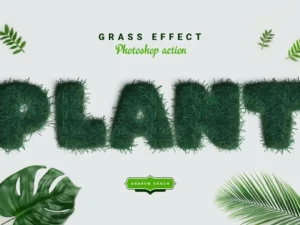
Grass Effect Photoshop Action
Sold by Andrew Skoch Design
Watercolor Photoshop Brushes
Sold by Andrew Skoch Design
Neon Photoshop Action
Sold by Andrew Skoch Design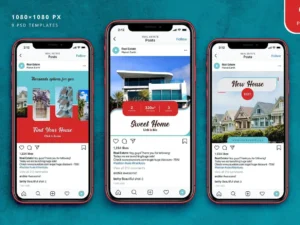
Real Estate Instagram Posts
Sold by Andrew Skoch Design
Hand drawn arrows
Sold by Andrew Skoch Design
Hot Coal – Photoshop Action
Sold by Andrew Skoch Design Original price was: $5.00.$2.50Current price is: $2.50.


There are no reviews yet.