
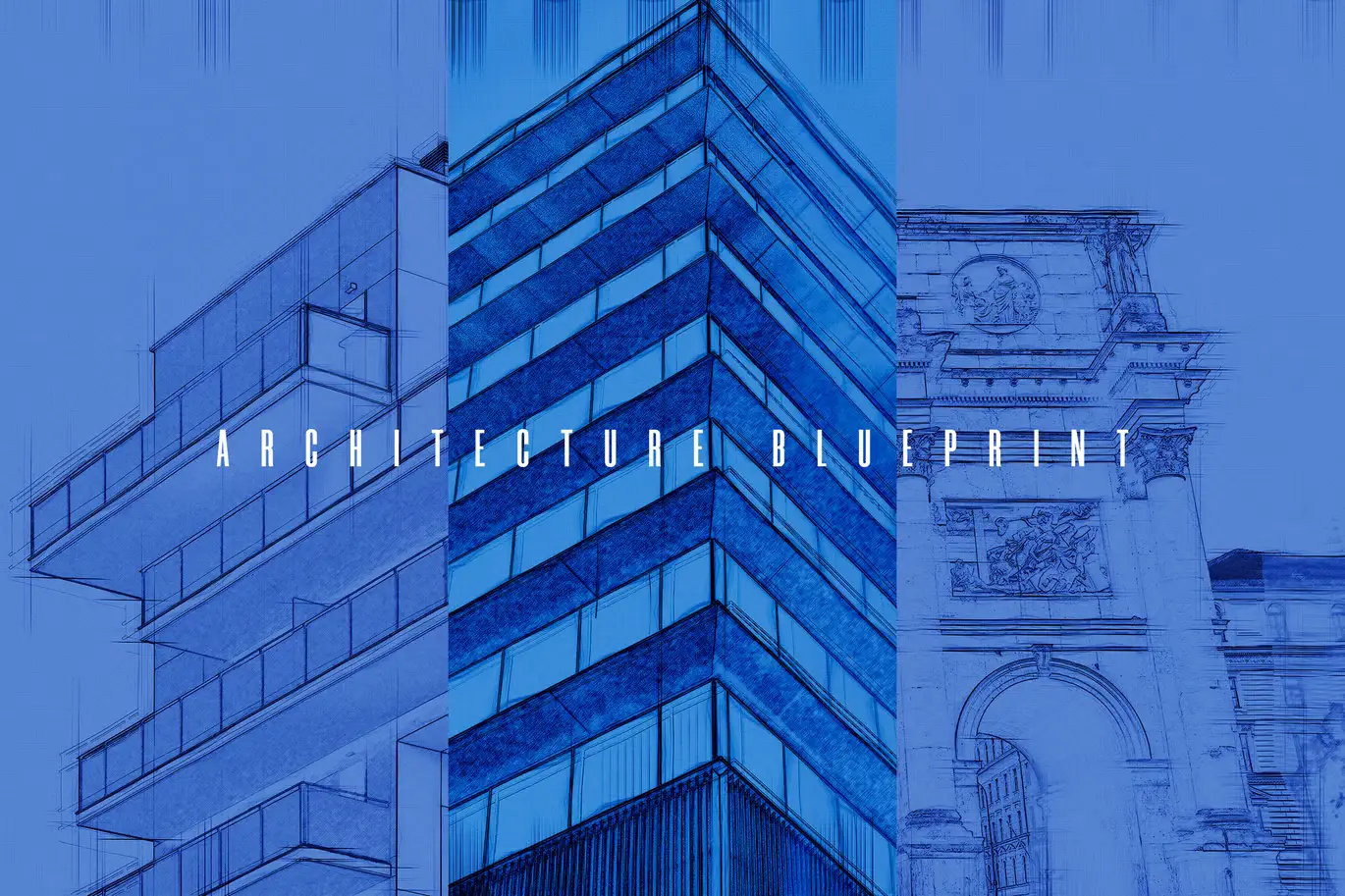

Architecture BluePrint – Photoshop Action
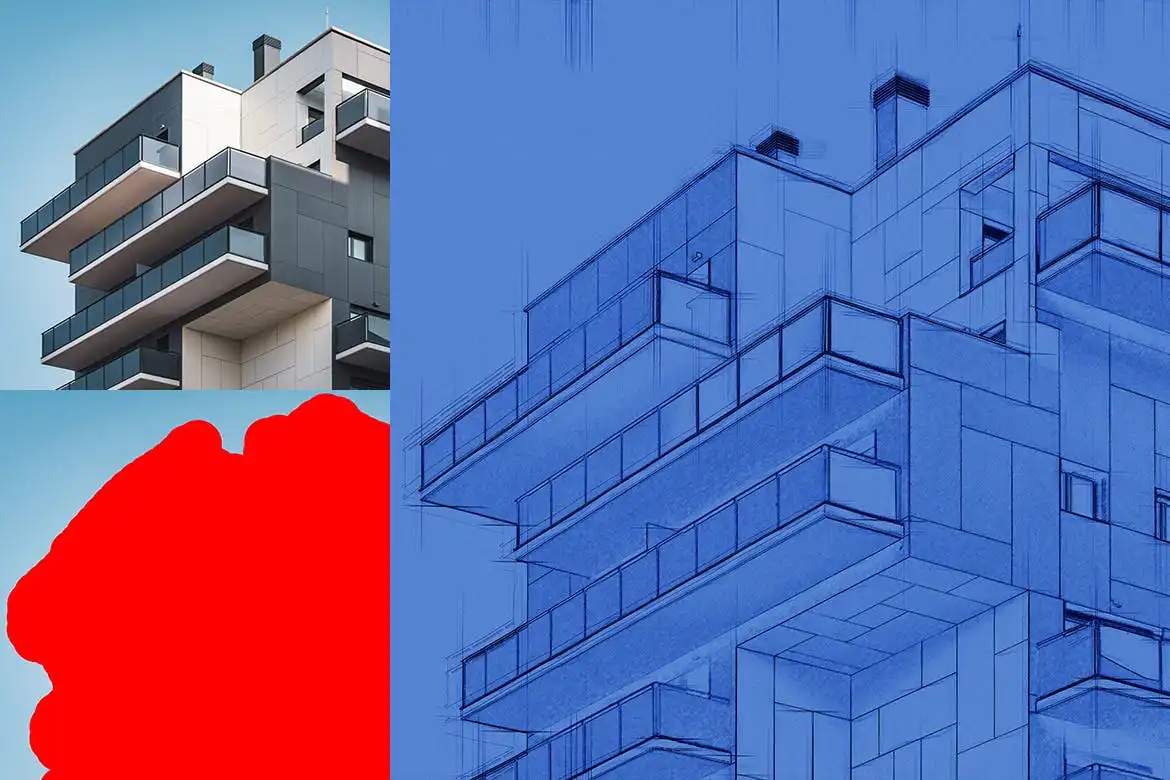
Transform your photos into stunning architectural blueprints effortlessly with the Architecture BluePrint – Photoshop Action. This innovative action allows you to create a highly detailed effect in just a few clicks, saving you valuable time and effort on each project.
Product Overview
The Architecture BluePrint action is perfect for photographers, designers, and artists who want to add a unique touch to their images. With its organized layers, you can easily customize and refine your artwork, making it an essential tool for any creative professional.
Key Features & Benefits
- ✅ Non-destructive editing → Keeps your original image untouched, allowing for easy adjustments.
- ✅ Universal compatibility → Tested and works seamlessly with Photoshop CS3 through CC 2015.
- ✅ Multi-language support → Works in various language versions of Photoshop.
- ✅ High-resolution optimization → Best results with images of 1920×1080 pixels or higher.
- ✅ Easy installation → Simply double-click to install and start using immediately.
- ✅ Layer organization → Each action maintains organized layers for quick customization.
Why Choose This Product
The Architecture BluePrint action stands out due to its user-friendly design and powerful results. Whether you’re an architect, artist, or simply looking to enhance your photography, this action simplifies the creative process. Trusted by professionals worldwide, it’s your go-to solution for achieving stunning blueprint effects with minimal effort.
Specifications
| Compatibility | Photoshop CS3, CS4, CS5, CS5.5, CS6, CC, CC2014, CC2015 |
|---|---|
| Resolution | Optimal at 1920×1080 pixels or higher |
| Languages | Multi-language support |
What’s Included
- 📦 Architecture BluePrint Photoshop Action file
- Installation instructions
- Support for usage queries
Perfect For
- Architects
- Graphic designers
- Photographers
- Artists looking to enhance their portfolio
How to Use
- Install the action by double-clicking the Architecture BluePrint file.
- Open your photo in Photoshop.
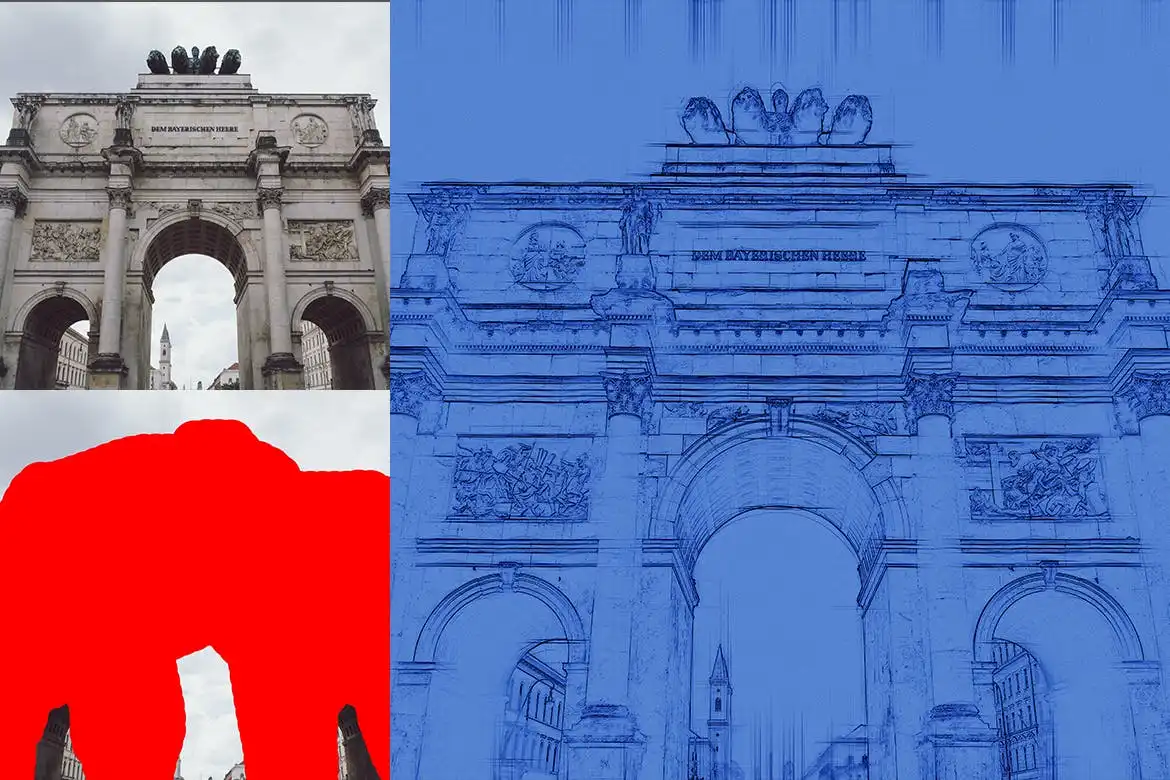
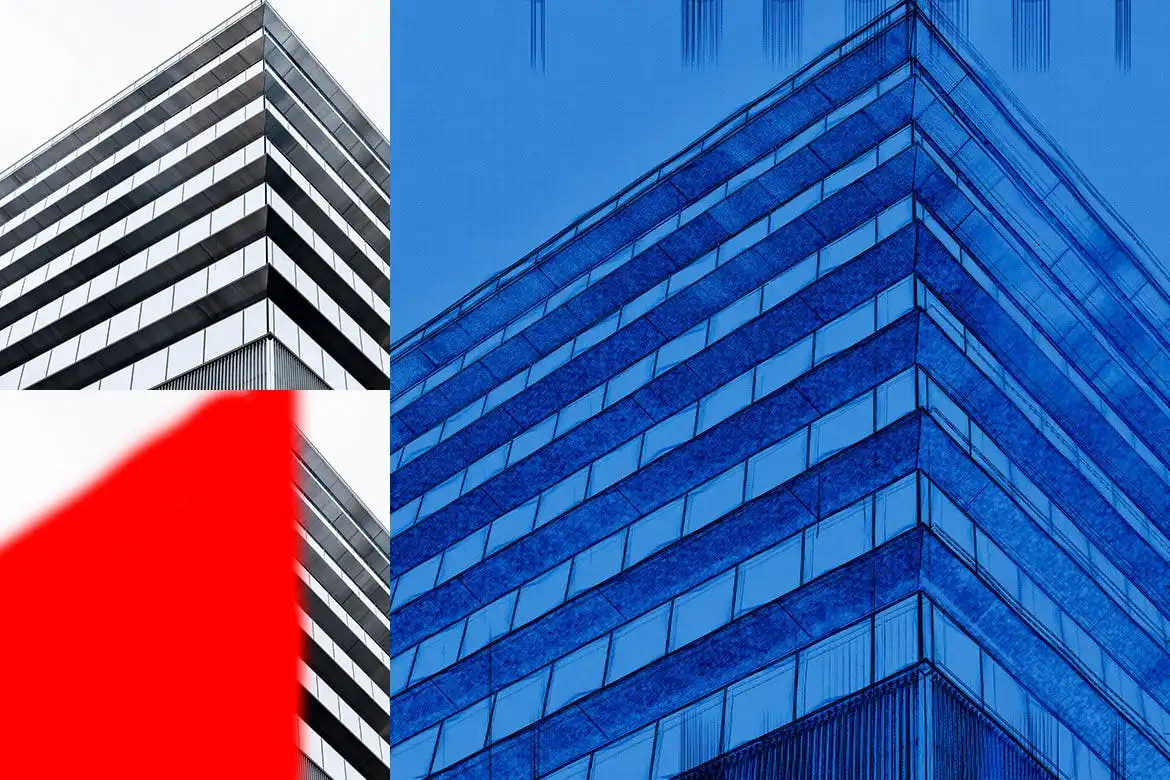
- Create a new layer named ‘Brush’ and select the brush tool to define the areas for the effect.
- Play the action and enjoy your transformed image!
FAQ
- Can I use this action on any photo? Yes, it works best on high-resolution images.
- Is technical support available? Yes, we provide support for any usage queries you may have.
Ready to elevate your designs? Add to cart now and start creating stunning architectural blueprints today! 🚀
User Reviews
Be the first to review “Architecture BluePrint – Photoshop Action”
You must be logged in to post a review.
Another Dimension Photoshop Action
Sold by



Original price was: $5.00.$2.50Current price is: $2.50.


There are no reviews yet.