
Procreate Rain & Weather Brushes
Explore Procreate rain and weather brushes for raindrops, rainfall, storm scenes, wet atmosphere, mist, cloudy environments, dramatic skies, water effects, cinematic illustration, and environmental artwork at Brushes Pack.
Create rain, storm atmosphere, mist, wet environments, dramatic weather, and cinematic outdoor scenes in Procreate.
Weather changes more than the sky. Rain affects visibility, color, reflections, edges, surfaces, atmosphere, lighting, clothing, foliage, architecture, and the overall mood of an illustration.
Rain Stroke Brushes
Create directional rainfall, fine drizzle, medium rain, heavy downpours, wind-driven streaks, and layered precipitation.
Raindrop Brushes
Add droplets to windows, glass, leaves, objects, foreground surfaces, umbrellas, clothing, and close-up environmental details.
Storm Brushes
Build darker skies, turbulent weather, dramatic atmosphere, distant rain, moody environments, and cinematic storm scenes.
Mist & Fog Brushes
Reduce distant contrast, separate depth planes, soften landscapes, create damp atmosphere, and build mysterious weather conditions.
Wet Surface Effects
Add reflective ground, darkened pavement, water streaks, damp walls, puddle-like highlights, and rain-soaked environmental character.
Cloud & Sky Brushes
Support rainfall with overcast skies, storm clouds, layered cloud masses, atmospheric perspective, and changing weather.
Water Splash Brushes
Create splashes around footsteps, vehicles, puddles, surfaces, rainfall impacts, objects, and energetic environmental interactions.
Wind & Motion Effects
Suggest weather direction through angled rain, moving foliage, clothing, mist, clouds, spray, and directional atmospheric marks.
Cinematic Weather
Combine rain, fog, reflected light, glow, silhouettes, dark skies, and atmospheric depth for narrative illustrations and concept art.
Rain should belong to the scene—not look like a transparent texture placed over the finished artwork.
Let weather affect lighting, values, saturation, reflections, depth, edges, movement, and surfaces throughout the illustration.
Follow the Wind
Rain streaks should share a believable overall direction unless turbulence or perspective creates intentional variation.
Layer the Rain
Foreground drops can appear larger and sharper while distant rainfall becomes finer, softer, and lower in contrast.
Show the Wetness
Rain feels integrated when pavement, walls, foliage, glass, clothing, and objects also respond to moisture.
Use Reflections
Streetlights, signs, windows, headlights, and bright skies can become more visually important on wet reflective surfaces.
Explore rain, clouds, water, lightning, environments, light, glow, and weather-oriented resources.
Build weather scenes by combining rain effects with Brushes Pack resources for skies, water, lightning, environments, lighting, architecture, and digital painting.
Explore Procreate Rain & Weather Resources.
Browse Procreate brushes that can support rainfall, atmosphere, water, skies, storms, mist, environmental painting, weather effects, reflections, and cinematic illustration.

FUR Brushes Realistic Procreate Fur
Sold by delightfuldesignstudio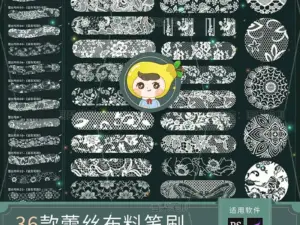
Procreate Brushes PS Brushes Lace Sheer Fabric Smudge Texture Hollow Lace Wedding Dress Pattern Apparel Design
Sold by HuaLiBrushes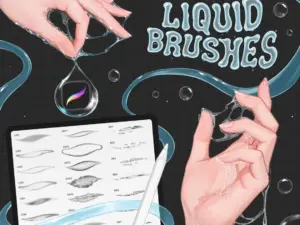
Procreate White Liquid Brushes – Glue, Fluid Flow, Splashes, Drops, Bubble Stamps and Textures
Sold by Disyukov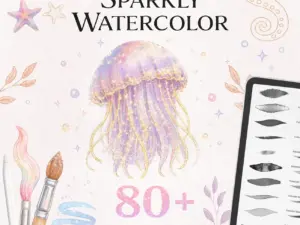
Sparkly Watercolor Brushes for Procreate – 80 Glitter, Shimmer and Metallic Brushes with Paper, Canvas Textures
Sold by dibrushes
Procreate唯美国风插画笔刷 | Chen Lu’s Painting Brushes for Procreate
Sold by Chen Lu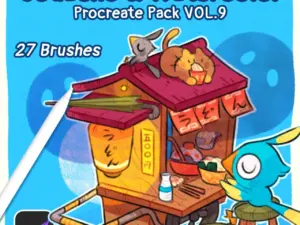
Procreate Pack VOL.9 ✿ Gouache & Watercolor
Sold by olguioo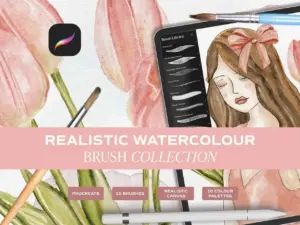
Realistic Watercolour Brushes for Procreate. Watercolour Brushes made for Ipad Procreate. Brush & Canvas Set for Ipad. Digital Brushes Set
Sold by MiloAndMilkCo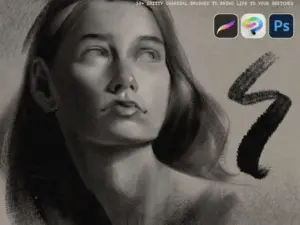
LP Charcoal Brushes
Sold by Lucas Peinador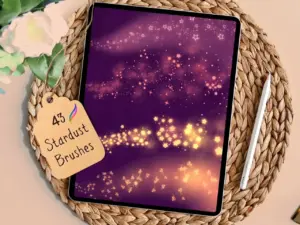
43 Whimsical Stardust Procreate Dual
Sold by Warm Cozy Cottage Shop
Procreate Pack VOL.8 ✿ Pencil colors
Sold by olguioo
Complete Pen Library for Procreate
Sold by TheBrushLibrary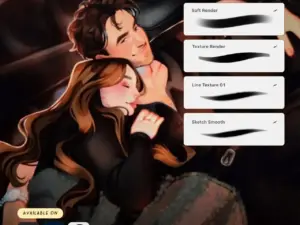
Brushes Everyday Basics – Seems Sketchy
Sold by Victoria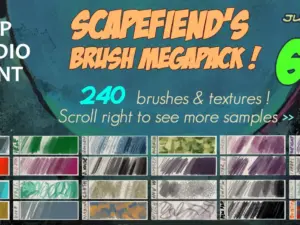
Scapefiend’s Brush MEGAPACK! for Clip Studio Paint
Sold by scapefiend
Procreate Pencil Sketch Brushes – Chalk
Sold by Bibiana
[SET] Modern Muscle Body + Casual & Semi-silver Head
Sold by Micho
Body Pose PROCREATE Bundle Drawing Set M086
Sold by Mariapalito
Realistic Watercolor Brushes for Procreate
Sold by JuliaDreamsCo
Wicked Watercolour Brushes for Procreate
Sold by GreenRoomMedia
Procreate Acrylic Brush
Sold by Freya Art
Watercolor for Procreate Kit 2024
Sold by Drifter Studio Prints
CRISP Pencil Pack by COFE | Procreate
Sold by cofeinlove
Acanthus Leaves line art stencil
Sold by CbzoneCb
Custom Brush Builder
Sold by Visual Timmy
VEGETAL BRUSHES Vol.1 – Photoshop & Procreate – 65+ brushes & 1 bonus PSD
Sold by PIXELREFEstablish the environment first, then make every layer of the scene respond to the weather.
Sky
Set the weather condition through cloud cover, color temperature, lighting direction, visibility, and atmosphere.
Environment
Build the landscape, street, architecture, characters, or objects before adding detailed precipitation.
Rain
Add rainfall in multiple depth layers with controlled direction, scale, sharpness, density, and opacity.
Wetness
Darken damp materials and introduce reflections, droplets, splashes, water streaks, wet foliage, and surface interaction.
Atmosphere
Use mist, softened distance, reflected light, reduced contrast, selective glow, and focal accents to unify the weather.
Before you paint the rain, decide what the weather is doing to the entire scene.
Rain changes with depth
Nearby rain can appear thicker and sharper. Distant precipitation usually compresses into finer, softer atmospheric streaks.
Wet materials become different
Rain can darken porous materials, strengthen reflections, create droplets, soften dust, produce puddles, and change edge contrast.
Visibility often decreases
Heavy weather can reduce distant contrast and saturation, helping artists create depth through mist, rain curtains, cloud cover, and haze.
Wet scenes amplify light
Reflections from windows, signs, streetlights, vehicles, sunsets, lightning, and other sources can become especially important after rainfall.
Weather brushes can transform landscapes, city scenes, character art, concept environments, and cinematic illustrations.
Rainy Nature Scenes
Create wet forests, distant mountains, stormy coastlines, misty fields, rainfall over vegetation, and atmospheric landscapes.
Rainy City Scenes
Combine wet streets, reflected lights, architecture, umbrellas, vehicles, windows, mist, and falling rain.
Rainy Portrait Scenes
Add wet hair, droplets, damp clothing, umbrellas, atmospheric backlighting, dramatic weather, and narrative mood around characters.
Storm Environments
Build cinematic weather for fantasy landscapes, sci-fi cities, abandoned environments, dramatic architecture, and narrative scenes.
Wet Neon Streets
Use wet pavement and rainfall to amplify neon, signage, vehicle lights, windows, reflected color, and nighttime atmosphere.
Seasonal Weather Art
Create rainy-day artwork, spring showers, summer storms, dark autumn weather, tropical rainfall, and stylized environmental illustrations.
Procreate Rain Brushes
Procreate rain brushes can help artists create falling rainfall, raindrops, storm effects, wet environments, atmospheric streaks, water splashes, mist, rainy windows, reflective streets, and cinematic weather scenes.
They can be useful for landscape illustration, concept art, city scenes, character artwork, comics, environmental painting, fantasy art, and atmospheric digital painting.
Procreate Weather Brushes
Weather artwork extends beyond rainfall. Clouds, fog, mist, wind, lightning, wet surfaces, water, reflected light, and atmospheric perspective all help communicate a believable weather condition.
A flexible workflow combines several specialized brush types rather than relying on one effect across the entire image.
Rain Brushes for Procreate
Rain brushes can speed up repetitive precipitation while still allowing the artist to control direction, density, scale, depth, and intensity.
Avoid using identical rain strokes across every depth plane. Foreground, middle-distance, and background rainfall should not necessarily look the same.
Raindrop Brushes for Procreate
Raindrops are particularly useful for close surfaces such as windows, leaves, umbrellas, clothing, glass, vehicles, foreground objects, and cinematic lens-like effects.
Vary droplet size and spacing instead of covering the surface uniformly.
Heavy Rain Brushes
Heavy rain can use longer or denser streaks, stronger foreground marks, reduced distant visibility, splashes, mist, and darker wet surfaces.
The environment itself should reinforce the intensity of the rainfall.
Light Rain and Drizzle Brushes
Drizzle often works better with finer marks, lower contrast, softer visibility, and fewer large foreground streaks.
Subtle moisture on surfaces may communicate light rain more effectively than dense precipitation.
Procreate Storm Brushes
Storm scenes can combine dark cloud masses, rain curtains, lightning, wind, mist, reduced visibility, turbulent water, and dramatic value structures.
Explore Procreate cloud and sky brushes to develop the weather above the landscape.
Procreate Lightning Brushes
Lightning can create a powerful temporary light source inside storm artwork. Surrounding clouds, buildings, landscapes, water, and characters should respond to the flash.
Explore Procreate lightning and electricity brushes.
Rain and Cloud Brushes
Cloud structure establishes the larger weather condition before individual rain streaks are visible. Overcast layers, storm fronts, cloud breaks, distant rainfall, and atmospheric color all contribute to the scene.
Use cloud shapes to support composition rather than treating the sky as a separate background.
Rain and Water Brushes
Rain interacts with rivers, lakes, oceans, puddles, pavement, rooftops, leaves, windows, and other surfaces. Small impacts and disturbed reflections can make precipitation feel more connected to the environment.
Explore Procreate water and ocean brushes.
Mist and Fog in Rainy Scenes
Mist can help separate foreground, middle distance, and background. Reducing contrast and saturation in distant forms creates atmospheric depth without requiring every raindrop to be visible.
This is especially useful for mountains, forests, city streets, architecture, and large concept environments.
How to Draw Rain in Procreate
Begin by determining wind direction and rainfall intensity. Add separate layers for distant, middle, and foreground precipitation.
Use smaller, softer marks farther away and reserve larger or brighter streaks for selected foreground areas.
How to Make Rain Look Realistic
Rain becomes more convincing when it affects the scene. Darken wet porous surfaces, add reflective highlights, soften distant objects, create water impacts, and reduce visibility where precipitation is dense.
Avoid treating rainfall as the final isolated overlay.
How to Paint Wet Pavement in Procreate
Wet pavement often becomes darker while producing stronger reflected highlights. Vertical objects such as lights, windows, signs, and vehicles can create elongated reflections across the ground plane.
Perspective, surface roughness, puddles, and unevenness should influence those reflections.
Rain Brushes for City Illustration
Rainy city scenes can combine architecture, pavement, vehicles, signage, umbrellas, streetlights, windows, fog, and reflected color.
Explore Procreate architecture and building brushes for complementary structural resources.
Rain Brushes for Landscape Art
Landscape artists can use rainfall to create misty forests, mountain storms, wet fields, rainy coastlines, distant rain curtains, dramatic valleys, and atmospheric environments.
Explore Procreate landscape and environment brushes.
Rain Brushes for Night Scenes
Night rain can emphasize artificial lighting. Streetlights, headlights, windows, signs, and neon can reflect across wet roads and appear through rain or mist.
The contrast between dark surroundings and illuminated moisture can create strong cinematic depth.
Rain and Neon Effects
Neon color can become especially effective in rainy environments because wet pavement, glass, puddles, and mist provide additional surfaces for reflected light.
Explore Procreate neon and glow brushes.
Rain and Light Effects
Backlighting can make individual rain streaks visible against dark backgrounds. Side lighting may reveal droplets selectively, while diffuse overcast light can create softer weather.
Explore Procreate light and shadow brushes.
Rain Brushes for Character Art
Weather can support storytelling around a character. Consider wet hair, darker clothing, droplets on skin, umbrellas, reflected light, posture, wind direction, and the environment around the figure.
The rain should interact with the character rather than simply passing in front of them.
Rain Brushes for Comics and Manga
Rain can communicate sadness, tension, drama, romance, isolation, action, or atmosphere in sequential art. Stylized rain lines can also reinforce movement and panel direction.
Explore Procreate comic brushes and Procreate manga brushes.
Rain Brushes for Concept Art
Concept artists can use weather to transform the same environment into different moods. A clear city, foggy city, rainy city, and violent storm version can communicate very different stories without changing the architecture.
Weather therefore functions as both an environmental effect and a design tool.
How to Layer Rain Brushes
Use separate layers for different depth zones. This makes it easier to adjust opacity, blur distant rain, erase marks around focal points, change direction, and control foreground streaks independently.
Layering also helps prevent one uniform rain texture from flattening the image.
How to Create Depth with Rain
Large foreground streaks can overlap the frame while distant rain becomes smaller and less distinct. Mist and reduced background contrast strengthen the sense of atmospheric distance.
Keep important focal areas readable even when the weather is intense.
How to Paint Rain on Windows
Window scenes can combine droplets, water trails, blurred exterior lights, reflected interiors, condensation, and selective sharp areas.
Variation is important because naturally wet glass rarely contains evenly spaced identical droplets.
Rain Splashes and Water Impacts
Rain striking puddles or hard surfaces can create small crowns, ripples, bright impact marks, and tiny splashes. These details are most useful in foreground areas where the viewer can actually see them.
Avoid applying equally detailed splash marks throughout the entire scene.
Rain and Atmospheric Perspective
Rain, mist, and humidity can reduce contrast in distant forms. This gives artists another tool for controlling depth and directing attention toward the foreground or focal subject.
Atmosphere is often more important than drawing individual distant raindrops.
Choosing Procreate Rain Brushes
Choose brushes according to the weather scenes you create. Environment artists may need several rainfall scales plus mist and water effects, while character illustrators may prioritize droplets, foreground streaks, and atmospheric accents.
City artists may benefit from combining rain resources with architecture, light, glow, water, and texture brushes.
Build a Weather Illustration Toolkit at Brushes Pack
A broader Procreate weather toolkit can combine rain, clouds, skies, water, lightning, light and shadow, glow, landscape, architecture, textures, and general digital painting brushes.
Specialized brushes can accelerate repetitive effects, while lighting, depth, surface interaction, perspective, color, and atmospheric storytelling make the weather believable.
Continue exploring Procreate brushes and digital assets at Brushes Pack.
Procreate Rain & Weather Brushes FAQ
What are Procreate rain brushes?
They are digital brushes used to help create rainfall, raindrops, rain streaks, splashes, wet atmosphere, storm effects, and related weather details in Procreate.
Can rain brushes create realistic weather?
They can accelerate precipitation effects, but believable weather also depends on lighting, wet surfaces, reflections, atmospheric depth, clouds, visibility, and environmental interaction.
Can I use rain brushes for city scenes?
Yes. Rain works especially well with architecture, streets, vehicles, windows, signs, reflected lights, wet pavement, mist, and nighttime illustration.
How can I make rain look deeper?
Use different rain layers for foreground, middle distance, and background. Vary scale, sharpness, brightness, density, and opacity between those layers.
What brushes work well with rain?
Cloud, sky, water, lightning, light, glow, environment, architecture, texture, and general painting brushes can all complement rainy scenes.
Can rain brushes be used for comics?
Yes. Rain can support mood, movement, drama, romance, action, tension, and environmental storytelling in comics and manga.
How do I create wet surfaces?
Consider darker material values, stronger reflections, droplets, water streaks, puddles, softened roughness, and light sources reflecting across damp surfaces.
What should I check before buying a brush set?
Review the individual product page for exact contents, Procreate compatibility, file information, examples, installation details, and creator-specific instructions.
Weather becomes convincing when the environment reacts to it from foreground to horizon.
I would separate rain into several depth layers. Large foreground streaks, finer middle-distance rain, and softer distant precipitation create more space than one uniform overlay.
I would make sure the ground, foliage, glass, buildings, clothing, or other exposed surfaces actually look wet before adding more rainfall.
I would look for opportunities to reflect important lights across wet surfaces. Those reflections can communicate the weather more effectively than adding extra rain streaks.
Build a broader weather, water, atmosphere, environment, and lighting toolkit.
Turn clear skies into atmospheric stories.
Explore Procreate rain and weather resources for rainfall, raindrops, storms, mist, wet environments, reflective streets, dramatic skies, cinematic scenes, and atmospheric digital illustration at Brushes Pack.