
Hey there, creative soul! 🎨 Are you ready to take your digital art to a whole new level? Meet The DrX Collection — a treasure trove of Photoshop actions and design assets that are pure magic for artists, photographers, and hobbyists alike. Whether you’re craving bold cartoon effects, moody cinematic vibes, or even entire planets 🪐, this collection has something that’ll make your heart skip a beat. ✨ Let’s dive into my top 7 picks from this incredible lineup!
Why Use These Digital Art Tools?
Because time is precious, and your creativity deserves to flow without limits! 🚀 These Photoshop actions are designed to turn your ordinary images into extraordinary works of art in seconds. No more fiddling with complex sliders — just one click and boom, instant transformation. Plus, they’re perfect for social media posts, album covers, or just having fun experimenting with your photos. 🎉
Top 7 Picks from The DrX Collection
Cartoon Abstract Colors Effect

Get ready to unleash a rainbow of joy with the Cartoon Abstract Colors Effect! 🌈 This action takes your photos and wraps them in a playful, dreamy abstract cartoon vibe that feels like stepping into a living comic book. Perfect for artists who want to add a splash of whimsy to their portfolio — it’s fun, fast, and totally addictive! ✨
Cartoon Colorful Day Effect

Who doesn’t love a bright, sunny day? ☀️ The Cartoon Colorful Day Effect will turn your images into cheerful, cartoon-style masterpieces that radiate happiness. Whether it’s a selfie, a landscape, or a candid pet photo, this action adds that perfect pop of playful color. It’s like Photoshop happiness in a single click! 😊🎨
Dark Colorful Vibrant Effect

Bold, moody, and bursting with life — the Dark Colorful Vibrant Effect is for those who love a little drama with their color! 🖤🔥 This action creates a rich, dark backdrop that makes every color in your image pop like neon lights. It’s the secret weapon for creating edgy album covers, moody portraits, or eye-catching digital posters. Absolutely stunning! 🎨💥
Dramatic Cinematic Dark Effect

Calling all storytellers and fantasy lovers! 🌌 The Dramatic Cinematic Dark Effect is pure film magic. This action turns your photos into scenes straight out of a dark romance or an epic thriller. Deep shadows, rich contrast, and that unmistakable Hollywood mood. If you want your art to whisper secrets and drama, this is your go-to! 🎬🖤
Painted Canvas Effect

Dreaming of turning your photos into masterpiece paintings? 🖌️ The Painted Canvas Effect does exactly that! With a single click, your images get a gorgeous, hand-painted texture that looks like real oil on canvas. It’s elegant, artistic, and perfect for giving your portraits or landscapes that timeless gallery feel. A total must-have for digital painters! 🎨✨
Planets Pack 3 (15 Planets)
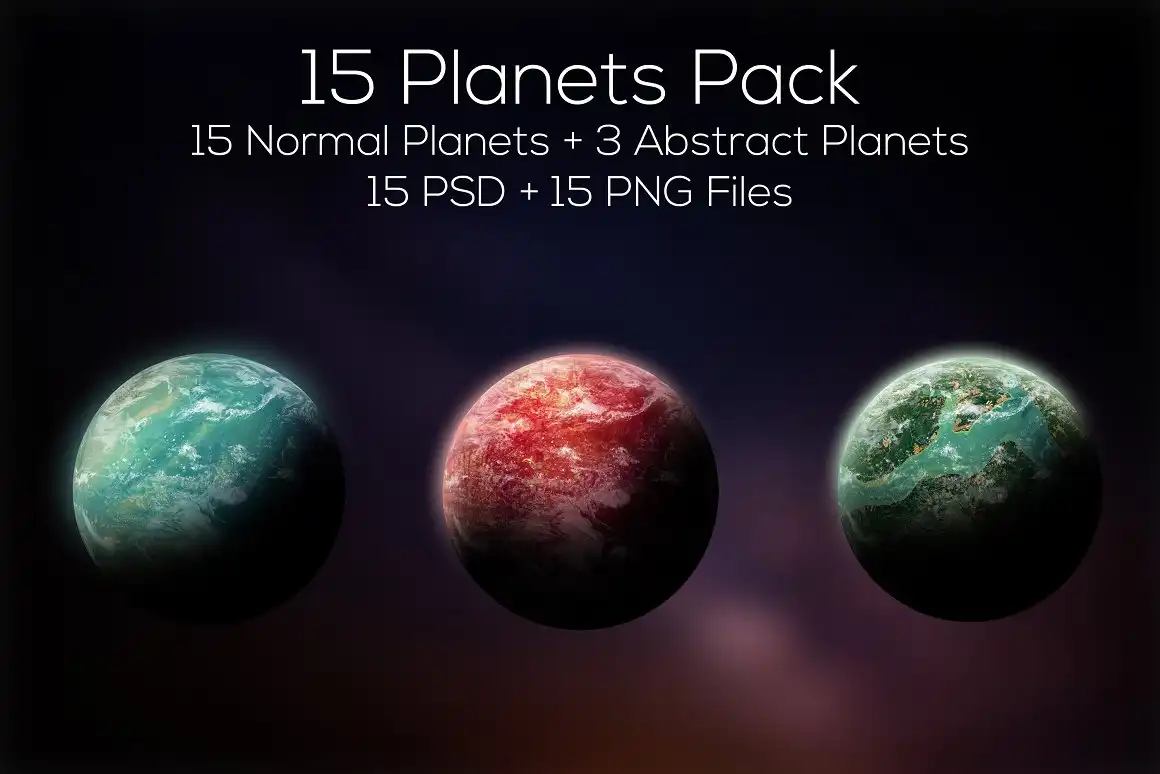
Ready for an intergalactic adventure? 🪐✨ The Planets Pack 3 gives you 15 stunning, handcrafted 2D planets that are out of this world! Each one is beautifully detailed and ready to drop into your sci-fi designs, space scenes, or album art. Whether you’re building a galaxy or just need a cosmic touch, this pack is pure gold for dreamers. 🚀🌌
Summer Color Contrast Effect

Capture the feeling of golden hour and warm breezes 🌞! The Summer Color Contrast Effect is your ticket to that dreamy, soft summer palette everyone craves. It gently enhances contrast and adds a delightful warmth that makes any photo look like a memory from the best vacation ever. Perfect for travel photos, beach shots, or just chasing that sunny vibe! 🍦🌊
Conclusion
And there you have it, my friend — the absolute best of The DrX Collection! 🎉 From playful cartoon effects to dramatic cinematic moods and even a whole pack of planets, these tools are designed to make your creative journey smoother, faster, and way more fun. Don’t wait — dive in and start transforming your art today! 💫✨
Frequently Asked Questions
How do I install these Photoshop actions from The DrX Collection?
Super easy! Once you download the file, just open Photoshop, go to the Actions panel (Window > Actions), click the menu icon, and choose “Load Actions.” Select the .atn file, and you’re done! 🚀
Can I use these effects on any image?
Absolutely! These actions work on most standard images, but for best results, start with a high-resolution photo. Some effects work best on portraits, while others love landscapes — each product description gives you tips to get the most out of it! 🌟



