Hey there, creative soul! 🎨✨ Ever looked at your digital illustrations and felt like they were missing that little *sparkle*? You know, that magical, dreamy glow that makes a scene feel alive? In my years as a digital artist, I’ve learned that lighting is everything—and nothing beats the whimsy of warm, twinkling fairy lights. Today, I’m beyond excited to dive into JRChild Collection Part 4, specifically focusing on the Fairy Light Generator for Illustrator and Photoshop. Trust me, this is the secret sauce your art has been craving! 🚀
Why Use These Fairy Light Generators?
Let’s be real—manually painting individual glowing orbs and soft light halos is a massive time sink. 😅 These tools automate the magic, letting you add realistic, twinkling fairy lights to your illustrations, posters, or branding projects in just a few clicks. Whether you’re creating a cozy forest scene, a whimsical wedding invite, or even a mystical product mockup, these actions and presets inject that enchanting, ethereal vibe that instantly elevates your work from flat to fantastic. 🌟
Top 2 Fairy Light Generator Picks from JRChild
Fairy Light Generator – Illustrator Actions (Part 4 Edition)
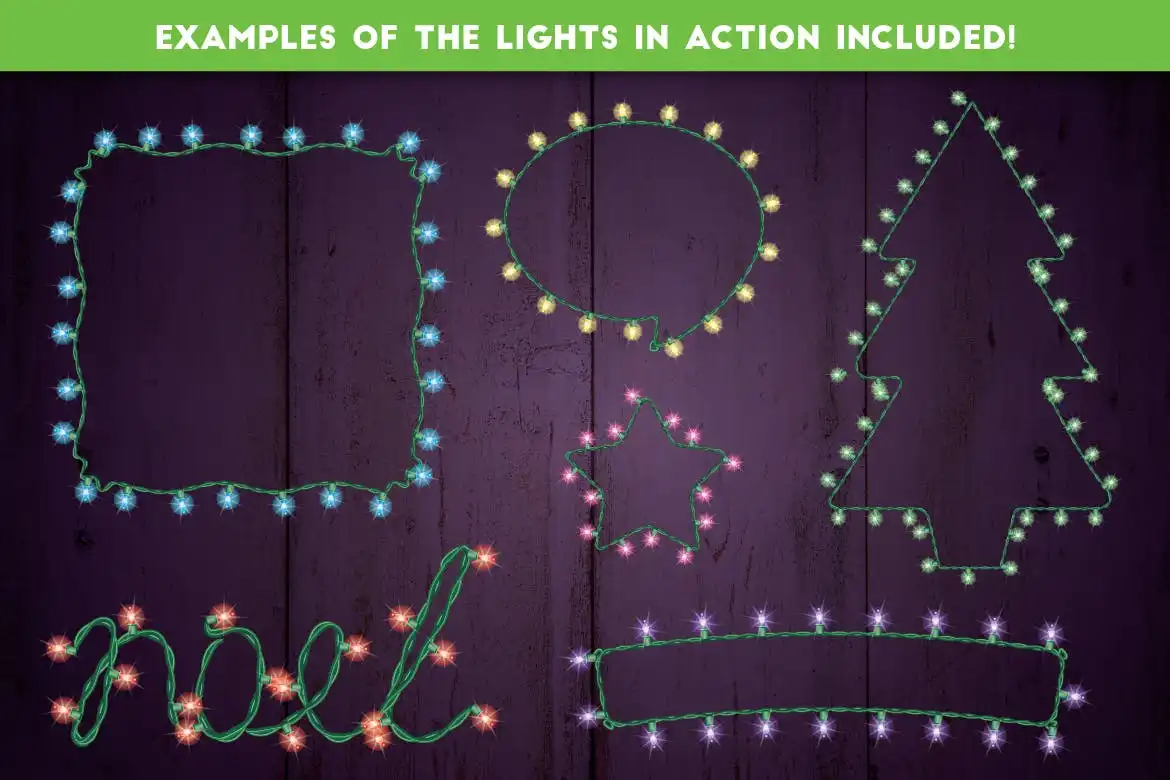
Oh. My. Goodness. This set is pure glitter in a digital box! 💖 The Fairy Light Generator-Illustrator Actions from JRChild is an absolute game-changer for vector artists. With just one click, you can blanket your entire composition with glowing, warmly-lit fairy lights that feel like they’re straight out of a storybook. I love how customizable it is—you can tweak the size, color, and intensity to match your unique style. Perfect for adding that tender, cozy glow to character illustrations or magical landscapes! 🧚♂️
Fairy Light Generator – Illustrator Actions (Original Pack)
I couldn’t leave out the original masterpiece! 🎉 This version of the Fairy Light Generator-Illustrator Actions is a must-have for any digital artist or graphic designer who loves that instant “wow” factor. It simulates the charming, soft glow of real string lights with breathtaking realism. Whether you’re working on a romantic poster, a magical book cover, or even a festive social media graphic, these actions make the process ridiculously fun and fast. Plus, they work beautifully with both Illustrator and Photoshop, giving you maximum flexibility. Go ahead, make your art shine! 🌠
Conclusion
Honestly, adding lighting effects to your digital art shouldn’t feel like a chore—it should be the most joyful part of the process! 🎨✨ JRChild’s Fairy Light Generator packs deliver that joy effortlessly. Whether you pick the new Part 4 edition or the classic original, you’re gifting yourself a toolkit that will make your illustrations glow with personality and magic. So go ahead, click those buttons, and let your creativity dance in the twinkle of a thousand lights! 💫
Frequently Asked Questions
Can I use these Fairy Light Generators in both Adobe Illustrator and Photoshop?
Absolutely! While the primary focus is on Illustrator Actions, both products from JRChild are designed to be cross-compatible. The presets and actions work seamlessly in Photoshop as well, giving you ultimate flexibility across your favorite design platforms. 🌟
Are these actions easy to use for beginners?
100% yes! 🙌 Even if you’re brand new to digital art, these Fairy Light Generators are incredibly intuitive. Just install the action, select the area you want to light up, hit play, and watch the magic happen. JRChild also includes helpful guides, so you’ll feel like a pro in no time!