








Winter Overlays for Photoshop: Elevate Your Designs
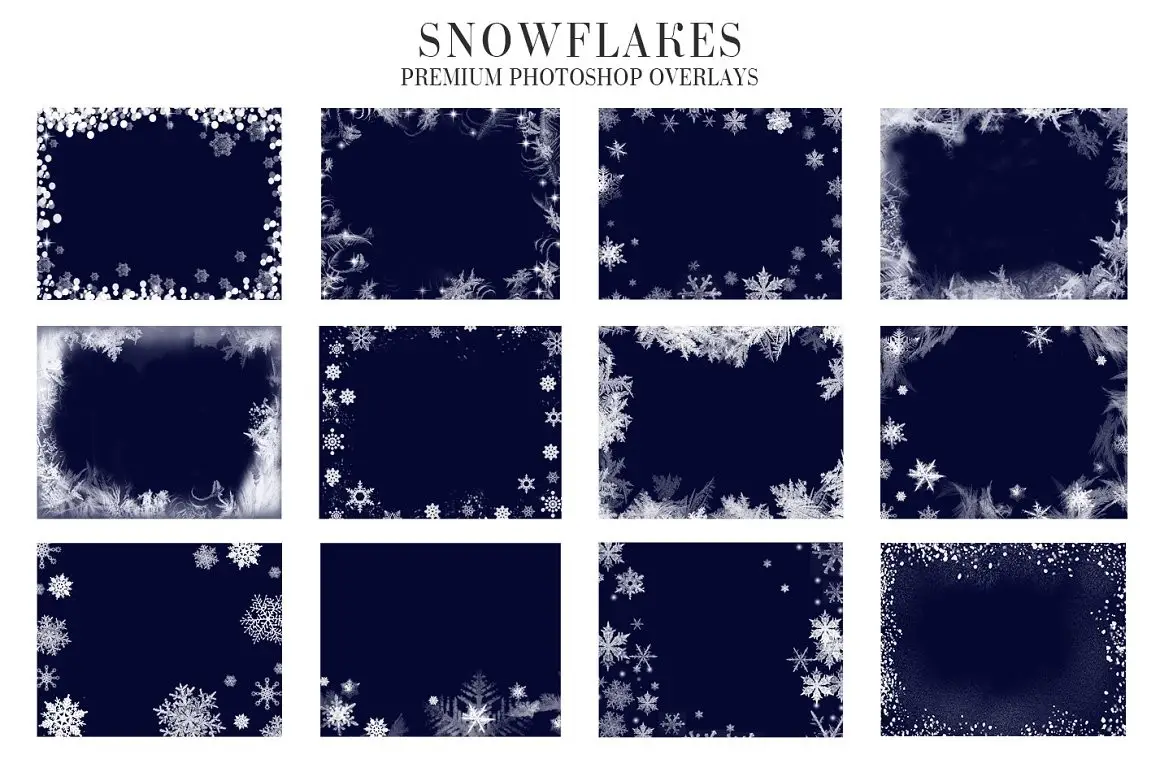
Transform your winter-themed projects with our Winter Overlays Photoshop collection. These overlays are perfect for adding a magical touch to your images, making them ideal for holiday cards, social media posts, and more.
Product Overview
This collection features 20 stunning snowflake overlays in JPG format, designed to be compatible with Adobe Photoshop (all versions), Creative Cloud, GIMP, Paint Shop Pro, and any software that supports layer functionality. With high-resolution images up to 6000×4000 pixels at 300 dpi, your designs will maintain exceptional quality.
Key Features & Benefits
- ✅ 20 Unique Snowflake Overlays → Perfect for adding a wintery feel to your projects.
- ✅ High Resolution → Ensures your designs look sharp and professional.
- ✅ Compatible with Multiple Software → Works seamlessly with Adobe Photoshop, GIMP, and more.
- ✅ Versatile Formats → Use with JPG, TIFF, PNG, and RAW images for maximum flexibility.
- ✅ Easy to Use → Simply layer the overlays to create stunning effects in minutes.
Why Choose This Product
Our Winter Overlays Photoshop collection is trusted by graphic designers and photographers alike. These overlays not only enhance your images but also save you time, allowing you to focus on your creativity. Whether you’re a professional or a hobbyist, these overlays will help you achieve stunning results effortlessly.
Specifications
| Dimension | Up to 6000×4000 pixels |
|---|---|
| Format | JPG |
| Compatibility | Adobe Photoshop, Creative Cloud, GIMP, Paint Shop Pro |
| Resolution | 300 dpi |
| Usage | Mac and PC |
What’s Included
- 📦 20 Snowflake Overlays in JPG format
Perfect For
- Photographers
- Graphic Designers
- Social Media Managers
- Anyone looking to enhance their winter-themed projects
How to Use
- Open your image in Photoshop.
- Import the overlay and adjust its size and position.
- Change the layer mode to achieve the desired effect.
- Save your masterpiece!
FAQ
- Can I use these overlays in other software? Yes, they are compatible with any software that supports layers.
- Are these overlays easy to use? Absolutely! Just layer them over your images for quick results.
Add to cart now and start creating your winter wonderland! 🚀
User Reviews
Be the first to review “Winter Overlays Photoshop”
You must be logged in to post a review.

Original price was: $11.00.$5.50Current price is: $5.50.


There are no reviews yet.