
White Background Remover PS Action

Original price was: $0.60.$0.30Current price is: $0.30.

Jac pot
Product Specs:
- Compatible with: Actions
- File Type: ZIP
- File Size: 5.2 MB
- Instant Download
White Background Remover Photoshop Action
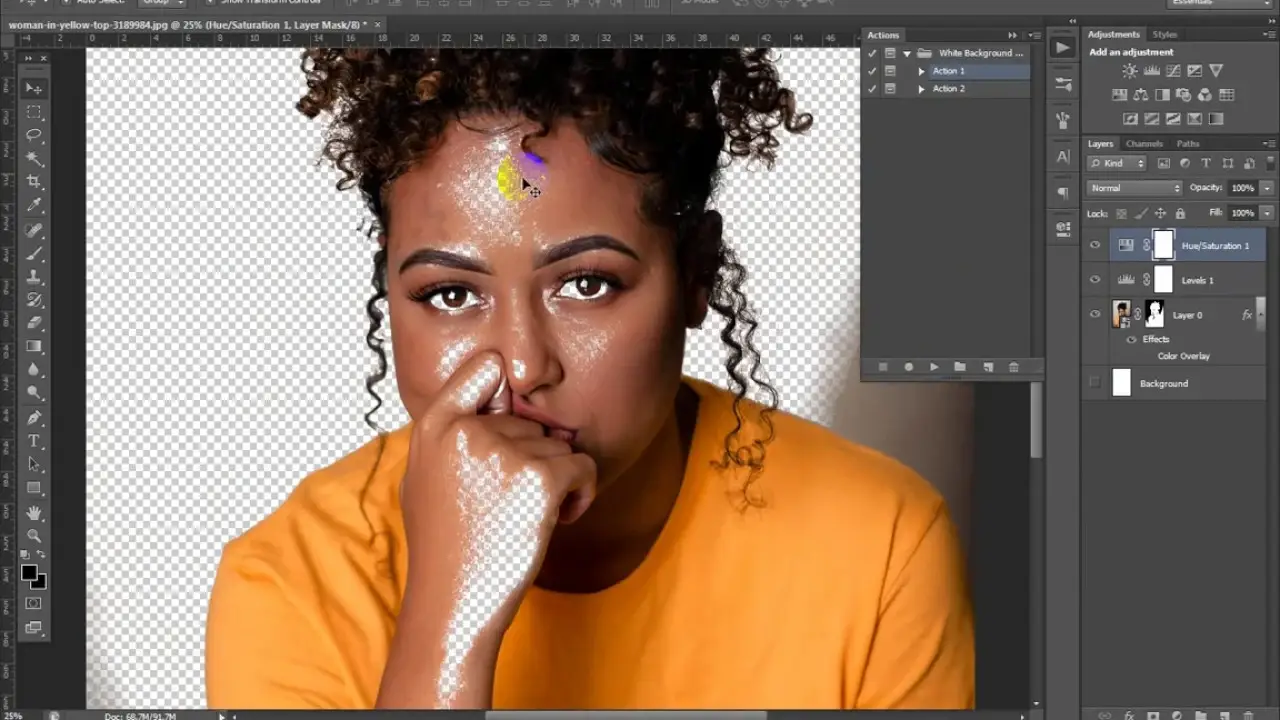
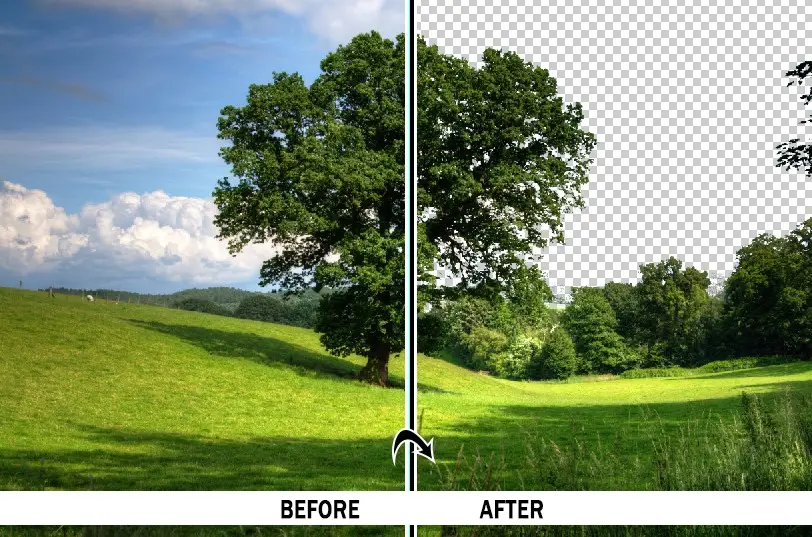
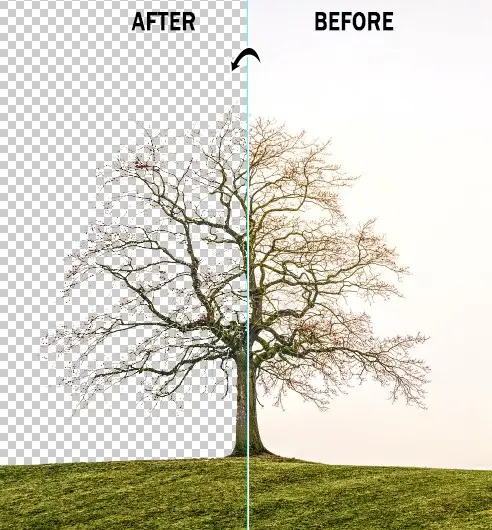
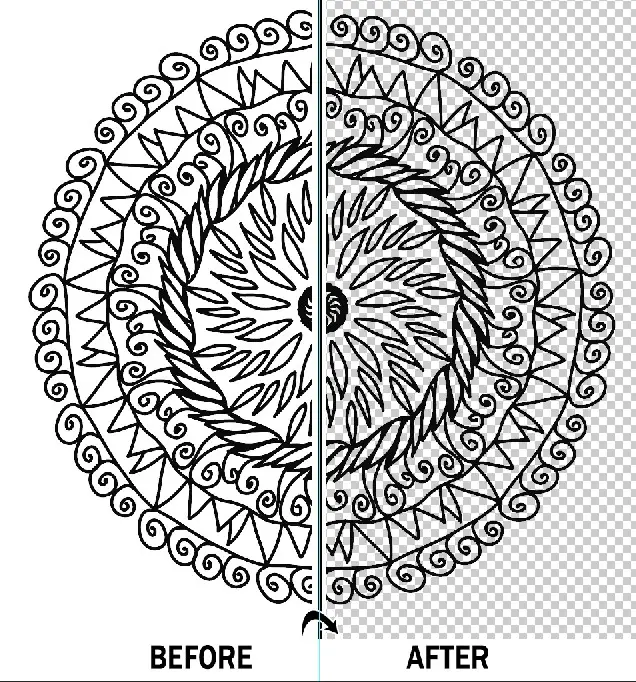
Transform your images effortlessly with the White Background Remover Photoshop Action. Designed for photographers, graphic designers, and artists, this action allows you to achieve a modern look for your photos while maintaining complete creative control. With non-destructive layers and fully adjustable settings, you can easily customize your results to perfection.
Product Overview
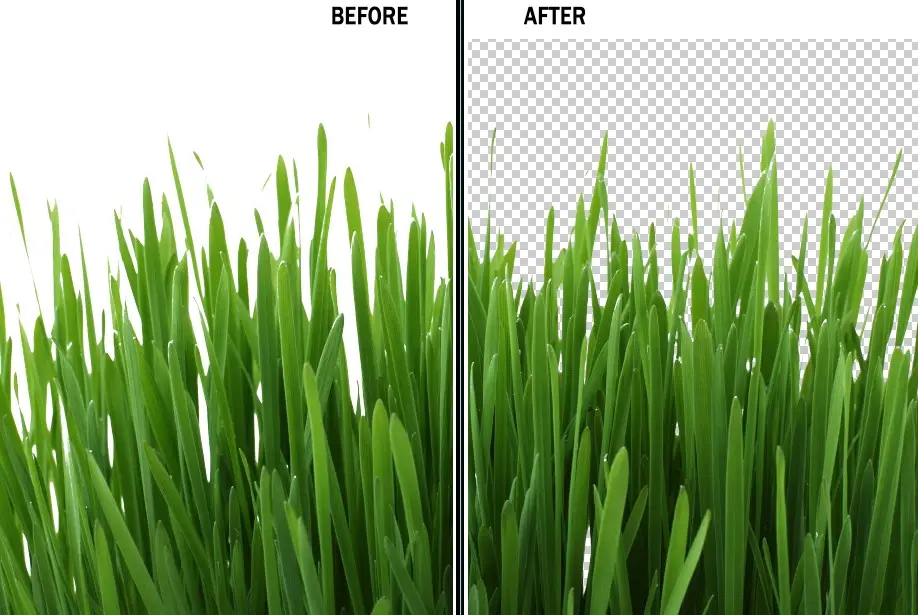
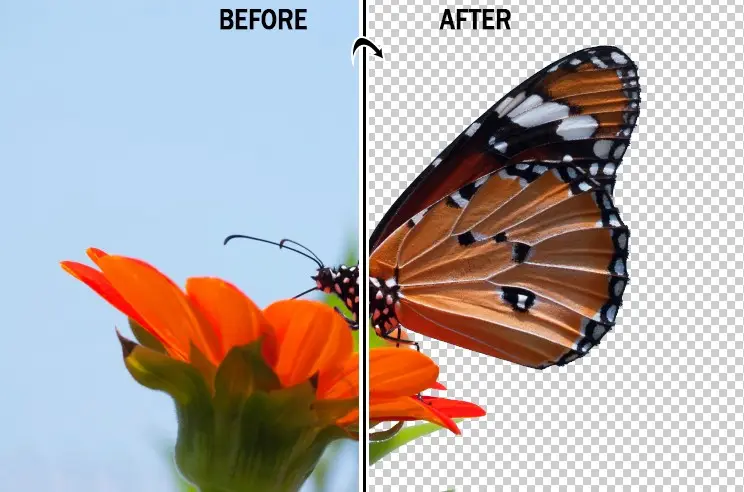
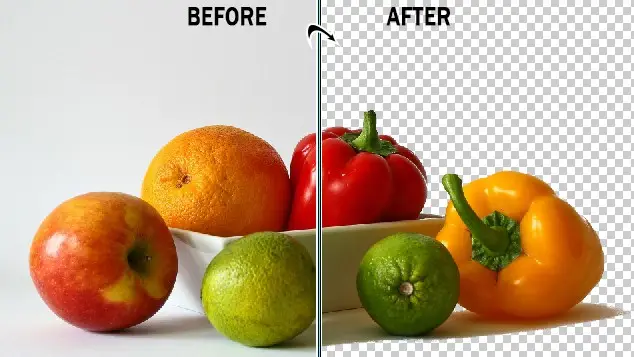
The White Background Remover Photoshop Action simplifies the process of creating stunning images with a clean, white background. Whether you’re looking to enhance product photos or artistic sketches, this action is your go-to solution for professional-quality results.
Key Features & Benefits
- ✅ Easy Application → Simply apply this action to any image with just one click.
- ✅ Transformative Results → Designed specifically to convert your photos into images with a white background.
- ✅ Fully Editable Layers → Enjoy the flexibility to customize and adjust each layer according to your needs.
- ✅ High-Quality Output → Achieve professional-grade results that elevate your work.
- ✅ Well-Organized Layers → Everything remains layered for easy access and modification.
- ✅ Compatible with Multiple Versions → Works seamlessly with Photoshop CS4, CS5, CS6, CC2014, CC2015, CC2017, CC2018, CC2019, and CC+.
Why Choose This Product
This White Background Remover Photoshop Action is not just a tool; it’s a creative companion that enhances your workflow. By providing a user-friendly experience and high-quality results, it allows you to focus on your artistry without getting bogged down by complex processes. Trusted by professionals worldwide, this action is designed to make your editing tasks both simple and enjoyable.
Specifications
| File Type | ATN |
|---|---|
| Photoshop Compatibility | CS4 and later |
| Resolution | No restrictions |
What’s Included
- 📦 1 ATN file for the action
- 📦 Help file for easy installation and usage
Perfect For
- Photographers looking to enhance product images
- Graphic designers needing quick background removals
- Artists wanting to showcase their work with a clean aesthetic
How to Use
- Open Adobe Photoshop and navigate to File > Open.
- Select the White Background Remover Photoshop Action ATN file.
- Import any image with a white background into Photoshop.
- Select your layer and click to start the action.
- Access your actions from the top view in Window > Actions.
FAQ
- Can I use this action with any image? Yes, it works with any image that has a white background.
- Is it easy to customize the results? Absolutely! The layers are fully editable for your convenience.
Add to cart now and start creating stunning images today! 🚀
User Reviews
Be the first to review “White Background Remover PS Action”
You must be logged in to post a review.

Pencil Sketch Photoshop Action
Sold by Jac pot
Adobe Photoshop Actions and Presets Bundle – 20 Items
Sold by Jac pot
Cartoon Paint Photoshop Plugin
Sold by Jac pot
Glowing Smoke Photoshop Action
Sold by Jac pot
Real Faded Photoshop Action
Sold by Jac pot
3300+ Photo Overlays Bundle+FREE Act
Sold by Jac pot Original price was: $0.60.$0.30Current price is: $0.30.


There are no reviews yet.