
Watercolor – Photoshop Action




Watercolor – Photoshop Action
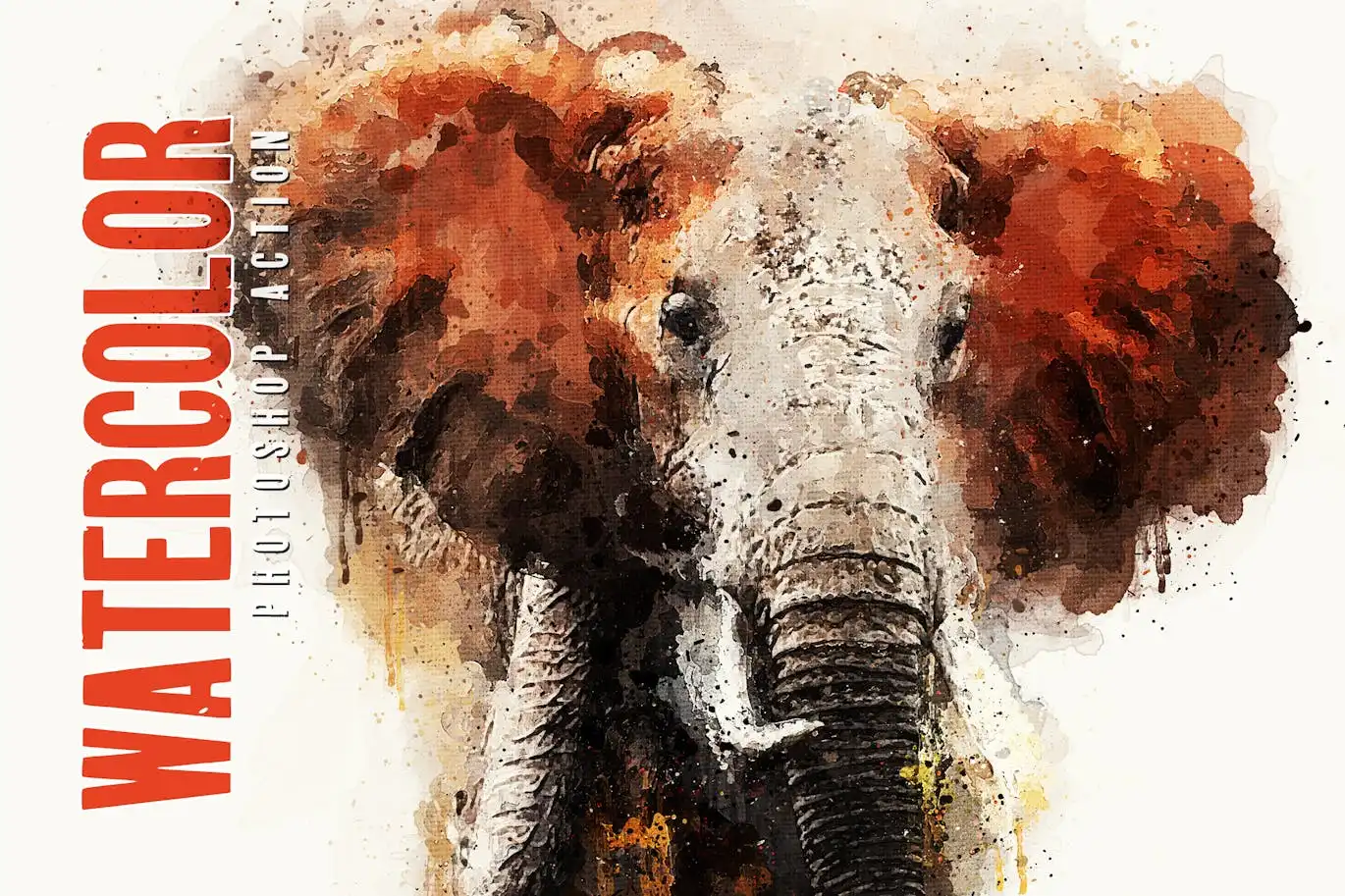
Transform your photos into stunning watercolor artworks effortlessly with the Watercolor – Photoshop Action. This action is designed for artists and photographers who want to create beautiful watercolor effects without the need for extensive manual editing. With just a few clicks, you can achieve a professional look that enhances the beauty of your images.
Product Overview
The Watercolor – Photoshop Action is a powerful digital design asset that allows you to apply a realistic watercolor effect to your images. Ideal for both beginners and professionals, this action simplifies the creative process, enabling you to focus on your artistry. Whether you’re looking to enhance portraits, landscapes, or any other type of photography, this action delivers impressive results.
Key Features & Benefits
- ✅ Easy to Use → Simply load the action and watch your photo transform into a watercolor masterpiece.
- ✅ High-Quality Output → Achieve stunning results that maintain the integrity of your original image.
- ✅ Compatible with CS and CC+ → Works seamlessly with various versions of Photoshop.
- ✅ Comprehensive Help File → Includes detailed instructions to help you get started quickly.
- ✅ Video Tutorial Included → Access a step-by-step guide to maximize your use of the action.
Why Choose This Product
The Watercolor – Photoshop Action stands out due to its user-friendly design and high-quality results. It is trusted by artists worldwide for its reliability and ease of use. This action not only saves you time but also enhances your creative workflow, allowing you to produce stunning watercolor effects without needing advanced skills.
Specifications (Technical Details)
| File Type | ATN, ABR, PAT |
|---|---|
| Photoshop Compatibility | CS and CC+ |
| Recommended Photo Dimensions | 2000-4000px |
| Language Requirement | English |
What’s Included / What’s in the Box
- Action ATN file
- Brush ABR file
- Pattern PAT file
- Help file
- Video tutorial link
Perfect For
- Photographers looking to enhance their images
- Graphic designers wanting to add watercolor effects
- Artists seeking new ways to express their creativity
How to Use
To get the best results from the Watercolor – Photoshop Action, follow these simple steps:
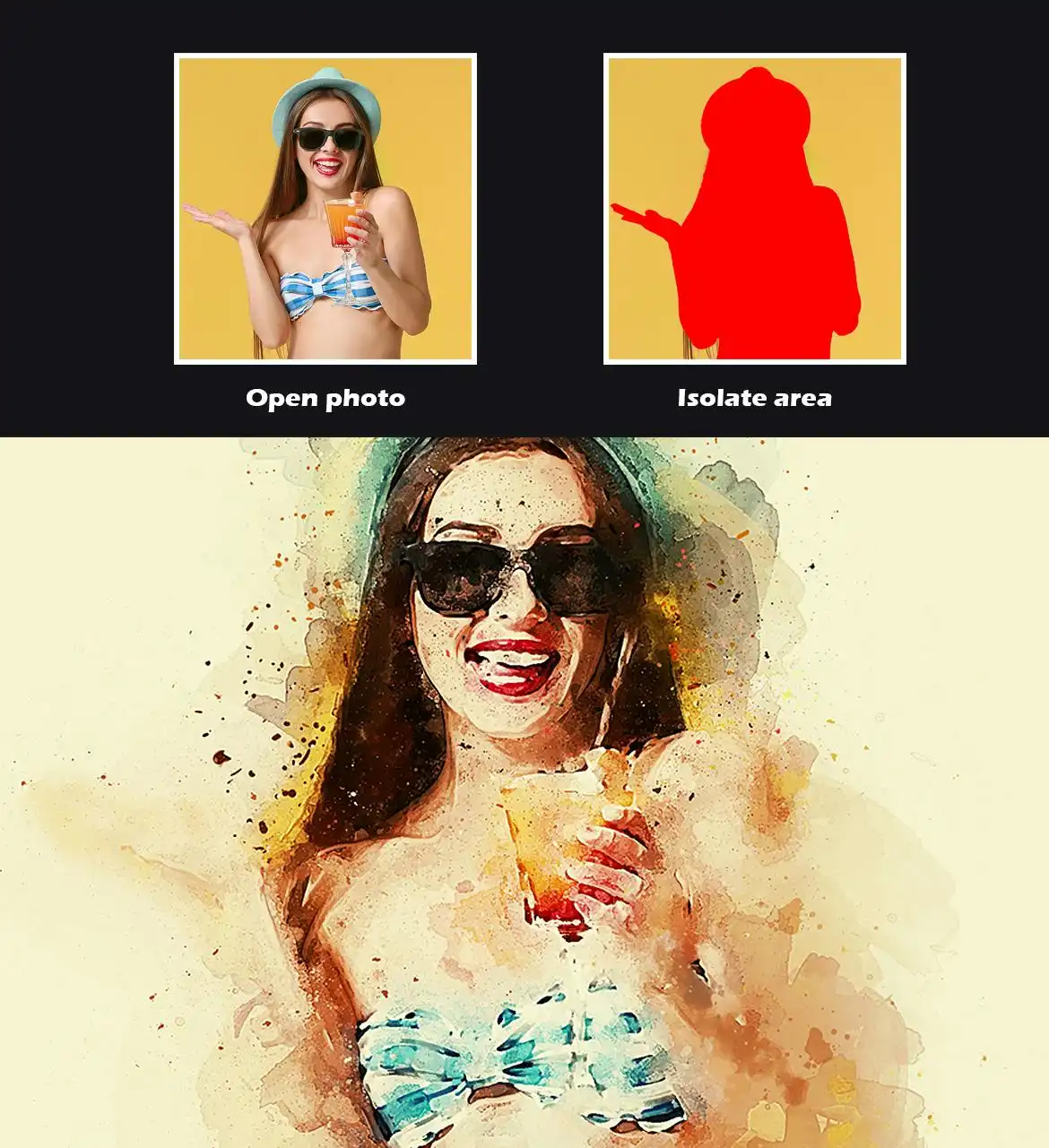
- Open your image in Photoshop.
- Ensure your workspace is set to English and the document is in RGB mode.
- Load the action and select your desired brush settings.
- Run the action to apply the watercolor effect.
FAQ
- Can I use this action on any image? Yes, it works best with images sized between 2000-4000px.
- Is there a money-back guarantee? Yes, we offer a satisfaction guarantee on all our products.
Elevate your digital artwork today with the Watercolor – Photoshop Action. Add to cart now and start creating stunning watercolor effects! 🚀
User Reviews
Be the first to review “Watercolor – Photoshop Action”
You must be logged in to post a review.
Original price was: $5.00.$2.50Current price is: $2.50.


There are no reviews yet.