
Stitched Fabric Photoshop Action
Original price was: $5.00.$2.50Current price is: $2.50.

Andrew Skoch Design
Product Specs:
- Compatible with: Actions | Adobe Photoshop
- File Type: ZIP
- File Size: 6.9 MB
- Instant Download
Stitched Fabric Photoshop Action
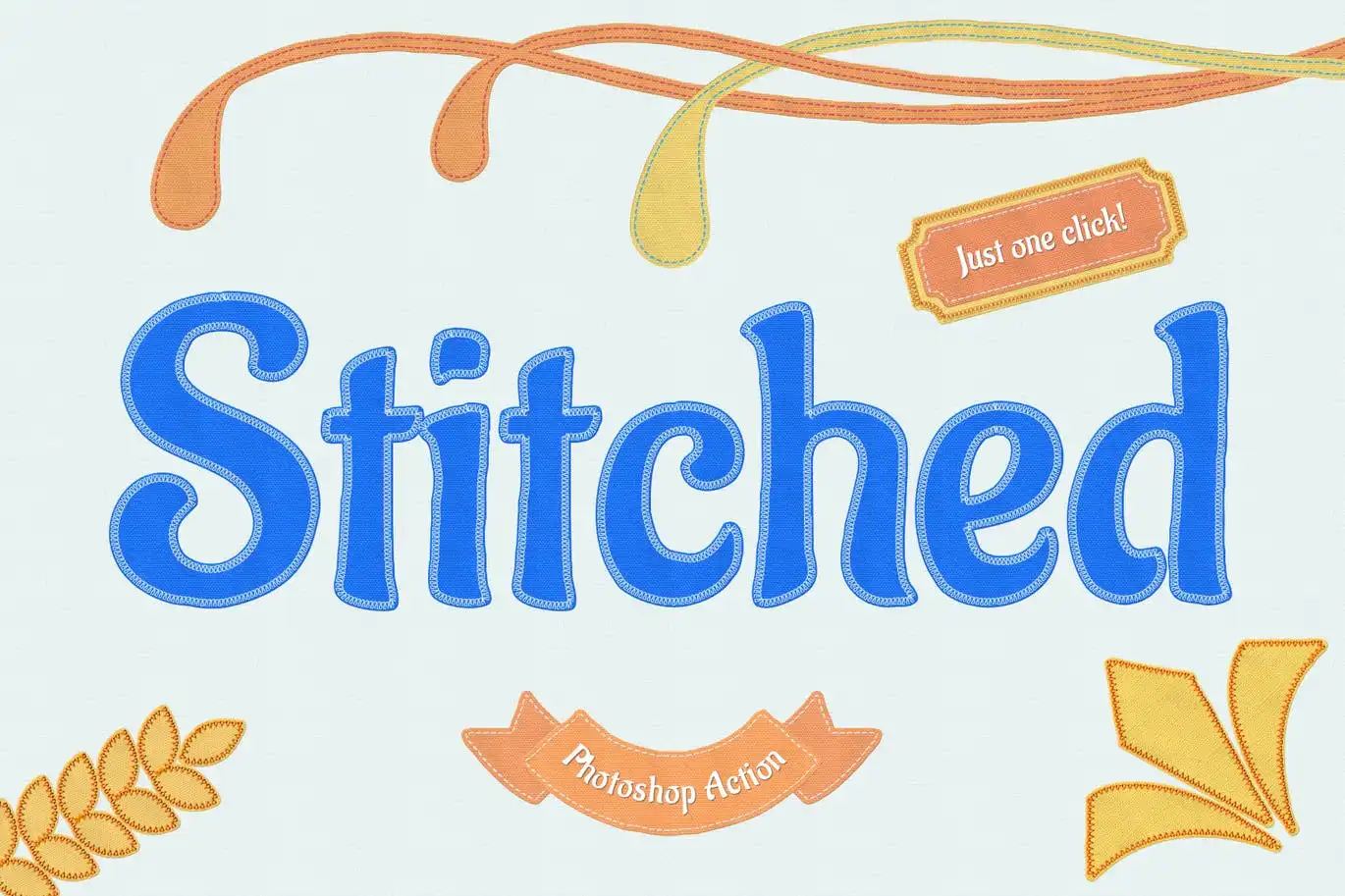
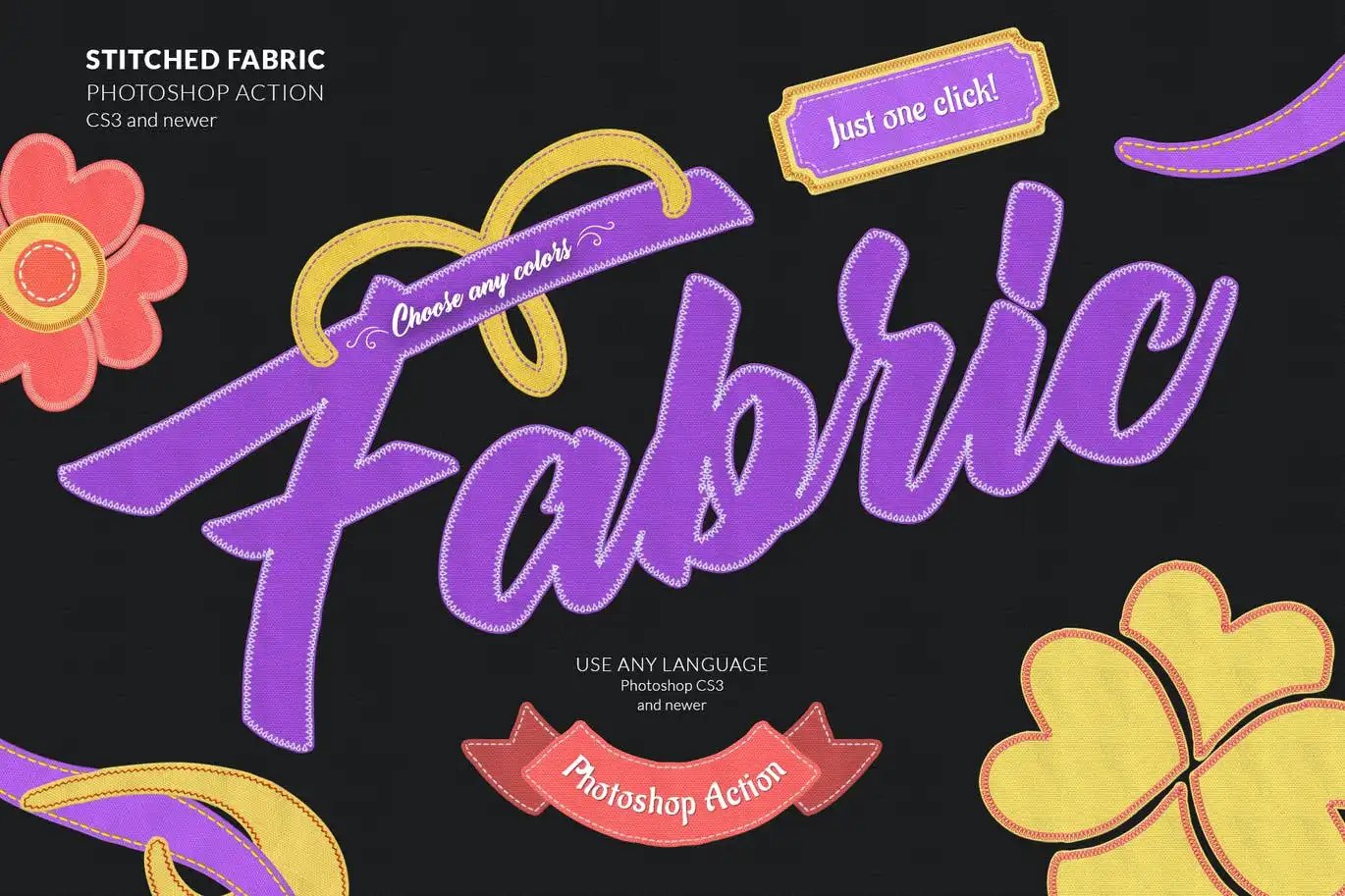
Transform your designs with the Stitched Fabric Photoshop Action. This powerful tool allows you to create stunning stitched fabric effects effortlessly. Whether you’re working on text, logos, or any pixel layers, this action is designed for ease of use. With just a click, you can apply vibrant colors to your stitches and fabric base, making your projects come alive!
Product Overview
The Stitched Fabric Photoshop Action is perfect for designers looking to add a unique touch to their work. Ideal for creating eye-catching typography, logos, and more, this action simplifies the process of applying fabric textures and stitching effects. It’s suitable for both beginners and experienced users alike.
Key Features & Benefits
- ✅ One Click Action → Quickly apply the stitched effect with a single click.
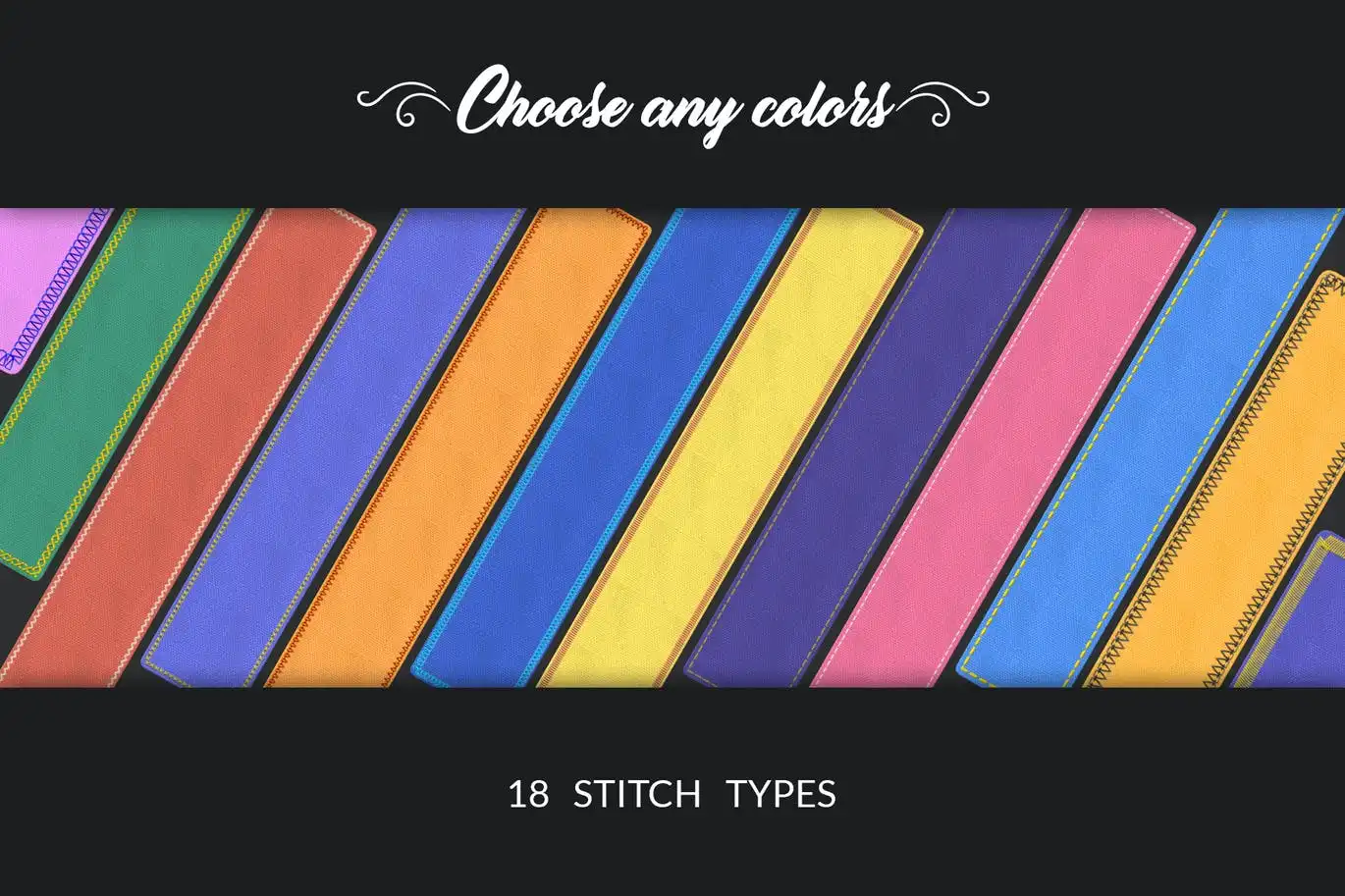
- ✅ Customizable Colors → Choose any color for your stitches and fabric base.
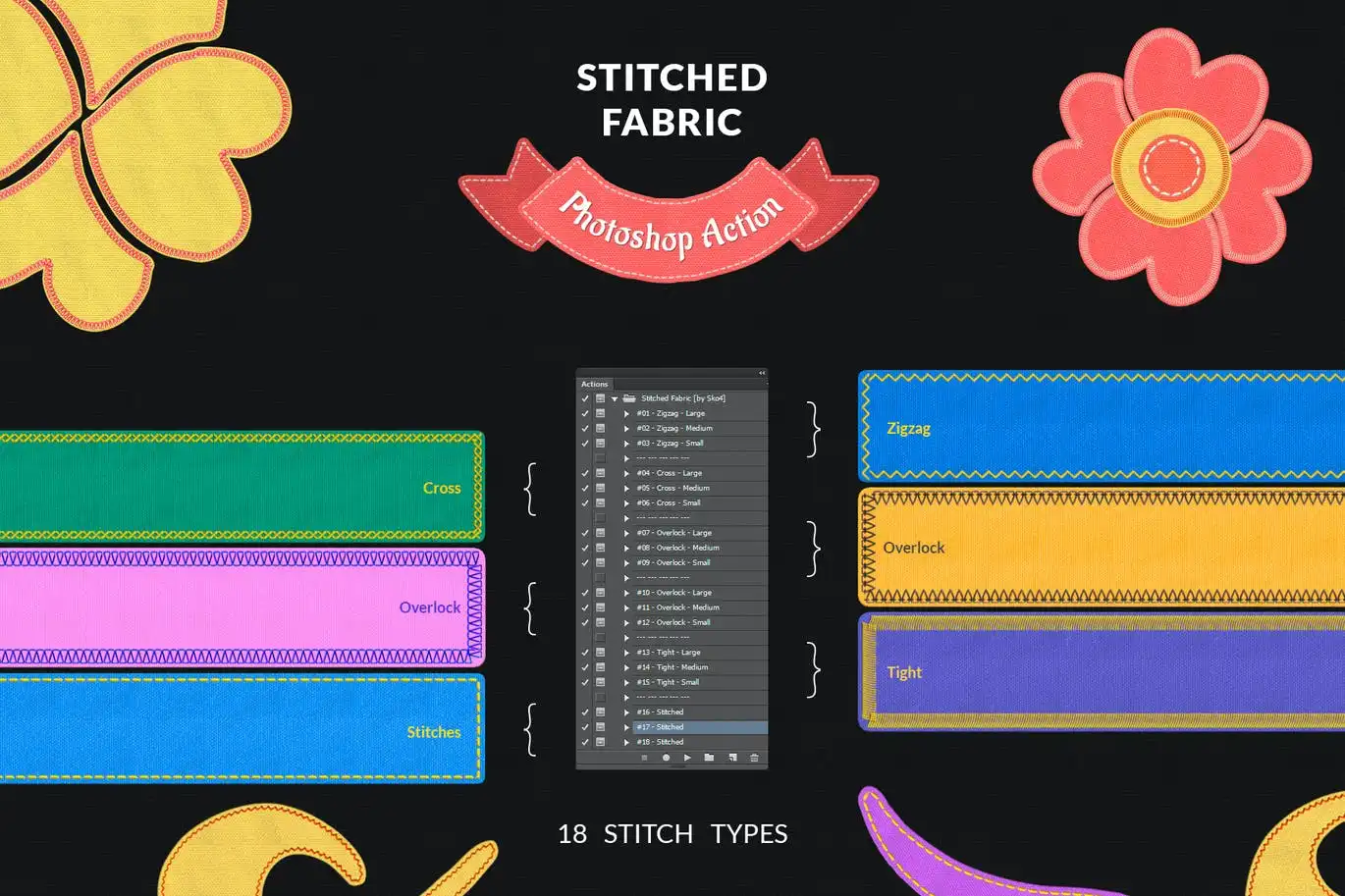
- ✅ 18 Stitch Effects → A variety of stitching styles to enhance your designs.
- ✅ 3 Stitch Sizes → Options for large, medium, and small stitches to fit your project needs.
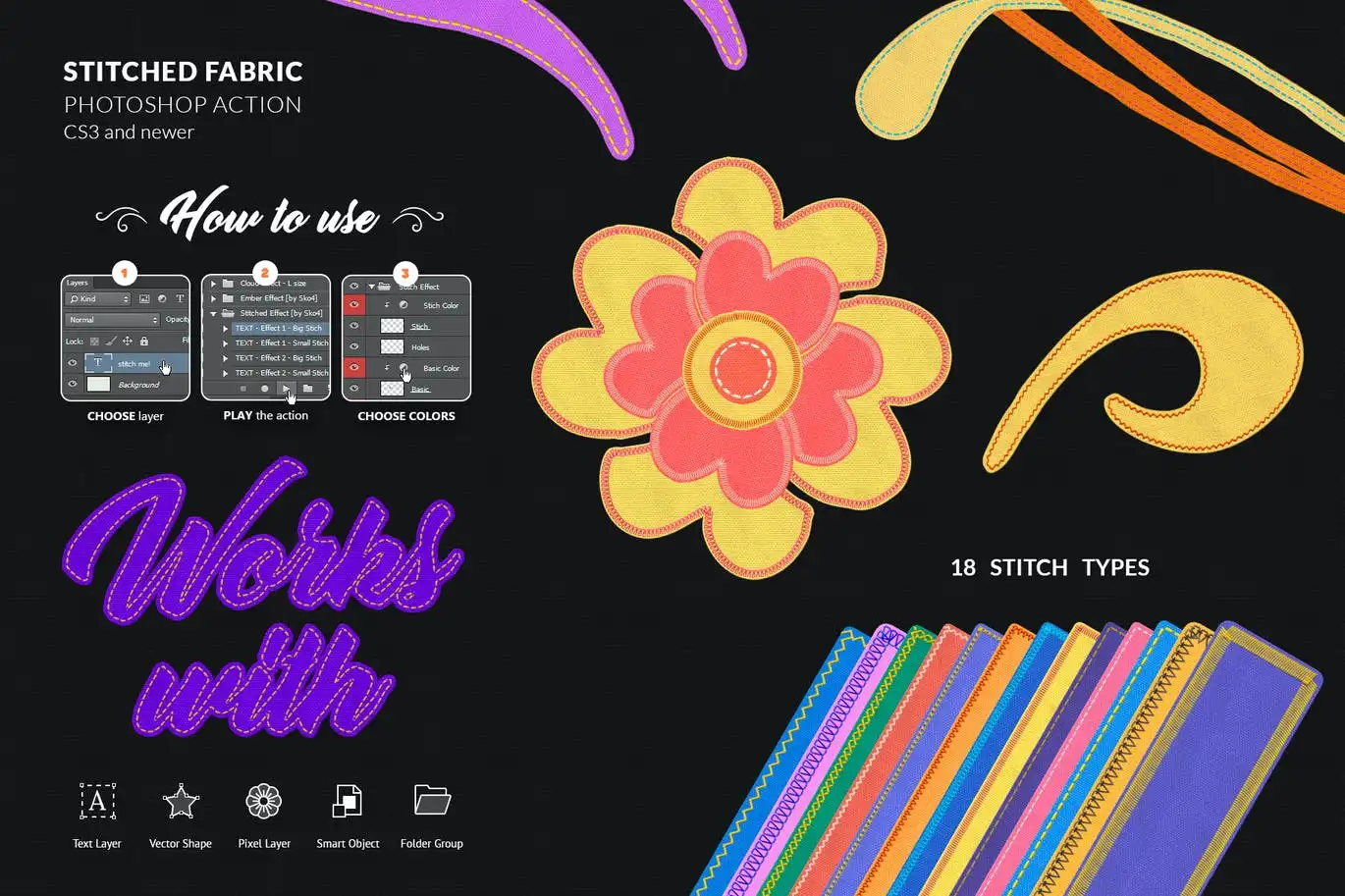
- ✅ Compatibility → Works seamlessly with texts, logos, pixel layers, smart objects, and groups.
- ✅ High Resolution → Perfect for both 300 dpi and 72 dpi projects.
Why Choose This Product
With the Stitched Fabric Photoshop Action, you can elevate your design projects effortlessly. Its user-friendly interface and quick application make it a must-have for any designer. Trusted by professionals, this action not only saves time but also enhances the visual appeal of your work, allowing you to stand out in a competitive market.
Specifications (Technical Details)
| File Type | ANT, ABR, PAT, PDF |
|---|---|
| Included Files | Actions, Brushes, Patterns, Help File |
| Support | Email support from the author |
What’s Included / What’s in the Box
- 📦 ANT File – Actions
- 📦 ABR File – Brushes
- 📦 PAT File – Patterns
- 📦 PDF – Help file with fonts links and instructions
Perfect For
- Graphic Designers
- Textile Designers
- Typography Enthusiasts
- Creative Professionals
How to Use
- Open your Photoshop project.
- Select the layer you want to apply the effect to.
- Click ‘Play’ on the action panel.
- Customize colors as desired.
FAQ
- Can I use this action on any layer type? Yes, it works with texts, logos, pixel layers, smart objects, and groups.
- What resolution does it support? It works great in both 300 dpi and 72 dpi.
Ready to enhance your designs? Add to cart now and start creating stunning stitched effects today! 🚀
User Reviews
Be the first to review “Stitched Fabric Photoshop Action”
You must be logged in to post a review.
Frosted Window Photo Template
Sold by Andrew Skoch Design
Glowing Neon Photoshop Brushes
Sold by Andrew Skoch Design
Clay 3D Text Effect
Sold by Andrew Skoch Design
Grunge Text Effects
Sold by Andrew Skoch Design
LED Wall Logo Creator
Sold by Andrew Skoch Design
Enamel Metal Pin Mockups
Sold by Andrew Skoch Design Original price was: $5.00.$2.50Current price is: $2.50.


There are no reviews yet.