
Stitch Photoshop Brushes
Original price was: $5.00.$2.50Current price is: $2.50.

Andrew Skoch Design
Product Specs:
- Compatible with: Brushes
- File Type: ZIP
- File Size: 2.9 MB
- Instant Download
Stitch Photoshop Brushes for Creative Sewing Projects
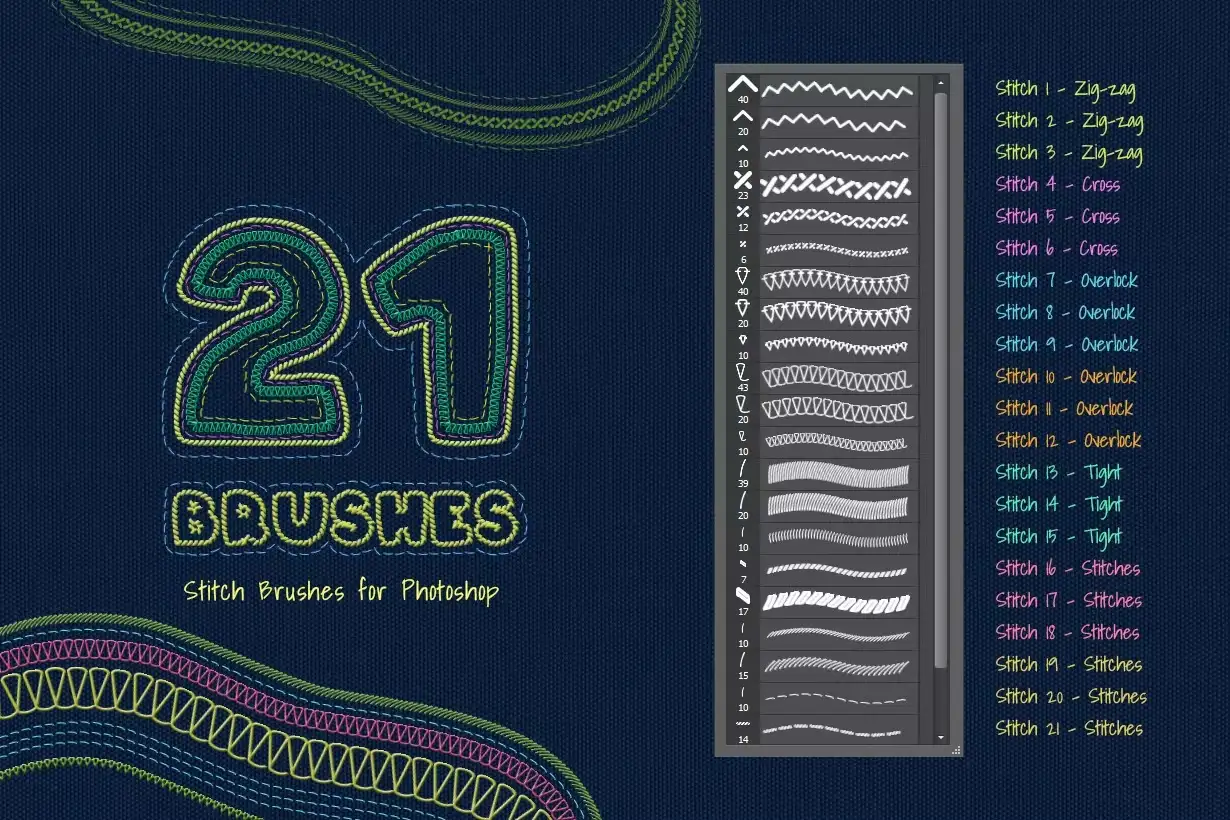
Unlock your creativity with our Stitch Photoshop Brushes! Designed for artists and crafters alike, this set features 21 unique brushes that mimic real sewing techniques, making it easy for you to add intricate stitching effects to your digital artwork.
Product Overview
This collection includes a .ABR file containing 21 versatile brushes for Adobe Photoshop, perfect for enhancing your designs with embroidery and stitch effects. Whether you’re a seasoned designer or just starting out, these brushes will elevate your projects effortlessly.
Key Features & Benefits
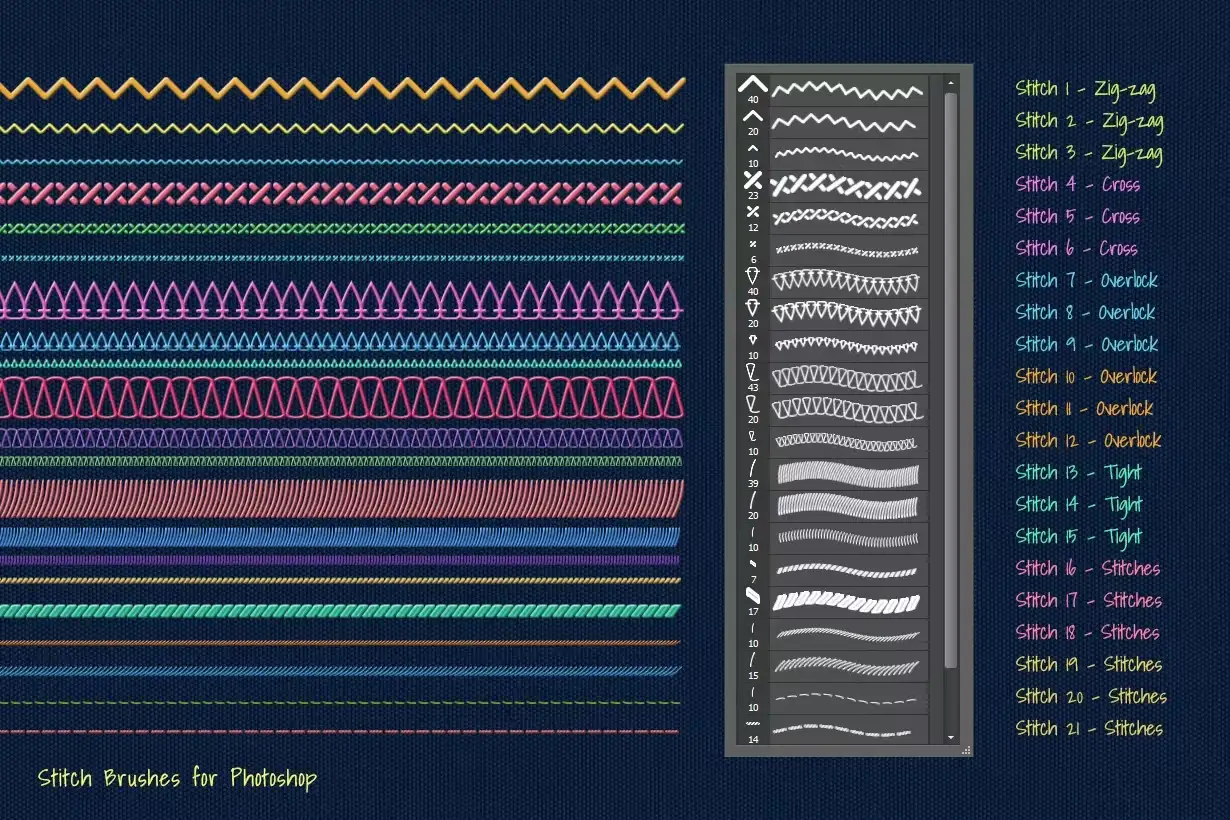
- ✅ 21 Unique Brushes → Create diverse stitching effects like zig-zag, cross, overlock, and simple stitches.
- ✅ Easy to Use → No drawing skills required! Simply use the ‘Stroke Path’ option to apply stitches.
- ✅ Compatibility → Works seamlessly with Adobe Photoshop CS3 and newer versions up to Photoshop CC2020.
- ✅ Visual Examples → Includes .JPG files showcasing each brush set in action for your reference.
- ✅ Perfect for Various Projects → Ideal for fashion design, digital scrapbooking, and crafting.
Why Choose This Product
These Stitch Photoshop Brushes are trusted by artists worldwide for their quality and versatility. They allow you to bring your sewing-themed designs to life without the need for physical materials. Imagine creating stunning visuals that look like real embroidery, all within your digital workspace!
Specifications
| File Type | .ABR |
|---|---|
| Compatibility | Adobe Photoshop CS3 and newer |
| Included Files | 21 Brushes, Visual Examples (.JPG) |
What’s Included
- 📦 21 Stitch Brushes in .ABR format
- 📦 Visual Examples in .JPG format
Perfect For
- Graphic Designers
- Fashion Illustrators
- Digital Artists
- Craft Enthusiasts
How to Use
- Install the .ABR file in Adobe Photoshop.
- Select your desired brush and adjust the size as needed.
- Utilize the ‘Stroke Path’ option for easy application.
FAQ
- Can I use these brushes in other software? No, these brushes are specifically designed for Adobe Photoshop.
- Do I need any special skills to use these brushes? No special skills are required! They are user-friendly for all levels.
Ready to enhance your digital creations? Add the Stitch Photoshop Brushes to your toolkit today and start crafting beautiful designs! 🚀
User Reviews
Be the first to review “Stitch Photoshop Brushes”
You must be logged in to post a review.

Graffiti Text Effects – 10 PSD – vol 1
Sold by Andrew Skoch Design
Glowing Wall Logo Mockups
Sold by Andrew Skoch Design
Halftone Photoshop Brushes
Sold by Andrew Skoch Design
Vintage Text Effects
Sold by Andrew Skoch Design
Frosted Window Photo Template
Sold by Andrew Skoch Design
Real Estate Instagram Posts
Sold by Andrew Skoch Design Original price was: $5.00.$2.50Current price is: $2.50.


There are no reviews yet.