
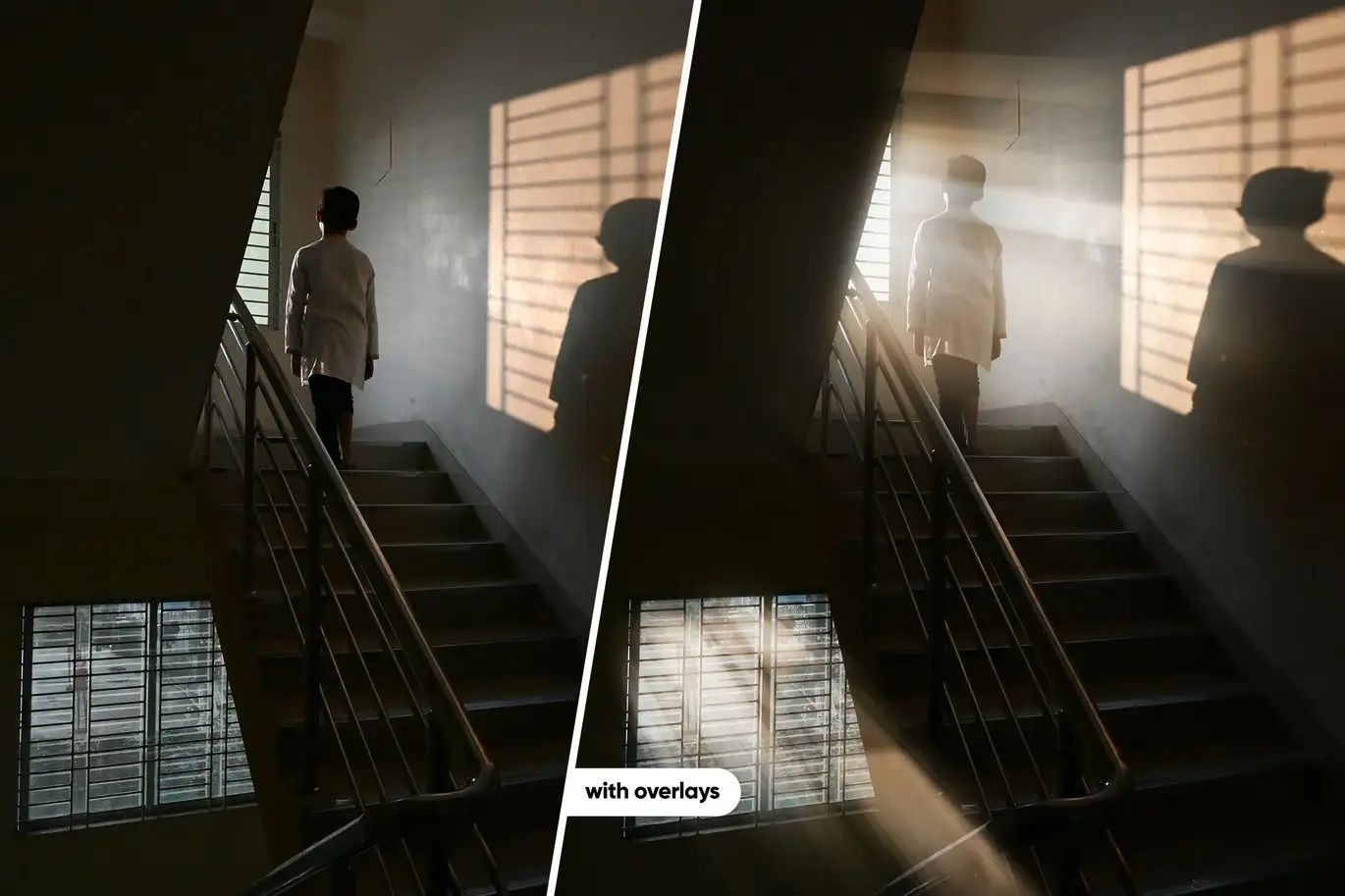
Rays – Realistic Overlays for Photoshop

Original price was: $5.00.$2.50Current price is: $2.50.

artapresets
Product Specs:
- Compatible with: Overlays
- File Type: ZIP
- File Size: 68.6 MB
- Instant Download
Rays – Realistic Overlays for Photoshop
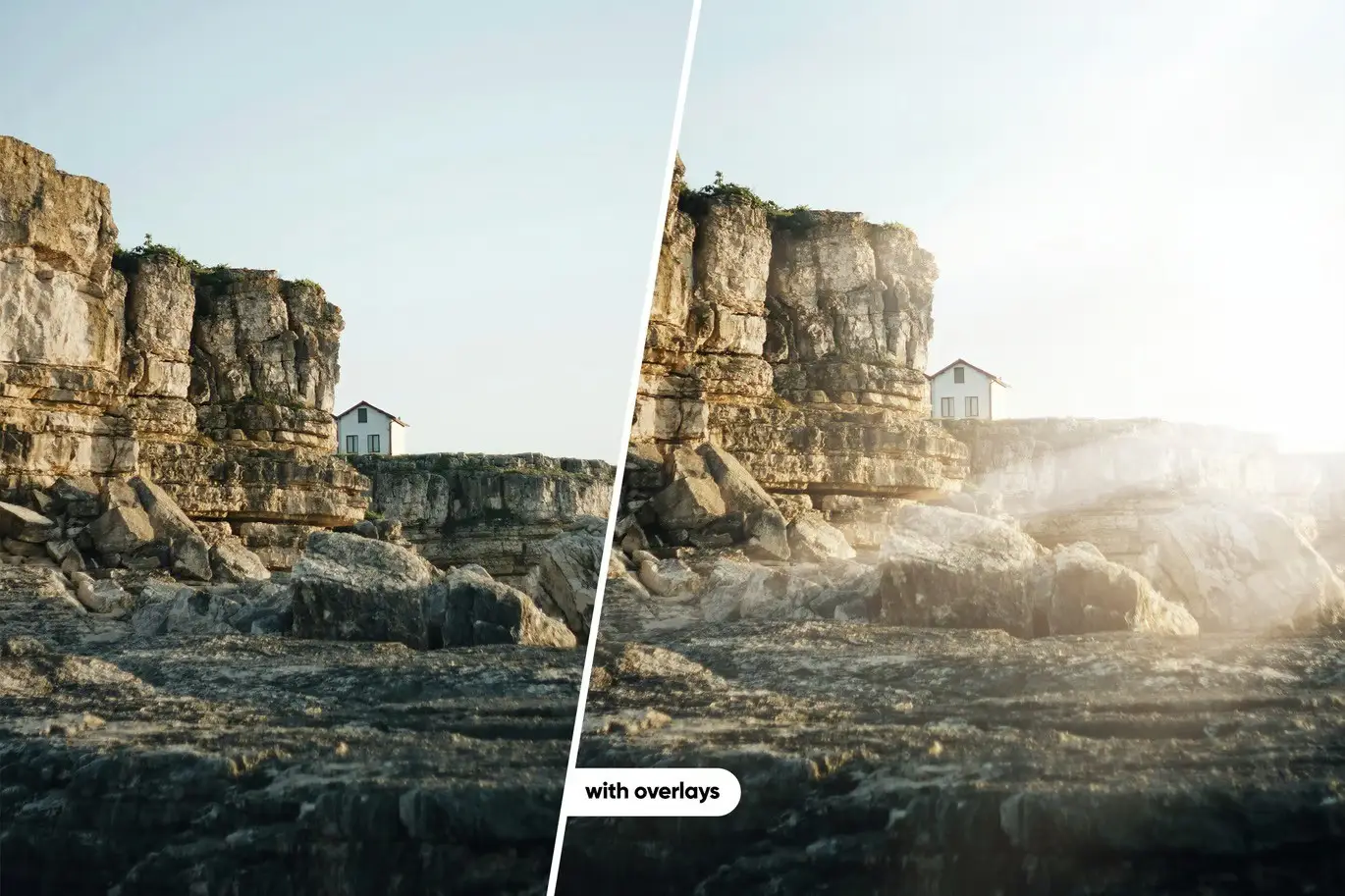
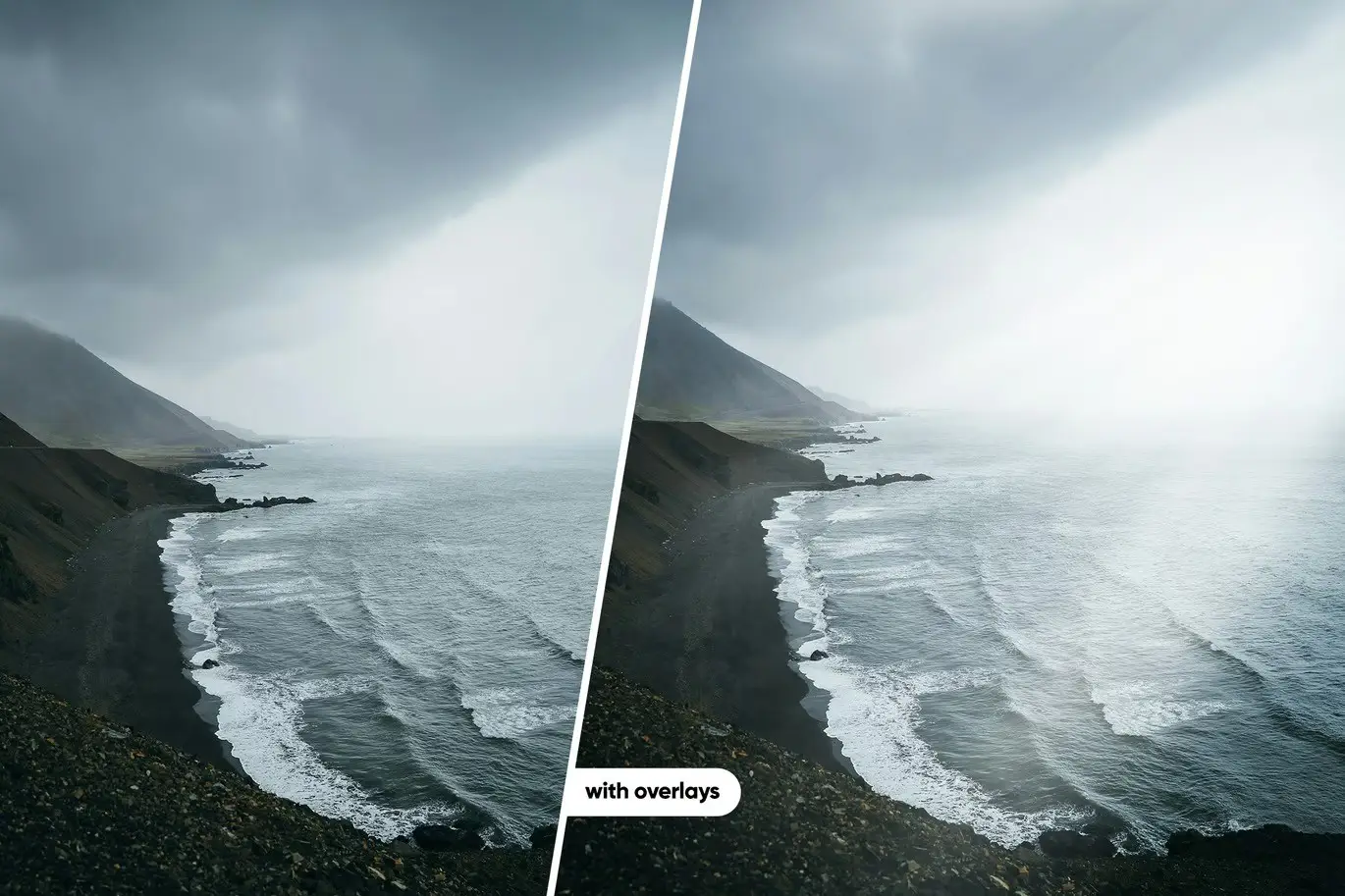
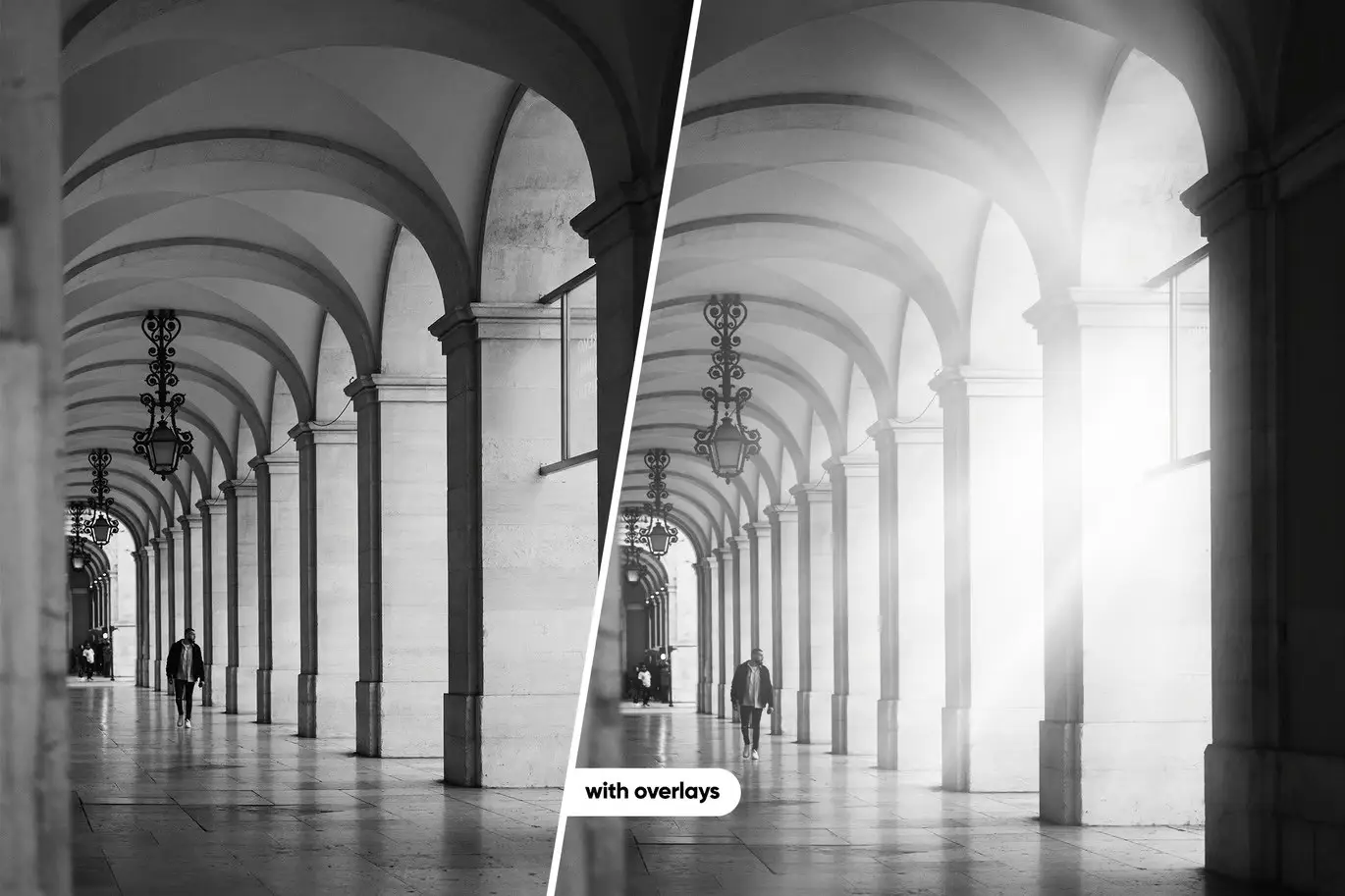
Enhance your photography with Rays – Realistic Overlays for Photoshop. These overlays are designed to create stunning atmospheres in your images, making them look professional and captivating. Whether you’re a beginner or an experienced photographer, you can easily transform your photos into works of art.
Product Overview
This package includes a diverse selection of high-resolution overlays that are simple to apply to any photo. The realistic effects will elevate your images, adding depth and character effortlessly.
Key Features & Benefits
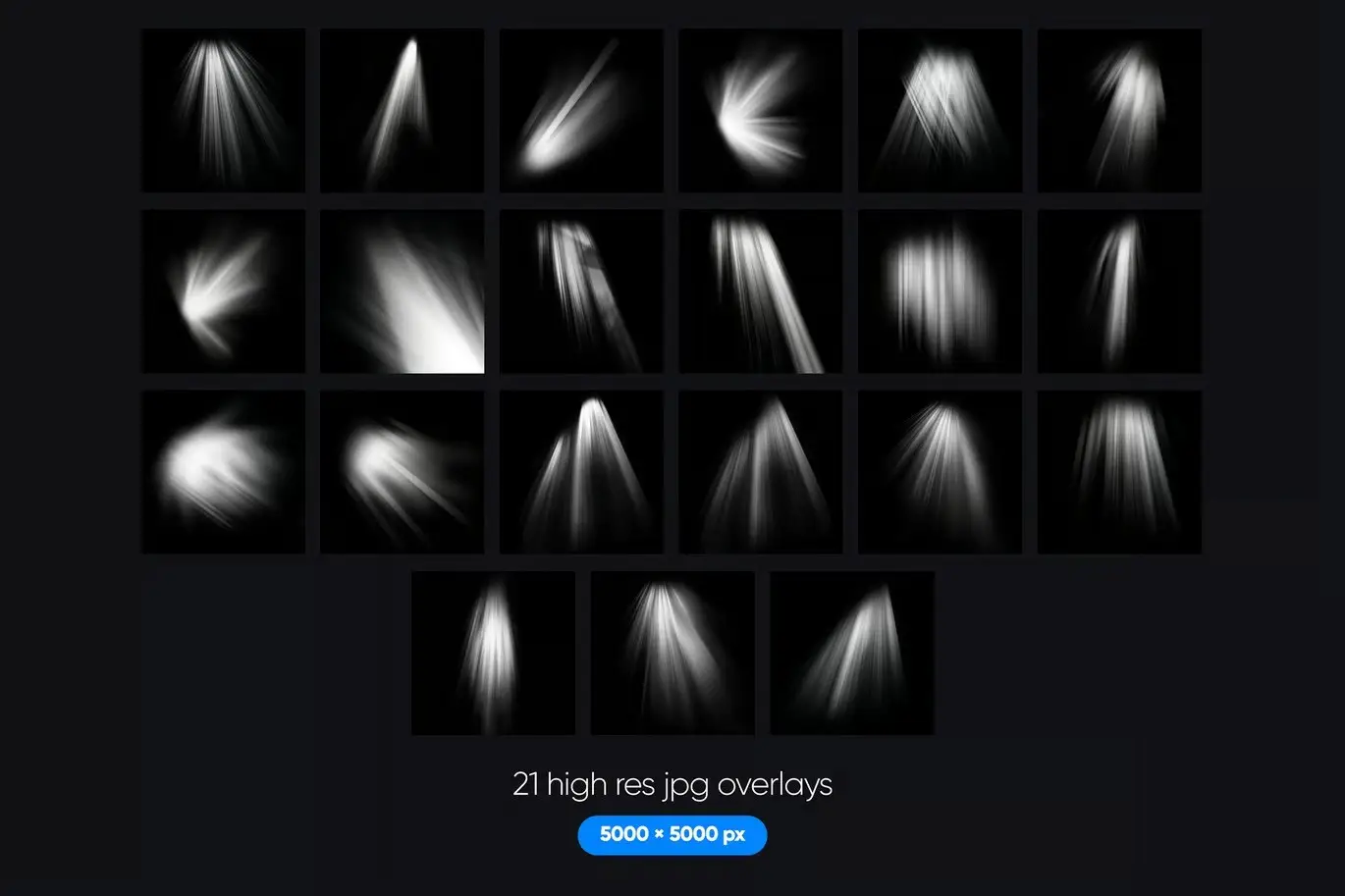
- ✅ High-Resolution Overlays → Each overlay is 5000x5000px, ensuring clarity and detail in your images.
- ✅ Easy to Use → Simply drag and drop the overlays onto your photos for instant enhancement.
- ✅ Versatile Compatibility → Works seamlessly with Adobe Photoshop CS6 or higher on Windows, Mac, Android, and iOS.
- ✅ Comprehensive Guide → Includes a PDF guide detailing how to use the overlays in Photoshop.
- ✅ Variety of Options → The package contains 21 unique overlays to suit different styles and moods.
Why Choose This Product
Rays – Realistic Overlays for Photoshop stands out due to its quality and ease of use. Photographers around the world trust these overlays to add a professional touch to their work. With a variety of options available, you can find the perfect overlay for any project, enhancing your creative possibilities.
Specifications
| Item | Details |
|---|---|
| Format | .png |
| Resolution | 5000x5000px |
| Number of Overlays | 21 |
| Compatibility | Adobe Photoshop CS6 or higher |
| Platforms | Windows, Mac, Android, iOS |
What’s Included / What’s in the Box
- 📦 21 High-Resolution Overlays
- 📦 PDF Guide on How to Use in Photoshop
Perfect For
- Beginners looking to enhance their photography skills
- Professional photographers seeking to add creative effects
- Graphic designers wanting to improve their visual projects
How to Use
- Open your photo in Adobe Photoshop.
- Drag and drop the desired overlay onto your image.
- Adjust the overlay’s position and opacity as needed.
- Save your enhanced image!
FAQ
- Can I use these overlays on mobile devices? Yes, they are compatible with mobile versions of Photoshop.
- Are the overlays reusable? Absolutely! You can use them on multiple projects.
Add to cart now and start creating stunning images today! 🚀
User Reviews
Be the first to review “Rays – Realistic Overlays for Photoshop”
You must be logged in to post a review.

Arta-Deepworld Presets For Lightroom
Sold by artapresets

Arta-Nightblue Presets For Lightroom
Sold by artapresets
Arta-Newyork Presets For Lightroom
Sold by artapresets

Arta-Intense Presets For Lightroom
Sold by artapresets Original price was: $5.00.$2.50Current price is: $2.50.


There are no reviews yet.