

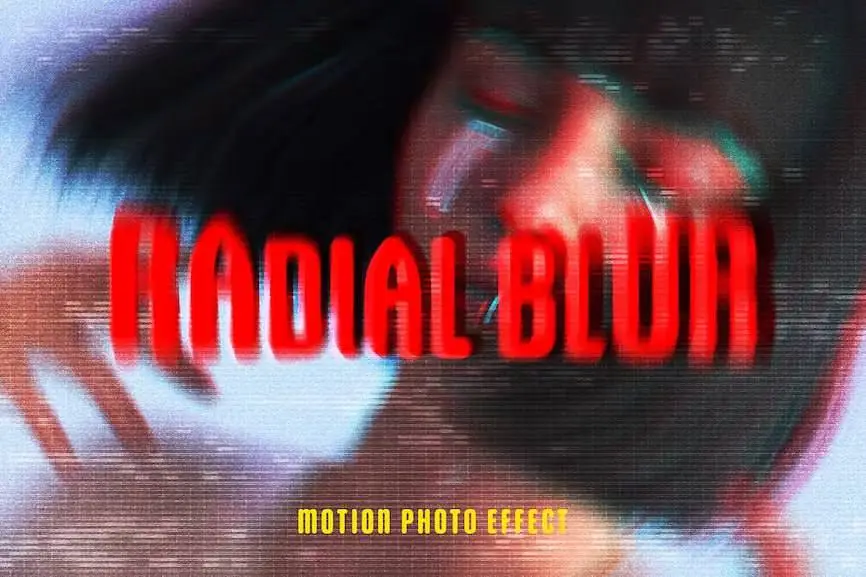
Radial Blur Photo Effect: Transform Your Images Effortlessly
Elevate your photography with the Radial Blur Photo Effect, designed for effortless application and stunning results. This effect allows you to create mesmerizing, high-quality images in just a few clicks, making it ideal for both beginners and professionals alike.
Product Overview
The Radial Blur Photo Effect is a versatile digital design asset that utilizes Smart Object layers for complete customization. Whether you’re looking to enhance a portrait, landscape, or any other type of imagery, this effect provides the flexibility you need to achieve your creative vision.
Key Features & Benefits
- ✅ Smart Object Layers → Easily customize your images by double-clicking the layer thumbnail, replacing the placeholder with your graphics.
- ✅ High-Resolution Output → Enjoy stunning clarity with a resolution of 4500×3000 px at 300 dpi, perfect for print and digital use.
- ✅ User-Friendly Design → Simple steps to apply the effect make it accessible for users of all skill levels.
- ✅ Adjustment Features → Fine-tune your composition with adjustable settings to achieve the desired look.
- ✅ Comprehensive Help File → Included documentation guides you through the process, ensuring a smooth experience.
Why Choose This Product
The Radial Blur Photo Effect stands out due to its ease of use and high-quality results. Trusted by photographers and designers worldwide, this effect helps you create stunning visuals that capture attention. Whether you’re enhancing social media posts, creating marketing materials, or simply exploring your creativity, this effect is your go-to solution.
Specifications
| File Type | PSD |
|---|---|
| Dimensions | 4500 x 3000 px |
| DPI | 300 |
| Compatibility | Adobe Photoshop |
What’s Included
- 📦 High-quality PSD file
- 📦 Comprehensive help file
Perfect For
- Photographers looking to enhance their images
- Graphic designers seeking unique effects
- Social media marketers wanting to create eye-catching visuals
- Beginners exploring digital design
How to Use
- Open the PSD file in Adobe Photoshop.
- Double-click the Smart Object layer thumbnail.
- Replace the placeholder image with your own graphics.
- Save the changes and view the applied effect.
- Adjust settings as needed for the perfect finish.
FAQ
- Can I use this effect on any image? Yes, the Radial Blur Photo Effect is versatile and can be applied to various types of images.
- Is there a tutorial included? Yes, a comprehensive help file is provided to guide you through the process.
Don’t miss out on the chance to enhance your photography with the Radial Blur Photo Effect. Add to cart now and start creating stunning visuals today! 🚀
User Reviews
Be the first to review “Radial Blur Photo Effect”
You must be logged in to post a review.




Soap Bubbles Text & Logo Effect
Sold by
Original price was: $5.00.$2.50Current price is: $2.50.


There are no reviews yet.