

Primary Brushes Raja Nandepu
Unlock your creativity with the Primary Brushes Raja Nandepu. This collection features 100 high-quality brushes designed specifically for digital artists using Photoshop, Procreate, and Clip Studio Paint. Whether you’re a beginner or a seasoned professional, these brushes will elevate your artwork to new heights.
Product Overview
The Primary Brushes Raja Nandepu are meticulously crafted to provide a versatile range of textures and effects. Perfect for illustrations, concept art, or any digital painting project, these brushes are compatible with various software, ensuring you can create stunning visuals effortlessly.
Key Features & Benefits
- ✅ 100 Unique Brushes → A diverse selection to suit all your artistic needs.
- ✅ .abr File for Photoshop → Seamless integration for Photoshop users.
- ✅ .sutg File for Clip Studio Paint → Easy import for Clip Studio Paint with clear instructions.
- ✅ Optimized for 2k-4k Documents → Achieve high-resolution results for professional-quality artwork.
- ✅ Bonus Content on Patreon → Purchase to access exclusive video tutorials alongside your brushes.
- ✅ Compatibility Note → While most brushes work perfectly in Procreate and Clip Studio Paint, a few may have limited functionality.
Why Choose This Product
Artists worldwide trust the Primary Brushes Raja Nandepu for their reliability and exceptional quality. With a focus on user experience, these brushes are designed to inspire and empower your creativity. Whether you’re sketching, painting, or illustrating, you can count on these brushes to deliver stunning results.
Specifications (Technical Details)
| Brush Count | 100 Brushes |
|---|---|
| File Formats | .abr (Photoshop), .sutg (Clip Studio Paint) |
| Document Compatibility | Best for 2k-4k documents |
What’s Included / What’s in the Box
- 📦 100 Digital Brushes
- 📦 .abr file for Photoshop
- 📦 .sutg file for Clip Studio Paint
- 📦 Access to bonus video tutorials on Patreon
Perfect For
- Digital Artists
- Illustrators
- Concept Artists
- Beginners and Professionals alike
How to Use
Importing brushes into Clip Studio Paint is simple: Open the subtool panel, click the top left sub-menu button, select ‘Import Subtool’, and then import the .sutg file. For Photoshop users, just load the .abr file directly into your brush panel.
FAQ
- Are all brushes compatible with Procreate? Some brushes may have limited functionality in Procreate, but the majority will work well.
- Can I use these brushes in other software? These brushes are specifically designed for Photoshop, Procreate, and Clip Studio Paint.
Add to cart now and start creating stunning artwork with the Primary Brushes Raja Nandepu today! 🚀
User Reviews
Be the first to review “Primary Brushes Raja Nandepu”
You must be logged in to post a review.
Graphic Brushes – Raja Nandepu
Sold by
Lets Paint with the palette 002
Sold by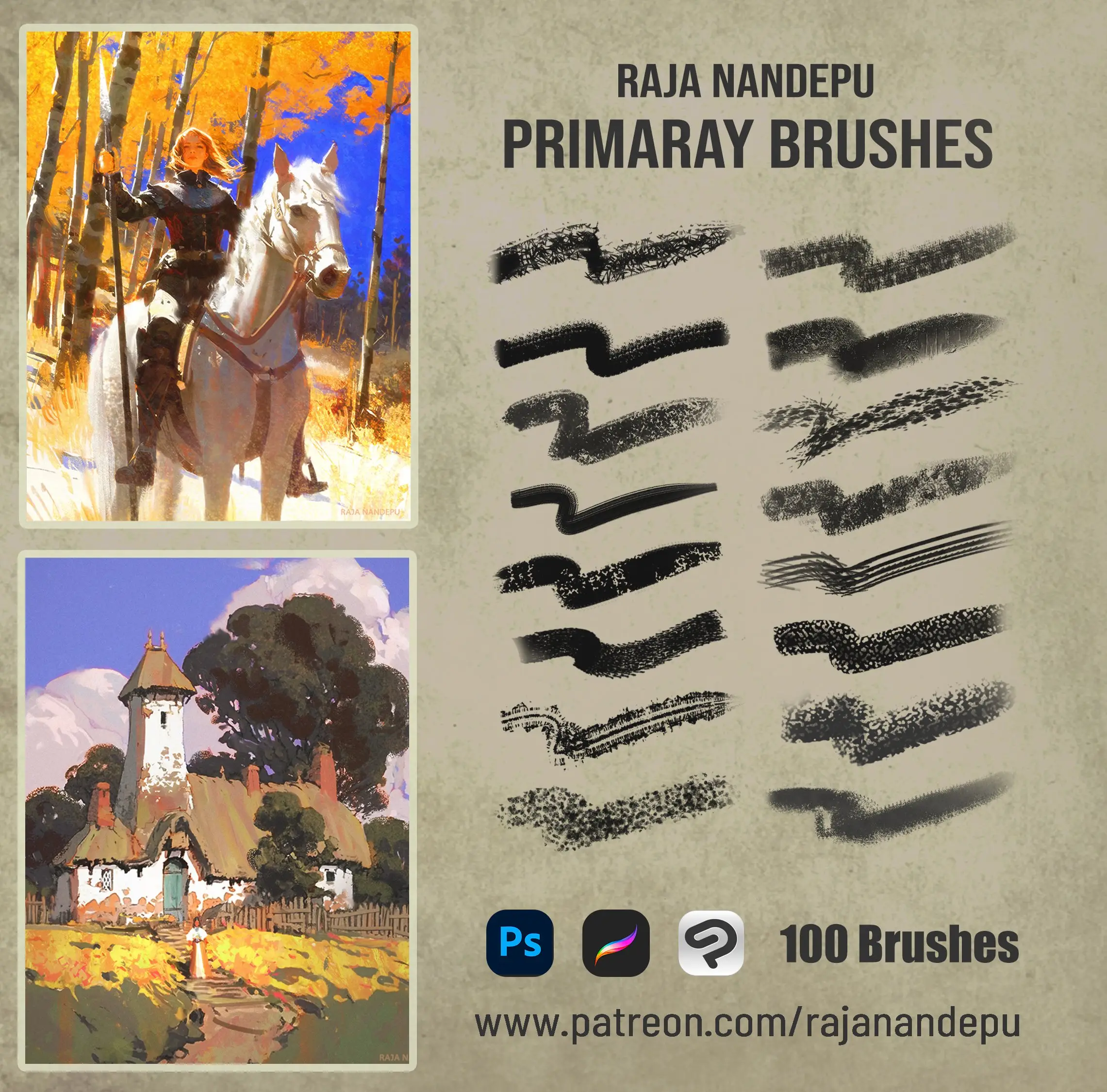
Original price was: $10.00.$5.00Current price is: $5.00.


There are no reviews yet.