
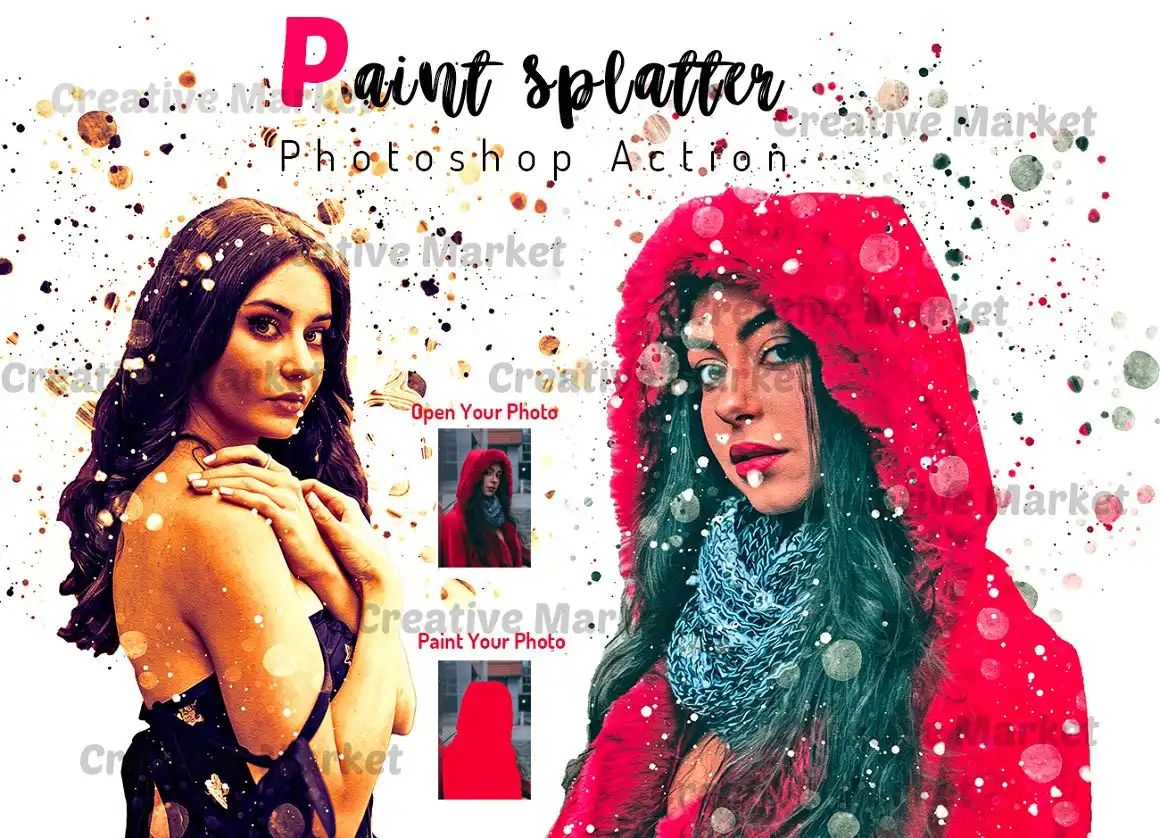
Paint Splatter Photoshop Action


Original price was: $9.00.$4.50Current price is: $4.50.

Studio Retouch
Product Specs
- Compatible with: Adobe Photoshop
- File Type: zip
- Instant Download
- File Size: 28.4 MB
Paint Splatter Photoshop Action
This digital download features a fantastic Paint Splatter Photoshop Action designed to give your photos an authentic paint splatter effect! 🎨✨ With instant access, you can dive right into transforming your ordinary images into extraordinary masterpieces. This professional pack makes it easy to customize your artwork, allowing you to create stunning visuals that stand out!
Product Overview
This action is perfect for anyone looking to add a splash of creativity to their photos. Whether you’re a photographer, graphic designer, or a digital artist, this tool is your go-to for achieving that artistic flair. With 10 vibrant color options included, you can easily adjust the brush color to match your vision! 🌈
Key Features & Benefits
- Non-destructive effect: Keep your original image intact while experimenting with the paint splatter effect! 🎉
- Easy to customize: Tailor the action to fit your unique style with just a few clicks!
- Multiple color options: Choose from 10 different colors to create the perfect vibe for your artwork! 🎨
- Organized layers: Enjoy a clean workspace with well-organized layers for easy editing.
- User-friendly: No advanced Photoshop skills are needed—perfect for beginners and pros alike!
- 24/7 support: We’re here to help you every step of the way! 💬
Technical Specifications
| Compatible with | Adobe Photoshop |
|---|---|
| File Type | zip |
| Instant Download | Yes |
| File Size | 28.4 MB |
What’s Included
- ATN Files (Photoshop Action File)
- Brush File
- Help File
- PDF Help File
- Works on every photo
- High-quality results
- Easy to customize
- Organized layers
- Easy install
- User guide included
- Simple to use
- No Photoshop skill needed
- 24/7 support
Images credit goes to:
Perfect For
- Photographers looking to add artistic flair to their images
- Graphic designers wanting to create stunning visuals
- Digital artists exploring new styles and techniques
FAQ
- Is this a physical product? No, it’s a digital download!
- What software do I need? This action works with Adobe Photoshop CS4 and later versions.
- How do I use the Paint Splatter effect? Check our included tutorial for a step-by-step guide on how to make paint splatter in Photoshop!
User Reviews
Be the first to review “Paint Splatter Photoshop Action”
You must be logged in to post a review.

Oil Retouching Photoshop Action
Sold by Studio Retouch
Pro Vector Art Photoshop Action
Sold by Studio Retouch
Vector Trace Photoshop Action
Sold by Studio Retouch
11-IN-1 Smoke Photoshop Action Bundle
Sold by Studio Retouch
Ultra Oil Effect Photoshop Action
Sold by Studio Retouch
Distortion Effect Photoshop Action
Sold by Studio Retouch Original price was: $9.00.$4.50Current price is: $4.50.


There are no reviews yet.