
Isometric illustration – Photoshop action


Original price was: $5.00.$2.50Current price is: $2.50.

Andrew Skoch Design
Product Specs:
- Compatible with: Actions
- File Type: ZIP
- File Size: 11.9 MB
- Instant Download
Isometric Illustration – Photoshop Action
Create stunning 3D isometric illustrations effortlessly with our Photoshop action. Whether you’re working with shapes, vectors, pixel layers, smart objects, group layers, or text, you can achieve professional results without needing a 3D engine. Dive into the Isometric World and transform your designs in seconds!
Product Overview
This innovative Photoshop action simplifies the creation of isometric illustrations, allowing you to generate 3D objects with just one click. Ideal for designers looking to enhance their projects quickly and efficiently, this tool is perfect for creating unique visuals for various applications.
Key Features & Benefits
- ✅ Four Isometric Directions → Choose the perspective that best suits your design.
- ✅ Ten Depth Sizes (10 PX – 100 PX) → Customize the depth of your objects for added dimension.
- ✅ Global Light Function → Achieve consistent lighting across all elements.
- ✅ Total of 40 Actions → A comprehensive toolkit for diverse design needs.
- ✅ Multilingual Action → Accessible for users in any language.
- ✅ Saves Colors and Sizes → Maintain the integrity of your original design elements.
- ✅ Reusable in One PSD File → Create multiple illustrations quickly by applying the action to various layers.
Why Choose This Product
This Photoshop action stands out for its simplicity and effectiveness. Trusted by designers worldwide, it allows you to create isometric illustrations rapidly, enhancing your workflow without compromising on quality. Whether you’re a beginner or a seasoned professional, this tool will streamline your design process and inspire creativity.
Specifications (Technical Details)
| Software Compatibility | Adobe Photoshop CS5, CS6, CC 2014-2023 and newer versions |
|---|---|
| Platform | PC or MAC |
| File Format | ATN, PSD, PDF |
What’s Included / What’s in the Box
- 📦 ATN file with 40 actions
- 📦 10 Depth sizes for each direction
- 📦 PSD template for easy start
- 📦 PDF help file
- 📦 Video tutorial
Perfect For
- Graphic Designers
- Illustrators
- Digital Artists
- Marketing Professionals
- Anyone looking to create isometric designs
How to Use
- Select the layer or group you want to transform.
- Choose your desired direction and depth.
- Click ‘Play’ to apply the action.
FAQ
- Can I use this action multiple times? Yes, you can apply the action to different layers within the same PSD file.
- Is it compatible with all versions of Photoshop? It works with Adobe Photoshop CS5, CS6, CC 2014-2023, and newer versions.
Ready to elevate your design projects? Add this Isometric Illustration Photoshop action to your toolkit today and start creating stunning visuals effortlessly! 🚀
User Reviews
Be the first to review “Isometric illustration – Photoshop action”
You must be logged in to post a review.

Hologram Photo Templates
Sold by Andrew Skoch Design
Multiple Exposure Photo Template
Sold by Andrew Skoch Design
90S Style Text Effects
Sold by Andrew Skoch Design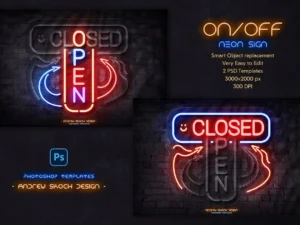
Neon On Off Switch Light – Photoshop Template
Sold by Andrew Skoch Design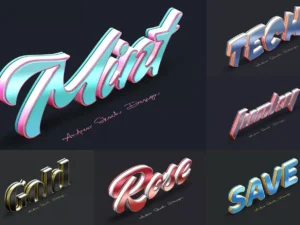
Color Metal Text Effects
Sold by Andrew Skoch Design
Old Movie Titles
Sold by Andrew Skoch Design Original price was: $5.00.$2.50Current price is: $2.50.


There are no reviews yet.