
Halftone Maker Photo Effect



Original price was: $5.00.$2.50Current price is: $2.50.

Doku Doku Nomi
Product Specs:
- Compatible with: UI Kits
- File Type: ZIP
- File Size: 9.2 MB
- Instant Download
Halftone Maker Photo Effect
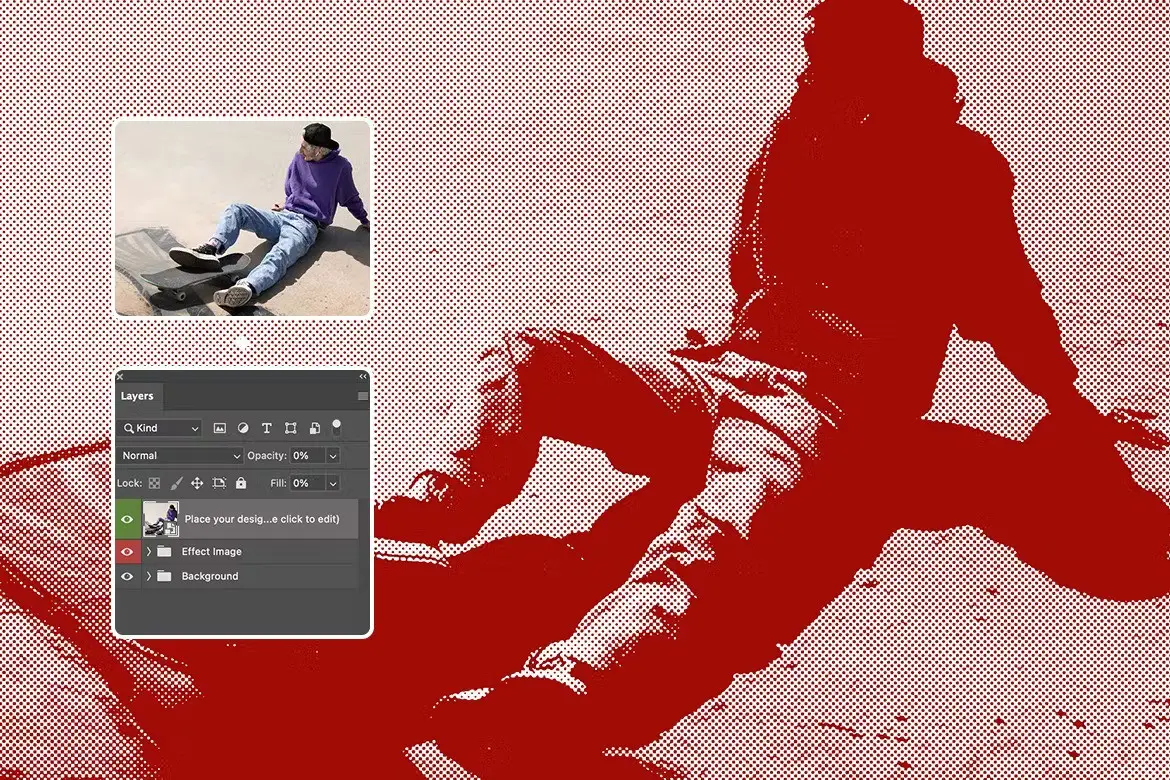
Transform your photos with the Halftone Maker Photo Effect, a unique digital design asset that brings a stylish, retro flair to your text and logos. This product is designed for photographers and designers who want to create stunning visuals effortlessly. With just a few clicks, you can achieve a professional halftone effect that enhances your creative projects.
Product Overview
The Halftone Maker Photo Effect is a versatile tool that allows you to apply a captivating halftone style to any text or logo. Whether you’re working on a personal project or a client’s portfolio, this effect adds a trendy touch that stands out. It’s perfect for creating eye-catching graphics that resonate with retro and modern aesthetics.
Key Features & Benefits
- ✅ Editable Texts → Customize all text elements easily to fit your design needs.
- ✅ High-Resolution Compatibility → Works flawlessly with 300DPI projects, ensuring sharp prints.
- ✅ Organized Layers → All layers are clearly named and categorized for quick navigation.
- ✅ Smart Object Integration → Effortlessly change text or logos using Smart Objects in Adobe Photoshop.
- ✅ Large Canvas Size → Designed for a 5000×3000 pixel workspace, perfect for detailed designs.
Why Choose This Product
This Halftone Maker Photo Effect stands out due to its combination of ease of use and professional quality. It’s trusted by designers for its realistic details and aesthetic appeal, making it a go-to choice for anyone looking to elevate their graphic designs. With this product, you can save time while achieving stunning results that impress your audience.
Specifications
| Feature | Details |
|---|---|
| Software Compatibility | Adobe Photoshop |
| Resolution | 300DPI |
| Canvas Size | 5000×3000 pixels |
What’s Included
- Halftone Maker Photo Effect files
- Instructions for use
- Links to free fonts used in the presentation
Perfect For
- Photographers looking to enhance their portfolios
- Graphic designers creating retro-themed projects
- Anyone wanting to add a unique touch to their text and logos
How to Use
- Open the template in Adobe Photoshop.
- Double-click the Smart Object layer to edit text or logos.
- Save your changes and watch the halftone effect apply instantly.
FAQ
- Can I use this effect for print projects? Yes, it works perfectly for high-resolution print designs.
- Is it compatible with other software? This product is specifically designed for Adobe Photoshop.
Add the Halftone Maker Photo Effect to your design toolkit today and start creating stunning visuals that capture attention! 🚀
User Reviews
Be the first to review “Halftone Maker Photo Effect”
You must be logged in to post a review.

Grunge Film Negative Torn Paper Photo Effect
Sold by Doku Doku Nomi
Smooth Silver text effect
Sold by Doku Doku Nomi
Halftone Comic Photo Effect
Sold by Doku Doku Nomi
Fisheye Lens Photo Effect
Sold by Doku Doku Nomi
Liquid Melting Text Effects
Sold by Doku Doku Nomi
Old Wall Crack Effect for square flyer
Sold by Doku Doku Nomi Original price was: $5.00.$2.50Current price is: $2.50.


There are no reviews yet.