
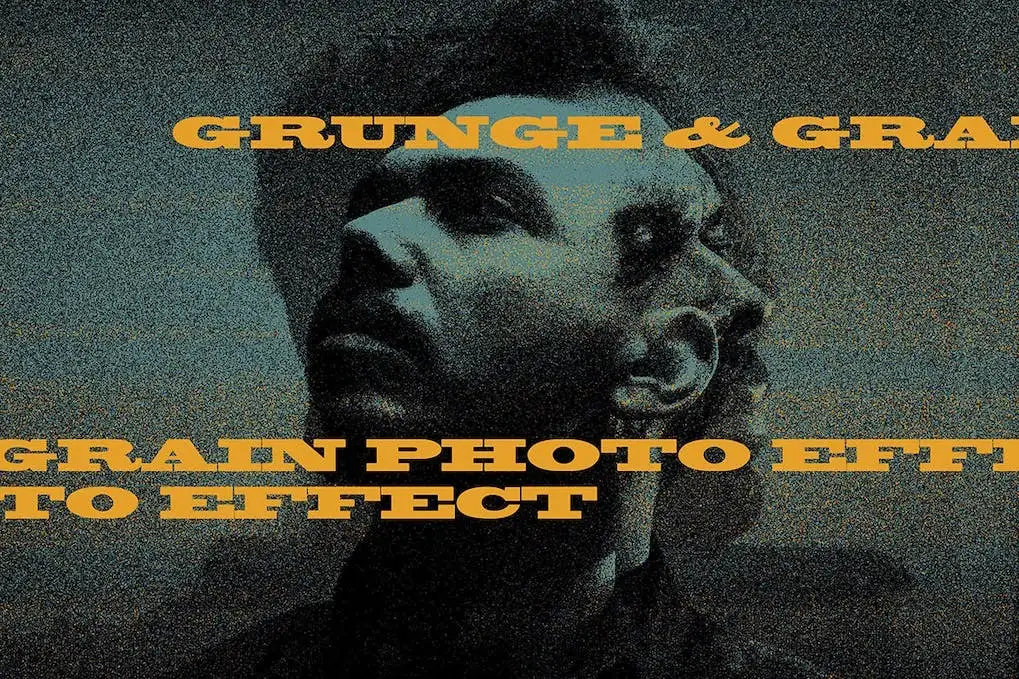
Grunge Grain Photo Effect
Original price was: $5.00.$2.50Current price is: $2.50.

Cruzine
Product Specs:
- Compatible with: Textures | Graphics
- File Type: RAR
- File Size: 15.6 MB
- Instant Download
Grunge Grain Photo Effect
Transform your photos into stunning grunge artworks with the Grunge Grain Photo Effect. This versatile Photoshop template allows you to create unique textures and effects effortlessly, making it the perfect solution for photographers and designers looking to add a retro touch to their work.
Product Overview
The Grunge Grain Photo Effect is a professional-grade Photoshop PSD template designed for those who want to enhance their images with a gritty, artistic flair. Ideal for fashion, editorial, or personal projects, this template provides a quick and easy way to achieve a vintage look.
Key Features & Benefits
- ✅ Smart Object Integration → Easily apply effects by dragging and dropping your photos into the smart object layer.
- ✅ High Resolution → Enjoy stunning quality with a resolution of 3000 x 2000 pixels at 300 dpi.
- ✅ Three Texture Overlays → Choose from three distinct textures to add depth and character to your images.
- ✅ User-Friendly Instructions → Follow the included text instructions for a seamless editing experience.
- ✅ Versatile Applications → Perfect for creating artistic prints, social media posts, or any project needing a grunge aesthetic.
Why Choose This Product
With the Grunge Grain Photo Effect, you can effortlessly elevate your photography. This template is trusted by creatives worldwide, providing a reliable way to achieve professional results without extensive editing skills. Whether you’re a seasoned designer or just starting, this template will enhance your workflow and inspire your creativity.
Specifications
| Feature | Details |
|---|---|
| File Type | PSD |
| Dimensions | 3000 x 2000 pixels |
| Resolution | 300 dpi |
| Texture Overlays | 3 included |
What’s Included / What’s in the Box
- 📦 Photoshop PSD Template
- 📦 Three Texture Overlay Effects
- 📦 Instruction Manual
Perfect For
- Photographers
- Graphic Designers
- Social Media Managers
- Artists looking for a retro style
How to Use
- Open the PSD file in Photoshop.
- Double-click the smart object layer and insert your photo.
- Adjust the texture overlays as desired.
- Save your work and enjoy your new grunge effect!
FAQ
- Can I use this template for commercial projects? Yes, you can use it for both personal and commercial projects.
- Is Photoshop required to use this template? Yes, you need Photoshop to edit the PSD file.
Ready to transform your images? Add to cart now and start creating stunning grunge effects today! 🚀
User Reviews
Be the first to review “Grunge Grain Photo Effect”
You must be logged in to post a review.
Ice Cold – 3D Lettering
Sold by Cruzine
Ice or Water PNG Alphabet
Sold by Cruzine
202 Watercolor Brushes
Sold by Cruzine
Original price was: $5.00.$2.50Current price is: $2.50.


There are no reviews yet.